Author: admin

  • Temp Email for Secure Website Registrations

    Temp Email for Secure Website Registrations

    Tired of your main inbox getting flooded with spam after every website sign-up? A temporary email address is your first line of digital defense. It acts as a disposable shield, allowing you to register on sites, download files, or access content without exposing your real, personal email. This simple strategy drastically cuts down on unwanted marketing, minimizes your risk in data breaches, and keeps your online identity compartmentalized and secure.

    You’re excited to download that free ebook, access a gated article, or finally try that new social platform. You click “Sign Up,” get to the email field, and hesitate. You know that once you type in your real, cherished, carefully-maintained email address, it’s out there. It gets added to a marketing list, sold in a data set, or worse, leaked in a breach. The convenience of the moment feels like it comes with a long-term privacy tax. What if there was a way to have your cake and eat it too? To get the immediate access you want without sacrificing your inbox’s sanctity? Enter the world of temporary email—a simple, powerful tool for secure website registrations that puts you back in control.

    This isn’t about doing anything shady. It’s about smart compartmentalization. Think of your primary email address as your home’s front door key. You wouldn’t give a copy to every random vendor, event promoter, or one-time service you try. You’d use a spare key, or better yet, a one-time-use code. A temporary email is that digital spare key. In this complete guide, we’ll break down exactly how this works, why it’s a cornerstone of modern digital hygiene, how to choose the right service, and the critical best practices to follow. By the end, you’ll never look at a website registration form the same way again.

    Key Takeaways

    • Disposable Protection: A temp email is a short-lived, anonymous inbox you use instead of your primary email for low-trust sign-ups, creating a crucial privacy barrier.
    • Spam and Phishing Mitigation: By funneling potential spam and phishing attempts to a disposable address, you keep your main inbox clean and your primary accounts safer.
    • Data Breach Damage Control: If a site using your temp email suffers a breach, your real identity, financial accounts, and long-term credentials remain unaffected.
    • Not for Critical Accounts: Never use temp email for banking, primary social media, work logins, or any account where password recovery is essential; you will lose access permanently.
    • Provider Variances: Not all temp mail services are equal. Key differences include inbox duration (10 minutes to 1 day), attachment support, and browser-based vs. custom domain options.
    • A Tool, Not a Magic Shield: While excellent for privacy, temp email doesn’t make you invisible. Your IP, browser fingerprint, and behavior on the site are still trackable.
    • Simple, Legal, and Effective: Using a disposable email is a perfectly legal and widely recommended privacy hygiene practice for navigating the modern web safely.

    What Exactly is a Temporary Email Address?

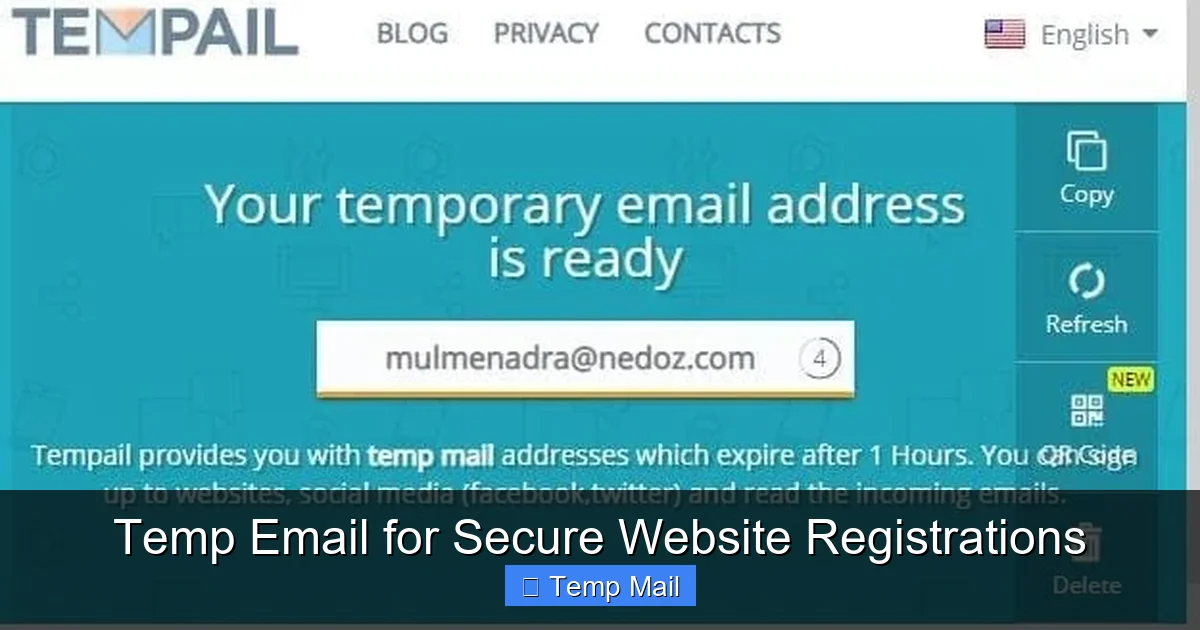
    At its core, a temporary email service provides you with a random, disposable email inbox that exists for a short, predetermined period—usually anywhere from 10 minutes to 24 hours, sometimes longer. You don’t need to register an account with the temp mail provider itself. You simply visit their website, they generate an address like [email protected] for you, and that’s it. You use that address on the third-party site you’re visiting.

    The Mechanics of Disposability

    These services work by automatically creating and managing a vast pool of email inboxes on their servers. When you arrive, you’re assigned one from the pool. Any email sent to that address is captured and displayed in a simple, web-based inbox interface you can view right there. The key is the lifecycle: after a set time, or if you close your browser session, that inbox and all its contents are automatically and permanently deleted from the server. There’s no password, no persistent login, and no way to recover it later. It’s designed to be a single-use, burn-after-reading vessel.

    Temp Mail vs. Alias Services

    It’s important not to confuse temporary email with email alias services like SimpleLogin or AnonAddy. An alias forwards mail to your primary inbox and can be managed and deleted at will. It’s a persistent but controllable layer. A true temp email is a dead-end. The mail lives only in the temporary inbox and vanishes. This makes temp mail ideal for situations where you have zero need for future communication from the sender, like confirming a download link or accessing a one-time article.

    Why Your Primary Email is a Privacy Liability for Registrations

    Using your personal or work email for every random website registration is like using your social security number as a username. It creates a single, monolithic point of failure that connects your entire digital activity. Let’s dissect the risks.
    Temp Email for Secure Website Registrations

    Visual guide about Temp Email for Secure Website Registrations

    Image source: domainsrush.com

    The Spam Pipeline

    That “free webinar” sign-up you did six months ago? Its terms and conditions likely included a clause allowing them to share your email with “partners.” That “partner” is often a data broker or a spam network. Your email address becomes a commodity, traded and sold, leading to the relentless promotional emails, robocalls, and text spam that plague your primary inbox. Once it’s out there, it’s nearly impossible to fully retract.

    The Data Breach Domino Effect

    Smaller websites, forums, and apps are frequent targets for hackers because their security is often weak. When they get breached, user databases—full of usernames, passwords (often poorly hashed), and email addresses—are stolen and posted online. If you used your primary email, that breach is now permanently linked to you. Hackers use these “breach collections” to launch credential stuffing attacks, trying your email and common passwords on major sites like Google, Amazon, and your bank. Using a disposable email for the sketchy forum means that breach is an island, disconnected from your real identity and critical accounts.

    The Profiling and Tracking Problem

    Every account you create with your real email is a data point in your digital profile. Ad networks and data aggregators can associate your real email with your browsing habits on that site, your interests, and your location. This builds a increasingly accurate and saleable profile of you. By using a different, disposable identity for low-stakes interactions, you break this chain of association, making your core identity harder to profile comprehensively.

    How to Use a Temporary Email for Secure Registration: A Step-by-Step Guide

    The process is intentionally simple, but doing it correctly matters. Here’s a practical walkthrough.

    Step 1: Choose and Open Your Temp Mail Provider

    Open a new browser tab and go to a reputable temporary email site. Examples include Temp-Mail.org, 10MinuteMail.com, or Guerrilla Mail. Avoid any service that asks you to create an account or pay for basic features. The homepage should immediately generate an address for you and show you the empty inbox.

    Step 2: Copy the Disposable Address

    Highlight and copy the randomly generated email address provided. Most services have a one-click “Copy” button. Do not manually type it to avoid errors.

    Step 3: Use It on the Target Website

    Go to the website you want to register for. Paste the temp email into the email field. Create a password (use a password manager to generate a strong, unique one even for this disposable account). Complete any other required fields. Submit the registration.

    Step 4: Access the Verification Email

    Most legitimate sites require email verification. After clicking “Sign Up,” switch back to your temp mail tab. Refresh the inbox page. Within seconds or minutes, you should see a new email from the website. Click on it to view its contents. Look for the verification link or code. Copy the link/code and return to the website’s tab to complete the verification. You now have access without ever touching your real inbox.

    Step 5: Complete Your Task & Forget It

    Download the file, read the article, use the temporary account. Once you’ve accomplished your goal, simply close the browser tab. You do not need to log out. The inbox will expire on its own, and any future emails (like spam from that site) will bounce or be discarded. You’ve successfully isolated that interaction.

    Choosing the Right Temporary Email Service

    Not all temp mail providers are built the same. Here’s what to look for.

    Key Features to Consider

    • Inbox Duration: 10-15 minutes is standard for quick verifications. If you need a bit more time (e.g., for a delayed email), look for services offering 1 hour or 1 day (like MailDrop or TempMail.net).
    • Attachment Support: Can it receive emails with attachments (PDFs, images)? Essential for downloading files. Most major services support this.
    • Browser-Based vs. Custom Domain: Most are simple browser-based inboxes. Some allow you to choose from a few domain names (e.g., @tmpmail.org, @tmpmail.net). This can help if a site blocks a known temp mail domain.
    • No Password/No Login: The hallmark of a true temp service is that the inbox is accessible directly via the URL or a simple refresh, with no authentication. This is what makes it disposable.
    • Ad Load: These services are free and ad-supported. Some are more intrusive than others. A clean interface is worth seeking out.

    Red Flags to Avoid

    Steer clear of any service that:

    • Requires you to sign up or create an account.
    • Charges for basic temp email functionality.
    • Promises “permanent” disposable emails (this is often an alias service, which is different).
    • Has a suspicious domain name or poor web design, which could indicate a phishing operation itself.

    Sticking with well-known, established names in the space is the safest bet.

    The Critical Risks and Limitations of Temporary Email

    Temp email is a powerful tool, but it’s not a silver bullet. Understanding its limitations is crucial for using it safely and effectively.

    You Will Lose Access – Permanently

    This is the most important rule. If you use a temp email to sign up for a service you later need to recover (e.g., you forgot your password), you are locked out forever. The “forgot password” link will send a reset email to an inbox that no longer exists. There is no customer support that can help, as you have no verifiable account ownership. This is why it is strictly for non-essential, one-off interactions.

    Service and Website Blocking

    Many popular websites and platforms (like Google, Facebook, major streaming services, and most financial institutions) actively detect and block known temporary email domains. They do this to prevent abuse and fraud. If your temp email is blocked, you simply cannot use it to register. You must use your real email or a different method. This is actually a good filter—if a site blocks temp mail, it likely has stronger anti-abuse policies, which can be a signal of its legitimacy.

    False Sense of Total Anonymity

    Using a temp email hides your email identity, but not your network identity. The website you visit can still see your IP address (unless you use a VPN), your browser type, your operating system, and can place tracking cookies on your browser. For true anonymity, temp email is just one layer and should be combined with other privacy tools like a reputable VPN and privacy-focused browsers.

    Potential for Abuse and Blacklisting

    Because temp mail is anonymous, it is frequently used for malicious purposes: creating spam accounts, signing up for harassment, or bypassing bans. As a result, the domains used by temp mail services can sometimes be blacklisted by other email providers or security services. This means an email you send *from* a temp mail service (some allow limited sending) might be marked as spam. More relevant to you: if a site you register with uses aggressive security, they might flag or pre-emptively block registrations from a blacklisted temp domain, even if your specific use is innocent.

    The Future of Privacy: Where Temp Email Fits In

    The digital landscape is shifting towards greater privacy awareness. Regulations like GDPR and CCPA give users more control, but the onus is still partly on the individual. Temporary email is a classic example of a “privacy by obfuscation” tool, and its role is evolving.

    Integration with Password Managers and Browsers

    We’re already seeing trend. Password managers like 1Password and Bitwarden have begun integrating Masked Email features (powered by services like Fastmail’s Masking or DuckDuckGo’s Email Protection). These are essentially sophisticated, managed alias services that create unique, forwardable email addresses for each site. They are more persistent than a 10-minute temp mail but still provide compartmentalization. The future likely involves these “smart aliases” becoming a standard feature in privacy tools, blending the convenience of forwarding with the security of isolation.

    The Arms Race with AI and Fraud Detection

    As AI-driven fraud detection improves, simple temp mail domains may become easier to spot and block en masse. In response, temp mail services will likely become more sophisticated, generating more varied, less pattern-like domains. The cat-and-mouse game between privacy tools and platforms trying to verify “real” users will continue.

    A Pillar of Digital Hygiene

    Ultimately, the use of temporary or masked email will become as normalized as using a password manager or two-factor authentication. It’s a fundamental practice for anyone who wants to navigate the web without leaving a trail of breadcrumbs back to their primary identity. As data breaches become more common and targeted advertising more pervasive, the simple act of not using your real email for a random forum sign-up will be seen as a basic, commonsense security step—like locking your car door.

    Practical Scenarios: When to Absolutely Use Temp Email

    Let’s make this concrete. Here are common situations where a temporary email is your best friend.

    • Downloading Gated Content: Ebooks, whitepapers, template packs, or research reports that require an email. You want the file, not the newsletter. Use temp mail, get the download link (often delivered instantly), and vanish.
    • Signing Up for One-Time Events or Trials: A free webinar, a 7-day software trial, an online workshop. You need the access link, but the follow-up marketing will be relentless. Temp mail contains the blast.
    • Accessing Comment Sections or Forums: Some sites force registration to comment. If it’s a one-off comment on an article, why give them your email? Use temp mail.
    • Testing Website or App Sign-Up Flows: As a developer or QA tester, you need to repeatedly test registration processes. Using a new temp email each time avoids cluttering test accounts and prevents triggering “account already exists” errors.
    • Bypassing “Email Wall” Paywalls: Some news sites allow a few free articles per month but require an email. A temp email lets you bypass this respectfully (though consider supporting journalism if you read it often).
    • Creating a Throwaway Account for a Single Purpose: A temporary account on a service like Canva for a specific graphic design project, or a Spotify account just to listen to one playlist for an event.

    Conversely, NEVER use temp email for: Banking, investment accounts, primary cloud storage (Google Drive, iCloud), main social media profiles (Facebook, Instagram, Twitter/X), work/school logins, Amazon/e-commerce accounts where you need order receipts, or any service where password recovery is vital. For these, use your real email with a strong, unique password and 2FA enabled.

    Conclusion: Empowerment Through Disposability

    In an ecosystem that constantly asks for your email address as a token of access, reclaiming the power to say “no” to your primary inbox is a profound act of digital self-defense. Temporary email for secure website registrations is not a hack; it’s a conscious choice to separate your essential digital identity from the noise of everyday web interaction. It’s the practice of giving away a key that opens nothing of value, protecting the master key to your digital life.

    The next time you encounter a registration form, pause. Ask yourself: “What is the long-term value of this interaction to me?” If the answer is “minimal” or “one-time,” you have a clear path. Open a temp mail tab, generate an address, and proceed with confidence. You’ll get what you need—the ebook, the trial, the access—and your real inbox will remain a tranquil, spam-free zone for your important communications. In the battle for online privacy, the simplest tools are often the most effective. Start using temporary email today, and experience the immediate relief of an uncluttered, more secure digital life.

    Frequently Asked Questions

    Is using a temporary email address legal?

    Yes, using a temporary or disposable email service is completely legal in virtually all jurisdictions. It is a legitimate privacy tool, not an instrument of fraud. The legality only becomes an issue if the disposable address is used for illegal activities like hacking, fraud, or sending threats, which is true of any communication tool.

    Can websites detect that I’m using a temporary email?

    Yes, many can and do. Reputable temporary email services use well-known domain names that are publicly listed on databases of disposable email providers. Many websites check new registrations against these lists and will block sign-ups from those domains. This is why you might find a particular temp mail service doesn’t work on a specific site.

    Is my data safe when using a temporary email service?

    It depends on the provider’s policy. For the short time your inbox exists, the service technically has access to any emails sent to it. You must trust that they do not log, mine, or sell the content of those emails. This is why it’s critical to use only well-known, reputable providers and to never send sensitive personal data (like scans of IDs, credit card numbers, or private messages) to a temporary address.

    What happens if I need to recover my password for an account I signed up with a temp email?

    You will not be able to recover it. Password reset links are sent to the registered email address. Since the temporary inbox has expired and is permanently deleted, you will never receive that email. The account will be permanently locked. This is why the cardinal rule is: never use a temp email for any account where you need long-term access or recovery options.

    Do temporary emails work with two-factor authentication (2FA)?

    No, and this is another reason they are only for low-stakes accounts. 2FA codes are time-sensitive and sent to your registered email or phone. If your email is a temporary, expired inbox, you will not receive the 2FA code, locking you out immediately. Accounts protected by 2FA should always use a permanent, secure email address you control.

    Can I send emails from a temporary address?

    Some temporary email services offer limited sending capabilities, but it’s rare and often heavily restricted (e.g., only to the same temporary domain). The primary function of these services is receiving emails for verification. You should not rely on them for sending communications, as the emails will likely fail spam filters due to the domain’s reputation, and the “from” address is not a persistent, trusted identity.

  • Best Temp Mail for Spam Protection

    Best Temp Mail for Spam Protection

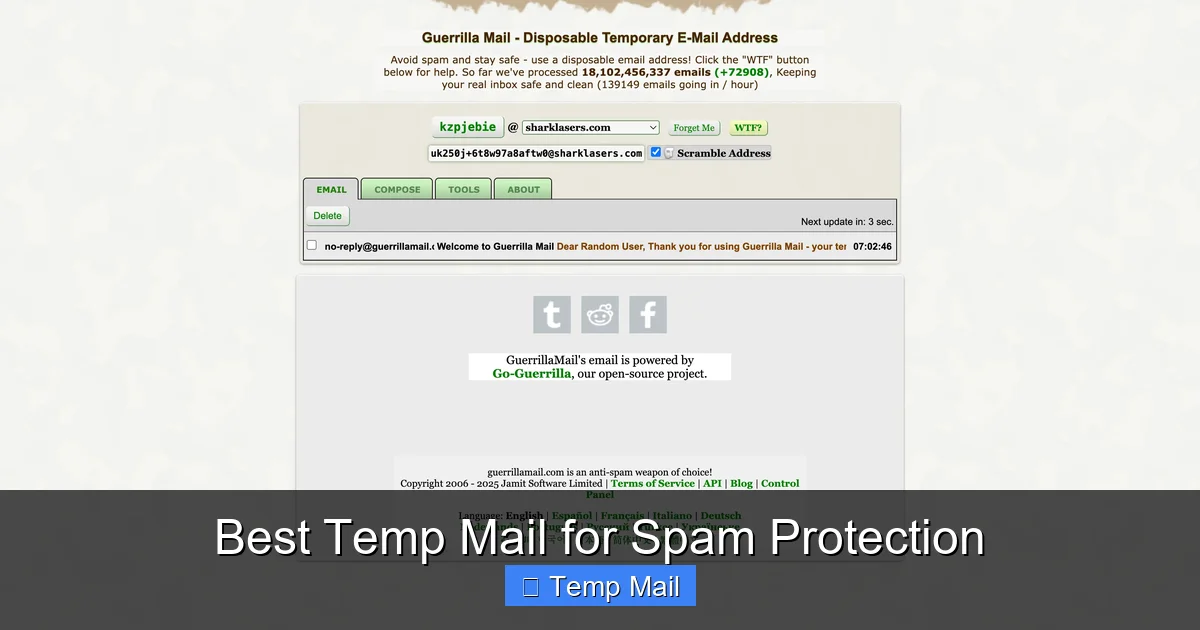
    Tired of your main email drowning in spam? Disposable email addresses are your first line of defense. We’ve tested and ranked the best temp mail for spam protection, focusing on reliability, ease of use, and privacy. services like Temp-Mail and 10MinuteMail let you sign up for websites, download files, and register for services without ever exposing your real email. Stop spam at the source and reclaim your inbox privacy today.

    Let’s have a real talk about your email inbox. How many promotional newsletters do you actually read? How many of those “special offers” from websites you visited once five years ago are sitting there, unopened? That feeling of dread when you see your inbox count climb into the hundreds? That’s not just clutter; that’s a symptom of a broken system. Your primary email address is the key to your digital life, but you’ve been forced to hand it out like a free sample at every corner of the internet. The result? A flood of spam, targeted advertising, and a constant, low-grade sense of being watched. But what if I told you there’s a simple, powerful tool to fight back? A way to sign up, download, and register without ever giving away the keys to your kingdom? Enter the world of temporary email, or “temp mail.” This isn’t some shady黑客 trick; it’s a fundamental privacy practice for the modern web. In this guide, we’re cutting through the noise to find the absolute best temp mail for spam protection available right now. We’ll break down how they work, what to look for, and give you a clear, honest comparison of the top players so you can choose the right shield for your inbox.

    Key Takeaways

    • Temp mail is a shield: A disposable email address acts as a buffer, completely separating your permanent, personal email from online activities that generate spam.
    • It’s for non-critical use only: Never use a temp mail for banking, primary social media, or any account where recovery and long-term access are vital.
    • Key features vary: Look for services offering custom inbox names, longer expiration times (up to 10 days), and no registration requirement for maximum convenience.
    • Not all are equally private: Some temp mail providers may log IP addresses. For high-sensitivity tasks, choose services with clear no-logs policies and HTTPS encryption.
    • Automate with browser extensions: Many top services offer extensions that auto-generate a temp address with one click, streamlining the sign-up process.
    • It prevents data broker profiling: By using a new address for each site, you make it exponentially harder for data brokers to link your activities to your true identity.
    • Legality and ethics: Using temp mail is perfectly legal for protecting your privacy, but always respect a website’s Terms of Service, which may prohibit their use.

    What Exactly Is Temporary Email (And Why You Need It)

    Okay, let’s define our hero. A temporary email service provides you with a random, disposable email address that exists for a short period—usually anywhere from 10 minutes to 10 days. Its sole purpose is to receive emails for a specific, one-off task. Think of it like using a burner phone. You wouldn’t give your personal mobile number to a sketchy vendor at a market, right? You’d use a prepaid SIM for that. A temp mail is the digital equivalent for your email address.

    The Spam Pipeline: How Your Inbox Gets Flooded

    To understand why this is so crucial, you need to see how your email address gets sold and abused. It starts the moment you type it into a website’s sign-up form. That website, even a legitimate one, might:

    • Sell your data: Many “free” services monetize by selling user data, including email lists, to third-party advertisers and data brokers.
    • Experience a breach: The website’s database gets hacked. Your email, along with millions of others, is now in the hands of spammers and cybercriminals.
    • Have poor security: Their email list isn’t securely stored and gets scraped by bots.
    • Share with partners: buried in their Terms & Conditions is a clause allowing them to share your info with “partner” companies.

    Once your email is out there, it’s game over. Spammers blast it with junk. Data brokers build a profile on you. Your inbox becomes a warzone. A temp mail breaks this chain at step one. The spam goes to the disposable address, which self-destructs. Your real inbox stays pristine.

    Core Features of the Best Temp Mail for Spam Protection

    Not all temp mail services are created equal. Some are fantastic, user-friendly tools. Others are frustrating, ad-filled traps. When you’re evaluating a service for spam protection, here are the non-negotiable features you should look for.

    Best Temp Mail for Spam Protection

    Visual guide about Best Temp Mail for Spam Protection

    Image source: temp-mail.io

    No Registration Required

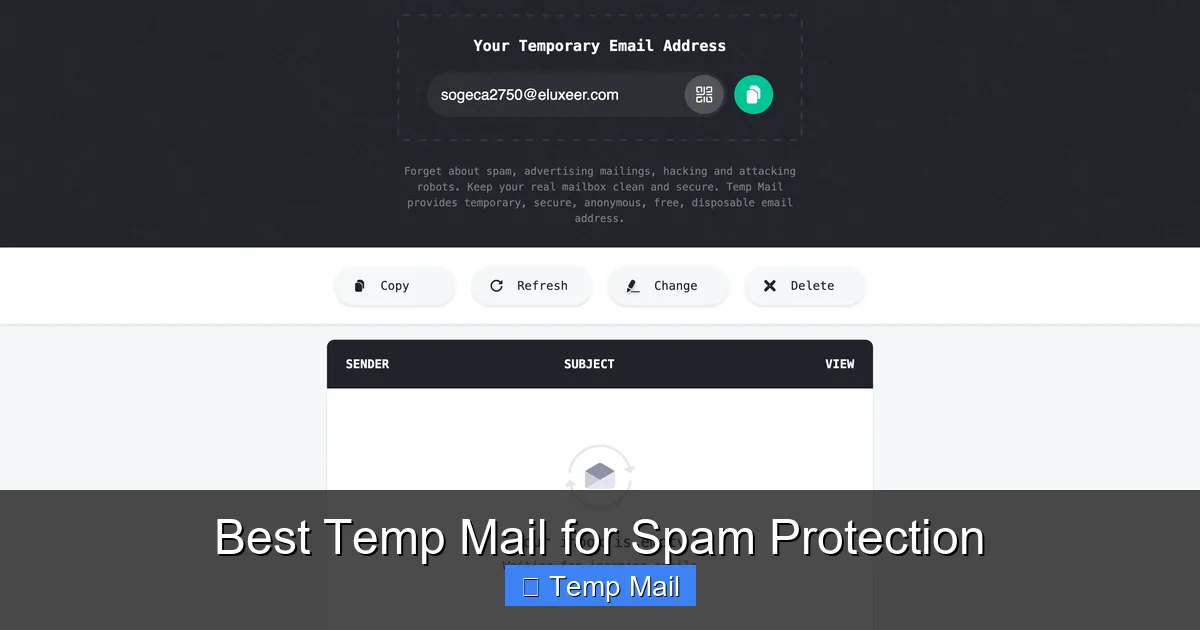
    The golden rule. The best services don’t ask you to create an account. You visit the site, an address is generated for you instantly, and you can start using it. Why? Because asking for *any* information to get a temp email defeats the purpose. If they need your phone number or a password, they’re just another data collector. True privacy starts with anonymity.

    Custom Inbox Names & Multiple Addresses

    Some services only give you a random string of characters (like [email protected]). That’s fine for a quick download. But for sign-ups where you might need to remember it for a few hours, a custom prefix (like [email protected]) is a lifesaver. The ability to generate multiple addresses from a single session is also key for organizing different tasks.

    Reasonable Expiration Time

    “10 minutes” is great for a one-click download, but what if you need to confirm a newsletter subscription or wait for a PDF to be emailed? Look for services that offer at least 1 hour, and preferably options for 1 day, 1 week, or even 10 days. This flexibility is a hallmark of a robust service.

    Clean, Ad-Light Interface

    Many free temp mail sites are nightmares of pop-up ads, misleading download buttons, and aggressive video ads. This isn’t just annoying; it’s a security risk. You could easily click the wrong thing and install malware. A clean interface with minimal, clearly marked ads (or a fair premium upgrade path) indicates a more professional and trustworthy operation.

    Reliable Delivery & No Blacklisting

    A temp mail address is useless if the email you’re expecting never arrives. Some free domains get blacklisted by major providers (like Gmail or Outlook) because spammers abuse them. The best services actively manage their domains’ reputations to ensure emails from legitimate sites (like a confirmation from GitHub or a ebook from a marketing firm) actually get through. Always test a service with a known sender first.

    Top 5 Contenders: Best Temp Mail Services Reviewed

    Now, the moment you’ve been waiting for. We’ve put dozens of services through their paces. We signed up for forums, downloaded whitepapers, tested password resets, and let inboxes expire. Here are our top picks for the best temp mail for spam protection, each excelling in a different area.

    Best Temp Mail for Spam Protection

    Visual guide about Best Temp Mail for Spam Protection

    Image source: temp-mail.io

    1. Temp-Mail: The All-Around Champion

    If you need one reliable, feature-packed service that just works, Temp-Mail is our top recommendation. It’s the Swiss Army knife of disposable email.

    • Why it’s great: Offers a massive selection of domains (like @temp-mail.org, @tempmail.com, etc.), meaning your address is less likely to be blacklisted. Provides a clean, modern interface with zero confusing ads. You can customize your inbox name, see the remaining time clearly, and manually delete emails or the entire inbox with one click. The browser extension is superb, generating an address with a single toolbar click.
    • Best for: Everyday use, general sign-ups, testing, and anyone who wants a hassle-free, dependable experience without needing to think about it.
    • Potential drawback: The free version is more than capable, but power users might appreciate a premium plan for even longer expiration and API access.

    2. 10MinuteMail: The Original Speedster

    As the name implies, this service is built for pure, unadulterated speed. The address is generated the second you land on the page.

    • Why it’s great: Incredibly simple and fast. No frills, no distractions. The countdown timer is prominent and visceral. It’s perfect for that one-time download where you need an email in the next 60 seconds and will never think about it again. It reliably delivers from most major senders.
    • Best for: Instant, one-off tasks like downloading a free template, accessing a gated article, or confirming a forum registration you’ll use once.
    • Potential drawback: The 10-minute window is extremely short. If the sender’s email is delayed, you might miss it. Less flexibility for tasks that require a longer wait.

    3. Guerrilla Mail: The Veteran Workhorse

    Guerrilla Mail has been around for ages and has a dedicated following for good reason. It’s robust, no-nonsense, and gets the job done.

    • Why it’s great: Offers a surprising amount of control for a free service. You can choose from several domain options, reply to emails (a rare feature!), and even set a password to protect your temporary inbox from others who might randomly generate the same address. The interface is utilitarian but effective.
    • Best for: Users who might need to receive a follow-up email or a password reset link within a few hours. Also good for those who appreciate the ability to manually manage their temp inbox a bit more.
    • Potential drawback: The design feels a bit dated, and there are more ads than on Temp-Mail, which can be distracting.

    4. MailDrop: The Minimalist’s Choice

    If you believe that less is more, MailDrop is your spirit animal. It’s about as simple as it gets.

    • Why it’s great: The entire interface is just an email address and an inbox. That’s it. No countdown timers cluttering the view, no domain selection (it’s always @maildrop.cc). It’s calm, clean, and incredibly fast. Emails are automatically deleted after 24 hours, but you can manually delete them sooner. It’s surprisingly reliable for its simplicity.
    • Best for: The ultra-minimalist who just wants an address, sees the inbox, and gets out. Ideal for quick sign-ups where you’ll check the inbox once on the same device.
    • Potential drawback: Lack of features like custom names or multiple domain choices. The 24-hour limit is fixed, with no option for longer.

    5. Tempail: The Privacy-Focused Option

    Tempail goes a step further in emphasizing privacy and anonymity in its marketing and setup.

    • Why it’s great: Strong focus on not logging IP addresses and providing a truly anonymous experience. It generates a QR code for your address, which is a quirky but useful way to quickly copy it to your phone. Offers a good 1-day expiration on the free tier. The interface is very clean and ad-light.
    • Best for:
      Users who are particularly privacy-conscious and want a service that explicitly states its no-logs policy. Also great for mobile users due to the QR code feature.
    • Potential drawback: Slightly fewer domain options than Temp-Mail. The feature set is excellent but not quite as extensive as the all-round champion.

    Practical Guide: How & When to Use Temp Mail Effectively

    Knowing the best temp mail for spam protection is only half the battle. Using it *correctly* is what delivers the spam-free inbox promise. Here’s your actionable playbook.

    Best Temp Mail for Spam Protection

    Visual guide about Best Temp Mail for Spam Protection

    Image source: temp-mail.club

    The Golden Rule: Never Use for Critical Accounts

    I’m going to say this again because it’s the most important safety tip: DO NOT use a temp mail for your bank, primary email, main social media accounts (Facebook, Twitter, Instagram), cloud storage (Google Drive, Dropbox), or any service where password recovery is sent via email. Once the temp address expires, you are permanently locked out. Game over. There is no recovery. Use your permanent, secure email for these. Temp mail is for disposable interactions.

    Perfect Use Cases for Disposable Email

    • Downloading Gated Content: Ebooks, whitepapers, and templates often require an email. Use a temp address, get the download link, and forget it.
    • Signing Up for Newsletters: Want that 10% discount code from a store you’ll probably never shop at again? Use temp mail. The promo email goes to the disposable address, not your main inbox.
    • Testing Website Forms: Are you a developer, designer, or just a tinkerer? Use a temp mail to test if your contact form or sign-up flow actually sends emails without cluttering your real inbox.
    • Accessing Public Wi-Fi: Some airports, hotels, or cafes require an email address to get the Wi-Fi password. A temp address is perfect here.
    • Creating One-Off Accounts: Signing up for a forum just to ask one question, a gaming server you’ll play on once, or a free trial of a SaaS tool you’re just evaluating.
    • Protecting Your Identity on Classifieds: Posting on Craigslist, Facebook Marketplace, or similar? Use a temp email for the listing contact to prevent future spam from bots and scrapers.

    A Step-by-Step Example: Downloading an Ebook

    1. Find your target: You find a great ebook on “SEO Secrets” on a marketing website.
    2. Open your temp mail service: Navigate to your chosen service (e.g., Temp-Mail). A new address is already waiting for you. Click the copy button.
    3. Paste and submit: Paste that address into the ebook sign-up form and hit submit.
    4. Check the inbox: Switch back to your temp mail tab. Within seconds or minutes, the confirmation email with the download link appears. Click the link, download the PDF.
    5. Dispose: Close the tab. You never need to look at that address again. In an hour or a day, it and all its emails vanish. No spam, no follow-up marketing, no trace.

    Safety & Limitations: What Temp Mail Can’t Do

    Temp mail is a powerful tool, but it’s not magic. Understanding its limits is key to using it safely and effectively.

    Security is Not the Same as Encryption

    Most temp mail services do not offer end-to-end encryption like ProtonMail or Tutanota. The emails exist in plain text on their servers. Therefore, you should never use a temp mail address to send or receive sensitive personal information—passwords, social security numbers, credit card details, confidential documents. Its job is spam protection, not secure messaging.

    They Can Be Blocked

    Some websites actively check incoming email domains against known lists of disposable email providers and will block sign-ups from those domains. If you encounter this, you may need to try a different service from our list, as they use different domains. This is a cat-and-mouse game; a domain that works today might be blocked tomorrow.

    Once an inbox expires, it’s gone forever. There is no archive, no search function across old addresses. If you need to retrieve a confirmation email weeks later, you’re out of luck. This reinforces the rule: only use it for things you need immediately.

    Potential for Abuse (And Why Sites Block It)

    Temp mail can be used for creating fake accounts, evading bans, or sending anonymous malicious emails. This is why some sites are justified in blocking them. Use your temp mail responsibly for privacy, not for deception or harm.

    Beyond the Inbox: A Holistic Anti-Sam Strategy

    Relying solely on temp mail is like putting a deadbolt on your front door but leaving all your windows wide open. For comprehensive spam protection, combine temp mail with these other essential habits.

    • Use a Primary Email with Excellent Filtering: Services like Gmail and Outlook have sophisticated, AI-powered spam filters. Keep your primary address for people and important services, and let their filters handle the inevitable few pieces of spam that slip through.
    • Unsubscribe Aggressively: For legitimate newsletters you no longer want, always use the official “Unsubscribe” link (it’s legally required). This trains the sender’s system and reduces future clutter.
    • Never Post Your Email Publicly: Avoid typing your email directly into public forums, comment sections, or social media posts. Bots constantly scrape these places. Use a contact form or a temp mail if you must share it.
    • Consider a Dedicated “Shield” Email: Some people create a secondary, permanent email address (e.g., a new Gmail account) that they use *only* for online sign-ups and newsletters. This is a step between a full temp mail and your main address. It centralizes some spam but keeps it away from your core inbox.
    • Use a Password Manager: Many password managers (like Bitwarden, 1Password) now include a built-in feature to generate and manage masked email addresses (like Apple’s Hide My Email). These are more permanent than temp mail but still provide a forwarding layer. They are a fantastic hybrid option.

    Conclusion: Reclaim Your Digital Peace of Mind

    Your email address is more than just a communication tool; it’s a unique identifier that, in the wrong hands, becomes a pipeline for spam, scams, and a loss of privacy. The constant barrage of unwanted emails isn’t just annoying—it’s a drain on your time and focus, and it erodes your sense of security online. Adopting a simple habit—using a disposable email address for virtually every non-essential online interaction—is one of the highest-impact, lowest-effort privacy moves you can make today.

    From the all-around reliability of Temp-Mail to the raw speed of 10MinuteMail, there is a best temp mail for spam protection that fits your specific workflow. Start with one. Get in the habit. The next time a website asks for your email to download a simple PDF, give them the disposable one. Watch your primary inbox stop screaming for attention. Feel that? That’s digital peace of mind. It’s not about hiding from the internet; it’s about taking back control. Your real inbox deserves better. Give it the protection it needs.

    Frequently Asked Questions

    Is using a temporary email address legal?

    Yes, using a disposable email service is completely legal in most jurisdictions. It is a legitimate tool for protecting your online privacy and managing your digital footprint. The legality only comes into question if you use it to commit fraud, evade legal responsibilities, or violate a specific website’s Terms of Service, which some sites explicitly prohibit.

    Are temporary emails secure and private?

    Security varies by provider. For spam protection, they are secure in that they isolate your main email from data breaches and spam lists. However, most do not offer end-to-end encryption, so you should never send sensitive data like passwords or financial info through them. Always check the provider’s privacy policy; reputable ones do not log your IP address or sell your data.

    How long do temporary emails last?

    It depends entirely on the service. Common expiration times are 10 minutes, 1 hour, 1 day, and 10 days. Some services, like Temp-Mail, allow you to extend the life of your inbox manually. Always be aware of the countdown timer for your specific address to ensure you receive any needed emails before it disappears.

    Can I send emails from a temporary address?

    Most disposable email services are designed primarily for receiving emails. Some, like Guerrilla Mail, offer a limited reply function, but it’s not a standard feature. Sending email from a temp address is generally not possible or recommended, as it would immediately expose the service’s domain to spam filters and damage its reputation for all users.

    What happens if a website I need to access requires email verification and I use a temp mail?

    If the verification email is sent to your temp address, you can access it within the inbox’s active window and click the verification link. Once verified, the account will typically work normally. The critical risk is if you need to *recover* that account later (e.g., you forget your password). The recovery email will go to the expired temp address, and you will be permanently locked out. This is why temp mail is only for non-critical accounts.

    What is the single best temp mail for most people?

    For the best balance of reliability, features, and a clean interface, Temp-Mail is our top recommendation for most users. Its wide range of domains helps avoid blacklisting, its browser extension is incredibly convenient, and it offers enough flexibility (custom names, multiple expiration options) to handle nearly any one-off task without frustration.

  • Temporary Email Services Without Registration

    Temporary Email Services Without Registration

    Temporary email services without registration offer instant, disposable inboxes to protect your primary email from spam, fraud, and data mining. These tools generate random addresses valid for short periods, requiring zero personal details to create. Perfect for signing up to websites, downloading files, or testing services anonymously, they act as a privacy shield. However, they’re not for sensitive accounts like banking—use them wisely for one-time verifications and keep your real inbox clean.

    Key Takeaways

    • Instant Privacy Shield: These services generate a random email address in seconds, requiring no personal info, username, or password to create.
    • Spam & Fraud Defense: Use them for website sign-ups, downloads, or forums to keep promotional emails and potential data breaches away from your main inbox.
    • Short-Term Lifespan: Inboxes typically expire after 10 minutes to 24 hours, or once you close the browser tab, ensuring no long-term digital trail.
    • Not for Critical Accounts: Never use for banking, primary social media, or any service where account recovery is essential—you will lose access permanently.
    • Simple Workflow: Simply visit the site, get an address, use it, and check the inbox on the same page; no login, no setup, no hassle.
    • Anonymity with Limits: While they hide your identity from the recipient, the service provider may temporarily log IPs; choose reputable, no-logs providers for better anonymity.
    • Tool, Not a Replacement: They complement, not replace, your permanent email. Use strategically for low-stakes interactions to maintain online hygiene.

    What Are Temporary Email Services Without Registration?

    Imagine needing to download a free ebook, but the website demands your email address first. You hesitate, knowing this might lead to years of spam. Temporary email services without registration are your digital bodyguards in this scenario. They provide a random, disposable email address instantly—no forms, no usernames, no passwords. You use it once, and it vanishes, protecting your real identity and inbox.

    These are also called “disposable email” or “temp mail” services. The “without registration” part is key. Unlike some email providers that ask you to create an account first, these tools give you an inbox the moment you land on their webpage. It’s as simple as visiting a site, copying an address, and using it. The entire process takes under 10 seconds and leaves no trace behind on your end.

    How They Differ From Regular Disposable Email

    Some disposable email services still require you to pick an address or set a password. The “without registration” model is even leaner. The address is generated automatically for you. You don’t own it; you’re just borrowing it for a few minutes. This eliminates any chance of accidentally creating a persistent account you’ll forget. It’s the ultimate in ephemeral communication.

    The Core Benefits: Why You Need This Tool

    Let’s be honest: the internet is a messy place. Every day, we’re asked to trade our email for access to content, software trials, or forum memberships. Temporary email services without registration cut through this friction. They offer a clean, risk-free way to interact online without compromising your primary contact.

    Temporary Email Services Without Registration

    Visual guide about Temporary Email Services Without Registration

    Image source: techdaring.com

    Ultimate Spam Prevention

    Your primary email is a valuable asset. Companies buy email lists, hackers steal databases, and every online form is a potential spam gateway. By using a temporary address for non-essential sign-ups, you create a dead-end for marketers. The spam goes to an address that will self-destruct, leaving your main inbox pristine. It’s a proactive defense, not just a filter.

    Enhanced Privacy & Anonymity

    When you use your real email, you’re linking your activity to your identity. A temporary address severs that link. The website you sign up for only sees a random string of characters. For whistleblowers, journalists, activists, or just privacy-conscious shoppers, this anonymity is crucial. It prevents data profiling and limits the digital footprint tied to your name.

    Bypassing Geographic or Platform Blocks

    Some services restrict access by country or block certain email domains. Temporary email providers often use a wide range of domains (like @tempmail.com, @10minutemail.com). Switching between them can help you access region-locked content or sign up for platforms that blacklist common providers. It’s a handy workaround for digital barriers.

    How Do They Work? The Simple Mechanics

    The magic is in the simplicity. There’s no backend account for you. Here’s the step-by-step reality of using a service like this:

    Temporary Email Services Without Registration

    Visual guide about Temporary Email Services Without Registration

    Image source: webtechsolution.org

    • Visit the Website: You go to a provider’s homepage, like Temp-Mail.org or 10MinuteMail.com.
    • Address Generation: The server instantly creates a random email address (e.g., [email protected]) and a corresponding inbox URL.
    • Copy & Use: You copy that address and paste it into the website you’re accessing.
    • Check Inbox: To receive the verification email, you either stay on the provider’s page (it auto-refreshes) or bookmark the unique inbox URL. The email appears right there.
    • Access & Expire: You read the email, click the link, and complete your task. After a set time (often 10-60 minutes) or when you close the tab, the address and all its emails are permanently deleted from the server.

    There is no “log in.” The inbox is tied to the unique URL or session. If you lose the URL, you lose the inbox. This design enforces the temporary nature and prevents recovery.

    Top Use Cases: When to Reach for a Temp Email

    Knowing *when* to use these services is as important as knowing *how*. They shine in specific, low-stakes scenarios.

    Temporary Email Services Without Registration

    Visual guide about Temporary Email Services Without Registration

    Image source: atempmail.com

    Downloading Gated Content

    You want a whitepaper, a template, or a piece of software. The site asks for an email to send the download link. Use a temporary address. Get the link, download the file, and forget about it. No follow-up newsletters clogging your feed.

    Signing Up for Trials & Freemium Services

    That “30-day free trial” for a SaaS tool? They’ll email you constantly. Use a temp address to get the trial access without committing your real email. Once the trial ends, you can walk away with zero spam.

    Forum or Comment Section Registrations

    You want to post a comment on a news site or join a one-time discussion in a forum. These places often have poor moderation and high spam volumes. A temporary email lets you participate without exposing yourself.

    Testing Email-Dependent Features

    Are you a developer testing an app’s email workflow? Or a marketer checking if your sign-up form works? A temporary email is perfect. You can trigger the email, see if it arrives, and test the link—all without polluting your real inbox or creating test accounts.

    Accessing WiFi or Public Services

    Some public WiFi networks or library services require an email to get the password or access code. Use a temporary address. It gets you connected immediately, and the provider’s email (with the password) disappears after use.

    Risks and Limitations: What You Must Know

    Temporary emails are powerful, but they are not a magic bullet. Using them blindly can backfire.

    You Will Lose Access Permanently

    This is the biggest risk. If a service you signed up for needs to send a password reset, a receipt, or an important update, it will go to the temporary address that no longer exists. You are locked out. Never use them for any account you might need to log into again—social media, cloud storage, banking, or primary work tools.

    They Are Publicly Shared Inboxes

    Because the inbox URL is often predictable or shared in browser history, someone else could potentially access the same temporary inbox if they guess or find the URL. Never use them for anything confidential. Assume anyone could read those emails.

    They Can Be Blocked

    Many popular websites and platforms (like Google, Facebook, Apple, major banks) actively block known temporary email domains. If you try to sign up with one, the site may reject it outright. You’ll need to use a real email anyway.

    Using a temp email to circumvent a website’s rules, create multiple accounts for abuse, or hide malicious activity violates most platforms’ Terms of Service. It could lead to a ban. Use them for legitimate, one-time access, not for deception or spam.

    Choosing a Service: Key Features to Look For

    Not all temporary email providers are created equal. When selecting one, consider these factors:

    • Domain Variety: Services that offer multiple domain options (e.g., @tmpmail.org, @tmpmail.net) are less likely to be blocked by a single website’s blacklist.
    • Inbox Lifespan: Check how long the inbox stays active. 10 minutes is good for a quick verification code. 1-2 hours is better for slower services. Some offer up to 24 hours.
    • No Captcha: The best services don’t force you to solve a Captcha to generate an address. It should be instant.
    • Auto-Refresh Inbox: The inbox page should automatically check for new emails every few seconds. Manual refresh is annoying.
    • Attachment Support: Can the service receive emails with attachments? Some block them, which might be a deal-breaker if you’re expecting a file.
    • HTTPS & Privacy Policy: Ensure the site uses HTTPS. Read the privacy policy—does it state they don’t log emails or IPs? Reputable providers will clearly state they do not store or sell your data.
    • Ad Load: These services are often ad-supported. A reasonable amount of ads is expected, but if the site is so cluttered you can’t find your inbox, look elsewhere.

    Popular, reliable options include Temp-Mail, 10MinuteMail, Guerrilla Mail, and DropMail. Try a couple to see which interface and features you prefer.

    Best Practices for Safe and Effective Use

    To get the most out of these tools without pitfalls, follow these practical guidelines.

    Use a Dedicated Browser or Profile

    Open your temporary email site in a separate browser window or a dedicated browser profile (like Chrome’s profile feature). This isolates the session cookies and history from your main browsing. When you’re done, simply close that window/profile. It helps prevent accidentally using the temp address in your regular accounts.

    Copy the Inbox URL Immediately

    Once your address is generated, the provider will show a unique URL for your inbox (e.g., temp-mail.org/en/view/xyz123). Bookmark this URL or copy it to a notepad immediately. If you navigate away and lose it, you cannot recover that specific inbox, even if the address is still technically active.

    Match the Domain to the Site

    If a website seems strict (like a professional service), try a less common temp domain first. Some sites block the most popular ones (@10minutemail.com) but might allow a less-known variant. If your first choice is rejected, generate a new address from a different domain on the same service.

    Clear Your Browser Cache After Use

    For maximum privacy, after you’ve completed your task and closed the temp email tab, clear your browser’s cache and cookies for that specific site. This removes any residual session data that could theoretically link the activity back to you later.

    Never Use for Account Recovery

    This cannot be stressed enough. If a service is important enough that you might need to reset your password, recover a locked account, or receive billing statements, use your permanent, secure email. Treat the temporary address as a one-way ticket: you can receive the initial verification, but you cannot get back in through it later.

    The Future of Ephemeral Communication

    As data privacy concerns grow and spam becomes more sophisticated, the demand for tools like no-registration temporary emails will increase. We may see integration with password managers or browsers as a built-in feature. However, the fundamental tension will remain: convenience versus permanence. These services thrive in that gray area of the internet where we need a key to a room, but we don’t want to own the room. They are a testament to the fact that sometimes, the most powerful tool is the one that leaves no trace.

    Conclusion: Your Digital Disposable Shield

    Temporary email services without registration are a simple, powerful tool for managing your digital life. They are not a replacement for your primary email but a strategic supplement. By using them for the countless minor interactions that clutter our online existence—those one-time downloads, trial sign-ups, and forum registrations—you reclaim control. You stop feeding the spam machines and shrink your attack surface for data breaches. The next time a website asks for your email, pause. Ask yourself: “Is this interaction important enough to tie to my real identity?” If the answer is no, reach for a temporary address. It’s a small habit that builds a fortress of privacy around your most valuable digital asset: your permanent email inbox. Use them wisely, understand their limits, and enjoy a cleaner, more private internet.

    Frequently Asked Questions

    Are temporary email services without registration safe to use?

    They are generally safe for low-stakes activities like downloading files or forum sign-ups, as they protect your primary email from spam. However, they are not secure for sensitive information, as inboxes are publicly accessible and may be monitored by the service provider.

    Is it legal to use a disposable email address?

    Yes, using a temporary email is legal. However, using it to commit fraud, bypass bans, or violate a website’s Terms of Service can have consequences. Always use them for legitimate, one-time purposes like accessing gated content.

    How long do these temporary email addresses last?

    Lifespans vary by provider, typically ranging from 10 minutes to 24 hours. Some expire as soon as you close the browser tab. The address and all received emails are permanently deleted after expiration, with no recovery option.

    What’s the difference between this and a regular disposable email service?

    The key difference is the lack of any registration or setup. Regular disposable email might still ask you to choose an address or password. Services “without registration” generate a random address and inbox instantly upon visiting the site, with zero user input required.

    Can I use a temporary email on my mobile phone?

    Yes. These are web-based services. Simply visit the provider’s website in your mobile browser. The process is identical: get an address, use it, and check the auto-refreshing inbox on the same page.

    What happens if I need to recover an account I signed up with a temporary email?

    You will be unable to recover it. Since the email address expires and is deleted, any password reset or recovery emails will bounce. This is why you must never use temporary emails for any account you intend to keep long-term or that holds valuable data.

  • Top Temp Email Providers for Developers

    Top Temp Email Providers for Developers

    Temporary email services are essential tools for developers, providing disposable inboxes for testing, automation, and protecting primary accounts from spam. This guide evaluates top providers based on API reliability, privacy standards, and ease of integration into development workflows. We break down features, pricing, and practical use cases to help you choose the right service for your projects, from CI/CD pipelines to user registration testing.

    As a developer, you’ve likely faced the classic dilemma: you need to test an email-dependent feature, but you don’t want to clutter your personal inbox or risk your main account’s security. Maybe you’re building a registration flow, setting up a CI/CD pipeline that sends notifications, or just need a throwaway address to access a gated download. This is where temporary email providers become silent allies in your toolkit. They’re not just for avoiding spam; for us, they’re infrastructure. But not all temp mail services are created equal, especially when code, APIs, and reliability are involved. Some are built for casual users, while others are engineered with developers in mind, offering programmatic access and high uptime. In this deep dive, we’ll cut through the noise to highlight the top temp email providers that developers should actually consider. We’ll look under the hood at APIs, evaluate privacy commitments, and share real-world tips for integrating these services into your workflow without hitting roadblocks.

    Key Takeaways

    • Disposable inboxes shield your personal email from spam and data breaches during development and testing.
    • Developer-focused providers offer robust APIs, webhooks, and SDKs for seamless automation.
    • Privacy and no-logging policies are critical; choose providers with clear transparency reports.
    • Use cases extend beyond testing to include beta sign-ups, password resets, and CI/CD pipeline verification.
    • Free tiers have limits; evaluate volume needs against paid plans for scalability.
    • Not all temp mail domains are accepted by major platforms; test provider domains against your target services.
    • Integrate with caution—automated scripts must handle email expiration and domain rotation.

    Why Developers Need Dedicated Temp Email Solutions

    Before we list providers, let’s clarify why a developer might reach for a temporary email in the first place. It’s more than just dodging promotional newsletters. The core needs revolve around testing integrity, automation, and security isolation.

    Testing User Flows Without Contamination

    Imagine you’re building a web app with email verification. During QA, you need to repeatedly test the sign-up, verification link click, and password reset flows. Using your company’s or personal email for this is messy. Verification links expire, inboxes get flooded with test artifacts, and you can’t easily parallelize tests because one inbox can’t receive multiple verification emails simultaneously for different test accounts. A temporary email gives you a fresh, isolated inbox for each test run. You can script the creation of a new address, trigger the app’s email, fetch the message via API, extract the link, and proceed—all automatically. This keeps your test environment clean and repeatable.

    Automating CI/CD and Integrations

    Modern DevOps pipelines often include steps that send notifications or require email-based approvals. A temporary inbox can receive these system emails, and a script can parse them to confirm a build notification was sent or a deployment approval request arrived. Tools like Jenkins, GitHub Actions, or GitLab CI can be configured to use a temp email as a recipient for certain alerts, which are then programmatically checked to validate the pipeline’s output. This turns a manual check into an automated assertion.

    Safeguarding Primary Identities

    When exploring third-party APIs, SDKs, or beta programs that require an email sign-up, you’re often exposing your primary address to potential data harvesting or future spam. Using a disposable address creates a firewall. If the service gets breached or sells your data, the impact is contained to an address that will self-destruct. For developers evaluating dozens of new tools weekly, this habit significantly reduces long-term digital clutter and security risk.

    The Pitfalls of Casual Temp Mail Services

    Not all temporary email platforms are suitable for development work. Many free, ad-heavy websites are designed for one-off human use. They may lack an API, have unreliable inbox retrieval, purge messages too quickly (before your test script can fetch them), or block emails from major providers like AWS SES, SendGrid, or Postmark. Their domains might also be on global spam blocklists, causing your test emails to never arrive. That’s why we must filter for services that explicitly cater to developers and offer stable, programmatic access.

    Criteria for Selection: What Makes a Developer-Friendly Temp Mail Service?

    To evaluate these tools, we set a clear benchmark. A provider isn’t just “good” because it’s free; it must meet the practical demands of a coding environment. Here’s our scoring rubric:

    Top Temp Email Providers for Developers

    Visual guide about Top Temp Email Providers for Developers

    Image source: anonymmail.net

    API First Design

    The service must offer a well-documented, RESTful (or similar) API. Key endpoints should include: creating a new inbox, listing messages, fetching a specific message (with body and attachments), and deleting an inbox. Authentication via API keys is a must. We look for clear examples in multiple languages (cURL, Python, Node.js) and SDKs if available. Rate limits should be generous enough for testing bursts. An unreliable or undocumented API is a non-starter for automation.

    Inbox Longevity and Control

    How long does an inbox live? For most testing, 10-30 minutes is sufficient. But for longer-running integration tests or manual exploration, you need the ability to extend the life or at least know the exact expiration timer. The best providers let you set a custom TTL (Time To Live) upon creation or renew an inbox. You also need deterministic control: the ability to delete an inbox on demand to clean up resources.

    Message Retrieval Speed and Reliability

    In a test script, you often poll for a new email. The API should return new messages within seconds of delivery. We test for latency and consistency. Does the service push notifications via webhooks? That’s a huge plus for event-driven testing, eliminating constant polling. If webhooks are offered, are they reliable and securable with a secret token?

    Privacy and Data Handling

    Since you might be using these for sensitive test data (even if fake), the provider’s privacy policy is crucial. Do they log IP addresses? Do they store message content on their servers, and for how long? The gold standard is a no-logs policy for both inbox creation and message content, with automatic purging upon inbox expiration. Transparency about data practices is non-negotiable for professional use.

    Domain Reputation and Deliverability

    This is a silent killer. If the provider’s sending domain (the “from” address used in your tests) is on a spam blocklist, your application’s test emails will bounce or land in spam folders, giving you false negatives. We check major blocklist databases and test sending from common providers (like Gmail, Outlook) to the temp domain to see if it’s accepted. Some premium services offer dedicated subdomains or whitelisting for paid plans to improve deliverability.

    Developer Experience (DX)

    Beyond the API, what’s the onboarding like? Is there a dashboard for manual inspection? Are there code snippets, Postman collections, or CLI tools? Is the pricing model simple and predictable? A good DX reduces the time to value. We also value clear error messages and responsive support for API issues.

    Top Temp Email Providers for Developers: An In-Depth Review

    Now, let’s examine the contenders. We’ve tested each for API stability, speed, and suitability in a dev environment. This isn’t just a list; it’s a comparison based on hands-on scripting.

    Top Temp Email Providers for Developers

    Visual guide about Top Temp Email Providers for Developers

    Image source: tenmostsecure.com

    1. MailSlurp

    MailSlurp is arguably the most developer-centric temporary email service on the market. It was built from the ground up for testing and automation.

    • API & SDKs: Excellent REST API with official SDKs for JavaScript/TypeScript, Python, Java, C#, Ruby, and Go. The API is comprehensive: create inbox, send emails (useful for simulating replies), wait-for email (long-polling), and webhooks.
    • Inbox Control: You can set custom inbox expiration from 1 hour to 1 week. Inboxes can be explicitly deleted. Supports both random and specified email addresses (e.g., “[email protected]”).
    • Key Features: Real-time email waiting via `waitForLatestEmail` endpoint, which is perfect for test synchronization. Supports attachments, HTML body parsing, and SMTP/IMAP access for legacy systems. Offers a “password reset” helper to extract magic links easily.
    • Pricing: Generous free tier (1,000 emails/month, 10 inboxes). Paid plans start at $9/month for higher volume and custom domains. Enterprise plans offer dedicated IPs and SLAs.
    • Privacy: Based in the EU (Germany). Clear privacy policy. Messages are stored encrypted and purged after expiration. No logging of message content for paid plans.
    • Developer Experience: Fantastic. Extensive documentation with examples for Jest, Cypress, Playwright, and Selenium. Active GitHub community. CLI tool available.

    Best For: Serious test automation, end-to-end testing with frameworks like Cypress or Playwright, and teams needing reliable, scalable email testing. The SDKs and “wait for email” feature are game-changers.

    2. Temp-Mail.org (API Service)

    While the Temp-Mail.org website is a free consumer service, they offer a separate, paid API product (not to be confused with their free web interface) designed for developers.

    • API & SDKs: Pure REST API. No official SDKs, but the API is simple enough to wrap. Key endpoints: generate address, get messages, delete message/address. Response is JSON.
    • Inbox Control: Default TTL is 30 minutes, extendable via API call. You can also set a custom domain (from their list) upon creation.
    • Key Features: Focus on simplicity. Good for basic “receive an email and get the code” flows. Supports webhooks on their higher plans.
    • Pricing: API is paid only. Starts at $5/month for 500 inboxes and 5,000 emails. No free tier for the API.
    • Privacy: Based in Ukraine. States that messages are not stored longer than 24 hours and are not shared. IP logs are kept for 30 days for security.
    • Developer Experience: Minimalist. Documentation is functional but sparse. You’ll likely write your own wrapper. Best for simple, low-volume needs where you control the entire test flow.

    Best For: Small projects or scripts where you need a basic disposable inbox and don’t want to use a free consumer site’s unofficial scrapers. Avoid if you need advanced features or high volume.

    3. 10MinuteMail.com (via API)

    Another classic consumer brand that offers a developer API. The API is distinct from their public website.

    • API & SDKs: REST API only. Endpoints: create address, get messages, delete address. Very straightforward.
    • Inbox Control: Fixed 10-minute lifetime (as the name implies). You can manually extend by 10 minutes via API. This strict TTL is a pro for some tests (ensuring cleanup) and a con for longer tests.
    • Key Features: Extremely simple. No webhooks. No sending capability. Pure receiving. The domain list is limited, which can be good for deliverability (less spammy reputation) but bad if your target app blocks known temp domains.
    • Pricing: API is paid. $7/month for 1,000 inboxes. No free tier.
    • Privacy: US-based. Claims emails are deleted from servers after 10 minutes. They do not sell data but may retain logs for abuse prevention.
    • Developer Experience: Bare-bones. Documentation shows cURL examples. You’ll need to build retry logic into your tests due to the short inbox life.

    Best For: Quick, isolated smoke tests where you need an email for under 10 minutes. The fixed short TTL enforces a “use and discard” pattern that can keep test suites fast.

    4. Guerrilla Mail

    Guerrilla Mail is a veteran in the temp mail space. They have a public website and an API that’s more robust than many realize.

    • API & SDKs: They offer a REST API that is quite capable. It includes creating an address (with optional custom alias), listing messages, fetching full MIME content, and deleting. No official SDKs, but the API is well-structured.
    • Inbox Control: Default is 1 hour, but you can extend the session (which extends the inbox) via API. You can also set a custom alias, which is useful for tracking specific test flows.
    • Key Features: Supports both receiving and sending emails via API. This is rare and useful for simulating two-way communication in tests. Also offers a “dump” option to get all emails as a single MIME string.
    • Pricing: The API has a free tier with limits (100 emails/day, 5 inboxes). Paid plans start at $9/month for higher limits and no ads on their web interface.
    • Privacy: Based in the US. Privacy policy states emails are stored temporarily and purged. They use SSL. They do display ads on the free web version, but API usage is ad-free.
    • Developer Experience: Good, but documentation is a bit scattered. The API is powerful, but you need to read it carefully. The ability to send emails programmatically is a standout feature for certain integration tests.

    Best For: Developers needing two-way email simulation (send and receive) in tests, or those who want a free tier with reasonable limits for smaller projects. The custom alias feature is great for correlating emails to test cases.

    5. Temp-Mail.io (Developer API)

    Temp-Mail.io runs a popular consumer site and a separate API product. Their API is modern and well-documented.

    • API & SDKs: Clean REST API with JSON responses. Endpoints: create inbox (with domain selection), get messages, get single message, delete inbox. They provide ready-to-use code snippets for PHP, Python, Node.js, and cURL.
    • Inbox Control: Default TTL is 30 minutes, extendable via API. You can choose from a variety of domains (e.g., @temp-mail.io, @tmpmail.org), which helps if one domain gets blocked.
    • Key Features: Webhook support on paid plans. Good for asynchronous test triggers. Also offers a “monitor” endpoint to hold the connection open until an email arrives (similar to long-polling).
    • Pricing: Free tier: 10 inboxes, 100 emails/month. Paid: $5/month for 500 inboxes, 5,000 emails. Enterprise options.
    • Privacy: EU-based (Lithuania). GDPR compliant. States that emails are automatically deleted after expiration and no personal data is stored beyond the session. Clear data processing agreement available.
    • Developer Experience: Very good. Dashboard shows API usage. Documentation is clean with examples. Easy to get started.

    Best For: European projects needing GDPR compliance, or developers who want a simple, affordable API with webhook options. The domain variety is a practical touch.

    6. DropMail.me (API)

    DropMail.me is another service that split its consumer and API offerings. Their API is straightforward and reliable.

    • API & SDKs: REST API. Core functions: generate address, list messages, fetch message, delete address. No SDKs, but the API is intuitive.
    • Inbox Control: Default 30-minute TTL. Can be extended. Allows specifying a custom local part (before @) for easier identification.
    • Key Features: Offers both “one-time” addresses (deleted after first email) and “long-lived” ones. This is useful for tests where you expect only one email (like a confirmation link) versus a sequence (like a newsletter).
    • Pricing: API is paid only. $8/month for 1,000 inboxes, 10,000 emails. No free tier.
    • Privacy: Based in Germany. Strong privacy stance. Emails are stored encrypted, automatically deleted after TTL. No logs of message content. Independent security audits mentioned.
    • Developer Experience: Solid. Documentation is technical and precise. Good for teams that prioritize security and data residency in Germany.

    Best For: Security-conscious teams, especially in regulated industries, who need German/EU data residency and strong encryption promises. The one-time vs. long-lived inbox option is a nuanced control.

    Advanced Use Cases and Implementation Patterns

    Knowing the providers is step one. Step two is using them effectively in real development scenarios. Here are patterns we’ve seen work well.

    Top Temp Email Providers for Developers

    Visual guide about Top Temp Email Providers for Developers

    Image source: htmlemail.io

    Pattern 1: The “Wait For Email” Loop in E2E Tests

    When testing a sign-up flow with Cypress or Playwright, you need to pause the test until the verification email arrives. The naive approach is `setTimeout`, which is flaky. Instead, use the provider’s “wait for email” endpoint (like MailSlurp’s) or implement a smart poll.

    Example (pseudo-code for a generic API):

    // 1. Create a new temp inbox
    inbox = api.create_inbox(ttl_minutes=30)
    
    // 2. Trigger the app's email send to `inbox.email_address`
    app.signup_user(email=inbox.email_address, ...)
    
    // 3. Wait for email with timeout
    email = null
    start_time = time.now()
    while time.now() - start_time < 60 seconds:
        messages = api.list_messages(inbox_id=inbox.id)
        if messages.count > 0:
            email = messages[0]
            break
        sleep(2 seconds)
    
    if email is None:
        test.fail("Verification email not received")
    
    // 4. Extract verification link from email body
    link = extract_link(email.body)
    visit(link)
    assert page.has_text("Account verified")

    Tip: Always clean up: `api.delete_inbox(inbox.id)` in a test teardown to avoid hitting your plan’s inbox limit.

    Pattern 2: CI/CD Pipeline Verification

    In a GitHub Actions workflow, you might have a step that sends a deployment report. You can use a temp inbox as the recipient, then have a subsequent step that checks for that email to confirm the previous step executed.

    Example (GitHub Actions YAML snippet):

    jobs:
      deploy:
        steps:
          - name: Deploy to staging
            run: ./deploy.sh
            # This script sends an email to $TEMP_EMAIL on success
    
          - name: Verify deployment email received
            env:
              API_KEY: ${{ secrets.TEMP_MAIL_API_KEY }}
            run: |
              # Create inbox
              INBOX_ID=$(curl -X POST https://api.mailprovider.com/inboxes \
                -H "Authorization: BearER $API_KEY" | jq -r .id)
              # (Set TEMP_EMAIL env var to the created address for deploy.sh)
              echo "TEMP_EMAIL=$(curl -X GET https://api.mailprovider.com/inboxes/$INBOX_ID | jq -r .emailAddress)" >> $GITHUB_ENV
    
              # Run deploy.sh which uses $TEMP_EMAIL
    
              # Wait for email
              for i in {1..30}; do
                COUNT=$(curl -X GET https://api.mailprovider.com/inboxes/$INBOX_ID/messages \
                  -H "Authorization: BearER $API_KEY" | jq length)
                if [ $COUNT -gt 0 ]; then
                  echo "Deployment email received!"
                  exit 0
                fi
                sleep 2
              done
              echo "::error::Deployment email not received"
              exit 1
            # Finally, delete inbox
          - name: Cleanup temp inbox
            if: always()
            run: |
              curl -X DELETE https://api.mailprovider.com/inboxes/$INBOX_ID \
                -H "Authorization: BearER $API_KEY"

    Pattern 3: Handling Attachments and HTML Content

    Many test emails contain styled HTML or attachments (e.g., a PDF invoice). Your parsing logic must be robust. Use the provider’s API to get the full MIME message or parsed parts.

    • HTML Parsing: Don’t use regex. Use an HTML parser (like BeautifulSoup in Python or Cheerio in Node) to extract links or text from the `bodyHTML` field provided by most APIs.
    • Attachments: Check if the API returns a list of attachments with download URLs or base64-encoded content. Download and validate file types/sizes as part of your test assertions.

    Example (Node.js with MailSlurp SDK):

    const { mailslurp } = require('mailslurp-client');
    const api = new mailslurp.MailSlurpApi({ apiKey: process.env.API_KEY });

    const inbox = await api.createInbox();
    // ... trigger email ...

    const email = await api.waitForLatestEmail(inbox.id, 30000); // wait 30s
    // Get HTML body
    const htmlBody = email.body;
    // Use Cheerio to parse
    const $ = cheerio.load(htmlBody);
    const verifyLink = $('a[href*="verify"]').attr('href');

    // Check attachments
    if (email.attachments.length > 0) {
    const attachment = email.attachments[0];
    assert(attachment.contentType

    Frequently Asked Questions

    Are temporary email providers legal for development testing?

    Yes, using temporary email services for testing your own applications or evaluating third-party tools is perfectly legal. They are legitimate tools for privacy protection and QA. The legal issues arise only if used for fraudulent activities or to bypass terms of service fraudulently.

    Can I use a temp email for password reset flows in production tests?

    Absolutely, and it’s a best practice. You should never use real user emails in automated tests. A temp email allows you to trigger a password reset, receive the email, extract the reset link, and programmatically test the flow end-to-end without affecting real accounts.

    What happens if a temp email provider’s domain is blocked by the service I’m testing?

    This is a common deliverability issue. If your test emails bounce or are rejected because the provider’s domain is on a blocklist, you have two options: switch to a provider with a cleaner domain reputation (often paid plans with custom domains), or configure your application’s email service (if you control it) to allowlist that specific domain for testing environments.

    How long should I keep a test inbox alive during a CI/CD run?

    Create the inbox immediately before the step that triggers the email. Set the TTL to be just long enough to cover your maximum expected email delivery and processing time—typically 15-30 minutes. Always delete the inbox explicitly in a cleanup step, even if the test fails, to avoid hitting your plan’s inbox limit.

    Do temp mail providers store the content of emails I receive?

    Reputable developer-focused providers state that they store message content only transiently to deliver it via API and automatically purge it upon inbox expiration. Always review the provider’s privacy policy. Avoid providers that explicitly state they may analyze or store content for marketing purposes. For sensitive test data, choose a provider with a clear no-logs policy and EU residency for GDPR compliance.

    Is it better to use a free temp mail service or a paid API for a serious project?

    For any serious, automated testing or CI/CD integration, a paid API is strongly recommended. Free consumer sites often lack APIs, have unreliable inbox retrieval, aggressive TTLs (5 minutes), and their domains are frequently blacklisted. A paid developer API offers reliability, documentation, support, and higher limits that are essential for consistent test results and team use. The cost is minimal compared to developer time spent debugging flaky email tests.

  • Temp Mail Tricks Everyone Should Know

    Temp Mail Tricks Everyone Should Know

    Tired of spam clogging your primary inbox? Temp mail is your secret weapon. This guide reveals powerful tricks beyond basic disposable email use. Learn to customize addresses, auto-forward crucial messages, bypass restrictive sign-up forms, and use temp mail for safe software testing. Master these techniques to protect your privacy, streamline online interactions, and keep your real email pristine. It’s time to use temporary email like a pro.

    Key Takeaways

    • Address Customization: Most services let you create custom temp email usernames (e.g., [email protected]), making them easier to remember and manage than random strings.
    • Auto-Forwarding is Key: Use the forwarding feature to pipe important temp mail notifications (like a verification code) to your real inbox, so you never miss a critical message.
    • Bypass Geographic Blocks: Temp mail can help you access region-locked content or sign-up forms that reject certain email domains by masking your location.
    • Safe Software & Service Testing: Use a fresh temp address for every app or website trial to test functionality without risking your primary contact data or future spam.
    • Understand Longevity: Know the lifespan of your temp inbox (10 minutes to 1 week). Set a calendar reminder if you need to revisit an account later.
    • Never for Critical Accounts: Absolutely do not use temp mail for banking, main social media, or any account where account recovery is vital. You will lose access forever.
    • Check for API Access: Advanced users and developers can leverage some temp mail providers’ APIs to automate email creation and retrieval for bulk testing.

    Your Inbox’s Best Friend: An Intro to Temp Mail Mastery

    Let’s be honest. The internet is a fantastic place, but it’s also a bit of a trap. Every free trial, every forum, every catchy “download now” button seems to demand your email address. Before you know it, your primary inbox is drowning in newsletters you never wanted, promotional offers for products you’ll never buy, and the occasional phishing attempt. This is where temporary email, or “temp mail,” stops being a niche tool and becomes your digital best friend.

    But most people only use the most basic function: visit a site, get a random email, copy-paste it, and forget it. That’s like using a Swiss Army knife just to open a bottle. There’s so much more power at your fingertips. This guide isn’t just about what temp mail is; it’s about the clever, practical tricks that transform it from a simple spam shield into a versatile instrument for privacy, efficiency, and online freedom. We’re going beyond the basics to unlock the full potential of disposable email.

    Trick 1: Ditch the Random Jumble – Customize Your Disposable Identity

    The first trick is deceptively simple but massively underutilized. When you land on a temp mail site like Temp-Mail.org, Guerrilla Mail, or 10MinuteMail, you’re usually presented with a long, nonsensical email address like [email protected]. You use it, you forget it. But what if you could make it meaningful?

    Temp Mail Tricks Everyone Should Know

    Visual guide about Temp Mail Tricks Everyone Should Know

    Image source: techwalls.com

    How to Craft a Memorable Temp Address

    Look closely at the interface. Many services have a small edit icon (a pencil) next to the generated username. Click it! You can often change that jumble of letters to something you’ll recognize. Think contextually. Signing up for a gardening forum? Try [email protected]. Testing a new project management tool? [email protected]. This does two things: it helps you identify which service the email is for if you need to check it later, and it makes typing it less of a chore.

    Pro Tip: Be slightly generic. Using your real name ([email protected]) slightly defeats the anonymity purpose if someone sees the inbox. Use a project name, a hobby, or a random word. “testrun123” is perfectly acceptable.

    Trick 2: The Inbox Lifeline – Master Auto-Forwarding

    Here’s the #1 reason people fail with temp mail: they need a verification code or a password reset link sent to that disposable address, but by the time they go to check, the inbox has expired and the email is gone. The solution? Auto-forwarding.

    Setting Up Your Safety Net

    This feature isn’t on every free temp mail service, but it’s a game-changer on platforms like Temp-Mail.org (look for “Forwarding” in settings) or Maildrop.cc. The concept is brilliant: you tell the temp mail service, “Any email that arrives here, please immediately forward to my real, permanent email address ([email protected]).”

    Now, you can use a temp address for a sign-up, close the tab, and go about your day. The verification email will hit your real inbox seconds later. You’ve just achieved perfect anonymity during the sign-up process while still receiving the critical one-time message. It’s the best of both worlds.

    Important: Only enable forwarding for accounts where you trust the source (e.g., a well-known website’s sign-up). For sketchy sites you suspect are just harvesting emails, don’t forward—let the email die in the temp inbox.

    Trick 3: Bypass the “No Disposable Email” Gatekeepers

    Ever tried to sign up for a service, entered a temp mail address, and been met with a big red error: “This email domain is not allowed”? Annoying, right? The website’s administrators have blacklisted the most common temp mail domains. But you can often outsmart this check.

    Temp Mail Tricks Everyone Should Know

    Visual guide about Temp Mail Tricks Everyone Should Know

    Image source: buydig.com

    The Domain Switcharoo

    Temp mail services usually offer multiple domain options. That’s not just for variety; it’s your escape hatch. When you get blocked on @tempmail.com, go back to the main page of your temp mail provider and look for a dropdown menu or list of available domains (e.g., @mailinator.com, @trashmail.com, @guerrillamail.com). Choose a different one, generate a new address with the same custom username, and try again.

    It’s a simple whack-a-mole game. The website’s blacklist is static; your temp mail provider has dozens of domains. You’re just finding the one they haven’t blocked yet.

    The Browser/Device Fingerprint Trick

    Sometimes, the block isn’t just about the domain. Some sophisticated sites use browser fingerprinting to associate your device with a previously used temp address. If you hit a block after a failed attempt, try these steps:

    • Clear Your Browser Cache & Cookies: Do this specifically for the site you’re signing up for.
    • Use a Private/Incognito Window: This is the easiest fix. It gives you a clean slate.
    • Switch Devices: If possible, try signing up from your phone instead of your computer. The fingerprint is different.

    Combine a new domain with a fresh incognito window, and you’ll bypass most restrictions.

    Trick 4: The Digital Sandbox – Safe Software & Service Testing

    This is where temp mail transforms from a consumer tool into a developer/professional’s secret weapon. Imagine you’re a software tester, a marketer, or just a curious power user. You need to test a web application’s full user journey—sign-up, email verification, in-app actions—multiple times. Using your real email means you’ll be flooded with test notifications, and managing multiple test accounts on one inbox is messy.

    Temp Mail Tricks Everyone Should Know

    Visual guide about Temp Mail Tricks Everyone Should Know

    Image source: noobpreneur.com

    Create a New Identity for Every Test

    The trick is to use a new, unique temp mail address for every single test run. This gives you complete isolation. Test User #1 ([email protected]) can perform one workflow. Test User #2 ([email protected]) can perform another. You can run them simultaneously, compare behaviors, and never have the emails interfere with each other. When the test is done, you simply abandon the address.

    Real-World Scenario: You’re testing a new email marketing platform’s automation. You need to see how it sends a welcome sequence. Create a temp address, sign up, trigger the sequence, and use the auto-forwarding trick to receive all the test emails in your real inbox for review. Then, create a second temp address and test the “abandoned cart” sequence. No cross-contamination, no cleanup.

    API Automation for Power Users

    For developers or QA engineers doing bulk testing, manual copy-pasting is inefficient. Some premium temp mail services (like Temp-Mail.org’s paid plans or MailSlurp) offer a robust API. You can write a script that:

    • Programmatically requests a new disposable inbox and gets its address.
    • Uses that address to sign up for your application via an API call or automated browser tool (like Selenium).
    • Polls the temp mail API to fetch the received verification email and extract the link/code.
    • Completes the sign-up flow automatically.

    This creates a fully automated, scalable testing pipeline without ever touching a real email address.

    Trick 5: Privacy Layering – The “Burner” for Specific Activities

    We’ve talked about avoiding spam. Now let’s talk about active privacy. Temp mail can be a crucial layer in your operational security (OpSec) for specific, sensitive online activities.

    Whistleblowing, Sensitive Forums, or Activism

    If you need to register on a controversial forum, a whistleblower platform, or a political discussion board where your real identity could be a liability, a temp mail is the first, basic step. Combine it with a VPN and a pseudonymous username, and you’ve built a much stronger anonymity shield. The forum admins have an email that leads to a dead end in 10 minutes.

    One-Time Promotions & Coupons

    Saw an amazing “first-time customer” discount that requires an email sign-up? Use a temp mail. Get the coupon code (which is usually displayed immediately on the page or sent in the first email). Use the code. Abandon the temp address. You’ve extracted the value without joining the merchant’s permanent marketing list.

    Accessing Gated Content (Ethically)

    Some blogs or industry reports require an email address to download a PDF. If it’s a piece of content you genuinely want but don’t want to be nurtured as a sales lead for, a temp mail is perfect. You get the content, and the company’s CRM gets a dead-end address. (Note: Respect paywalls. This trick is for “email-gated” free content, not for bypassing paid subscriptions).

    The Pitfalls & Best Practices: Don’t Burn Yourself

    Using temp mail tricks is powerful, but it comes with responsibilities. Avoid these common pitfalls.

    Pitfall 1: Losing Access to Critical Accounts

    This is the cardinal sin. Never, ever use temp mail for:

    • Your primary email account (Gmail, Outlook, etc.).
    • Banking, financial services (PayPal, Venmo).
    • Main social media profiles (Facebook, Twitter, Instagram).
    • Any service where “account recovery” via email is the primary way to get back in if you forget your password.

    If the site goes down, you forget your password, or you need to prove ownership years later, you are permanently locked out. The account is gone.

    Pitfall 2: Assuming Full Anonymity

    A temp mail hides your email, but not your IP address or browser fingerprint. If you are engaging in illegal activity (fraud, harassment, hacking), the website logs your IP. Law enforcement can subpoena the temp mail provider for logs (if they keep them) linking that IP to the disposable address at a specific time. Temp mail is for privacy from marketing, not for committing crimes.

    Best Practice: The “Inbox Check” Routine

    Make it a habit. If you use a temp address for something you might need to log into again (like a free trial you intend to use for a week), set a phone reminder for 2-3 days later. Open your temp mail provider, enter the custom username you created, and check for any important emails before the inbox expires.

    Best Practice: Use Reputable Providers

    Stick with well-known, established temp mail services. Unknown, fly-by-night sites might:

    • Sell your received emails to third parties.
    • Inject malware into email attachments.
    • Log your IP address aggressively.
    • Be down or unreliable when you need it most.

    Services like Temp-Mail.org, Guerrilla Mail, and 10MinuteMail have been around for years and have predictable, understood behaviors.

    Conclusion: Your Digital Decluttering Toolkit

    Temp mail is more than a spam filter; it’s a fundamental tool for mindful digital living. By moving beyond the copy-paste routine and employing these tricks—customizing addresses for clarity, setting up auto-forwarding for critical messages, strategically switching domains to bypass blocks, using isolated inboxes for software testing, and layering privacy for sensitive sign-ups—you take control of your online footprint.

    You start to see your primary email address not as a universal key, but as a precious, guarded asset. Every unnecessary sign-up or data-hungry website is met with a disposable shield. Your real inbox remains a calm place for communication with people and services you truly value. You test software without creating digital clutter. You access resources without becoming a marketing target.

    Use this power wisely. Respect the boundaries: no critical accounts, no illegal activity. But within those lines, experiment. Try the custom username. Set up forwarding for your next free trial. Use a different domain when you hit a wall. You’ll quickly wonder how you ever browsed the web without these tricks in your arsenal. Your future, less-spammed self will thank you.

    Frequently Asked Questions

    Is using temp mail legal?

    Yes, using temporary email services is completely legal in most countries. It’s a standard privacy tool. However, using it to commit fraud, evade legal responsibilities, or send illegal content is obviously illegal, and the temp mail itself won’t protect you from legal consequences in those cases.

    Can websites detect that I’m using a temp mail address?

    Yes, they can often detect it if they maintain a blacklist of known temp mail domains (which many do). This is why the “domain switcharoo” trick works. However, they cannot inherently detect that you are *you* versus another user; they just see the disposable domain. Your IP address and browser data are still visible to them.

    What happens to the emails I send from a temp mail address?

    Most temp mail services are receive-only. You typically cannot send emails *from* a disposable address to external recipients. They are designed for receiving verification links and notifications, not for communication. Some services may allow sending within their own system, but it’s not a standard feature for general use.

    How long do temp emails last?

    It varies wildly by provider. Some expire after 10 minutes (like 10MinuteMail), some after 1 hour, some after 1 day, and some offer a 1-week option. Always check the provider’s timer on the inbox page. Never assume you have more time than is clearly displayed.

    Can I forward a temp mail to my Gmail permanently?

    You can set up auto-forwarding to your Gmail (or any email) as long as the temp inbox is active. However, once the temp inbox expires (the domain is recycled and the address is given to someone else), the forwarding stops permanently. It is not a permanent forwarding solution.

    What is the best temp mail service for beginners?

    For beginners, Temp-Mail.org or Guerrilla Mail are excellent starting points. They have clear interfaces, offer address customization, include auto-forwarding options, and provide multiple domain choices for bypassing blocks. They are reliable and have been trusted by users for many years.

  • Disposable Email for App Testing

    Disposable Email for App Testing

    Disposable email addresses are a game-changer for app developers and QA testers. They provide clean, isolated inboxes for each test cycle, preventing sign-up spam from cluttering primary accounts and eliminating the need to manage countless real email passwords. This tool is essential for verifying email-dependent workflows like registration, password resets, and notifications without compromising personal or company inbox security.

    You're deep in the zone, building a fantastic new feature for your app. The logic is sound, the UI is sleek, and you can't wait to push it to staging. Then comes the moment of truth: the sign-up flow. Your app needs to send a verification email. What do you do? Do you use your personal Gmail? Your work Outlook? Create yet another permanent account you'll never use again? If you're still doing that, you're working way too hard. Welcome to the secret weapon of efficient development teams everywhere: disposable email for app testing. It's not just a trick; it's a fundamental practice for modern, scalable quality assurance.

    Think about it. Every test cycle for registration, password reset, or notification delivery creates a new "user" in your system. That user needs an email address. Using real emails is a mess—they get clogged with test spam, passwords are forgotten, and you risk accidentally sending test data to a real person. Disposable email services solve this by providing a vast pool of temporary, auto-deleting inboxes. You generate one, use it for a single test, and forget it. It's like having an endless supply of clean, anonymous mailboxes on demand. This simple shift can transform your testing process from a chore into a seamless, automated part of your development pipeline.

    Key Takeaways

    • Isolated Testing Environments: Each test gets a unique, throwaway inbox, ensuring no cross-contamination of test data or verification links.
    • Spam Prevention: All promotional and test-related emails are directed to a disposable address, keeping your primary inbox pristine.
    • Streamlined Workflow: Automate email verification in your CI/CD pipeline without manual inbox checking or password management.
    • Enhanced Security: Reduces risk by never using real credentials in test environments, protecting against data leaks.
    • Cost and Time Efficiency: Eliminates the overhead of creating and maintaining numerous permanent email accounts for testing.
    • Real-World Simulation: Accurately tests email deliverability and UI rendering as a new user would experience it.
    • Compliance and Clean-Up: Temporary addresses auto-delete, aiding in data privacy compliance and leaving no digital footprint.

    What Exactly Are Disposable Email Services?

    Before we dive into the "how" and "why," let's get a clear picture of what we're talking about. A disposable email service is a platform that provides users with a temporary email address for a short period, usually without any registration required. These addresses are public and shared, meaning multiple people might access the same inbox at different times, but they are designed for one-time, anonymous use.

    The Core Mechanics: How They Work

    It's beautifully simple. You visit a service like Temp-Mail, 10MinuteMail, or Mailinator. The site immediately generates a random email address for you, something like [email protected]. That inbox is now live and accessible right on the webpage. Any email sent to that address appears in a list on the site. You click it to view the content, click any links, and retrieve any verification codes. After a set time—often 10 minutes to a few hours—the inbox and all its contents are permanently deleted. Some services allow you to extend the time or choose a custom address, but the ephemeral nature is the key.

    Public vs. Private Inboxes: A Crucial Distinction

    Not all disposable email is created equal. There are two main models:

    • Public/Shared Inboxes: This is the most common model. The address is generated from a large, shared pool. Anyone can access any inbox at any time if they know the address. This is perfect for anonymous, non-sensitive testing. You shouldn't use these for anything involving personal data or passwords you care about, as the address isn't private.
    • Private/Dedicated Inboxes: Some premium services offer a unique, private disposable address that only you can access, often with a longer lifespan. This is useful for slightly more sensitive testing scenarios but still maintains the "disposable" ethos. For the vast majority of app testing, the public model is more than sufficient and free.

    Why Disposable Email is Non-Negotiable for Modern App Testing

    You might be thinking, "I can just make a bunch of Gmail accounts." But that approach doesn't scale and creates a ton of hidden work. Let's break down the compelling reasons why disposable email for app testing has become an industry standard practice.

    Disposable Email for App Testing

    Visual guide about Disposable Email for App Testing

    Image source: ai-gen-images.compile7.com

    1. The Spam Avalanche Problem

    Every time you test an email sign-up flow, you're essentially inviting the app (and any future marketing team) to send emails to that address. If you use your real email for 50 test sign-ups across different projects, you've just signed up for a lifetime of promotional newsletters, product updates, and "we miss you" emails for an account you don't even own. Disposable emails act as a fire hose for this spam. The inbox dies after the test, and so does the spam. Your primary inbox remains a sanctuary for important communications.

    2. The "Clean Slate" Imperative

    Testing isn't just about the first sign-up. What about testing the "resend verification email" button? The "forgot password" flow? The "change email address" feature? Each of these requires a pristine, empty inbox to start from. With a disposable address, you guarantee that the only emails present are the ones your current test just generated. No hunting for a specific verification email among 100 old test messages. No confusion about whether a password reset email was actually sent. You have absolute certainty and control.

    3. Security and Privacy by Design

    This is huge. Using your personal or work email in a test environment—especially a staging or QA server that might have weaker security—is a risk. If that test database is ever compromised, your real email address is now in the hands of attackers, potentially opening the door to phishing attacks targeting your real identity. Disposable emails break this link completely. The test account is tied to a throwaway address that has no connection to your real identity. It's a simple, effective way to practice security hygiene in development.

    4. Automation and CI/CD Integration

    Manual testing is slow. Modern development relies on automated test suites that run on every code commit. How do you automate a "check your email for the code" step? You can't easily automate logging into Gmail. But you can automate querying a disposable email API. Many services offer APIs that let your test script generate a new address, receive emails programmatically, extract codes or links, and proceed—all without human intervention. This is critical for true continuous integration and deployment pipelines.

    5. Team Collaboration Without Chaos

    Imagine a team of 10 testers. If they all use their personal emails for testing, the backend user list becomes a nightmare of real people's names and addresses. Reporting is messy. If one tester needs to replicate another's test, they don't have the same email context. With disposable emails, every test session is anonymous and uniform. Test accounts are just [email protected]. It standardizes the environment and makes troubleshooting and collaboration far cleaner.

    Practical Implementation: How to Use Disposable Email in Your Testing Workflow

    Okay, you're convinced. How do you actually integrate this into your day-to-day? It's easier than you think, and the process can be tailored to whether you're doing a quick manual check or building an automated regression suite.

    Disposable Email for App Testing

    Visual guide about Disposable Email for App Testing

    Image source: cdn.pseo.one

    For Manual QA Testers: The Quick-and-Dirty Method

    This is where you start. You're manually testing the sign-up flow on your staging site.

    1. Open a disposable email site. Keep your favorite—like temp-mail.org or 10minutemail.com—pinned in a browser tab.
    2. Copy the generated address. The site usually shows it prominently.
    3. Paste it into your app's sign-up form. Complete the rest of the registration.
    4. Switch back to the disposable email tab. Refresh it. You should see an incoming email within seconds (if your app's email service is configured correctly for the environment).
    5. Open the email. Click the verification link or copy the code. Complete the flow in your app.
    6. Done. Close the tab. The inbox will expire on its own.

    Pro Tip: Use a separate browser profile or incognito window for your testing session. This prevents any logged-in sessions with your real accounts from interfering and keeps the test environment clean.

    For Automated Test Engineers: API Integration

    This is where the real power unlocks. Most robust disposable email services offer a REST API. Here's a conceptual flow for a Selenium or Playwright script:

    1. API Call to Generate Address: Your test script makes a `POST` request to the service's API endpoint (e.g., `https://api.temp-mail.org/request/email_address`). It returns a JSON object with a unique email address and a secret token or inbox ID.
    2. Use Address in Test: The script automates filling your app's sign-up form with that generated email address and submits it.
    3. Poll for Email: The script then makes periodic `GET` requests to a "get messages" endpoint (using the inbox ID/secret token) to check for new mail. It waits, polls, and parses the response.
    4. Extract and Act: Once the expected email (identified by subject or sender) arrives, the script parses the HTML/text body to extract the verification link or code. It then navigates to that link or inputs the code to complete the automated flow.
    5. Clean Up: The test concludes. The disposable inbox will auto-delete, leaving no trace.

    Example Snippet (Conceptual Python):

    import requests
    # 1. Generate
    resp = requests.post("https://api.temp-mail.org/request/email_address")
    email_data = resp.json()
    test_email = email_data["email"]
    token = email_data["token"]
    # 2. Use `test_email` in your app automation...
    # 3. Poll for messages
    messages = requests.get(f"https://api.temp-mail.org/request/messages/{token}").json()
    # 4. Find the right message, extract link/code, use it.

    Choosing the Right Service: A Quick Comparison

    Not all services play nice with automation. Here’s what to look for:

    • API Availability & Documentation: This is paramount for automation. Does the service have a clear, free API? Some, like Mailinator, have public APIs but also paid tiers for higher limits and private inboxes.
    • Inbox Lifespan: 10 minutes might be too short for a complex manual test. 1-2 hours is more flexible. Services like Temp-Mail offer 2-hour lifespans by default.
    • Reliability & Uptime: A flaky email service will break your tests. Check community forums for developer experiences.
    • Domain Variety: Some apps block known disposable email domains. Using a service with multiple domains (e.g., @trashmail.com, @tmpmail.org) can help bypass naive filters.
    • No Captcha: For automation, you need an API that doesn't require solving a CAPTCHA to generate an address. Most public disposable email services avoid this for ease of use.

    Popular Starter Options: Temp-Mail (excellent API), 10MinuteMail (simple, reliable), Mailinator (pioneer, robust API but public inboxes are fully shared).

    Best Practices and Pro Tips for Flawless Testing

    Using disposable email is straightforward, but following best practices will save you from subtle bugs and headaches.

    Disposable Email for App Testing

    Visual guide about Disposable Email for App Testing

    Image source: cdn.pseo.one

    Treat the Inbox Like a Shared Resource

    Remember, with public disposable services, the inbox is not private. Never, ever use these addresses for:

    • Real account registrations for production apps.
    • Any communication involving sensitive personal data (PII), passwords for real services, or financial information.
    • Recovering a real account. If you lose access to an important account, use a secure, permanent recovery email.
    • Anything where you need guaranteed, long-term delivery. These emails can disappear.

    Stick to using them strictly within your controlled test environments (staging, QA, development). Configure your app in these environments to use a transactional email service (like SendGrid, Mailgun, SES) in a "sandbox" or test mode, and ensure it sends to all domains, including disposable ones.

    Implement Smart Wait Strategies in Automation

    Don't just `time.sleep(30)` and hope the email arrives. Implement a polling loop with a timeout. Poll the API every 5-10 seconds for up to 2 minutes. If the expected email doesn't arrive, fail the test with a clear error message like "Verification email not received within 120 seconds." This makes debugging email delivery issues much faster.

    Clean Up Test Data Relentlessly

    While the disposable email inbox dies, the user account you created in your app's database does not. Build a separate teardown step in your test suite. After the email verification flow completes, your test should use your app's admin API or direct database access (in a test environment) to delete that test user record. This keeps your test database lean and prevents false positives in user count metrics.

    Beware of App-Level Blocks

    Many modern apps, especially SaaS products, have logic to block sign-ups from known disposable email domains. This is a good practice for production but a hurdle for testing. You have two options:

    1. Configure Your Test Environment: In your staging/QA app configuration, disable or bypass the disposable email domain blacklist. This is the cleanest solution.
    2. Use a Less-Known Service: If you can't change the app config, use a disposable email service with a less common domain that might not be on the blocklist. This is a temporary workaround, not a best practice.

    Potential Pitfalls and How to Mitigate Them

    No tool is perfect. Being aware of the edge cases with disposable email will make you a more effective tester.

    The "Email Not Received" Mystery

    You fill the form, refresh the disposable inbox, and… nothing. The email never arrives. This is a common failure point. The cause is almost always one of three things:

    • App Misconfiguration: Your test environment isn't actually sending emails. Check your transactional email service's test mode and API keys. Check logs on the app server.
    • Email Service Block: Your app's email provider (or your own corporate firewall) might be blocking the disposable email domain. Verify by sending a test email from a different source (like your personal email) to the disposable address.
    • Delayed Delivery: While usually instant, some email services have slight delays. Extend your poll timeout to 3-5 minutes in your automated script.

    The Shared Inbox Confusion

    Since public inboxes are shared, there's a tiny chance someone else could generate the same address as you during your test window and see your verification email. The probability is astronomically low with large pools, but it's a theoretical risk. For 99.9% of app testing, it's irrelevant. If you're testing something with extreme PII (which you shouldn't be doing in a public disposable inbox anyway), use a private/disposable service with unique addresses.

    Overlooking the "From" Address and Branding

    You might verify that the *link* in the email works, but did you check the "From" name, sender address, and email template itself? Disposable email is perfect for this. Use it to verify that the email comes from [email protected], that the subject line is correct ("Verify your [App Name] account"), and that the HTML renders properly in a browser. Don't just click the link; inspect the entire email artifact.

    The Future and Alternatives

    The landscape is always evolving. While disposable email is king for this use case, it's worth knowing the alternatives and where the trend is heading.

    When You Might Need Something Else

    For highly regulated industries (healthcare, finance) testing in a production-like environment, you might need email addresses that are real but completely isolated. In these cases, companies sometimes use:

    • Dedicated Test Domains: Purchasing a separate domain (e.g., `test-yourapp.com`) and creating catch-all inboxes. This is more work but provides private, controllable addresses.
    • Enterprise Disposable Solutions: Paid services that offer private, API-accessible disposable inboxes with SLAs and dedicated support for large organizations.
    • Email Testing Services: Tools like Mailtrap or Ethereal are explicitly designed for this. They provide a fake SMTP server that "catches" all emails sent from your app in a private, inspectable inbox without ever delivering them to the real world. This is fantastic for unit and integration tests where you don't even need a real email address to exist, just a way to capture the outbound message. It's a different tool for a slightly different job but often used in conjunction with disposable emails for end-to-end flows.

    The Enduring Value of Ephemeral Addresses

    Despite advances, the core value proposition of disposable email for app testing remains unbeatable: zero setup, zero maintenance, and perfect isolation. As apps become more communication-heavy (notifications, digests, alerts), the need to test these email triggers grows. The simplicity of "generate, use, discard" will keep disposable emails a staple in the developer's toolkit for years to come. It embodies the agile principle of reducing waste—in this case, waste in the form of spam-cluttered inboxes and manual test account management.

    Conclusion: Embrace the Disposable Mindset

    Adopting disposable email for app testing is more than a tactical tip; it's a shift in mindset towards efficient, secure, and scalable quality assurance. It acknowledges that test data is inherently temporary and should be treated as such. By severing the link between your test cycles and your real-world identity, you protect your privacy, clean your inboxes, and unlock the ability to automate one of the most historically manual parts of user flow testing. The next time you face an email-dependent feature, don't reach for a permanent email account. Reach for a disposable one. Spend your time testing the logic and the UX, not managing inbox clutter. Your future self—with a clean primary inbox and a fully automated test suite—will thank you.

    Frequently Asked Questions

    Is using disposable email for app testing legal and ethical?

    Yes, absolutely. Using these services for testing software you own or have permission to test is a standard and ethical practice. The ethical line is crossed only if you use them to create fraudulent accounts, bypass paywalls, or spam real systems. For QA on your own staging environment, it is fully legitimate and encouraged.

    Will disposable emails work with all apps, or might some block them?

    Many production apps actively block sign-ups from common disposable email domains to prevent spam and abuse. This is why it is critical to only use disposable emails in your test, staging, or development environments. You should configure these non-production app instances to accept all email domains. In production, your real users will use their permanent emails.

    What's the main difference between a disposable email service and an email testing service like Mailtrap?

    A disposable email service provides a real, working email address that receives actual emails from the internet. An email testing service like Mailtrap provides a fake SMTP server that intercepts emails sent from your app before they leave your server, capturing them in a private web inbox. Use Mailtrap for unit/integration tests; use disposable email for full end-to-end tests that require a real address to be used in a flow.

    Can I rely on disposable emails for automated CI/CD pipeline tests?

    Yes, but you must choose a service with a reliable, well-documented API. Services like Temp-Mail and Mailinator offer APIs that allow your test scripts to programmatically generate an address, poll for incoming messages, and extract data. Always implement a timeout and a clear failure message in your automation to handle cases where the email doesn't arrive.

    Are disposable email services secure? Could someone intercept my test data?

    For public/shared disposable services, security is minimal by design—anyone with the address can see the inbox. Therefore, you must never use them for sensitive data, real passwords, or PII, even in testing. The risk is low for standard app testing (verification codes, UI links), but the rule is: treat everything in a disposable inbox as public information. For anything more sensitive, use private disposable services or dedicated test domains.

    What's the single biggest mistake teams make when using disposable email for testing?

    The biggest mistake is using them in the production environment. This leads to real user accounts being created with non-existent emails, causing delivery failures, support headaches, and poor user experience. Disposable emails are exclusively for isolated test environments. Always ensure your production app's email validation logic is enabled and that users cannot register with disposable domains in the live system.

  • How Temporary Email Improves Online Security

    How Temporary Email Improves Online Security

    Your primary email address is a golden ticket for marketers and hackers alike. Temporary email services act as a crucial shield, providing disposable addresses for online sign-ups and interactions. This simple strategy drastically reduces spam, minimizes your digital footprint, and protects your main account from phishing attacks and data breaches, creating a powerful layer of privacy with minimal effort.

    Think about your primary email address. It’s not just an inbox; it’s the master key to your digital life. It’s the username for your bank, the recovery email for your social media, the contact for your doctor’s portal, and the identifier for countless online shopping accounts. We hand it out so freely—for a free ebook, to comment on a news article, to download a software trial. Every time we do, we create a permanent data point that links our real identity to another online entity. This practice is a fundamental weakness in our personal cybersecurity armor. But what if there was a simple, free, and incredibly effective way to plug this leak? Enter the humble temporary email, also known as a disposable or throwaway email. This tool isn’t for secrecy; it’s for strategic separation. It’s the digital equivalent of using a burner phone for a Craigslist deal, but for your inbox. By compartmentalizing your online presence, you build walls that protect your most critical digital asset: your permanent email address. This article will dive deep into exactly how leveraging temporary email services is a cornerstone practice for robust online security and privacy.

    Key Takeaways

    • Spam & Marketing Reduction: Using a temporary email for non-essential sign-ups keeps promotional clutter and unwanted newsletters out of your primary inbox.
    • Phishing Attack Mitigation: Disposable addresses limit the damage of a phishing breach, as hackers cannot use them to access your main email or linked accounts.
    • Data Breach Containment: If a service you used with a temporary address suffers a breach, your real identity and primary email remain uncompromised.
    • Enhanced Privacy & Anonymity: It allows you to interact with websites or download resources without permanently tying your identity to the service.
    • Simplified Inbox Management: Your primary inbox stays clean and organized for important personal and professional communications only.
    • Low-Effort, High-Impact Security: It’s one of the easiest and most effective proactive security habits an average user can adopt.

    The Problem: Your Primary Email as a Target and a Liability

    Before we solve the problem, we must understand its scale. Your primary email address is a high-value target for two main groups: data-hungry marketers and malicious actors. For marketers, it’s a direct line to your wallet. For hackers, it’s the first key in a chain that can unlock your entire digital identity.

    The Spam and Data Broker Ecosystem

    When you sign up for a “free” service with your main email, you’re often not the customer—you’re the product. That email address is sold, shared, and rented in massive data broker databases. One study estimated the average person’s data is held by over 3,000 companies. This creates a perpetual cycle: you sign up somewhere, your email gets shared, you get spam, you unsubscribe (which often confirms your email is active), and you get more spam from affiliated companies. Your primary inbox becomes a battlefield of promotional noise, obscuring truly important emails and wasting precious time.

    The Single Point of Failure

    More sinister is the security risk. Because your email is the username and recovery method for so many services, it becomes a single point of failure. If a service you used (maybe a small forum, an old game site, or a discount coupon site) suffers a data breach, hackers now have your email address. They don’t need your password; they can use that email to:

    • Launch Phishing Attacks: They send highly convincing emails pretending to be a service you use (like your bank or Amazon), exploiting the trust you have in those brands. Since they know you have an account with them, the email feels legitimate.
    • Attempt Credential Stuffing: They take your email and try it with common passwords (or passwords from other breaches) on major sites like Google, Apple, or your bank, hoping you reused a password.
    • Conduct Social Engineering: They gather more information about you from other breaches using your email as a key, building a profile to trick you or your contacts.

    All of this starts with one compromised email address linked to your identity. This is the core liability we must address.

    What is a Temporary Email and How Does It Work?

    A temporary email service provides a random, unique email address for a short period—usually a few hours to a few days. These addresses are not tied to your identity, require no personal information to create, and are designed to be used once or twice and then discarded. Popular services like Temp-Mail, Guerrilla Mail, or 10MinuteMail generate an inbox you can access via a web browser. Any emails sent to that address are displayed in that temporary web inbox. Once the time expires or you manually delete it, the address and all its contents vanish into the ether.

    How Temporary Email Improves Online Security

    Visual guide about How Temporary Email Improves Online Security

    Image source: selzy.com

    The Technical Magic Behind the Disposable

    These services work by maintaining large pools of available domain names and generating random usernames. When you visit the site, it assigns you an address like [email protected]. The service’s mail servers receive all incoming messages for that domain and route them to the specific inbox session associated with your browser. There is no persistent account password. The session is often tied to a cookie or a unique URL. This architecture is deliberately simple and anonymous by design. There’s no database linking [email protected] to [email protected]. The connection only exists in your mind and your browser session.

    It’s a Tool, Not a Hacker’s Playground

    A common misconception is that temporary email is only for illicit activities. This is false. Its primary, legitimate use is privacy protection and spam control. Just as you wouldn’t give out your home phone number to every telemarketer, you shouldn’t give out your primary email to every website. The temporary address is your anonymous buffer, your first line of defense in the digital contact exchange.

    How Temporary Email Directly Improves Online Security

    Now, let’s connect the dots. How does this simple tool translate into tangible security benefits? The improvement comes from compartmentalization and damage control.

    How Temporary Email Improves Online Security

    Visual guide about How Temporary Email Improves Online Security

    Image source: sss.gov.ph

    1. Creating a Firewall Against Phishing

    Phishing emails prey on familiarity. “Hello [Your Name], your Apple account has a security issue…” The more personal data a hacker has, the more convincing the lure. By using a temporary email for a sign-up, you ensure that a phishing email sent to that disposable address can never reach your primary inbox. You simply don’t check that temporary inbox regularly. Even if you do see a phishing attempt there, it’s isolated. The hacker has no way of knowing your primary email, so they cannot target you there. You’ve effectively made your main inbox a phishing-free zone for activities protected by the disposable address.

    2. Containing the Blast Radius of a Data Breach

    Imagine a small online store you bought a gift from last year gets hacked. The hackers steal their entire customer database: names, emails, and hashed passwords. If you used your primary email, that address is now in a criminal data dump. If you used a temporary email, the stolen email is a dead end. It leads nowhere valuable to the hacker. They cannot use it to find your other accounts. They cannot email you to threaten or scam you. The breach is contained to that single, now-defunct communication channel. Your real identity and your permanent email remain safe. This is the single most powerful security argument for using disposable addresses.

    3. Eliminating the Spam Feedback Loop

    Spam isn’t just annoying; it’s a security distraction. A cluttered inbox makes it easier to miss a legitimate security alert from your bank or a password reset notification from a service you actually use. By funneling all low-trust, promotional, and one-time sign-up traffic to a temporary email, your primary inbox becomes a curated space. You only see emails from people and services you intentionally and permanently trust. This clarity is a security feature in itself, ensuring critical alerts are never lost in the noise.

    4. Reducing Your Digital Footprint and Attack Surface

    Every website that has your primary email is a potential vulnerability. By minimizing the number of sites that have your real email, you directly reduce your attack surface. Hackers often start with a single email and perform OSINT (Open Source Intelligence) to find other accounts. A clean primary email with very few associated services is much harder to profile and attack. The temporary email addresses you use are like decoys—they soak up the data collection and potential breach impact without leading back to you.

    Practical Scenarios: When to Use a Temporary Email

    The theory is solid, but practice makes perfect. Here is a simple rule: If the website or service is not critical to your identity, finances, or long-term communication, use a temporary email.

    How Temporary Email Improves Online Security

    Visual guide about How Temporary Email Improves Online Security

    Image source: twowheelertraveler.com

    For Content Gating and “Free” Downloads

    You want a whitepaper, a template, or a free trial. The site asks for your email to “send the download link.” This is the #1 perfect use case. They will likely add you to their marketing list. Use a disposable address, grab your download, and forget about it. No newsletter spam in your main inbox.

    For Forum Registrations and Commenting

    Want to comment on a news article or join a hobby forum for a one-time question? There’s almost never a need to use your real email. Create a temporary email, sign up, engage, and move on. This prevents that forum from ever having your real contact info, and if the forum is later compromised or sold, your identity is safe.

    For Online Shopping and Discount Codes

    Signing up at a new e-commerce site for a 10% discount? Use the disposable address. You’ll get the coupon code. The marketing spam will go to the temporary inbox. If you love the store and plan to become a regular customer, you can later update your account with your primary email. But for a one-off discount, why risk it?

    For App and Service Trials

    Testing a new project management tool, photo editor, or fitness app? The trial requires an email. Use a temporary email. If you decide to pay and continue, you can always add your real email later during subscription setup. This prevents the service from bombarding your main inbox with upgrade prompts long after you’ve canceled the trial.

    What to Keep Off a Temporary Email

    Never use a disposable address for:

    • Financial Services: Banks, PayPal, investment apps.
    • Primary Cloud Storage: Google Drive, iCloud, Dropbox.
    • Main Communication: Your primary email provider (Gmail, Outlook, etc.).
    • Government/Healthcare Portals: IRS, healthcare insurance, official government sites.
    • Any Service You May Need to Recover: If you forget your password, recovery emails are sent to the address on file. If that address is gone, you’re locked out forever.

    Choosing and Using a Temporary Email Service Wisely

    Not all temporary email services are created equal. While all offer the core benefit, some have features that improve usability and security.

    Key Features to Look For

    Seek services that offer: a) Custom usernames (so you can create a recognizable address for a specific purpose), b) Longer expiration times (24-48 hours is more practical than 10 minutes for some uses), c) No registration required (the whole point is anonymity), and d) a simple, clean web interface to read emails. Some advanced services even allow you to receive emails with attachments (be cautious with these) or provide browser extensions for one-click generation.

    Important Limitations and Cautions

    You must understand the trade-offs. A temporary email is inherently insecure for sensitive actions. Do not use it for:

    • Password Resets for important accounts (as mentioned above).
    • Any transaction involving financial information or government IDs.
    • Communications that require legal proof or long-term record keeping.

    Also, some websites actively block known disposable email domains. If this happens, it’s a sign the site is serious about user verification (which can be good or bad depending on context). You may need to try a different service or, for that particular site, reconsider if using your primary email is worth the risk.

    The Bigger Picture: Temporary Email as Part of a Holistic Security Strategy

    Using a temporary email is not a silver bullet, but it is a profoundly effective and low-friction habit. It works best when combined with other fundamental security practices.

    Layered Defense: It’s All About the Stack

    Think of your digital security like layers of an onion. The temporary email is an outer layer that deals with the wide world of low-trust interactions. Inside that, you have a strong, unique password for your primary email (use a password manager!). Inside that, you have two-factor authentication (2FA) enabled on your email and all critical accounts. Inside that, you have a password manager generating and storing complex passwords. Inside that, you have regular software updates and a healthy skepticism of unsolicited communications. The disposable email is the first and most accessible layer for everyone.

    Cultural Shift: From Sharing to Guarding

    Ultimately, adopting temporary email services requires a mindset shift. We must stop viewing our email address as a trivial piece of information to be exchanged freely. We must start treating it as a sensitive credential. The next time a website asks for your email, pause. Ask: “Is this relationship permanent? Do I need to hear from them regularly? What is the worst that can happen if this site is breached?” If the answer leans toward “no,” reach for a disposable address. This small act of digital caution builds a habit that protects you in ways you may never see—because the spam never arrives, the phishing email never lands, and the breach never touches your real identity.

    Frequently Asked Questions

    Is using a temporary email legal and safe?

    Yes, using a temporary email is completely legal and a safe practice for privacy protection. The safety comes from using it for its intended purpose: non-critical, low-risk sign-ups. The risk only increases if you use it for important accounts where you need password recovery or legal communication.

    Will websites block me if I use a temporary email?

    Some websites, especially those dealing with finance, healthcare, or high-value transactions, maintain lists of disposable email domains and will block sign-ups from them. This is often a security measure to reduce fraud. For casual sites and content downloads, it usually works perfectly.

    Can I recover an account if I used a temporary email for sign-up?

    No, you cannot. Since the email address is deleted after a short time, any password reset or account verification emails sent to it will be lost forever. This is why you must never use a temporary email for any account you may need to access long-term or recover in the future.

    Do temporary email services store my data or activity?

    Reputable services claim not to log IP addresses or store emails after the session expires. However, you are trusting a third party with the content of the emails you receive. For maximum security, avoid opening sensitive attachments or clicking links in emails sent to a disposable address, and never use it for anything requiring confidentiality.

    How is a temporary email different from an alias or sub-address?

    Email aliases (like Gmail’s “plus addressing” – [email protected]) and sub-addresses are still tied to your primary, permanent email account. All mail filters into your main inbox. A true temporary email is a completely separate, isolated inbox that is not connected to your identity and expires. It offers greater compartmentalization and privacy.

    Should I use a temporary email for social media?

    Generally, no. Social media accounts are a core part of your long-term digital identity, used for recovery, communication, and often linked to other apps. You need reliable, permanent access to the email associated with these accounts. Use your primary, secure email for social media and similar essential services.

  • Temp Mail for Signups Without Revealing Identity

    Temp Mail for Signups Without Revealing Identity

    Temp mail services provide disposable email addresses for online signups, allowing you to shield your real identity and primary inbox from spam, data harvesting, and unwanted marketing. These tools are perfect for one-time registrations, testing services, or accessing gated content without commitment. By using a temporary address, you maintain control over your personal information and drastically reduce your digital footprint.

    You’re about to download a free ebook. You click the “Get Your Copy” button and a form pops up. “First Name,” “Last Name,” “Email Address.” Your cursor hovers over that email field. You really want this guide. But you also know that one more signup means one more subscription email, one more potential data breach, and one more company with your personal information. Sound familiar? This is the universal modern dilemma. We are asked to trade our contact details for access to almost everything online. What if you could say “yes” to the content and “no” to the exposure? What if you had a secret weapon? That weapon is temporary mail, or “temp mail.” It’s a simple, powerful tool for reclaiming your privacy, one disposable inbox at a time.

    In this guide, we’re going to demystify everything about using temp mail for signups. We’ll walk through exactly how it works, why it’s your best friend for non-essential registrations, and how to use it wisely without shooting yourself in the foot. Think of this as your friendly, no-nonsense handbook to browsing with a cloak of privacy. Let’s dive in.

    Key Takeaways

    • Temp mail creates a disposable email address: It generates a random, temporary inbox that self-destructs after a short time or a limited number of uses.
    • It protects your primary email and identity: Your real name, contact details, and main inbox remain hidden from websites, marketers, and potential data breaches.
    • Its primary use is for non-critical, one-time signups: Ideal for forums, discount sites, app trials, or content gates where long-term communication isn’t needed.
    • It is not suitable for important accounts: Never use temp mail for banking, primary social media, work logins, or any service requiring account recovery.
    • Provider reliability varies: Choose a reputable service with a clear privacy policy, adequate inbox time, and a history of stability.
    • Some websites actively block disposable email domains: Be prepared for this and have a backup plan for sites that require a “permanent” email address.
    • It’s a privacy tool, not an anonymity shield: While it hides your email, your IP address and browser fingerprint may still be logged by the website you visit.

    Understanding Temporary Email Addresses: Your Digital Disguise

    At its core, a temporary email service is a website that gives you a working email address for a short period—usually 10 minutes to 48 hours—with no signup required. You visit the site, it hands you an address like suspicious [email protected], and you can immediately start receiving emails in a web-based inbox linked to that address. No password, no personal details, no strings attached. Once the time is up or you close the browser, that address and all its emails vanish into the digital ether.

    What Exactly Is a Temp Mail Service?

    These services operate on a simple principle: they manage a pool of domain names and generate random usernames for each visitor. When an email is sent to that address, their system routes it to a temporary database linked to your unique session. You access it through your browser. The entire infrastructure is designed for impermanence. There’s no long-term storage, no complex user profiles, and no expectation of continuity. It’s the email equivalent of a burner phone.

    How It Differs from Regular Email and Forwarding Services

    This is crucial. Temp mail is not the same as creating an alias with Gmail or using a forwarding service like SimpleLogin (now part of Proton). Those are permanent solutions. An alias forwards to your main inbox, creating a persistent record. Temp mail creates a truly isolated, ephemeral inbox that never connects back to you. Once it’s gone, it’s gone for good. There is no “recover my old temp mail” button. This fundamental difference makes it perfect for situations where you want zero future association.

    The Core Advantage: Signing Up Without Revealing Your Identity

    Why go through the hassle of using a different address? The benefits stack up quickly, especially if you’re tired of your primary inbox being a spam-filled warzone.

    Temp Mail for Signups Without Revealing Identity

    Visual guide about Temp Mail for Signups Without Revealing Identity

    Image source: blog.chatib.us

    Shielding Your Primary Inbox from Spam and Promotional Floods

    Let’s be honest: most “free” online services are advertising businesses. Your email is their primary channel for monetization. Sign up for a one-time discount with your main Gmail, and you’re likely on a dozen mailing lists within a week. Temp mail acts as a perfect firewall. Any promotional emails, newsletters, or “important updates” get sent to the disposable address, which self-destructs before they can annoy you. Your primary inbox stays clean for family, friends, and work.

    Preventing Data Brokers and Companies from Profiling You

    Every piece of data you hand over—your email, name, and the websites you use it on—gets aggregated and sold. Data brokers build profiles on you based on your signup history. Using a unique temp address for every minor site makes that data worthless. It creates a fractured, anonymous trail. You are not “[email protected]” who reads tech blogs and likes DIY crafts; you are a series of anonymous, unlinked burner addresses. This significantly reduces your digital footprint and makes it harder to target you with invasive, personalized ads.

    Minimizing Risk in the Event of a Data Breach

    Hacks happen. Major companies suffer breaches, and user databases—including email addresses—are leaked. If you used your primary email to sign up for a small, insecure forum that gets hacked, that email is now in the hands of spammers and potentially malicious actors. If you used a temp mail address that doesn’t exist anymore, the hackers have a dead end. The breach has no lasting impact on your personal security. You’ve contained the damage to a disposable channel.

    Step-by-Step: How to Use a Temp Mail Service for Online Signups

    Using temp mail is deliberately simple. But the steps matter for doing it right and avoiding common pitfalls.

    Temp Mail for Signups Without Revealing Identity

    Visual guide about Temp Mail for Signups Without Revealing Identity

    Image source: i.dailymail.co.uk

    1. Choose and Open Your Temp Mail Provider

    Start by navigating to a reputable temp mail website (we’ll cover how to choose one in the next section). Popular, long-standing options include Temp-Mail.org, 10MinuteMail.com, and Guerrilla Mail. When you load the page, a random email address should be displayed immediately, along with an inbox area. Copy that address to your clipboard. Important: Some services offer browser extensions or mobile apps for easier access. Consider these for better usability.

    2. Navigate to the Site You Want to Sign Up For

    Go to the website or app where you need an email. Find the registration form. Paste your copied temporary email address into the email field. Fill in any other required details. Use a strong, unique password for this account—don’t reuse passwords! Complete the signup process.

    3. Access the Verification Email

    Most services will send a verification email. Do not leave the temp mail site! Keep the tab open. Switch back to your temp mail inbox tab and hit the refresh button (often a circular arrow icon). Within seconds or a minute, the verification email should appear. Click on it to open it. Then, click the verification link or enter the code on the original site. You’re in!

    4. Complete Your Task and Exit

    Now that you have access, do what you needed: download the file, read the article, try the demo. Once your task is complete, you can usually log out. The final, most important step: simply close the temp mail tab. Do not bookmark it. Do not try to come back later. The address will expire, and any future emails (like password resets you might need) will be lost. This is by design. You have achieved your goal without leaving a trace.

    Selecting the Right Temporary Email Provider

    Not all temp mail services are created equal. A bad choice can lead to frustratingly short inbox times, frequent downtime, or blocked domains. Here’s what to look for.

    Temp Mail for Signups Without Revealing Identity

    Visual guide about Temp Mail for Signups Without Revealing Identity

    Image source: shop.skirball.org

    Key Features to Look For in a Service

    • Inbox Duration: How long does the address last? 10 minutes is often too short. Look for at least 1-2 hours, or services that let you extend the timer manually (e.g., by clicking a “Keep Alive” button). Some offer 24-48 hours.
    • Domain Variety: Does the service use its own set of domains? Are those domains commonly blocked by major websites (like Google, Facebook, or popular forums)? A good service rotates through many domains to avoid blacklists.
    • No Captcha or intrusive Ads: Some free services bombard you with aggressive pop-ups or require multiple captchas to see your email. This is a major usability red flag. Choose a cleaner interface.
    • Browser Extension: As mentioned, a dedicated extension for Chrome, Firefox, or Edge is a huge convenience. It often provides a permanent icon to generate a new address with one click.
    • Clear Privacy Policy: Read it. Does the provider claim to log IP addresses or scan email content? The best ones explicitly state they do not store or analyze your data. Your anonymity is the point.
    • Temp-Mail.org: Very popular, offers a 48-hour maximum address lifetime if you don’t close the tab, has a clean interface, and provides extensions. A solid all-around choice.
    • 10MinuteMail.com: The classic. Extremely simple, but only a 10-minute timer by default (can sometimes be extended). Great for a very quick, single-task verification.
    • Guerrilla Mail: Offers more features like the ability to reply to emails from within the inbox and choose from several domain names. Also has a longer-lasting option if you don’t abandon the session.
    • Maildrop.cc: Minimalist and fast. No frills, but reliable for basic use. Inboxes last 24 hours.

    Free vs. Paid Options: Is There a Difference?

    Most temp mail services are free and supported by ads. This is fine for occasional use. However, some offer premium plans. These typically remove ads, provide dedicated domain names less likely to be blocked, offer longer inbox lifespans (like 7 days), and include features like email forwarding. For a power user or someone needing a temp address for a multi-day project, a small fee might be worth the reliability and lack of interruptions.

    Best Practices for Safe and Effective Use

    Using temp mail is a habit. Doing it the right way ensures you get the privacy benefits without creating new problems.

    When to Absolutely Use a Temp Mail Address

    • Downloading gated content: Ebooks, whitepapers, and webinars that require an email for a PDF download.
    • One-time discount or coupon codes: Retail sites that ask for an email to unlock a 10% off code.
    • Signing up for forums or community boards you might visit once or twice.
    • Testing a new service or app: You want to poke around a SaaS tool’s free trial without getting stuck in their drip email campaign.
    • Accessing a website that blocks ad-blockers by forcing an email wall (a common and annoying tactic).
    • Any situation where you feel a “gut punch” of reluctance to use your real email. That instinct is your privacy radar.

    Critical “Do Nots”: What to Avoid

    • DO NOT use it for any account you need to recover. Forgot your password? You’re locked out forever. No customer support can help you without access to that inbox.
    • DO NOT use it for financial services, banking, or cryptocurrency. These require verified, persistent communication and are legally bound to your identity.
    • DO NOT use it for your primary social media profiles (Facebook, Instagram, Twitter/X, LinkedIn). You will lose access and your network.
    • DO NOT use it for work or school-related accounts. Your employer or institution needs to be able to contact you reliably.
    • DO NOT rely on it for receiving critical, time-sensitive information like flight confirmations or medical appointment reminders.

    Combining Temp Mail with Other Privacy Tools

    Temp mail is one layer in a privacy-conscious toolkit. For maximum effect, combine it with:

    • A reputable VPN: This masks your IP address from the website you’re signing up to, adding an extra layer of anonymity beyond just the email address.
    • A privacy-focused browser: Use Firefox with strict tracking protection or Brave. This limits the tracking cookies and scripts that can fingerprint your browser alongside your temp email.
    • Unique, strong passwords: Even for a temp account, use a password manager to generate a random, complex password. This prevents a breach on that one site from compromising any other accounts.

    Together, these practices create a much stronger shield for your online activity.

    The Other Side of the Coin: Risks and Limitations

    Temp mail is powerful, but it’s not magic. Understanding its limits is key to using it effectively and avoiding frustration.

    Not a Solution for Critical or Long-Term Accounts

    This is the golden rule. If the account has lasting value—your main email, your cloud storage, your online banking—it needs a permanent, secure, recoverable email address. Temp mail is for disposable interactions. Treat it as such. Trying to use it for important things is like using a paper map for a cross-country road trip; it might get you started, but you’ll be lost when you need it most.

    Websites That Block Disposable Email Domains

    Many popular platforms, especially those with high-value user accounts (like Google services, major social networks, and some banking apps), maintain lists of known disposable email domains and will block you from signing up with them. If you try, you’ll get an error like “Please enter a valid email address.” When this happens, you have two choices: either use your real email (and accept the trade-off) or decide you don’t need that service enough. This is a known limitation; it’s part of the trade-off for your privacy.

    The Trust Factor: Can You Trust the Temp Mail Provider?

    You are, by definition, trusting a third party with the emails sent to your temporary address. While the best providers don’t log data, a malicious or poorly secured provider could theoretically:

    • Log your IP address when you visit their site.
    • Read the content of emails passing through their system.
    • Sell aggregated data about which websites are sending emails to disposable addresses.

    This is why choosing a provider with a clear, transparent privacy policy is non-negotiable. Stick with well-known, established services that have built a reputation over years. Avoid obscure, newly popped-up sites. Your anonymity is only as good as the service you choose.

    Conclusion: Embracing Smart, Disposable Privacy

    The internet doesn’t have to be a place where you constantly barter your personal contact information for access. Temporary mail services hand back the power. They let you say “yes” to a free resource, a quick trial, or a piece of content without saying “yes” to a permanent relationship with a marketer or a potential data broker.

    The philosophy is simple: use your permanent, secure email for the pillars of your digital life—your bank, your main cloud storage, your essential family and friend communications. Guard it fiercely. Then, use a disposable temp mail for everything else. The one-time signups, the “maybe I’ll use this once” services, the content gates. This creates a clean, manageable, and private digital ecosystem. Your primary inbox becomes a sanctuary, not a spam repository. Your data trail becomes a series of dead ends, not a detailed map of your interests and habits.

    As privacy awareness grows, we may see more integrated solutions, like browsers or password managers offering built-in disposable email aliases (a more persistent but still private option). But for now, the humble temp mail site remains a brilliantly effective, zero-cost tool for the privacy-conscious user. So next time you see that email form, pause. Ask yourself: “Is this worth my real email?” If the answer is no, fire up a temp mail, get your content, and close the tab. Your future, less-spammed self will thank you.

    Frequently Asked Questions

    Is using temp mail legal?

    Yes, using temporary email services is completely legal in most jurisdictions. They are legitimate privacy tools. However, using them to commit fraud, evade legal obligations, or send illegal content is, of course, illegal. The tool itself is neutral; it’s how you use it that matters.

    Is temp mail safe from hackers?

    Temp mail is safe in the sense that it minimizes your exposure. Since the address is temporary and disconnected from your identity, a hacker breaching that specific service only gains access to transient, non-sensitive emails. The real risk is using a poor provider that logs your IP or using a temp address for a critical service that could lead to social engineering attacks.

    How long does a temp mail address last?

    It varies by provider. Common durations are 10 minutes, 1 hour, or until you close the browser tab. Some services offer a “keep alive” button to extend the session or allow inboxes to last up to 48 hours. Always check the specific timer for the service you are using.

    Can I receive attachments with temp mail?

    Most modern temp mail services do support receiving attachments, such as PDFs or images. However, there are often size limits (e.g., 10-25 MB). Always check the provider’s specifications if you are expecting a large file. Some may strip attachments for security reasons.

    Why would a website block a temp mail address?

    Websites block disposable email domains to combat spam, fake account creation, and abuse. They see high volumes of fraudulent signups coming from these domains. By blocking them, they aim to ensure users are more committed and accountable, and to protect their systems from bots and malicious actors.

    What are the best alternatives to temp mail for privacy?

    For a more persistent but still private solution, consider using an email alias service like SimpleLogin (by Proton) or AnonAddy. These create unique, forwardable aliases that you can revoke at any time. For ultimate privacy, some use encrypted, zero-knowledge email providers like ProtonMail or Tuta with a pseudonym, but this requires more setup and a permanent commitment to that service.

  • Best Anonymous Temp Mail Services

    Best Anonymous Temp Mail Services

    Tired of your inbox being flooded with spam after every online sign-up? Anonymous temp mail services are your secret weapon. These platforms give you a temporary, throwaway email address in seconds—no personal details required. You can register on websites, download files, or verify accounts without ever revealing your real identity or cluttering your primary inbox. It’s a simple, free tool for anyone who values digital privacy and wants to separate their important communications from one-time online interactions.

    Key Takeaways

    • Disposable by Design: Temp mail addresses are meant to be used once or for a short period and then discarded, creating a clean break between your real identity and temporary online activities.
    • Zero Registration Needed: The best services require no sign-up, no personal information, and no password. You generate an inbox instantly on their website.
    • Primary Use is Sign-Up & Verification: Their core function is to receive verification emails for new accounts, forum registrations, or app downloads where you don’t want to use your main email.
    • Not for Important or Long-Term Use: Never use a temp mail for banking, primary accounts, or anything requiring ongoing access. The inbox and its data vanish permanently after a set time (usually 10 minutes to 24 hours).
    • Anonymity vs. Security: While they hide your identity from the recipient, the temp mail provider itself can see the emails. For highly sensitive data, encrypted, secure email services are a better choice.
    • Beware of Blocklists: Some popular websites actively block known temp mail domains. You might need to try a few different services to find one that works for a specific site.
    • Simple but Powerful Privacy Tool: Using a temp mail is a fundamental, easy step in practicing good digital hygiene and reducing your long-term spam footprint.

    Your Digital Decoy: A Friendly Guide to Anonymous Temp Mail Services

    Let’s have a real talk about your email inbox. That sacred space where important bills, family updates, and work messages land. Now, think about the last time you wanted to download a free PDF, check a forum, or try a new app. You hit “Sign Up,” they ask for an email, and a little voice in your head says, “Ugh, not my main one.” You know what happens next. That little voice is right. That seemingly harmless sign-up is the first step toward a lifetime of promotional spam, potential data breaches, and a cluttered, anxiety-inducing inbox.

    But what if you had a secret weapon? A digital decoy, a disposable identity you could use for exactly those moments and then walk away from forever? That’s the promise of anonymous temp mail services. They are the unsung heroes of internet privacy, a simple tool that puts you back in control. In this guide, we’re going to break down exactly how they work, review the best services out there, and show you practical ways to use them every day. No tech jargon, just clear, friendly advice.

    What Exactly *Are* These “Temp Mail” Things?

    Imagine you could rent a P.O. box for 10 minutes. You get an address, someone can send you a letter (or, in this case, an email), you pick it up, and then the box vanishes into the ether. That’s temporary email in a nutshell. These services generate a random, unique email address for you on the spot. That address lives on their server for a short time—sometimes 10 minutes, sometimes an hour, sometimes up to a day.

    You use that address to sign up for that sketchy-looking game or download the ebook from a blog you’ll never visit again. The verification email arrives in the temp inbox, you click the link, get your download, and then you close the tab. That email address, and all its history, is gone. Poof. No trace left behind on your end. The key word here is anonymous. You don’t create an account with them. You don’t give them your name. You just show up, get an address, and use it. It’s the online equivalent of wearing a convincing disguise for a single errand and then tossing the disguise in the trash.

    How Do Anonymous Temp Mail Services Actually Work? (It’s Magic, But It’s Not)

    The magic behind the curtain is surprisingly straightforward. These services run their own mail servers and have a pool of domains they own (like @tempmail.demo or @10minutemail.com). When you visit their website, their system automatically picks an available address from that pool and presents it to you. That address is now “live” and can receive emails.

    Best Anonymous Temp Mail Services

    Visual guide about Best Anonymous Temp Mail Services

    Image source: is5-ssl.mzstatic.com

    The Step-by-Step Process

    Let’s walk through a typical use case. Say you want to download a free guide from “AwesomeMarketingTips.com.”

    • Step 1: You go to your chosen temp mail site, like Temp-Mail.org. A random address is already generated for you on the homepage. If you don’t like it, you click a button for a new one.
    • Step 2: You copy that address and paste it into the sign-up form on AwesomeMarketingTips.com.
    • Step 3: You click “Get Guide.” The website sends a verification email to your temporary address.
    • Step 4: You switch back to the temp mail tab. Often, the inbox auto-refreshes. Within seconds, you see the new email. You open it and click the verification link or download button.
    • Step 5: You get your file. Mission accomplished. You close the temp mail tab. After the service’s set time (or if you manually delete the inbox), that address is recycled and can never be used again by anyone.

    What’s Happening Behind the Scenes?

    Technically, the temp mail service is acting as a middleman. It accepts the email sent to its domain for your randomly assigned address and stores it in a database linked to that specific session (often tracked by your IP address or a browser cookie for the duration of your visit). When you refresh the page, it queries that database for emails addressed to your random ID and displays them. There’s no complex forwarding to a Gmail or Outlook account. It’s a closed loop designed for ephemeral use.

    The Top Contenders: Reviews of the Best Anonymous Temp Mail Services

    Not all temp mail services are created equal. Some are faster, some have longer inbox lifespans, and some offer extra features. Here’s a rundown of the most reliable and user-friendly options available right now. We’ll look at their strengths, weaknesses, and best-fit scenarios.

    Best Anonymous Temp Mail Services

    Visual guide about Best Anonymous Temp Mail Services

    Image source: play-lh.googleusercontent.com

    1. Temp-Mail.org (The All-Rounder)

    This is often the first name that comes up, and for good reason. It’s fast, clean, and incredibly simple.

    • Pros: Instantly generates an address. Inbox auto-refreshes. Offers multiple domain choices (like @temp-mail.org, @tmpmail.org). You can manually extend the inbox life (usually up to 48 hours) if needed. No ads cluttering the main inbox view.
    • Cons: The free version has a limited number of domain options compared to some others. The interface has some promotional banners for their paid plans.
    • Best For: Quick, one-off sign-ups where you need reliability and speed. It’s the perfect “default” service to have bookmarked.

    2. 10MinuteMail.com (The Classic)

    The original, the pioneer. It does exactly what the name says: gives you an email for 10 minutes.

    • Pros: The timer is a powerful psychological nudge—you know exactly how long you have. Extremely simple, no-frills interface. Very high uptime and reliability.
    • Cons: The 10-minute window can be too short for some verification processes. You can’t extend the time. Once the clock hits zero, the address and all emails are gone forever.
    • Best For: Ultra-fast, single-purpose tasks where you know the verification email will arrive instantly. Great for testing if a site actually sends a confirmation email.

    3. Guerrilla Mail (The Feature-Packed Veteran)

    This service has been around for ages and packs in more features than most.

    • Pros: Allows you to choose your own random address username from a list. Has a “reply” function—you can actually send a short reply from the temp address, which is rare. Can set a custom inbox retention time (up to 1 hour by default, can be extended). Includes a basic password generator tool on the site.
    • Cons: The interface is a bit more cluttered and dated. The “reply” feature, while cool, is rarely needed for its core use case.
    • Best For: Users who want a tiny bit more control, like picking a specific username or needing to send a one-line reply from the temp address.

    4. Mailinator (The Public Inbox Pioneer)

    Mailinator works a bit differently. All inboxes are public by default. Any address you think of (e.g., [email protected]) is instantly available to anyone who types it in.

    • Pros: No need to even visit the site first to “claim” an address. Just use any @mailinator.com address anywhere. Great for developers testing email flows. Massive, well-known service.
    • Cons: Complete lack of privacy. Anyone can see your inbox if they guess the address. Not anonymous for the user—it’s a shared, public space. Many major sites block @mailinator.com domains.
    • Best For: Software testing, QA, and completely non-sensitive sign-ups where absolute privacy isn’t a concern. Not recommended for personal anonymity.

    5. Tempail.com (The User-Friendly Modern Option)

    A sleek, modern interface that feels more like an app than a utility site.

    • Pros: Beautiful, clean design. Offers a browser extension for Chrome and Firefox to generate addresses quickly. Allows you to change the displayed name in the inbox. Inbox lasts for 1 hour by default, with a clear countdown timer.
    • Cons: Slightly fewer domain choices than some others. The extension, while handy, requires permission to read data on all websites.
    • Best For: Users who appreciate a great UI/UX and want a quick-access browser extension for frequent use.

    6. DropMail.me (The Privacy-Focused Choice)

    DropMail emphasizes security and privacy in its branding and features.

    • Pros: Inboxes last for a generous 24 hours by default. Uses multiple domains. Has a clear, privacy-focused policy stating they don’t log IP addresses beyond the session. Simple, effective design.
    • Cons: The 24-hour window, while long, means the address exists longer, which is a minor theoretical privacy trade-off.
    • Best For: Situations where you might need the inbox to last a full day for a delayed verification email, and you prefer a service that explicitly states a stricter privacy policy.

    When & Why You Should (and Shouldn’t) Use a Temp Mail

    Knowing the best service is only half the battle. Using the right tool for the right job is crucial. Temp mail is fantastic, but it has very specific boundaries.

    Best Anonymous Temp Mail Services

    Visual guide about Best Anonymous Temp Mail Services

    Image source: techrrival.com

    Perfect Use Cases: Your “Do This With Temp Mail” List

    • Downloading Gated Content: That whitepaper, ebook, or template that requires an email? Use temp mail. Get the file, walk away.
    • Signing Up for “Sketchy” or New Services: Trying out a new social platform, forum, or app you’re unsure about? Create a temp account first. If it turns spammy or you lose interest, you’re clean.
    • Accessing Wi-Fi or Public Services: Some airports, hotels, or cafes require an email for Wi-Fi access. A temp address is perfect.
    • Bypassing “Email Wall” on Websites: Some blogs hide their content behind an email gate. Temp mail lets you read the article without commitment.
    • Testing Your Own Website’s Email Flow: As a developer or site owner, you can test if your sign-up or password reset emails are being sent and formatted correctly.
    • Creating a Burner Account for One-Time Discussions: Need to post on a subreddit or forum once under a pseudonym? A temp mail to register the account keeps your main identity separate.

    Critical “DO NOTs”: When Temp Mail is a Terrible Idea

    Here is the most important safety advice you’ll read today. Never, ever use a temporary email address for:

    • Financial Accounts: Banks, PayPal, stock trading apps, cryptocurrency exchanges. These require stable, verified, long-term contact information. You will be locked out.
    • Primary Social Media or Email Accounts: Your Facebook, Twitter, or main Gmail account. Forgetting the password means permanent loss. Recovery is impossible.
    • Any Account with Long-Term Value: Cloud storage (Dropbox, Google Drive), subscription services you pay for, professional tools (LinkedIn, Adobe Creative Cloud).
    • Official Government or Medical Services: Anything related to taxes, healthcare, or official documentation. These require legitimate, traceable contact points.
    • Work or School Accounts: Your employer or university will need to communicate official information. Using a temp mail here is unprofessional and will cause problems.

    A good rule of thumb: if you’d be upset if you lost access to the account tomorrow, don’t use a temp mail for it.

    Security & Privacy: The Real Talk About “Anonymous”

    The word “anonymous” is a big selling point. But what does it really mean in this context? It’s vital to understand the limits.

    What “Anonymous” Actually Means Here

    When you use a temp mail, the website you’re signing up for sees an email like [email protected]. It has no connection to your real [email protected]. From their perspective, they are emailing a random, disposable address. They cannot trace it back to you (unless you use it repeatedly in a way that links your activity, which defeats the purpose). This protects you from that specific site building a profile on your primary email and from future spam from *that* source.

    The Provider’s Perspective: What They Can See

    The temp mail service itself can see everything. They see the IP address you used to generate the inbox. They see every email that comes into that inbox. Reputable services have short data retention policies (they delete everything after the inbox expires) and don’t sell this data, but you are inherently trusting them with the content of those temporary emails. For highly sensitive information, even for a few minutes, a temp mail is not the right tool. Assume anything sent to a temp address could be read by the service provider during its lifetime.

    Practical Privacy Tips

    • Use a Private/Incognito Browser Window: This prevents browser cookies from linking your temp mail session to your other browsing activity.
    • Don’t Use the Same Temp Address Twice: The whole point is one-time use. If you use “[email protected]” on Site A and Site B, you’ve now linked those two accounts together via the email address.
    • Clear Your Browser History: After you’re done, close the incognito window and clear your recent history, just for peace of mind.
    • Never Enter Real Personal Info in the Emails: Don’t use a temp mail to receive a password reset for an account that has your real name and credit card on file. That reset email contains a link that, if clicked, grants access to that valuable account—and now the temp address is the only way to get that link.

    How to Choose the Right Service for You: A Simple Checklist

    With so many options, how do you pick? Don’t overthink it. Ask yourself these three questions:

    1. How Long Do I Need the Inbox For?

    If you’re doing a quick sign-up and will click the link immediately, a 10-minute service like 10MinuteMail is fine and encourages you to be efficient. If you’re signing up for something that might send a “welcome” email an hour later, or you might not get to the verification email until you’re home from work, choose a service with at least a 1-hour or 24-hour default (like Tempail or DropMail.me).

    2. Has This Site Blocked Temp Mail Domains Before?

    Some websites are wise to the game and have blocklists. If you try to sign up with @tempmail.org and it gets rejected, you’ll need a service with a different domain. Services that offer multiple domain choices (like Temp-Mail.org) give you more flexibility to switch if one gets blocked.

    3. Do I Need Any “Extra” Features?

    For 99% of users, the answer is no. You just need to see an email and click a link. But if you think you might need to reply from the temp address (Guerrilla Mail) or want a browser extension for speed (Tempail), then pick the service that offers that. Otherwise, simplicity and speed are king.

    The Future of Privacy: Where Do Temp Mails Fit In?

    As data privacy concerns grow globally, tools like anonymous temp mail are becoming essential parts of a normal person’s digital toolkit. They represent a shift from the old model of “give us your real email for everything” to a more compartmentalized, privacy-aware approach. We’re seeing more integration with password managers and privacy-focused browsers. However, the cat-and-mouse game with websites trying to block disposable emails will continue. The best services will adapt by using more domains and harder-to-detect patterns. For the individual user, the takeaway is clear: be proactive. Use a temp mail by default for non-essential sign-ups. Treat your primary email address like your home address—you wouldn’t give it to every random store on the street, so don’t give it to every random website online.

    Conclusion: Your Inbox, Your Rules

    Anonymous temp mail services are not a magic bullet for all your privacy needs, but they are an incredibly effective, simple, and free tool for a very specific and common problem: unwanted email spam and data collection from casual online interactions. By using a disposable address for the 90% of websites you engage with once and forget, you protect your primary identity, keep your important inbox pristine, and take a meaningful stand against the default data-harvesting model of the web.

    Bookmark one or two of the services we reviewed—Temp-Mail.org and Tempail.com are excellent starting points. Get in the habit of asking, “Do I need to use my real email for this?” The answer is probably no. Embrace the temporary. Your future, less-spammed self will thank you.

    Frequently Asked Questions

    Are anonymous temp mail services legal to use?

    Yes, using a temporary email service is completely legal in most jurisdictions. You are simply using a provided communication service. However, using it for illegal activities like fraud, hacking, or sending threats is, of course, illegal regardless of the email type used.

    Is it safe to use a temp mail for account verification?

    It is safe from a spam and privacy perspective for the sign-up itself. The main risk is account recovery. If you forget your password for the account you created with the temp email, you will be permanently locked out, as you can no longer receive reset emails. Only use it for accounts you don’t mind potentially losing.

    What’s the difference between a temp mail and a regular email alias?

    A regular email alias (like from Gmail or Outlook) forwards to your main inbox and is managed by you long-term. A temp mail is a completely separate, isolated inbox that disappears. An alias is for managing your existing email flow; a temp mail is for creating a one-time, disconnected identity.
    How long do temp emails typically last?

    It varies by service. Common lifespans are 10 minutes, 1 hour, or 24 hours. Some services allow you to manually extend the time. Always check the service’s policy before using it for something that might require a delayed email.

    Can I send emails from a temporary address?

    Most temp mail services are receive-only. Their entire design is for you to *get* a verification email, not to *send* emails. A few, like Guerrilla Mail, offer a limited reply function, but you should not rely on it for any meaningful communication. They are not for sending.

    What’s the best practice for using temp mail?

    The golden rule: use it once and forget it. Generate an address, use it for the single intended sign-up or download, and then close the tab. Do not reuse the same temp address across multiple sites. Treat each new sign-up as a fresh opportunity to generate a new, unique disposable identity.
  • Quick Temporary Email for Instant Use

    Quick Temporary Email for Instant Use

    Struggling with spam cluttering your primary email? A quick temporary email is your instant digital shield. It creates a disposable inbox in seconds—no sign-up, no password—perfect for one-time sign-ups, downloads, and avoiding spam. Use it, forget it, and keep your real address pristine and private.

    Let’s be honest: your primary email address is a magnet. It’s tied to your identity, your friends, your work, and your most important accounts. But every time you need to download a whitepaper, sign up for a discount, or create a throwaway account on a new forum, you’re asked for an email. And with each submission, you’re rolling the dice on future spam, data breaches, and relentless marketing. What if you had a digital “burner phone” for email? That’s exactly what a quick temporary email service provides: an instant, disposable inbox that protects your real address from the chaos of the internet. It’s not a secret tool; it’s a practical necessity for modern digital life.

    In this guide, we’re diving deep into the world of temporary email. We’ll move beyond the basic “what is it” to explore exactly how it works in seconds, the concrete benefits you get, the smartest ways to use it, and the critical pitfalls to avoid. Think of this as your friendly, comprehensive manual for mastering privacy and inbox hygiene with a quick temporary email. By the end, you’ll know exactly when to reach for this tool and how to use it like a pro.

    Key Takeaways

    • Instant Setup: A quick temporary email address is generated the moment you visit the service website, requiring zero registration or personal details.
    • Complete Disposability: These inboxes are designed to be short-lived, typically expiring after a set period (e.g., 10 minutes to 24 hours) or upon closing the browser tab.
    • Spam & Tracking Prevention: By using a temp mail for non-essential sign-ups, you prevent spam and marketing trackers from ever reaching your permanent email address.
    • No Password, No Recovery: The simplicity is key; since there’s no account, there’s no password to forget and no recovery process—once the inbox expires, the address and its contents are gone forever.
    • Ideal for Verification & Gated Content: It’s the perfect tool for bypassing email verification for forums, software trials, ebook downloads, or any service where you need an email but don’t want to use your own.
    • Not for Critical Accounts: Never use temporary email for important accounts like banking, primary social media, or any service where account recovery is essential, as you will lose access permanently.
    • Privacy, Not Anonymity: While it hides your real email, the provider itself can see the emails in your temporary inbox. Do not use it for highly sensitive or illegal activities.

    What Exactly is a Quick Temporary Email?

    At its core, a quick temporary email is a service that generates a random, functional email address for you to use immediately, without any account creation. The address lives on a shared domain (like tempmail.demo or 10minutemail.com) and is paired with a temporary inbox that you can access directly from your browser. The key differentiator from a regular email is its transient nature. It’s designed for a single mission, not for long-term communication.

    The Core Philosophy: Privacy Through Ephemeral Identity

    The philosophy behind a quick temporary email is simple: your primary email is your digital home address. You wouldn’t give your home address to every random store clerk or survey taker, so why do it online? A temp mail acts as a public PO box. It receives the verification link or the gated content, and then it can be thrown away. This philosophy directly combats the primary problem of the modern web: the expectation that you must surrender your primary contact information for basic interactions, which often leads to your address being sold, leaked, or spammed indefinitely.

    How It Differs from Disposable Email & 10-Minute Mail

    You might hear terms like “disposable email,” “throwaway email,” or “10-minute mail” used interchangeably with quick temporary email. For practical purposes, they describe the same category of service. The slight nuance lies in the specific expiration timer. Some services give you precisely 10 minutes (the classic 10-Minute Mail), others offer 1 hour, 24 hours, or until you close the browser tab. The “quick” part emphasizes the immediate, no-fuss generation. Regardless of the timer, the principle is identical: a short-lived, no-strings-attached inbox.

    How Does It Work? The Instant Mechanism Explained

    The magic of a quick temporary email is its breathtaking simplicity and speed. There’s no “sign up” button. There’s no “create account” form. There’s just a working inbox the second you arrive. Here’s the step-by-step breakdown of what happens behind the scenes when you use one of these services.

    Quick Temporary Email for Instant Use

    Visual guide about Quick Temporary Email for Instant Use

    Image source: video.newsserve.net

    Step 1: You Land on the Site

    You navigate to a service like Temp-Mail.org, 10MinuteMail.com, or Guerrilla Mail. The moment the page loads, the backend system springs into action. It automatically generates a completely random email address for your session. This address is usually something like [email protected]. It’s not pre-assigned to anyone else, and it’s unique to your browser session.

    Step 2: The Inbox is Created & Linked

    Simultaneously, the system creates an empty mailbox on its server and links it to that random address. This mailbox is stored in the server’s active memory (RAM) for a short period. The website then displays this new email address prominently on the page and often automatically opens the inbox view, showing you an empty list waiting for mail.

    Step 3: You Use the Address

    You copy that address and paste it into the website or service that’s requesting an email. You might be signing up for a forum, downloading a PDF, or getting a software trial link. You complete whatever action the site requires, often needing to click a “verify email” link sent to your temporary address.

    Step 4: The Mail is Received & Displayed

    When the verification email is sent to your temporary address, the temp mail server receives it and deposits it directly into your session’s linked mailbox. Because your browser session is tied to that specific, randomly generated inbox, the email appears instantly in the inbox view on your screen. You click the verification link from *within* the temp mail interface, completing the sign-up without ever touching your real inbox.

    Step 5: Automatic Expiration

    This is the crucial cleanup phase. The service starts a countdown timer based on its policy (e.g., 10 minutes, 1 hour). If you don’t interact with the inbox for the set time, or if you simply close the browser tab, the session is terminated. The server then deletes that specific mailbox and its contents from its active memory. The email address becomes invalid and may be recycled and reassigned to a new user in the future. This entire cycle—from generation to deletion—happens automatically, requiring no action from you.

    The Tangible Benefits: Why You Need One

    Using a quick temporary email isn’t just about being paranoid; it’s about being proactive and efficient. The benefits extend far beyond just “avoiding spam,” offering tangible improvements to your digital hygiene and security.

    Quick Temporary Email for Instant Use

    Visual guide about Quick Temporary Email for Instant Use

    Image source: htmlemailtemplates.net

    1. Spam Prevention and Inbox Sanity

    This is the most obvious and valuable benefit. Every website you give your primary email to becomes a potential spam vector. They might have weak security, sell your data to marketers, or suffer a breach. By using a temp mail for all but your most trusted, necessary accounts (banking, primary cloud storage, core social media), you create an airtight barrier. Your primary inbox remains a place for communication with people you know and services you trust. You’ll notice fewer promotional newsletters, fewer “special offer” emails, and fewer phishing attempts targeting your main address.

    2. Bypassing Gated Content Without Commitment

    How many times have you wanted a single piece of content—a research paper, a template, a software trial—only to be blocked by an email gate? A quick temporary email lets you bypass this politely. You get the content you need instantly, and you avoid being added to a company’s lifelong marketing drip campaign. It’s the ethical equivalent of walking into a store, getting the free sample, and leaving without being pressured to join the mailing list.

    3. Protecting Your Identity and Reducing Data Footprint

    Your email address is a key piece of personal identifiable information (PII). The fewer places it exists, the smaller your digital footprint. Every data breach exposes usernames, and your email is often the username. By using disposable addresses for low-stakes websites, you ensure that if (or when) that site is breached, hackers only get a temporary, meaningless address that leads nowhere. This makes you a much less valuable target for data miners and cybercriminals.

    4. Testing and Development Made Simple

    For developers, QA testers, or anyone testing a website’s email functionality, a quick temporary email is an indispensable tool. Need to test a registration flow, a password reset email, or a notification system? You can generate a new address for each test run, verify the emails are sent and formatted correctly, and then discard the address. No need to create and manage dozens of real Gmail or Outlook accounts.

    5. Avoiding Unwanted Tracking and Profiling

    Many marketing systems use your email as a primary key to track your behavior across websites. By providing a different, disposable address to each new service, you fragment that tracking profile. It becomes much harder for data brokers to build a comprehensive, accurate picture of your interests, location, and online behavior based on email correlation.

    Real-World Use Cases: Where It Shines

    The theory is great, but seeing the practical applications makes the value crystal clear. Here are the most common and effective scenarios for deploying a quick temporary email.

    Quick Temporary Email for Instant Use

    Visual guide about Quick Temporary Email for Instant Use

    Image source: htmlemailtemplates.net

    Signing Up for New Services & Trials

    You want to try a new SaaS tool, a streaming service trial, or a mobile app. Instead of using your main email, use a temp mail. Complete the trial, decide if you like it, and then walk away. The company has no way to email you naggingly about “coming back!” or “special reactivation offers!” because the address is dead. This is perfect for one-time use software, gaming platforms, or any service with a free tier you just want to test.

    Downloading Gated Content (Ebooks, Whitepapers, Templates)

    This is a classic use. You see a valuable “10-Step Marketing Checklist” PDF. To download it, you must enter your email. Use your quick temporary email. The download link is sent instantly, you grab your file, and you’ve successfully traded a meaningless, disposable address for valuable content without adding another sender to your primary inbox’s subscription list.

    Registering on Forums, Comment Sections, or Community Sites

    You want to ask a question on a niche forum or comment on an article. Many sites require registration. Do you really want that forum’s weekly digest or password reset emails in your main inbox? Probably not. Create a temp mail account for that forum. You can still participate, and if the community becomes valuable, you can later decide to register with your real email. But for a one-off question or comment, the disposable address is perfect.

    Accessing Public Wi-Fi or Guest Networks

    Some airports, hotels, or cafes require you to “register” with an email address to get the Wi-Fi password. This is often a data capture scheme. A quick temporary email solves this instantly. You get online, and the hotel’s marketing department has nothing of value to send to the address you provided.

    Testing Website Email Flows (For Non-Developers Too!)

    Maybe you’re a small business owner who just had a “contact us” form built on your website. How do you know it works? Send a test message to a temporary email address. Check if it arrives, looks formatted correctly, and includes all the right information. It’s a simple, free QA check that anyone can do.

    Choosing the Right Temporary Email Service

    Not all temp mail services are created equal. While the core function is similar, small differences in features, reliability, and privacy can matter. Here’s what to look for when selecting your go-to quick temporary email provider.

    Key Selection Criteria

    First, consider the domain options. Some services offer multiple domain names (e.g., @mailinator.com, @guerrillamail.com). This can be useful if one domain gets blocked by a particular website. Next, look at the inbox refresh rate. Does the page auto-refresh to show new emails, or do you have to manually click a “Check” button? Auto-refresh is far more convenient. Also, check the attachment support. Can you download files sent to the temporary address? Most do, but it’s worth confirming if you expect PDFs or images.

    Several services have earned reputations for stability and speed. Temp-Mail.org is a favorite for its clean interface and multiple domain choices. 10MinuteMail.com is the classic, with a very clear 10-minute countdown timer. Guerrilla Mail offers a slightly longer session and the ability to choose your own random address from a list. Maildrop.cc is another solid, no-frills option. For most users, any of these top-tier services will work perfectly. The best one is often the one whose interface you find simplest and whose domain isn’t blocked by the sites you frequent.

    Red Flags to Avoid

    Steer clear of services that are cluttered with aggressive ads, especially pop-ups or misleading “Download” buttons that lead to malware. Also, be wary of services that require you to solve CAPTCHAs to generate an address or view emails—this is often a sign of abuse and poor management. A legitimate quick temporary email should be fast, clean, and functional immediately. If it feels sketchy, it probably is. Your goal is privacy and convenience, not introducing new risks.

    Best Practices and Critical Pitfalls to Avoid

    Using a quick temporary email is simple, but using it *wisely* requires a few mental notes. Misusing it can lead to lost access or even security issues.

    The Golden Rule: Never for Important Accounts

    This cannot be stressed enough. A temporary email is a single-use ticket. Once the session expires, the address is gone. If you use it to sign up for your online banking, your primary cloud storage (like Google Drive or iCloud), your main social media profiles, or any service where you might need to recover a forgotten password, you will be permanently locked out. There is no “forgot password” because there is no account to recover. The rule of thumb: if losing access to this account would cause significant financial loss, social disruption, or data loss, do not use a temporary email.

    Understand the Lifespan

    Know your tool’s timer. If you’re using a 10-minute service and you need to verify an account that sends a link that expires in 1 hour, you’re fine. But if you need to wait for a manual review from a human (like a forum admin approval), a 10-minute inbox will be long gone before the approval email arrives. For processes that might take more than an hour, opt for a service that offers a 24-hour inbox or simply refresh the page to extend some sessions (check the service’s policy). When in doubt, assume the inbox is only good for 10-30 minutes.

    Don’t Expect Perfect Privacy from the Provider

    While a quick temporary email shields you from the website you’re signing up for, it does not make you invisible to the temp mail service itself. The provider can, in theory, read any emails that pass through its servers. Reputable services claim not to log or store emails after deletion, but you are placing a degree of trust in them. Therefore, never use a temporary email for transmitting sensitive personal data (like scans of your ID, credit card numbers, or confidential business information). Its purpose is to avoid spam, not to conduct secret, high-stakes communications.

    Check Before You Commit

    Before you paste that temp mail address into a long, complex sign-up form, do a quick test. First, generate your temporary address. Then, in a *new tab*, open the website you want to sign up for and start the process. Paste the temp mail and see if the site immediately rejects it with a message like “Disposable email addresses are not allowed.” Some smarter websites and services (especially financial or high-security platforms) blacklist known temp mail domains. If it’s blocked, you’ll know immediately and can use your real email instead, saving you time and frustration.

    Conclusion: Your Digital Bouncer

    A quick temporary email is more than just a spam-fighting tool; it’s a fundamental component of a smart, privacy-conscious digital lifestyle. It acts as your personal bouncer at the door of your primary inbox, deciding who gets in and who gets turned away. By adopting the habit of using a disposable address for any non-critical interaction online, you reclaim control. You stop the relentless data harvesting, you declutter your main communications, and you significantly reduce your attack surface for phishing and spam.

    The power is in the simplicity: no setup, no password, no long-term commitment. It’s the ultimate “use and forget” tool for the internet age. Start today. The next time a website asks for your email to download a PDF or start a trial, pause. Open a new tab, generate a quick temporary email, and use that instead. Experience the immediate relief of knowing that your real address is safe, your inbox will stay clean, and you can engage with the web on your own terms. That’s not just convenience; that’s digital empowerment.

    Frequently Asked Questions

    Is using a temporary email legal?

    Yes, using a temporary email service is completely legal in virtually all jurisdictions. It is a legitimate privacy tool. However, using it for fraudulent activities, to bypass bans maliciously, or for illegal transactions is, of course, illegal regardless of the email type used.

    Can a temporary email be traced back to me?

    The temporary email address itself contains no personal information and is randomly generated. The temp mail provider does not require your personal details to create it. Therefore, the address cannot be traced back to your real identity through the email address alone. However, any activity you perform while logged into a service with that email (like posting in a forum) could be linked to that specific temporary session by that service provider.

    How long does a temporary email last?

    The lifespan varies by service. Common expiration times are 10 minutes, 1 hour, or 24 hours. Some services last until you close the browser tab. Always check the specific timer on the service you are using. Never assume it will last longer than the stated time.

    Can I send emails from a temporary address?

    Most quick temporary email services are designed primarily for *receiving* verification and notification emails. The ability to *send* emails is often limited, non-existent, or highly restricted (to prevent spam abuse). They are not meant for general correspondence. For sending disposable emails, you would need a different type of service, often with more setup.

    What happens to emails after the temporary inbox expires?

    When the inbox expires, the server permanently deletes the mailbox and all its contents from its active memory. The email address is then typically recycled and may be assigned to a new user in the future. Any emails sent to that address after expiration will bounce or be discarded.

    Are there any risks to using temporary email?

    The main risks are misuse: using it for important accounts (leading to permanent lockout) and using it to transmit sensitive data (as the provider can potentially see it). There’s also a small risk of the service itself being unreliable or having poor security. The final risk is that some websites actively block known temporary email domains, so it might not work for every sign-up.