
Tired of your main email drowning in spam? Disposable email addresses are your first line of defense. We’ve tested and ranked the best temp mail for spam protection, focusing on reliability, ease of use, and privacy. services like Temp-Mail and 10MinuteMail let you sign up for websites, download files, and register for services without ever exposing your real email. Stop spam at the source and reclaim your inbox privacy today.
Let’s have a real talk about your email inbox. How many promotional newsletters do you actually read? How many of those “special offers” from websites you visited once five years ago are sitting there, unopened? That feeling of dread when you see your inbox count climb into the hundreds? That’s not just clutter; that’s a symptom of a broken system. Your primary email address is the key to your digital life, but you’ve been forced to hand it out like a free sample at every corner of the internet. The result? A flood of spam, targeted advertising, and a constant, low-grade sense of being watched. But what if I told you there’s a simple, powerful tool to fight back? A way to sign up, download, and register without ever giving away the keys to your kingdom? Enter the world of temporary email, or “temp mail.” This isn’t some shady黑客 trick; it’s a fundamental privacy practice for the modern web. In this guide, we’re cutting through the noise to find the absolute best temp mail for spam protection available right now. We’ll break down how they work, what to look for, and give you a clear, honest comparison of the top players so you can choose the right shield for your inbox.
Key Takeaways
- Temp mail is a shield: A disposable email address acts as a buffer, completely separating your permanent, personal email from online activities that generate spam.
- It’s for non-critical use only: Never use a temp mail for banking, primary social media, or any account where recovery and long-term access are vital.
- Key features vary: Look for services offering custom inbox names, longer expiration times (up to 10 days), and no registration requirement for maximum convenience.
- Not all are equally private: Some temp mail providers may log IP addresses. For high-sensitivity tasks, choose services with clear no-logs policies and HTTPS encryption.
- Automate with browser extensions: Many top services offer extensions that auto-generate a temp address with one click, streamlining the sign-up process.
- It prevents data broker profiling: By using a new address for each site, you make it exponentially harder for data brokers to link your activities to your true identity.
- Legality and ethics: Using temp mail is perfectly legal for protecting your privacy, but always respect a website’s Terms of Service, which may prohibit their use.
📑 Table of Contents
- What Exactly Is Temporary Email (And Why You Need It)
- Core Features of the Best Temp Mail for Spam Protection
- Top 5 Contenders: Best Temp Mail Services Reviewed
- Practical Guide: How & When to Use Temp Mail Effectively
- Safety & Limitations: What Temp Mail Can’t Do
- Beyond the Inbox: A Holistic Anti-Sam Strategy
- Conclusion: Reclaim Your Digital Peace of Mind
What Exactly Is Temporary Email (And Why You Need It)
Okay, let’s define our hero. A temporary email service provides you with a random, disposable email address that exists for a short period—usually anywhere from 10 minutes to 10 days. Its sole purpose is to receive emails for a specific, one-off task. Think of it like using a burner phone. You wouldn’t give your personal mobile number to a sketchy vendor at a market, right? You’d use a prepaid SIM for that. A temp mail is the digital equivalent for your email address.
The Spam Pipeline: How Your Inbox Gets Flooded
To understand why this is so crucial, you need to see how your email address gets sold and abused. It starts the moment you type it into a website’s sign-up form. That website, even a legitimate one, might:
- Sell your data: Many “free” services monetize by selling user data, including email lists, to third-party advertisers and data brokers.
- Experience a breach: The website’s database gets hacked. Your email, along with millions of others, is now in the hands of spammers and cybercriminals.
- Have poor security: Their email list isn’t securely stored and gets scraped by bots.
- Share with partners: buried in their Terms & Conditions is a clause allowing them to share your info with “partner” companies.
Once your email is out there, it’s game over. Spammers blast it with junk. Data brokers build a profile on you. Your inbox becomes a warzone. A temp mail breaks this chain at step one. The spam goes to the disposable address, which self-destructs. Your real inbox stays pristine.
Core Features of the Best Temp Mail for Spam Protection
Not all temp mail services are created equal. Some are fantastic, user-friendly tools. Others are frustrating, ad-filled traps. When you’re evaluating a service for spam protection, here are the non-negotiable features you should look for.
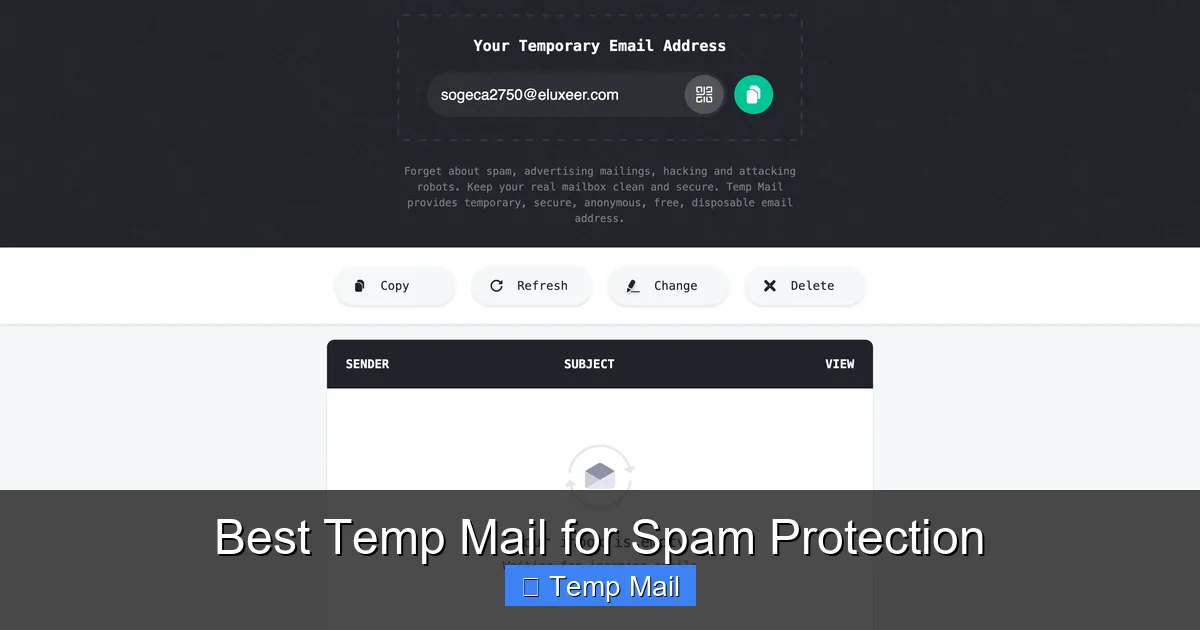
Visual guide about Best Temp Mail for Spam Protection
Image source: temp-mail.io
No Registration Required
The golden rule. The best services don’t ask you to create an account. You visit the site, an address is generated for you instantly, and you can start using it. Why? Because asking for *any* information to get a temp email defeats the purpose. If they need your phone number or a password, they’re just another data collector. True privacy starts with anonymity.
Custom Inbox Names & Multiple Addresses
Some services only give you a random string of characters (like [email protected]). That’s fine for a quick download. But for sign-ups where you might need to remember it for a few hours, a custom prefix (like [email protected]) is a lifesaver. The ability to generate multiple addresses from a single session is also key for organizing different tasks.
Reasonable Expiration Time
“10 minutes” is great for a one-click download, but what if you need to confirm a newsletter subscription or wait for a PDF to be emailed? Look for services that offer at least 1 hour, and preferably options for 1 day, 1 week, or even 10 days. This flexibility is a hallmark of a robust service.
Clean, Ad-Light Interface
Many free temp mail sites are nightmares of pop-up ads, misleading download buttons, and aggressive video ads. This isn’t just annoying; it’s a security risk. You could easily click the wrong thing and install malware. A clean interface with minimal, clearly marked ads (or a fair premium upgrade path) indicates a more professional and trustworthy operation.
Reliable Delivery & No Blacklisting
A temp mail address is useless if the email you’re expecting never arrives. Some free domains get blacklisted by major providers (like Gmail or Outlook) because spammers abuse them. The best services actively manage their domains’ reputations to ensure emails from legitimate sites (like a confirmation from GitHub or a ebook from a marketing firm) actually get through. Always test a service with a known sender first.
Top 5 Contenders: Best Temp Mail Services Reviewed
Now, the moment you’ve been waiting for. We’ve put dozens of services through their paces. We signed up for forums, downloaded whitepapers, tested password resets, and let inboxes expire. Here are our top picks for the best temp mail for spam protection, each excelling in a different area.
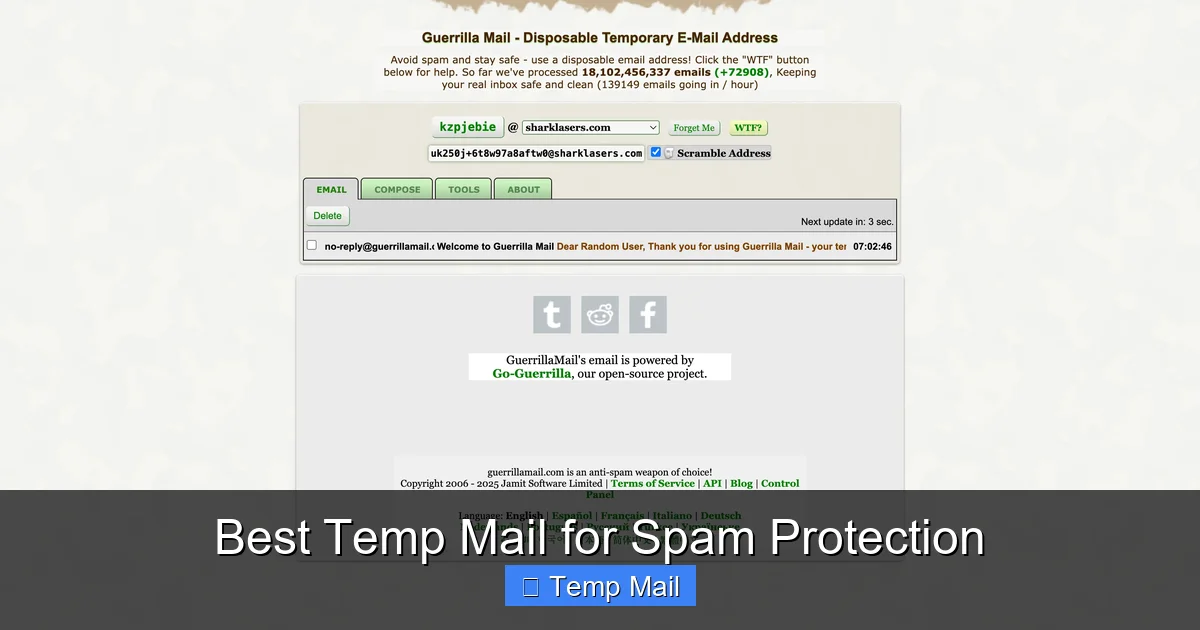
Visual guide about Best Temp Mail for Spam Protection
Image source: temp-mail.io
1. Temp-Mail: The All-Around Champion
If you need one reliable, feature-packed service that just works, Temp-Mail is our top recommendation. It’s the Swiss Army knife of disposable email.
- Why it’s great: Offers a massive selection of domains (like @temp-mail.org, @tempmail.com, etc.), meaning your address is less likely to be blacklisted. Provides a clean, modern interface with zero confusing ads. You can customize your inbox name, see the remaining time clearly, and manually delete emails or the entire inbox with one click. The browser extension is superb, generating an address with a single toolbar click.
- Best for: Everyday use, general sign-ups, testing, and anyone who wants a hassle-free, dependable experience without needing to think about it.
- Potential drawback: The free version is more than capable, but power users might appreciate a premium plan for even longer expiration and API access.
2. 10MinuteMail: The Original Speedster
As the name implies, this service is built for pure, unadulterated speed. The address is generated the second you land on the page.
- Why it’s great: Incredibly simple and fast. No frills, no distractions. The countdown timer is prominent and visceral. It’s perfect for that one-time download where you need an email in the next 60 seconds and will never think about it again. It reliably delivers from most major senders.
- Best for: Instant, one-off tasks like downloading a free template, accessing a gated article, or confirming a forum registration you’ll use once.
- Potential drawback: The 10-minute window is extremely short. If the sender’s email is delayed, you might miss it. Less flexibility for tasks that require a longer wait.
3. Guerrilla Mail: The Veteran Workhorse
Guerrilla Mail has been around for ages and has a dedicated following for good reason. It’s robust, no-nonsense, and gets the job done.
- Why it’s great: Offers a surprising amount of control for a free service. You can choose from several domain options, reply to emails (a rare feature!), and even set a password to protect your temporary inbox from others who might randomly generate the same address. The interface is utilitarian but effective.
- Best for: Users who might need to receive a follow-up email or a password reset link within a few hours. Also good for those who appreciate the ability to manually manage their temp inbox a bit more.
- Potential drawback: The design feels a bit dated, and there are more ads than on Temp-Mail, which can be distracting.
4. MailDrop: The Minimalist’s Choice
If you believe that less is more, MailDrop is your spirit animal. It’s about as simple as it gets.
- Why it’s great: The entire interface is just an email address and an inbox. That’s it. No countdown timers cluttering the view, no domain selection (it’s always @maildrop.cc). It’s calm, clean, and incredibly fast. Emails are automatically deleted after 24 hours, but you can manually delete them sooner. It’s surprisingly reliable for its simplicity.
- Best for: The ultra-minimalist who just wants an address, sees the inbox, and gets out. Ideal for quick sign-ups where you’ll check the inbox once on the same device.
- Potential drawback: Lack of features like custom names or multiple domain choices. The 24-hour limit is fixed, with no option for longer.
5. Tempail: The Privacy-Focused Option
Tempail goes a step further in emphasizing privacy and anonymity in its marketing and setup.
- Why it’s great: Strong focus on not logging IP addresses and providing a truly anonymous experience. It generates a QR code for your address, which is a quirky but useful way to quickly copy it to your phone. Offers a good 1-day expiration on the free tier. The interface is very clean and ad-light.
- Best for:Users who are particularly privacy-conscious and want a service that explicitly states its no-logs policy. Also great for mobile users due to the QR code feature.
- Potential drawback: Slightly fewer domain options than Temp-Mail. The feature set is excellent but not quite as extensive as the all-round champion.
Practical Guide: How & When to Use Temp Mail Effectively
Knowing the best temp mail for spam protection is only half the battle. Using it *correctly* is what delivers the spam-free inbox promise. Here’s your actionable playbook.
Visual guide about Best Temp Mail for Spam Protection
Image source: temp-mail.club
The Golden Rule: Never Use for Critical Accounts
I’m going to say this again because it’s the most important safety tip: DO NOT use a temp mail for your bank, primary email, main social media accounts (Facebook, Twitter, Instagram), cloud storage (Google Drive, Dropbox), or any service where password recovery is sent via email. Once the temp address expires, you are permanently locked out. Game over. There is no recovery. Use your permanent, secure email for these. Temp mail is for disposable interactions.
Perfect Use Cases for Disposable Email
- Downloading Gated Content: Ebooks, whitepapers, and templates often require an email. Use a temp address, get the download link, and forget it.
- Signing Up for Newsletters: Want that 10% discount code from a store you’ll probably never shop at again? Use temp mail. The promo email goes to the disposable address, not your main inbox.
- Testing Website Forms: Are you a developer, designer, or just a tinkerer? Use a temp mail to test if your contact form or sign-up flow actually sends emails without cluttering your real inbox.
- Accessing Public Wi-Fi: Some airports, hotels, or cafes require an email address to get the Wi-Fi password. A temp address is perfect here.
- Creating One-Off Accounts: Signing up for a forum just to ask one question, a gaming server you’ll play on once, or a free trial of a SaaS tool you’re just evaluating.
- Protecting Your Identity on Classifieds: Posting on Craigslist, Facebook Marketplace, or similar? Use a temp email for the listing contact to prevent future spam from bots and scrapers.
A Step-by-Step Example: Downloading an Ebook
- Find your target: You find a great ebook on “SEO Secrets” on a marketing website.
- Open your temp mail service: Navigate to your chosen service (e.g., Temp-Mail). A new address is already waiting for you. Click the copy button.
- Paste and submit: Paste that address into the ebook sign-up form and hit submit.
- Check the inbox: Switch back to your temp mail tab. Within seconds or minutes, the confirmation email with the download link appears. Click the link, download the PDF.
- Dispose: Close the tab. You never need to look at that address again. In an hour or a day, it and all its emails vanish. No spam, no follow-up marketing, no trace.
Safety & Limitations: What Temp Mail Can’t Do
Temp mail is a powerful tool, but it’s not magic. Understanding its limits is key to using it safely and effectively.
Security is Not the Same as Encryption
Most temp mail services do not offer end-to-end encryption like ProtonMail or Tutanota. The emails exist in plain text on their servers. Therefore, you should never use a temp mail address to send or receive sensitive personal information—passwords, social security numbers, credit card details, confidential documents. Its job is spam protection, not secure messaging.
They Can Be Blocked
Some websites actively check incoming email domains against known lists of disposable email providers and will block sign-ups from those domains. If you encounter this, you may need to try a different service from our list, as they use different domains. This is a cat-and-mouse game; a domain that works today might be blocked tomorrow.
No Long-Term Access or Search
Once an inbox expires, it’s gone forever. There is no archive, no search function across old addresses. If you need to retrieve a confirmation email weeks later, you’re out of luck. This reinforces the rule: only use it for things you need immediately.
Potential for Abuse (And Why Sites Block It)
Temp mail can be used for creating fake accounts, evading bans, or sending anonymous malicious emails. This is why some sites are justified in blocking them. Use your temp mail responsibly for privacy, not for deception or harm.
Beyond the Inbox: A Holistic Anti-Sam Strategy
Relying solely on temp mail is like putting a deadbolt on your front door but leaving all your windows wide open. For comprehensive spam protection, combine temp mail with these other essential habits.
- Use a Primary Email with Excellent Filtering: Services like Gmail and Outlook have sophisticated, AI-powered spam filters. Keep your primary address for people and important services, and let their filters handle the inevitable few pieces of spam that slip through.
- Unsubscribe Aggressively: For legitimate newsletters you no longer want, always use the official “Unsubscribe” link (it’s legally required). This trains the sender’s system and reduces future clutter.
- Never Post Your Email Publicly: Avoid typing your email directly into public forums, comment sections, or social media posts. Bots constantly scrape these places. Use a contact form or a temp mail if you must share it.
- Consider a Dedicated “Shield” Email: Some people create a secondary, permanent email address (e.g., a new Gmail account) that they use *only* for online sign-ups and newsletters. This is a step between a full temp mail and your main address. It centralizes some spam but keeps it away from your core inbox.
- Use a Password Manager: Many password managers (like Bitwarden, 1Password) now include a built-in feature to generate and manage masked email addresses (like Apple’s Hide My Email). These are more permanent than temp mail but still provide a forwarding layer. They are a fantastic hybrid option.
Conclusion: Reclaim Your Digital Peace of Mind
Your email address is more than just a communication tool; it’s a unique identifier that, in the wrong hands, becomes a pipeline for spam, scams, and a loss of privacy. The constant barrage of unwanted emails isn’t just annoying—it’s a drain on your time and focus, and it erodes your sense of security online. Adopting a simple habit—using a disposable email address for virtually every non-essential online interaction—is one of the highest-impact, lowest-effort privacy moves you can make today.
From the all-around reliability of Temp-Mail to the raw speed of 10MinuteMail, there is a best temp mail for spam protection that fits your specific workflow. Start with one. Get in the habit. The next time a website asks for your email to download a simple PDF, give them the disposable one. Watch your primary inbox stop screaming for attention. Feel that? That’s digital peace of mind. It’s not about hiding from the internet; it’s about taking back control. Your real inbox deserves better. Give it the protection it needs.
Frequently Asked Questions
Is using a temporary email address legal?
Yes, using a disposable email service is completely legal in most jurisdictions. It is a legitimate tool for protecting your online privacy and managing your digital footprint. The legality only comes into question if you use it to commit fraud, evade legal responsibilities, or violate a specific website’s Terms of Service, which some sites explicitly prohibit.
Are temporary emails secure and private?
Security varies by provider. For spam protection, they are secure in that they isolate your main email from data breaches and spam lists. However, most do not offer end-to-end encryption, so you should never send sensitive data like passwords or financial info through them. Always check the provider’s privacy policy; reputable ones do not log your IP address or sell your data.
How long do temporary emails last?
It depends entirely on the service. Common expiration times are 10 minutes, 1 hour, 1 day, and 10 days. Some services, like Temp-Mail, allow you to extend the life of your inbox manually. Always be aware of the countdown timer for your specific address to ensure you receive any needed emails before it disappears.
Can I send emails from a temporary address?
Most disposable email services are designed primarily for receiving emails. Some, like Guerrilla Mail, offer a limited reply function, but it’s not a standard feature. Sending email from a temp address is generally not possible or recommended, as it would immediately expose the service’s domain to spam filters and damage its reputation for all users.
What happens if a website I need to access requires email verification and I use a temp mail?
If the verification email is sent to your temp address, you can access it within the inbox’s active window and click the verification link. Once verified, the account will typically work normally. The critical risk is if you need to *recover* that account later (e.g., you forget your password). The recovery email will go to the expired temp address, and you will be permanently locked out. This is why temp mail is only for non-critical accounts.
What is the single best temp mail for most people?
For the best balance of reliability, features, and a clean interface, Temp-Mail is our top recommendation for most users. Its wide range of domains helps avoid blacklisting, its browser extension is incredibly convenient, and it offers enough flexibility (custom names, multiple expiration options) to handle nearly any one-off task without frustration.
Leave a Reply