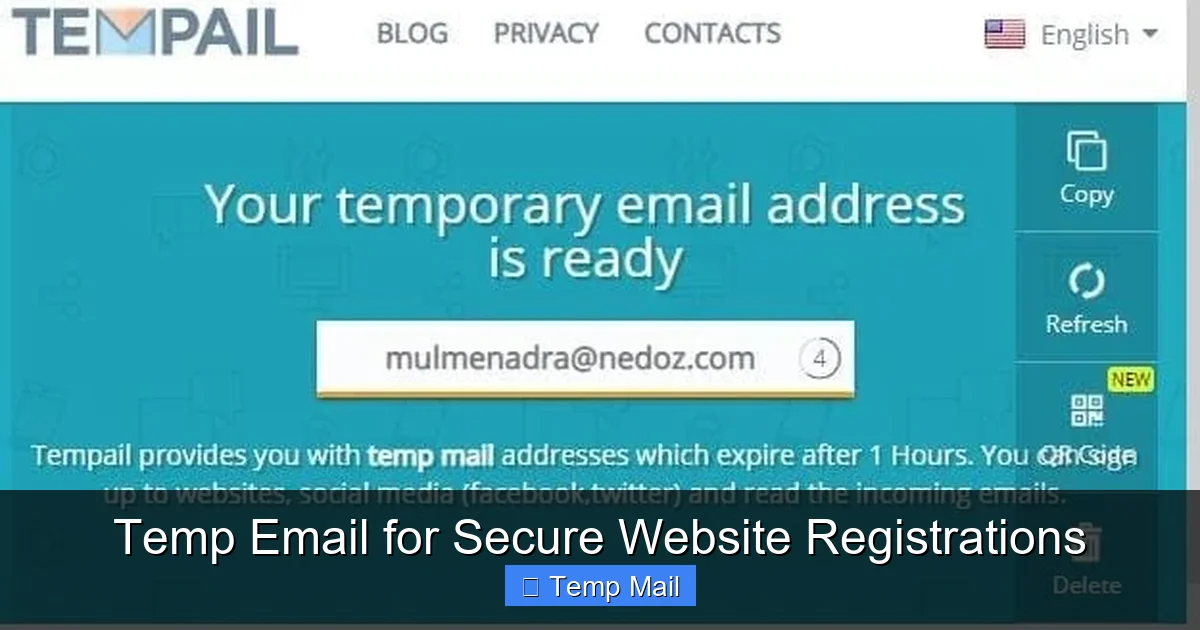
Tired of your main inbox getting flooded with spam after every website sign-up? A temporary email address is your first line of digital defense. It acts as a disposable shield, allowing you to register on sites, download files, or access content without exposing your real, personal email. This simple strategy drastically cuts down on unwanted marketing, minimizes your risk in data breaches, and keeps your online identity compartmentalized and secure.
You’re excited to download that free ebook, access a gated article, or finally try that new social platform. You click “Sign Up,” get to the email field, and hesitate. You know that once you type in your real, cherished, carefully-maintained email address, it’s out there. It gets added to a marketing list, sold in a data set, or worse, leaked in a breach. The convenience of the moment feels like it comes with a long-term privacy tax. What if there was a way to have your cake and eat it too? To get the immediate access you want without sacrificing your inbox’s sanctity? Enter the world of temporary email—a simple, powerful tool for secure website registrations that puts you back in control.
This isn’t about doing anything shady. It’s about smart compartmentalization. Think of your primary email address as your home’s front door key. You wouldn’t give a copy to every random vendor, event promoter, or one-time service you try. You’d use a spare key, or better yet, a one-time-use code. A temporary email is that digital spare key. In this complete guide, we’ll break down exactly how this works, why it’s a cornerstone of modern digital hygiene, how to choose the right service, and the critical best practices to follow. By the end, you’ll never look at a website registration form the same way again.
Key Takeaways
- Disposable Protection: A temp email is a short-lived, anonymous inbox you use instead of your primary email for low-trust sign-ups, creating a crucial privacy barrier.
- Spam and Phishing Mitigation: By funneling potential spam and phishing attempts to a disposable address, you keep your main inbox clean and your primary accounts safer.
- Data Breach Damage Control: If a site using your temp email suffers a breach, your real identity, financial accounts, and long-term credentials remain unaffected.
- Not for Critical Accounts: Never use temp email for banking, primary social media, work logins, or any account where password recovery is essential; you will lose access permanently.
- Provider Variances: Not all temp mail services are equal. Key differences include inbox duration (10 minutes to 1 day), attachment support, and browser-based vs. custom domain options.
- A Tool, Not a Magic Shield: While excellent for privacy, temp email doesn’t make you invisible. Your IP, browser fingerprint, and behavior on the site are still trackable.
- Simple, Legal, and Effective: Using a disposable email is a perfectly legal and widely recommended privacy hygiene practice for navigating the modern web safely.
📑 Table of Contents
- What Exactly is a Temporary Email Address?
- Why Your Primary Email is a Privacy Liability for Registrations
- How to Use a Temporary Email for Secure Registration: A Step-by-Step Guide
- Choosing the Right Temporary Email Service
- The Critical Risks and Limitations of Temporary Email
- The Future of Privacy: Where Temp Email Fits In
- Practical Scenarios: When to Absolutely Use Temp Email
- Conclusion: Empowerment Through Disposability
What Exactly is a Temporary Email Address?
At its core, a temporary email service provides you with a random, disposable email inbox that exists for a short, predetermined period—usually anywhere from 10 minutes to 24 hours, sometimes longer. You don’t need to register an account with the temp mail provider itself. You simply visit their website, they generate an address like [email protected] for you, and that’s it. You use that address on the third-party site you’re visiting.
The Mechanics of Disposability
These services work by automatically creating and managing a vast pool of email inboxes on their servers. When you arrive, you’re assigned one from the pool. Any email sent to that address is captured and displayed in a simple, web-based inbox interface you can view right there. The key is the lifecycle: after a set time, or if you close your browser session, that inbox and all its contents are automatically and permanently deleted from the server. There’s no password, no persistent login, and no way to recover it later. It’s designed to be a single-use, burn-after-reading vessel.
Temp Mail vs. Alias Services
It’s important not to confuse temporary email with email alias services like SimpleLogin or AnonAddy. An alias forwards mail to your primary inbox and can be managed and deleted at will. It’s a persistent but controllable layer. A true temp email is a dead-end. The mail lives only in the temporary inbox and vanishes. This makes temp mail ideal for situations where you have zero need for future communication from the sender, like confirming a download link or accessing a one-time article.
Why Your Primary Email is a Privacy Liability for Registrations
Using your personal or work email for every random website registration is like using your social security number as a username. It creates a single, monolithic point of failure that connects your entire digital activity. Let’s dissect the risks.
Visual guide about Temp Email for Secure Website Registrations
Image source: domainsrush.com
The Spam Pipeline
That “free webinar” sign-up you did six months ago? Its terms and conditions likely included a clause allowing them to share your email with “partners.” That “partner” is often a data broker or a spam network. Your email address becomes a commodity, traded and sold, leading to the relentless promotional emails, robocalls, and text spam that plague your primary inbox. Once it’s out there, it’s nearly impossible to fully retract.
The Data Breach Domino Effect
Smaller websites, forums, and apps are frequent targets for hackers because their security is often weak. When they get breached, user databases—full of usernames, passwords (often poorly hashed), and email addresses—are stolen and posted online. If you used your primary email, that breach is now permanently linked to you. Hackers use these “breach collections” to launch credential stuffing attacks, trying your email and common passwords on major sites like Google, Amazon, and your bank. Using a disposable email for the sketchy forum means that breach is an island, disconnected from your real identity and critical accounts.
The Profiling and Tracking Problem
Every account you create with your real email is a data point in your digital profile. Ad networks and data aggregators can associate your real email with your browsing habits on that site, your interests, and your location. This builds a increasingly accurate and saleable profile of you. By using a different, disposable identity for low-stakes interactions, you break this chain of association, making your core identity harder to profile comprehensively.
How to Use a Temporary Email for Secure Registration: A Step-by-Step Guide
The process is intentionally simple, but doing it correctly matters. Here’s a practical walkthrough.
Step 1: Choose and Open Your Temp Mail Provider
Open a new browser tab and go to a reputable temporary email site. Examples include Temp-Mail.org, 10MinuteMail.com, or Guerrilla Mail. Avoid any service that asks you to create an account or pay for basic features. The homepage should immediately generate an address for you and show you the empty inbox.
Step 2: Copy the Disposable Address
Highlight and copy the randomly generated email address provided. Most services have a one-click “Copy” button. Do not manually type it to avoid errors.
Step 3: Use It on the Target Website
Go to the website you want to register for. Paste the temp email into the email field. Create a password (use a password manager to generate a strong, unique one even for this disposable account). Complete any other required fields. Submit the registration.
Step 4: Access the Verification Email
Most legitimate sites require email verification. After clicking “Sign Up,” switch back to your temp mail tab. Refresh the inbox page. Within seconds or minutes, you should see a new email from the website. Click on it to view its contents. Look for the verification link or code. Copy the link/code and return to the website’s tab to complete the verification. You now have access without ever touching your real inbox.
Step 5: Complete Your Task & Forget It
Download the file, read the article, use the temporary account. Once you’ve accomplished your goal, simply close the browser tab. You do not need to log out. The inbox will expire on its own, and any future emails (like spam from that site) will bounce or be discarded. You’ve successfully isolated that interaction.
Choosing the Right Temporary Email Service
Not all temp mail providers are built the same. Here’s what to look for.
Key Features to Consider
- Inbox Duration: 10-15 minutes is standard for quick verifications. If you need a bit more time (e.g., for a delayed email), look for services offering 1 hour or 1 day (like MailDrop or TempMail.net).
- Attachment Support: Can it receive emails with attachments (PDFs, images)? Essential for downloading files. Most major services support this.
- Browser-Based vs. Custom Domain: Most are simple browser-based inboxes. Some allow you to choose from a few domain names (e.g., @tmpmail.org, @tmpmail.net). This can help if a site blocks a known temp mail domain.
- No Password/No Login: The hallmark of a true temp service is that the inbox is accessible directly via the URL or a simple refresh, with no authentication. This is what makes it disposable.
- Ad Load: These services are free and ad-supported. Some are more intrusive than others. A clean interface is worth seeking out.
Red Flags to Avoid
Steer clear of any service that:
- Requires you to sign up or create an account.
- Charges for basic temp email functionality.
- Promises “permanent” disposable emails (this is often an alias service, which is different).
- Has a suspicious domain name or poor web design, which could indicate a phishing operation itself.
Sticking with well-known, established names in the space is the safest bet.
The Critical Risks and Limitations of Temporary Email
Temp email is a powerful tool, but it’s not a silver bullet. Understanding its limitations is crucial for using it safely and effectively.
You Will Lose Access – Permanently
This is the most important rule. If you use a temp email to sign up for a service you later need to recover (e.g., you forgot your password), you are locked out forever. The “forgot password” link will send a reset email to an inbox that no longer exists. There is no customer support that can help, as you have no verifiable account ownership. This is why it is strictly for non-essential, one-off interactions.
Service and Website Blocking
Many popular websites and platforms (like Google, Facebook, major streaming services, and most financial institutions) actively detect and block known temporary email domains. They do this to prevent abuse and fraud. If your temp email is blocked, you simply cannot use it to register. You must use your real email or a different method. This is actually a good filter—if a site blocks temp mail, it likely has stronger anti-abuse policies, which can be a signal of its legitimacy.
False Sense of Total Anonymity
Using a temp email hides your email identity, but not your network identity. The website you visit can still see your IP address (unless you use a VPN), your browser type, your operating system, and can place tracking cookies on your browser. For true anonymity, temp email is just one layer and should be combined with other privacy tools like a reputable VPN and privacy-focused browsers.
Potential for Abuse and Blacklisting
Because temp mail is anonymous, it is frequently used for malicious purposes: creating spam accounts, signing up for harassment, or bypassing bans. As a result, the domains used by temp mail services can sometimes be blacklisted by other email providers or security services. This means an email you send *from* a temp mail service (some allow limited sending) might be marked as spam. More relevant to you: if a site you register with uses aggressive security, they might flag or pre-emptively block registrations from a blacklisted temp domain, even if your specific use is innocent.
The Future of Privacy: Where Temp Email Fits In
The digital landscape is shifting towards greater privacy awareness. Regulations like GDPR and CCPA give users more control, but the onus is still partly on the individual. Temporary email is a classic example of a “privacy by obfuscation” tool, and its role is evolving.
Integration with Password Managers and Browsers
We’re already seeing trend. Password managers like 1Password and Bitwarden have begun integrating Masked Email features (powered by services like Fastmail’s Masking or DuckDuckGo’s Email Protection). These are essentially sophisticated, managed alias services that create unique, forwardable email addresses for each site. They are more persistent than a 10-minute temp mail but still provide compartmentalization. The future likely involves these “smart aliases” becoming a standard feature in privacy tools, blending the convenience of forwarding with the security of isolation.
The Arms Race with AI and Fraud Detection
As AI-driven fraud detection improves, simple temp mail domains may become easier to spot and block en masse. In response, temp mail services will likely become more sophisticated, generating more varied, less pattern-like domains. The cat-and-mouse game between privacy tools and platforms trying to verify “real” users will continue.
A Pillar of Digital Hygiene
Ultimately, the use of temporary or masked email will become as normalized as using a password manager or two-factor authentication. It’s a fundamental practice for anyone who wants to navigate the web without leaving a trail of breadcrumbs back to their primary identity. As data breaches become more common and targeted advertising more pervasive, the simple act of not using your real email for a random forum sign-up will be seen as a basic, commonsense security step—like locking your car door.
Practical Scenarios: When to Absolutely Use Temp Email
Let’s make this concrete. Here are common situations where a temporary email is your best friend.
- Downloading Gated Content: Ebooks, whitepapers, template packs, or research reports that require an email. You want the file, not the newsletter. Use temp mail, get the download link (often delivered instantly), and vanish.
- Signing Up for One-Time Events or Trials: A free webinar, a 7-day software trial, an online workshop. You need the access link, but the follow-up marketing will be relentless. Temp mail contains the blast.
- Accessing Comment Sections or Forums: Some sites force registration to comment. If it’s a one-off comment on an article, why give them your email? Use temp mail.
- Testing Website or App Sign-Up Flows: As a developer or QA tester, you need to repeatedly test registration processes. Using a new temp email each time avoids cluttering test accounts and prevents triggering “account already exists” errors.
- Bypassing “Email Wall” Paywalls: Some news sites allow a few free articles per month but require an email. A temp email lets you bypass this respectfully (though consider supporting journalism if you read it often).
- Creating a Throwaway Account for a Single Purpose: A temporary account on a service like Canva for a specific graphic design project, or a Spotify account just to listen to one playlist for an event.
Conversely, NEVER use temp email for: Banking, investment accounts, primary cloud storage (Google Drive, iCloud), main social media profiles (Facebook, Instagram, Twitter/X), work/school logins, Amazon/e-commerce accounts where you need order receipts, or any service where password recovery is vital. For these, use your real email with a strong, unique password and 2FA enabled.
Conclusion: Empowerment Through Disposability
In an ecosystem that constantly asks for your email address as a token of access, reclaiming the power to say “no” to your primary inbox is a profound act of digital self-defense. Temporary email for secure website registrations is not a hack; it’s a conscious choice to separate your essential digital identity from the noise of everyday web interaction. It’s the practice of giving away a key that opens nothing of value, protecting the master key to your digital life.
The next time you encounter a registration form, pause. Ask yourself: “What is the long-term value of this interaction to me?” If the answer is “minimal” or “one-time,” you have a clear path. Open a temp mail tab, generate an address, and proceed with confidence. You’ll get what you need—the ebook, the trial, the access—and your real inbox will remain a tranquil, spam-free zone for your important communications. In the battle for online privacy, the simplest tools are often the most effective. Start using temporary email today, and experience the immediate relief of an uncluttered, more secure digital life.
Frequently Asked Questions
Is using a temporary email address legal?
Yes, using a temporary or disposable email service is completely legal in virtually all jurisdictions. It is a legitimate privacy tool, not an instrument of fraud. The legality only becomes an issue if the disposable address is used for illegal activities like hacking, fraud, or sending threats, which is true of any communication tool.
Can websites detect that I’m using a temporary email?
Yes, many can and do. Reputable temporary email services use well-known domain names that are publicly listed on databases of disposable email providers. Many websites check new registrations against these lists and will block sign-ups from those domains. This is why you might find a particular temp mail service doesn’t work on a specific site.
Is my data safe when using a temporary email service?
It depends on the provider’s policy. For the short time your inbox exists, the service technically has access to any emails sent to it. You must trust that they do not log, mine, or sell the content of those emails. This is why it’s critical to use only well-known, reputable providers and to never send sensitive personal data (like scans of IDs, credit card numbers, or private messages) to a temporary address.
What happens if I need to recover my password for an account I signed up with a temp email?
You will not be able to recover it. Password reset links are sent to the registered email address. Since the temporary inbox has expired and is permanently deleted, you will never receive that email. The account will be permanently locked. This is why the cardinal rule is: never use a temp email for any account where you need long-term access or recovery options.
Do temporary emails work with two-factor authentication (2FA)?
No, and this is another reason they are only for low-stakes accounts. 2FA codes are time-sensitive and sent to your registered email or phone. If your email is a temporary, expired inbox, you will not receive the 2FA code, locking you out immediately. Accounts protected by 2FA should always use a permanent, secure email address you control.
Can I send emails from a temporary address?
Some temporary email services offer limited sending capabilities, but it’s rare and often heavily restricted (e.g., only to the same temporary domain). The primary function of these services is receiving emails for verification. You should not rely on them for sending communications, as the emails will likely fail spam filters due to the domain’s reputation, and the “from” address is not a persistent, trusted identity.
Leave a Reply