Author: admin

  • How Disposable Emails Work

    How Disposable Emails Work

    Disposable emails, or temp mail, are temporary email addresses that self-destruct after a short period. They work by generating random inboxes on demand without any personal registration, shielding your primary email from spam, data breaches, and unwanted marketing. Perfect for one-time sign-ups or downloads, they are a simple tool for enhancing online privacy, but they shouldn’t be used for critical accounts or sensitive transactions.

    Let’s be honest. Your primary email address is a magnet. It’s the key to your social life, your finances, your work, and a seemingly endless stream of promotional newsletters you signed up for three years ago for a 10% discount. Every time you use it online, you’re handing out a piece of your digital identity. What if there was a way to hand out a decoy instead? Enter the world of disposable email, or as it’s commonly known, temp mail. It’s a brilliantly simple concept that acts as a privacy shield and a spam filter all in one. But how do these ephemeral inboxes actually work? In this deep dive, we’ll unravel the technology, the practical steps, and the smart strategies behind using temporary email addresses.

    Key Takeaways

    • Disposable emails are temporary: They are created instantly for short-term use and automatically delete their inboxes after minutes or hours, leaving no digital trace.
    • No personal information is required: These services generate random addresses without asking for your name, phone number, or recovery email, ensuring anonymity from the start.
    • Primary purpose is spam prevention: By using a temp mail for low-trust websites or one-time downloads, you prevent those entities from ever accessing your permanent email address.
    • They are not for important accounts: Never use a disposable email for banking, social media logins, or any service where account recovery is essential, as you will permanently lose access.
    • Senders cannot typically identify them as disposable: To the sending website or service, a temp mail address looks like any other email address, so they won’t know it’s temporary unless they have a specific blocklist.
    • Security varies by provider: While many use HTTPS, some free services may scan emails for ads or have weaker data policies, so choosing a reputable provider is crucial for privacy.
    • They simplify online testing: Developers and QA testers use disposable emails to automate account creation and testing workflows without managing multiple real inboxes.

    What Exactly Are Disposable Emails?

    Think of a disposable email address as a burner phone for your inbox. It’s a fully functional email address that you can use to receive messages, but it has a very short, predefined lifespan. Unlike your Gmail, Outlook, or Yahoo account—which you’ve likely had for years and is tied to your name, phone number, and countless passwords—a disposable email is anonymous, isolated, and meant to be used once and forgotten.

    The Core Difference: Permanent vs. Temporary

    Your permanent email is a digital home base. It’s tied to your identity through verification processes, contains years of personal and professional history, and is notoriously difficult to fully extricate from the internet if compromised. A disposable email is a digital motel room. You check in, use it for a specific, immediate purpose (like getting a download link), and leave without a trace. The service provider wipes the room clean moments after you check out.

    Aliases vs. Truly Disposable Inboxes

    It’s important to distinguish between two similar concepts: email aliases and disposable emails. An alias (like those offered by services such as SimpleLogin or AnonAddy) forwards mail from a unique address to your main inbox. You maintain control and can revoke the alias later. A truly disposable email, in contrast, provides a standalone inbox that you access directly on the provider’s website. Once the session expires or the inbox is cleared, that address and all its messages are gone forever. For the purpose of this guide, we’re focusing on the latter—the classic temp mail model.

    The Technology Behind the Temp Mail Curtain

    The magic of disposable email isn’t sorcery; it’s clever, efficient system design. The entire process is built for speed, anonymity, and automatic cleanup. Here’s a breakdown of what happens when you visit a temp mail website.

    How Disposable Emails Work

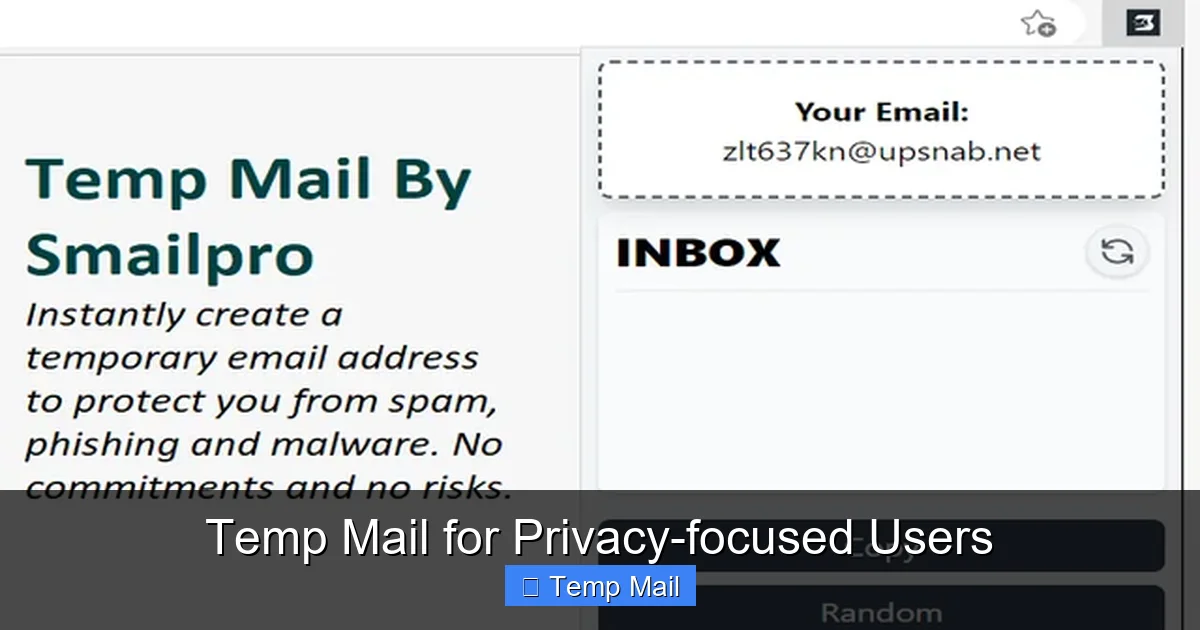
    Visual guide about How Disposable Emails Work

    Image source: funkyspacemonkey.com

    1. Instant Address Generation

    You land on a site like Temp-Mail.org or 10MinuteMail.com. There’s no “Sign Up” button. Instead, the system immediately generates a random email address for you. This address is usually a jumble of characters (e.g., [email protected]) assigned to a unique, random inbox ID stored on the server. The generation is algorithmic and instantaneous, requiring no database lookup for an available user name because every new visitor gets a fresh, unused inbox.

    2. The “No Registration” Rule

    This is the cornerstone of privacy. Because the service doesn’t ask for—and doesn’t want—any of your personal data, there’s no account to create. No password to remember. No recovery email to provide. The temporary inbox is linked only to a random session token stored in your browser’s cookies or local storage. Close the tab, and that link is severed. From the service provider’s perspective, you are a faceless, nameless user associated with a random string of data.

    3. Receiving and Displaying Emails

    When a website sends an email to your disposable address, the temp mail service’s mail server receives it just like any standard mail server (using SMTP). The key difference is in how it’s handled. The service doesn’t attempt to forward it anywhere. Instead, it simply stores the email in the database associated with your unique inbox ID. When you refresh your temp mail browser tab, the server queries the database for any emails linked to your session ID and displays them in a clean, web-based interface. Attachments are usually available for download directly from this interface.

    4. The Auto-Deletion Mechanism

    This is the “disposable” part. Every disposable email service has a built-in timer. This timer can be based on two things: inbox inactivity or a fixed lifespan from creation. For example, a service might delete an inbox if it hasn’t been refreshed in 10 minutes, or it might automatically purge all messages and the address itself after exactly 1 hour. The server constantly runs cleanup scripts that identify expired inbox IDs and permanently delete their corresponding data from the database. This ensures no residual data is left behind for potential harvesting.

    A Step-by-Step Guide: Using Disposable Email in Practice

    Understanding the theory is one thing; using it is refreshingly simple. Let’s walk through a common scenario: you want to download a free ebook that requires an email address.

    How Disposable Emails Work

    Visual guide about How Disposable Emails Work

    Image source: funkyspacemonkey.com

    Step 1: Navigate to a Temp Mail Provider

    Open your browser and go to a reputable disposable email website (e.g., Temp-Mail.org, Guerrilla Mail, 10MinuteMail). You’ll be greeted immediately with your new, temporary email address and a countdown timer. No clicks required.

    Step 2: Copy the Generated Address

    Click the copy button next to the address or highlight and copy it manually. This is your one-time-use key.

    Step 3: Use It on the Target Website

    Go to the ebook download page. Paste the disposable email into the required field and submit the form. The website will send a confirmation email or a direct download link to that address.

    Step 4: Retrieve Your Message

    Switch back to your temp mail tab. Hit the refresh button (or wait for auto-refresh). The incoming email from the ebook site will appear in your inbox list. Click on it to view its contents. Often, the download link or confirmation code is right there in the body.

    Step 5: Close and Forget

    Once you’ve downloaded the ebook or clicked the link, you’re done. Simply close the browser tab. You do not need to log out. The inbox will self-destruct according to the service’s timer. If you need a few more minutes, some services offer a “Keep Alive” button to extend the session.

    Pro Tip: Always check the timer! If a website promises a “5-minute download link,” make sure your temp mail session will last at least that long. Some services default to 10-minute lifetimes, which is sufficient for most cases.

    Common Use Cases: When to Reach for Temp Mail

    Disposable emails are a specialized tool. Knowing the right job for it makes all the difference. Here are the most common and effective scenarios.

    How Disposable Emails Work

    Visual guide about How Disposable Emails Work

    Image source: mailtemp.uk

    For One-Time Registrations and Downloads

    This is the bread and butter of temp mail. Anytime a website asks for an email solely to:

    • Gate a PDF, whitepaper, or software trial.
    • Grant access to a webinar recording.
    • Provide a discount code.
    • Allow entry into a contest or giveaway.
    • …use a disposable address. You get the immediate resource without enrolling your primary email in a potential spam cycle.

      To Test Online Services and Forms

      Developers, testers, and even savvy users can use temp mail to test:

      • If a website’s email verification system works.
      • How a service handles email-based password resets (without using your real account).
      • The content of automated welcome sequences from SaaS platforms.

      It’s a quick, clean way to validate email functionality without cluttering a real inbox.

      To Avoid Unwanted Marketing and Data Brokers

      Many “free” online services monetize by building email lists and selling data. By using a temp mail, you completely cut off that revenue stream tied to your address. The service gets a valid email format to process your request, but it leads to a black hole. No promotional newsletters, no “We miss you!” emails, no data profile built around your primary address.

      For Enhanced Privacy on Low-Trust Platforms

      If you’re signing up for a forum, comment section, or app with questionable privacy practices or a history of data breaches, a disposable email adds a layer of separation. If that site is later hacked, the leaked database will contain your temp mail address, not your real one. The breach is contained.

      Benefits and Crucial Limitations

      Like any tool, disposable email has a bright side and a dark side. Using it effectively means embracing both.

      The Clear Advantages

      Immediate Spam Reduction: This is the biggest win. Your primary inbox stays pristine for important communications from family, colleagues, and trusted services.
      Zero Personal Data Required: You maintain anonymity from the service you’re signing up for.
      Effortless and Fast: No account creation, no password, no verification. It takes 3 seconds.
      No Long-Term Maintenance: You don’t have to remember to unsubscribe later. The inbox deletes itself.

      The Serious Limitations and Risks

      Permanent Loss of Access: This is non-negotiable. If you need to reset a password for an account you created with a disposable email, you are locked out forever. The account is dead weight.
      Not for Important Accounts: Never, ever use temp mail for banking, primary social media, cloud storage, main work tools, or any service where identity and recovery matter.
      Potential Security Gaps: While many reputable services use HTTPS, some free providers may have weaker security. In theory, a provider could log IP addresses or read emails. You are trusting them with the anonymity of your temporary activity.
      Sender Blocklists: Some sophisticated websites or forums actively block known disposable email domains to prevent abuse. You might find the temp mail address simply won’t be accepted.
      No Sender Reputation: Because the domain is generic and the address is random, emails from a temp mail can sometimes be flagged as lower trust by spam filters of the *recipient* (if you were to use it to send mail, which is rare).

      Choosing the Right Disposable Email Service

      Not all temp mail providers are created equal. The landscape includes ad-supported free sites and more privacy-focused paid options. Here’s what to look for.

      Key Features to Evaluate

      • Inbox Lifespan: Does it last 10 minutes, 1 hour, or 1 day? For most uses, 10-60 minutes is sufficient. Longer is not necessarily better for privacy.
      • Domain Options: Some services offer multiple domain choices (e.g., @tmpmail.org, @tmpmail.net). If one domain is blocked, you can try another.
      • “Keep Alive” or Extend Function: Can you manually extend the session if you need more time? This is a useful feature.
      • Attachment Support: Can you download files sent to the inbox? Most can, but it’s worth confirming.
      • HTTPS Enforcement: The site must use HTTPS to encrypt the connection between your browser and their server. Check for the padlock icon.
      • Ad Load: Free services rely on ads. Some are intrusive with pop-ups; others are more subtle. Your tolerance may vary.

      Reputable Providers vs. Unknown Sites

      Stick with well-known, established services like Temp-Mail.org, Guerrilla Mail, or 10MinuteMail. These have been around for years, have clear privacy policies (even if minimal), and are less likely to be malicious. Avoid obscure temp mail sites you find via a random search—they could be logging your activity or injecting malware. A quick search for “is [service name] safe” can reveal user experiences and any red flags.

      When a Paid or Enhanced Service Makes Sense

      For developers or power users, services like MailSlurp or Mailinator’s private inbox offerings (paid tiers) provide API access, custom domains, and longer retention. These are for professional testing workflows, not casual one-off use. For the average user, a top-tier free service is perfectly adequate.

      Security and Privacy: The Essential Caveats

      Relying on a disposable email for privacy assumes the provider itself is trustworthy. This is the critical, often overlooked, layer.

      What the Provider Sees

      Even without your registration data, the temp mail provider can see:

      • The IP address from which you access the inbox.
      • The approximate geographic location based on that IP.
      • The user agent of your browser.
      • The content of all emails received in that temporary inbox.

      For a standard free provider, this data is typically kept temporarily and wiped with the inbox. However, their privacy policy (if one exists) should state this clearly. If the policy is vague or absent, assume the worst.

      Encryption in Transit, But What About at Rest?

      HTTPS protects data traveling between you and the server. But what about the emails stored on their server? Reputable services may encrypt databases, but this is not a universal standard. The content of your temporary emails is stored in plain text on their servers until deletion. This is a calculated risk for a tool designed for low-sensitivity communication.

      Never Use for Sensitive Information

      This cannot be stressed enough. Do not use a disposable email to:

      • Receive password reset links for important accounts (you’ll lose access).
      • Communicate confidential personal or business information.
      • Register for services that will later send financial statements or legal documents.
      • Verify identity for government or financial services.

      Temp mail is for noise, not for substance. It’s a filter, not a vault.

      The Future of Ephemeral Communication

      The demand for disposable communication is growing alongside concerns about data harvesting and surveillance. We’re seeing trends like:

      • Integration with Privacy Suites: Browsers like Brave and privacy-focused browsers are exploring built-in temporary email generation as a feature.
      • Improved API Access: Services are making it easier for developers to programmatically create and manage thousands of temporary inboxes for automated testing.
      • Stronger Advocacy: As email becomes a primary vector for tracking, tools like disposable addresses are being promoted by digital rights groups as essential hygiene.

      The core concept will likely remain the same—a throwaway address—but the implementations will become more seamless and integrated into our everyday privacy toolkits.

      Conclusion: A Smart Tool for a Cluttered Digital World

      Disposable email addresses are not a magic bullet for all your privacy woes, but they are an exceptionally effective and straightforward tool for a very specific problem: the relentless erosion of your primary email’s cleanliness and security. By understanding how they work—the instant generation, the lack of registration, the automatic deletion—you can wield them with confidence. Use them liberally for sign-up walls, content gates, and any interaction where you suspect the long-term value of your email to the other party is zero and the risk of spam is high. Reserve your permanent, guarded email address for the people and services that truly matter: your family, your core professional network, your bank, and your critical cloud services. In the battle for your digital attention, temp mail is a simple, powerful shield. Use it wisely, and keep your main inbox a sanctuary.

      Frequently Asked Questions

      Are disposable emails legal to use?

      Yes, using a disposable email is completely legal. It is simply the use of a standard email service that does not require long-term account registration. The legality comes into question only if the address is used for fraudulent or illegal activities, which applies to any communication tool.

      Can disposable emails be traced back to me?

      Generally, no. Since no personal information is provided during creation, the email address itself is not linked to your identity. However, the service provider can see the IP address you used to access the inbox. For most casual uses, this level of anonymity is sufficient. Using a VPN adds an extra layer of IP masking.

      How long do disposable emails typically last?

      Lifespans vary by provider, but common timeframes are 10 minutes, 1 hour, or 1 day. The countdown usually starts when the inbox is first generated or from the last time it was accessed. Always check the specific timer on your chosen service.

      Will the website I’m signing up with know I used a disposable email?

      Usually, no. To their system, it’s just a validly formatted email address. However, many websites maintain internal blocklists of known disposable email domains. If you try to sign up with an address from a blocked domain, the site will reject it outright.

      What are the best disposable email services?

      For most users, established and reputable free services like Temp-Mail.org, Guerrilla Mail, and 10MinuteMail are reliable, easy to use, and have been operating for years without major security scandals. Always use the service’s official website to avoid phishing copies.

      Can businesses use disposable emails for employees?

      For critical business communication, absolutely not. Disposable emails are antithetical to accountability, record-keeping, and secure collaboration. However, businesses can use dedicated, privacy-focused email alias services (like SimpleLogin) for employees to create unique forwards for different vendors, which offers better control than a truly disposable inbox.
  • Temp Mail Tools for Online Privacy

    Temp Mail Tools for Online Privacy

    Temp mail tools are your essential shield against spam, data harvesting, and unwanted tracking by providing disposable email addresses for sign-ups and verifications. These services automatically delete messages after a set time, offering a simple yet powerful way to safeguard your primary inbox and personal information from being sold or breached. Reclaim your digital privacy by using a temporary email for any non-critical online interaction.

    This is a comprehensive guide about Temp Mail Tools for Online Privacy.

    Key Takeaways

    • Use disposable emails for non-essential sign-ups to immediately shield your primary inbox from spam.
    • Temp mail protects your real identity by preventing data brokers from linking your primary email to online activity.
    • These tools are free and require no registration, offering instant, anonymous access to a temporary inbox.
    • Understand their key limitation: emails auto-delete, making them unsuitable for any account requiring long-term access.
    • Never use a temp address for banking, official government services, or any critical account with recovery needs.
    • Employ them strategically for one-time verifications like forum access or discount code retrieval to maintain privacy.

    Frequently Asked Questions

    What is a temp mail service?

    A temp mail service provides a disposable, temporary email address that automatically deletes after a short period or a limited number of uses. It allows you to receive verification emails or sign up for websites without using your primary, personal email address.

    Are temp mail tools safe to use?

    Reputable temp mail tools are generally safe for their intended purpose of shielding your main email from spam and data collection. However, they should not be used for sensitive communications like banking or password recovery, as the inbox is not secure or private long-term.

    How do temp mail tools enhance online privacy?

    Temp mail tools enhance privacy by preventing websites and services from linking your online activity to your real identity or primary email. This breaks the chain of data collection, reducing targeted advertising, spam, and the risk of your personal inbox being compromised in a data breach.

    Is using a temporary email legal?

    Yes, using a temporary email address is completely legal for most legitimate purposes like forum sign-ups or accessing gated content. It becomes problematic only if used for fraudulent activities, harassment, or to violate a website’s specific terms of service, which often prohibit disposable emails.

    What are common uses for temp mail?

    Common uses include signing up for websites that require an email but send excessive marketing, downloading files from file-sharing sites, or creating test accounts for apps and services. It’s ideal for any one-time interaction where you don’t want to clutter your permanent inbox.

    Can temp mail tools prevent spam permanently?

    While temp mail tools don’t prevent spam from being generated, they effectively contain it to the disposable address. Since the temporary inbox expires, any subsequent spam sent to that address disappears with it, keeping your permanent email spam-free and your primary identity protected.

  • Free Temporary Email for Fast Registrations

    Free Temporary Email for Fast Registrations

    Tired of spam clogging your primary inbox? Free temporary email services provide instant, disposable email addresses perfect for one-time sign-ups and downloads. They safeguard your real contact details, require no registration, and delete themselves after use. It’s the fastest, most private way to access gated online content without long-term commitment or inbox clutter.

    Key Takeaways

    • Instant Setup: Generate a working email address in seconds with no personal details or passwords required.
    • Spam Prevention: Shield your primary inbox from promotional emails, newsletters, and potential data breaches by using a disposable address.
    • Zero Registration: Unlike traditional email, you don’t create an account; the service provides the inbox directly to you.
    • Automatic Disposal: Most temporary emails expire after a set time (e.g., 10 minutes to 24 hours) or once you close the browser tab.
    • Universal Access: Use these addresses for any website requiring email verification, from forums and e-books to software trials and Wi-Fi logins.
    • Privacy First: No personal information is tied to the address, minimizing your digital footprint for that specific interaction.
    • Cost-Free: These services are entirely supported by ads or premium models, with core disposable functionality remaining free.

    What is a Free Temporary Email?

    Imagine you’re trying to download a useful PDF guide or sign up for a free webinar. The website asks for your email address. You hesitate. You know that once you hand over your primary email, it’s likely to be added to a marketing list, sold to advertisers, or, worse, caught in a data breach. Your inbox will never be the same, flooded with promotions you never asked for. This is the universal modern dilemma of the online gatekeeper.

    Enter the free temporary email. It’s exactly what it sounds like: a short-lived, no-frills email address you can use for a specific, fleeting purpose and then forget about. Think of it as a digital burner phone or a pseudonym for your inbox. These services provide you with a random inbox at a unique domain (like mailinator.com or 10minutemail.com) that you can immediately use to receive a verification link or download file. There’s no need to set up a password, provide a phone number, or verify another email. You simply visit the site, copy the generated address, paste it into the form you’re filling out, and then check the provided inbox on the same website for your incoming message. Once you’re done, or after a short time limit (often 10 minutes to a few hours), the address and all its messages vanish into the digital ether. It’s a tool for ephemeral engagement with the web.

    The Core Philosophy: Separation of Concerns

    The fundamental idea behind a temporary email is separation. Your primary, permanent email address is tied to your identity, your bank, your family, and your important subscriptions. It’s your digital home. A temporary email is like a public restroom key you borrow for a moment—useful, functional, and meant to be returned (or discarded) without a second thought. This separation protects your permanent identity and your inbox’s sanctity from the noise of the commercial web. It acknowledges that not every online interaction deserves or requires a piece of your long-term digital self.

    How Do Temporary Emails Work? A Step-by-Step Breakdown

    The magic of a free temporary email service lies in its beautiful simplicity. There’s no complex account creation or server setup on your end. Here’s the typical, seamless workflow:

    Free Temporary Email for Fast Registrations

    Visual guide about Free Temporary Email for Fast Registrations

    Image source: internxt.com

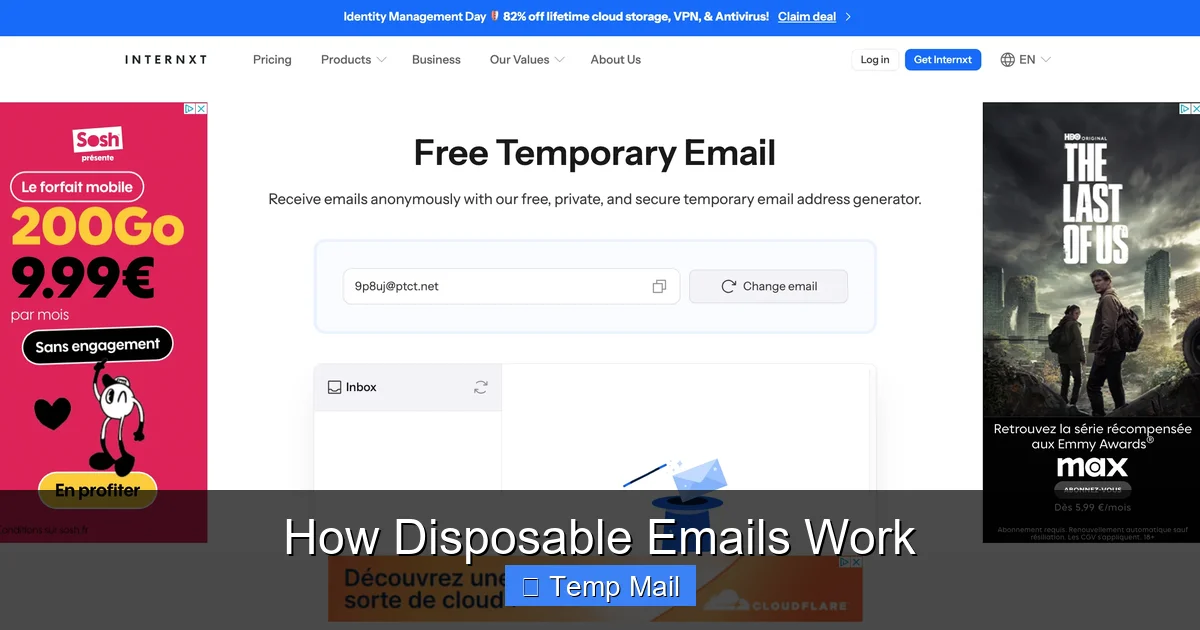
    • Step 1: Visit the Service Site: Navigate to a provider like Temp-Mail.org, Guerrilla Mail, or 10 Minute Mail. You’ll land on a page with a large, bold email address already generated for you.
    • Step 2: Copy the Address: With one click, you copy the random address (e.g., [email protected]). No typing required.
    • Step 3: Paste & Register: You paste that address into the website or app that’s asking for your email. You proceed through the sign-up or download process.
    • Step 4: Receive the Email: The verification email or download link is sent to that disposable address. Back on the temporary mail service site, you’ll see the message appear in the inbox window, often within seconds. You open it and click the link or copy the code.
    • Step 5: Done. Forget. After you’ve retrieved what you needed, you simply close the browser tab. The address will either expire after a set countdown timer (visible on the site) or be automatically deleted after a period of inactivity. It’s gone.

    The Technology Behind the Simplicity

    From a technical perspective, these services run on catch-all mail servers. When you visit the site, the server randomly generates a string before an @ symbol and pairs it with their domain. That entire address is created on the fly and mapped to a temporary inbox folder in their system. When an email arrives for that specific random string, the server routes it to that folder, which is what you see in your browser. There’s no persistent database linking that address to a user, which is why you can’t log back in later—the session is tied to your browser window or a short-lived cookie. This design is what enables the zero-registration, instant-access model.

    Common Use Cases for Disposable Emails (Beyond Just Spam)

    While avoiding spam is the prime motivator, free temporary email services are versatile tools for a clutter-free digital life. Here are the most practical, everyday scenarios where they shine:

    Free Temporary Email for Fast Registrations

    Visual guide about Free Temporary Email for Fast Registrations

    Image source: darksms.com

    1. One-Time Content Downloads

    How many times have you wanted a whitepaper, template, or ebook, only to be stopped by a form demanding your email? Using a temporary address lets you bypass this gate ethically. You get the content, and your primary inbox stays pristine. This is perfect for marketers doing competitive research or students gathering resources.

    2. Forum or Comment Section Sign-Ups

    Many online forums, news sites, and blogs require an email to comment or participate. If it’s a community you’ll engage with once or rarely, a disposable address is ideal. It prevents you from being added to the forum’s own newsletter or having your credentials leaked if the site is compromised.

    3. Testing Software or Online Services

    Developers, testers, and curious tech enthusiasts use temporary emails to quickly create test accounts for SaaS platforms, apps, or beta programs. This allows for frictionless testing without polluting a real business or personal email with automated “Welcome!” and “Update your preferences” messages from a service you’ll abandon after 10 minutes.

    4. Accessing Public Wi-Fi or Guest Networks

    Hotels, airports, and cafes often require an email address to grant Wi-Fi access. Providing a temporary address here is a no-brainer. You get online, and you avoid giving your contact info to a business that might later use it for promotions or, in worst cases, have poor data security.

    5. Creating Accounts on Low-Trust or Unknown Sites

    If you’re skeptical about a website’s credibility—perhaps it’s a new social platform, an obscure shopping site, or a game with aggressive monetization—using a disposable email is a smart safety precaution. It limits the potential damage if the site sells data or suffers a breach.

    6. Bypassing Email-Based Rate Limits

    Some services limit actions per email address (e.g., one free trial per email). Tech-savvy users might use sequential temporary addresses to ethically access a free tier multiple times for legitimate, separate needs (like testing different configurations), though this treads into a gray area of terms of service.

    Choosing the Right Temporary Email Service: What to Look For

    Not all free temporary email providers are created equal. While the core function is similar, features and reliability vary. Here’s your checklist for selecting a good one:

    Free Temporary Email for Fast Registrations

    Visual guide about Free Temporary Email for Fast Registrations

    Image source: freeappsforme.com

    • Inbox Refresh Rate: The best services update the inbox automatically or have a manual refresh button that works instantly. Avoid sites where you have to wait 30 seconds to see a new email.
    • Address Lifespan: Check the stated expiration time. Some give you 10 minutes, others 1 hour, and some 24 hours. Choose based on your need. For a quick verification link, 10 minutes is fine. For a download that might take time, look for a longer window.
    • Domain Variety: Some providers offer multiple domain options (e.g., @tm-mail.com, @guerrillamail.com). This is useful if a specific site blocks emails from known disposable domains. Having alternatives is handy.
    • No Captcha or Minimal Friction: The goal is speed. Services that bombard you with captchas or intrusive ads before showing your inbox defeat the purpose. Look for a clean interface.
    • Browser-Based vs. Browser Extension: Most are simple websites. Some, like Temp Mail, offer browser extensions that put a disposable address generator right in your toolbar for ultimate convenience.
    • Reputation and Longevity: Stick with well-known names that have been around for years (e.g., Guerrilla Mail, 10 Minute Mail). Fly-by-night sites might not deliver emails reliably or could be logging the addresses they generate.

    Red Flags to Avoid

    Be cautious of services that ask for any personal information to generate an address, that require you to solve multiple complex captchas, or that have a confusing, ad-cluttered interface where the inbox is hard to find. Also, avoid services that promise “permanent” disposable emails—the whole point is temporary deletion. If a site seems sketchy, trust your gut and pick another from the list of established providers.

    Security and Privacy: The Critical Caveats

    This is the most important section. While free temporary email is fantastic for privacy from marketers, it offers zero security for the content of your emails. You must understand the trade-offs:

    1. The Inbox is Public by Design

    Anyone who knows the exact random address can view the inbox on the service’s website. There is no password. This means if you use a temporary email for something sensitive—like a password reset for a bank account or a confidential document—anyone who guesses or discovers that address can see that email. Never use a disposable email for any account where security, privacy, or legal compliance matters. This includes financial services, primary social media, healthcare portals, or work-related accounts.

    2. The Provider Can See Everything

    The service operator runs the mail server. They can technically read any email that passes through their system. Reputable providers claim not to log or store messages, but you are taking their word for it. Assume that anything you send to a temporary address (rare, but possible) or receive could be viewed by the service’s administrators. Do not use it for sensitive communications.

    3. No Sender Verification

    Because the address is random and unregistered, you cannot prove you are the sender if you need to reply from that address. Most services allow you to send emails from your disposable address, but the recipient will see it came from a generic, untrusted domain. This is fine for one-off replies but useless for professional or important correspondence.

    4. Potential for Address Blocking

    Many major platforms (Google, Facebook, Microsoft, major banks) actively block domains from known disposable email providers. If you try to sign up for Gmail or Facebook with a temp mail, it will be rejected. This is a security feature for them. So, these tools are only for sites that accept such domains.

    The Golden Rule: Use for Receiving, Never for Identity

    Treat a temporary email like a public PO box for flyers, not for your mortgage statements. Its power is in receiving verification and marketing emails without consequence. The moment you need to prove identity, recover a lost password for a valuable account, or send confidential information, you must use your secure, password-protected, two-factor-authenticated permanent email.

    Best Practices for Responsible and Effective Use

    To get the most out of free temporary email services without falling into pitfalls, follow these practical guidelines:

    • Have a Go-To List: Bookmark 2-3 reputable providers (e.g., Temp-Mail.org, Guerrilla Mail, 10minutemail.com). If one site is down or a domain is blocked, you have instant alternatives.
    • Check the Timer: Always glance at the countdown timer on the service page. If you need more than 10 minutes to check your inbox and click a link, refresh the page to get a new address with a fresh timer before you start the registration process.
    • Use Different Addresses for Different Sites: Don’t reuse the same disposable address for multiple sign-ups. The randomness is a feature! If one address gets spam (within its short life), it doesn’t matter because it will die soon anyway. Reusing one address defeats the purpose of compartmentalization.
    • Clear Your Browser History/Cookies: If you’re on a shared or public computer, close the browser tab and clear your session data. While the address expires on the server, your local browser history might store the URL of the inbox, which contains the address.
    • Don’t Rely on It for Critical Accounts: Reinforcing the earlier point: your main email, Apple ID, Google Account, bank, and primary cloud storage must never use a disposable address. You will be locked out forever.
    • For Long Waits, Use a “Semi-Permanent” Alternative: If you need to receive an email but won’t check it for a day or two (e.g., a delayed download link), a 10-minute email won’t suffice. Consider using a secondary, dedicated email address from a provider like Gmail or Outlook that you use only for such purposes. It’s a middle ground between your primary inbox and a 10-minute burner.
    • Respect Website Terms: Some sites explicitly prohibit the use of disposable emails in their terms of service. Using one there is a violation. While enforcement is rare for small sites, it’s something to be aware of. The ethical use is for sites that don’t care or for content you are ethically accessing (like a free guide).

    A Practical Example: Downloading an E-book

    Let’s walk through a real-world, safe use case. You find a great e-book on “Small Business SEO” on a marketing agency’s site. To get the PDF, you must submit an email.

    1. Open a new browser tab and go to your bookmarked temporary email service.
    2. Copy the generated address (e.g., [email protected]).
    3. Go back to the e-book page, paste the address, and submit the form.
    4. Switch to the temp mail tab. Within 20 seconds, you see the email. Open it, click the “Download PDF” button.
    5. The PDF downloads to your computer. You’ve got the content. Close both tabs. The email address and its inbox will self-destruct in 10 minutes. No spam, no trace.

    This is the perfect, low-risk, high-reward use of the technology.

    The Future of Ephemeral Communication and Your Digital Hygiene

    The rise of free temporary email services is a direct consumer response to the broken email ecosystem of the early 21st century—an ecosystem where email addresses are treated as a free commodity to be harvested and exploited. These tools empower users to take back control, to engage with the web on their own terms, and to draw a clear boundary between their essential digital identity and the myriad one-off interactions that fill our daily online lives.

    As data privacy regulations like GDPR and CCPA have made companies slightly more cautious about how they collect and use data, the underlying incentive to collect email addresses remains strong. Therefore, the need for compartmentalization tools like disposable emails is not going away. We may see more integration—browsers or password managers potentially building in disposable address generators, or email providers offering “masked” forwarding addresses as a premium feature (like Apple’s Hide My Email).

    Ultimately, adopting a free temporary email is a foundational step in practicing good digital hygiene. It’s about being intentional. Ask yourself: “Does this interaction deserve a piece of my permanent identity?” If the answer is no—and for 90% of web registrations, it’s a resounding no—then a temporary address is the correct, responsible, and savvy tool for the job. It reduces your attack surface for data breaches, declutters your mind from unnecessary notifications, and reclaims your attention from unwanted marketing. In a world of constant digital solicitation, a little temporary anonymity is not just convenient; it’s a quiet act of rebellion and self-preservation.

    Frequently Asked Questions

    Are temporary emails safe to use?

    They are safe for receiving non-sensitive verification emails and downloads, but inherently insecure for private communications. The inbox is public (no password) and the provider can see all messages. Never use them for banking, password resets on important accounts, or confidential information.

    How long does a temporary email last?

    It varies by provider, but most last between 10 minutes and 24 hours. Some delete the address after a set time, while others delete it after a period of inactivity (e.g., 30 minutes). Always check the countdown timer on your chosen service.

    Can I send emails from a temporary address?

    Many services allow you to send replies or new emails from your disposable address, but this is not recommended for important communication. The recipient will see it’s from a generic, untrusted domain, and you cannot use it to establish a verifiable identity.

    Will websites block my temporary email?

    Yes, many major platforms (like Google, Facebook, major banks) and some smaller sites actively block domains from known disposable email providers. If your email is rejected, try a different provider or use a secondary permanent email address.

    Can I use a temporary email for a free trial?

    Technically yes, but be cautious. Using one means you cannot receive billing statements or renewal notices, and you will lose access to the account once the trial ends since you can’t recover the password. It’s better for testing a tool’s features without commitment, not for long-term use.

    What’s the difference between a temporary email and a secondary permanent email?

    A temporary email expires quickly and has no password or login. A secondary permanent email (like a dedicated Gmail address) is secure, password-protected, and lasts indefinitely. Use a temporary email for one-off sign-ups; use a secondary permanent email for services you’ll use regularly but want to keep separate from your main inbox.

  • How to Use Temp Mail for Online Accounts

    How to Use Temp Mail for Online Accounts

    Using a temporary email address is a simple, powerful way to safeguard your primary inbox from spam, data breaches, and unwanted marketing. This guide walks you through exactly how to use temp mail for online accounts, from choosing a reputable provider to understanding its perfect use cases and critical limitations. You’ll learn practical steps to sign up for websites, download resources, and create throwaway accounts without compromising your real identity or cluttering your main email. It’s an essential tool for anyone looking to take control of their digital footprint.

    Have you ever signed up for a free ebook, a gaming forum, or a one-time discount and instantly regretted it as your inbox flooded with promotional emails? Or maybe you’ve been hesitant to create an account on a sketchy-looking website, fearing what they might do with your email address. You’re not alone. In today’s data-driven world, our email addresses are golden tickets for marketers, data brokers, and sometimes, bad actors. But what if you could have a secret, throwaway email address just for those moments? Enter the world of temporary email, or “temp mail.” It’s a straightforward tool that acts like a digital bodyguard for your primary inbox. This guide will walk you through everything you need to know about how to use temp mail for online accounts, turning you from a cautious newcomer into a savvy, privacy-conscious user.

    Key Takeaways

    • Temp mail provides a disposable email address for one-time or short-term use, shielding your primary email from spam and data collection.
    • It is perfect for signing up to websites, forums, or downloads where you don’t trust the sender or expect long-term communication.
    • Never use a temporary email for critical accounts like banking, primary social media, or any service requiring secure password recovery.
    • Always check the temp mail provider’s policy on email duration and attachment handling, as these vary significantly.
    • The core benefit is privacy and inbox hygiene, not security against targeted attacks or malware.
    • Combine temp mail with a password manager and good browsing habits for a comprehensive privacy strategy.
    • Understand that once the temp inbox expires, access to that account is permanently lost.

    What Exactly is Temporary Email (Temp Mail)?

    Let’s start with the basics. Temporary email is a service that provides you with a random, disposable email address for a very short period—usually anywhere from 10 minutes to 48 hours. Think of it like a burner phone, but for your email. You don’t need to register, provide a password, or give any personal information to get one. You simply visit a temp mail website, and it generates an address for you, like [email protected].

    The Core Mechanics: How It Works Under the Hood

    These services operate on a simple principle. When you visit a site like Temp-Mail.org or 10MinuteMail.com, the server assigns you an unused email address from a large pool. Any emails sent to that address are stored on their servers and displayed in a web-based inbox that only you can see, identified by a unique session ID or the address itself. There’s no forward to your Gmail. Once the time limit is up, or you close the browser tab, that address is either recycled or destroyed, and the inbox is wiped clean. It’s designed for anonymity and impermanence.

    Key Characteristics of a Temp Mail Address

    • No Registration: You never create an account. The address is yours for the session.
    • Automatic Deletion: The inbox and address expire after a set time.
    • Public Inboxes: Technically, if someone else was given the same random address (rare on reputable sites), they could see your emails. This is why you never use it for anything sensitive.
    • Web-Based Only: You typically check the inbox on the provider’s website. Most don’t offer POP/IMAP access for email clients.

    The Major Benefits: Why You Should Consider Using Temp Mail

    So, why go through the extra step? The benefits are compelling, especially if you value your privacy and sanity. Using a temporary email address for online accounts isn’t about being paranoid; it’s about being practical and proactive in managing your digital identity.

    How to Use Temp Mail for Online Accounts

    Visual guide about How to Use Temp Mail for Online Accounts

    Image source: tmailor.com

    Benefit 1: Slash Inbox Spam Forever

    This is the number one reason people use temp mail. Every time you use your real email to sign up for a newsletter, a free trial, or a forum, you’re trusting that company to handle your data responsibly. Many sell email lists to advertisers or have weak security that gets hacked. By using a temp address, you create a firebreak. All that promotional clutter and potential phishing attempts go to an inbox that vanishes in an hour. Your primary email, used for family, friends, and work, stays pristine.

    Benefit 2: Enhance Your Online Privacy

    Every account you create is a data point tied to your identity. Companies build profiles based on your email address, tracking your activity across sites. A temp mail address severs that direct link. For accounts that require an email but aren’t core to your identity, using a disposable address minimizes the data trail you leave behind. It’s a small but effective step towards a more private digital life.

    Benefit 3: Bypass Mandatory Sign-Ups

    How many times have you abandoned a download because the website demanded your email? A temp mail lets you get that PDF, software trial, or whitepaper without sacrifice. You enter the disposable address, receive the download link in the temporary inbox, grab your file, and walk away. No strings attached.

    Benefit 4: Test Services Risk-Free

    Want to try a new SaaS tool or app that requires an email to activate the free trial? Use temp mail. If you decide you don’t like the service, you simply ignore the trial expiration emails. There’s no risk of being charged if you forget to cancel because you can’t receive the renewal notification in the first place. It’s a perfect way to test-drive without commitment.

    Step-by-Step Guide: How to Use Temp Mail for Online Accounts

    Alright, theory is good, but let’s get practical. Here is a detailed, foolproof process for using temp mail effectively and safely.

    How to Use Temp Mail for Online Accounts

    Visual guide about How to Use Temp Mail for Online Accounts

    Image source: dl.memuplay.com

    Step 1: Choose a Reputable Temp Mail Provider

    Not all temp mail services are created equal. You want one that is reliable, has a decent uptime, and offers a clear expiration time. Popular, established options include Temp-Mail.org, 10MinuteMail.com, and Guerrilla Mail. Avoid obscure sites that might be shady or inject ads aggressively. Look for a clean interface and a clear countdown timer.

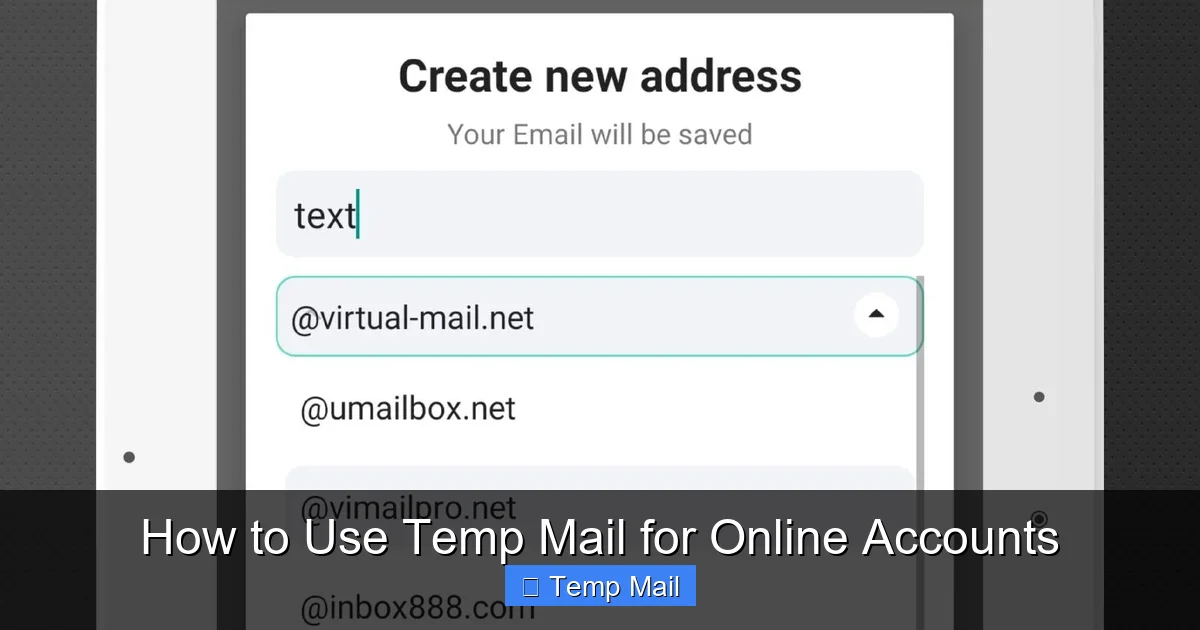
    Step 2: Generate Your Disposable Address

    Navigate to the provider’s website. You will immediately see a randomly generated email address on the screen. It will look something like [email protected]. Copy this address to your clipboard. You’ll also see the countdown timer begin (e.g., 10:00). This is your window.

    Step 3: Use the Temp Address to Sign Up

    Go to the website where you want to create an account. In the email field, paste your temporary address. Fill in any other required details (username, password—use a unique one for this site!). Complete the sign-up process. If the site sends a verification email, you will need to receive it in your temp inbox to activate the account.

    Step 4: Access Your Temporary Inbox

    After signing up, stay on the temp mail provider’s tab. Do not close it! Refresh the page periodically. Within a minute or two, you should see an email from the website you just signed up for appear in your temp inbox list. Click on it to view the contents. Look for the verification link or the download link you need.

    Step 5: Complete the Action and Forget

    Click the verification link to confirm your account. Download the file you wanted. Once you’ve gotten what you needed, you can usually close the browser tab. The address and its inbox will expire automatically. There is no need to “delete” anything. You simply forget about it. The account you created with that temp email will become inaccessible once you need to reset a password or receive a notification, as those emails will go to a dead address.

    Perfect Use Cases: When to Definitely Use Temp Mail

    Knowing *how* to use it is one thing; knowing *when* is just as important. Here are the ideal scenarios where temp mail shines.

    How to Use Temp Mail for Online Accounts

    Visual guide about How to Use Temp Mail for Online Accounts

    Image source: image.winudf.com

    For Downloading Gated Content

    This is the quintessential use case. Ebooks, research papers, templates, and software trials that require an email exchange are perfect candidates. You get the content, and your inbox avoids the inevitable follow-up spam.

    For One-Time Forum or Commenting Access

    Need to post a question on a technical forum or comment on a news article that requires registration? Use temp mail. You gain the ability to participate without creating a permanent identity on that platform or getting sucked into their digest emails.

    For Testing New Apps and Websites

    As mentioned, it’s ideal for trying out a new service. You can explore the features during the trial period without worrying about managing the cancellation later. If you love it, you can always sign up properly with your real email later.

    For Accessing Public Wi-Fi Networks

    Some airports, cafes, or hotels require you to “register” with an email to get the Wi-Fi password. A temp mail address is perfect for this. You get online, and the provider gets a dummy email. No long-term relationship is formed.

    For Avoiding “Email Harvesting”

    If you’re posting your email on a public webpage (like a Craigslist ad) or in a forum signature, using a temp address can prevent bots from scraping it and adding you to spam lists. Just be aware you won’t receive legitimate replies there either, so use a dedicated temp mail for this purpose and check it frequently for a short period.

    Critical Limitations and Risks: When NOT to Use Temp Mail

    Temp mail is a fantastic tool, but it’s not a universal replacement for your primary email. Using it incorrectly can lead to serious headaches. Understanding its limitations is crucial.

    Limitation 1: No Account Recovery

    This is the most important rule. If you use a temp email to sign up for an account you *actually want to keep*, and you forget your password, you are locked out forever. There is no “forgot password” email because the inbox no longer exists. You will lose access to that account permanently. Therefore, **never** use temp mail for:

    • Banking, financial services, or cryptocurrency accounts.
    • Your primary email account itself (Gmail, Outlook, etc.).
    • Important cloud storage (Dropbox, Google Drive).
    • Any social media account you wish to maintain long-term (Facebook, Instagram, LinkedIn).
    • Work or school-related accounts.

    Limitation 2: Security and Trust Issues

    Temp mail providers themselves are not secure vaults. The inboxes are often not encrypted. A determined hacker could potentially access the provider’s server and view all emails in a given temporary inbox if they knew the address. More importantly, many reputable websites block known temp mail domains from signing up because they are associated with fraud and spam. You might find the “Sign Up” button disabled on certain sites.

    Limitation 3: No Attachments or Limited Support

    Many temp mail services either block attachments entirely or have very small size limits. If the website you’re signing up with sends a confirmation PDF or a digital receipt, you might not be able to receive it. Always check the provider’s policy.

    Limitation 4: Reputation and Blacklisting

    Because temp mail domains are used for spam, they often get blacklisted by major email providers. If you use a temp address to sign up for a legitimate service, that service’s outgoing emails (like a welcome series) might get sent to your spam folder, or worse, the service might blacklist the entire temp mail domain, preventing anyone from using it to sign up in the future.

    Best Practices for Safe and Effective Use

    To get the most out of temp mail without falling into its traps, follow these best practices.

    Practice 1: Use a Dedicated, Reputable Provider

    Stick to the well-known names mentioned earlier. They are more likely to have stable uptime and clear policies. Have 2-3 bookmarked that you rotate between.

    Practice 2: Never Mix Tabs or Windows

    When working with a temp mail session, keep that browser tab isolated. Do not open other links from the temp inbox in the same tab unless you are sure they are safe. A malicious link could try to phish your other active sessions or install malware. It’s best to copy a link and paste it into a new, private browsing window if you need to click through.

    Practice 3: Be Aware of the Countdown Timer

    The timer is your boss. As soon as you generate the address, the clock starts. If you need to receive a verification email, don’t start a sign-up process with only 2 minutes left on the clock. Ensure you have at least 10-15 minutes of session time before beginning.

    Practice 4: Clear Your Browser Cache After Use

    Once you’re done with a temp mail session, close the tab and clear your browser’s cache and cookies for that site. This ensures no session data lingers, which is a good habit for privacy overall.

    Practice 5: Have a Fallback Plan

    What if the temp mail service is down when you need it? Have a secondary provider bookmarked. Also, understand that if a critical service (like a government portal) absolutely requires a verified, permanent email, you must use your real one. Temp mail is for low-stakes, non-critical interactions.

    The Future of Temp Mail and the Privacy Landscape

    The tension between data-hungry services and privacy-conscious users is only growing. Temp mail is a reactive tool in this landscape. We’re seeing more websites employ advanced bot detection and block entire ranges of temp mail domains. In response, temp mail services are becoming more sophisticated, offering browser extensions and APIs. The broader trend is towards greater user control over data, with regulations like GDPR and CCPA giving users more rights. However, the fundamental model of the internet—where email is a key to identity—remains. Until a better, standardized, and truly private identity system emerges, disposable email addresses will remain a vital, grassroots tool for inbox peace and digital autonomy. They empower you to engage with the web on your terms, deciding when and where to reveal your true identity.

    Conclusion: Your Digital Shield Awaits

    Learning how to use temp mail for online accounts is a small skill with an outsized impact on your daily digital life. It’s not about hiding from the world; it’s about choosing your battles. You now have a clear, actionable framework: use it for downloads, trials, and one-off interactions; never use it for anything you need to keep. By following the steps and best practices outlined here, you can dramatically reduce spam, protect your primary email from data breaches, and test new services without commitment. Start today. Bookmark a reputable provider, and next time you hit an email wall, smile and generate a disposable address. Take back control of your inbox, one temporary email at a time.

    Frequently Asked Questions

    Is using a temporary email address legal?

    Yes, using a temporary email service is completely legal. These services operate within the law, providing a communication tool. However, using a temp mail address to commit fraud, bypass legal agreements, or impersonate someone is illegal, just as it would be with a permanent email.

    Can I receive attachments in a temporary email?

    It depends entirely on the specific temp mail provider. Many block attachments for security reasons, while others may allow small files (like PDFs or images) up to a certain size limit, often 1-2 MB. Always check the provider’s help section or FAQ before relying on it to receive an important attachment.

    How long do temporary emails last?

    The lifespan varies by provider. Common durations are 10 minutes, 1 hour, or up to 48 hours. Some services allow you to extend the time manually. The countdown timer is always displayed on the inbox page, so you know exactly when your address and all its emails will be permanently deleted.

    Will a website know I’m using a temp mail address?

    Yes, easily. The domain name (like @temp-mail.org) is a clear giveaway. Many websites actively check against databases of known disposable email domains and will block sign-ups from those addresses to prevent spam and abuse on their platforms.

    Is my activity while using temp mail anonymous?

    It offers a high degree of anonymity *from the website you are signing up for*, as they only see the disposable address. However, your activity is not anonymous from the temp mail provider itself. They can see the IP address accessing the inbox and the emails being received. Reputable providers claim not to log this data, but you are ultimately trusting them. For true anonymity, you would need to use a VPN alongside the temp mail.

    What should I use instead of temp mail for important accounts?

    For any account you need to keep long-term, recover, or that involves security (banking, main email, primary social media, work tools), you must use a secure, permanent email address from a reputable provider like Gmail, Outlook, ProtonMail (for enhanced privacy), or your ISP’s email service. Consider using a unique email alias or a separate “signup” email address that you check occasionally, but which is still permanent and recoverable.

  • Best Temp Email Sites That Actually Work

    Best Temp Email Sites That Actually Work

    Temporary email services are your first line of defense against spam and data harvesting. They provide a quick, anonymous inbox that self-destructs, perfect for signing up to untrusted websites or grabbing one-time downloads. However, not all services are created equal; many are slow, flooded with ads, or simply don’t deliver emails. This guide cuts through the noise to list only the most reliable temp email sites that actually work, explains the critical features to look for, and provides actionable tips for using them safely and effectively without compromising your primary inbox.

    You’re about to download a free ebook, sign up for a forum, or access a webinar. The website asks for your email. You hesitate. Giving out your primary email means a flood of promotional spam, potential data breaches, and a cluttered inbox. What if there was a way to get that download link or verification code without ever exposing your real email address? Enter temporary email services—a simple, powerful tool for digital privacy.

    But here’s the frustrating truth we’ve all faced: you find a “disposable email” site, generate an address, wait for the confirmation email… and nothing arrives. The page is littered with misleading download buttons, pop-up ads cover the inbox, or the email simply never comes through. It’s a waste of time and a headache. That’s why we did the tedious testing. We’ve sifted through dozens of services to bring you the best temp email sites that actually work. This isn’t just a list; it’s a practical guide to understanding how they work, which one to use when, and how to avoid the common pitfalls that turn a useful tool into a frustrating experience.

    Key Takeaways

    • Primary Purpose: Temp mail is a privacy tool for one-time sign-ups, downloads, and accessing gated content, not for important accounts or communication.
    • Reliability is Key: The “best” sites have fast inbox loading, minimal ads, consistent email delivery, and a straightforward, no-login interface.
    • Lifespan Varies: Inboxes can last from 10 minutes to 48 hours. Choose based on your need—short for instant verifications, longer for multi-step processes.
    • Anonymity Has Limits: While your IP isn’t logged by the service, the website you sign up to can still see the temp email address. Never use it for sensitive transactions.
    • Not All Sites Accept Them: Major platforms like Google, Apple, and many financial services actively block known disposable email domains.
    • No “Perfect” Service: Each site has trade-offs between lifespan, domain options, and ad clutter. Pick one that fits your specific, short-term task.
    • Proactive Management: Always copy the temp email address immediately and keep the inbox tab open. Once you close it, the address and its emails are typically gone forever.

    How Do Temporary Email Services Work?

    At its core, a temporary email service creates a random, public email inbox for you on the fly. You don’t register an account or set a password. The service generates a unique address (like [email protected]) and a corresponding inbox URL. Any email sent to that address appears in that public inbox, accessible to anyone who has the URL. The entire system is designed for ephemerality.

    The Technical Flow: From Click to Inbox

    When you visit a site like 10MinuteMail, you’re immediately assigned a random address. You copy this address and paste it into the sign-up form of the website you’re trying to access. That website sends a verification email to your temporary address. The temp mail service’s servers receive it and display it in your unique inbox page. You refresh the page, see the email, click the link or copy the code, and complete your task. The magic—and the risk—lies in the public nature of this inbox. Anyone with the URL can see the emails. There is no authentication barrier.

    Why They “Don’t Work” Sometimes

    Failure can happen at several points. First, the target website might have a filter blocking all emails from the temp mail service’s domain (e.g., @dropmail.me). Second, the temp service itself might be down, slow, or have email delivery issues with certain providers. Third, aggressive ad networks on free temp mail sites can interfere with page functionality, making it seem like emails aren’t arriving when they actually are, buried under a wall of pop-ups. The sites on our list are chosen because they minimize these failure points.

    Top 6 Temp Email Sites That Actually Work in 2024

    We evaluated each service based on delivery reliability, speed, ad intrusiveness, ease of use, and inbox lifespan. These six consistently passed our tests for receiving critical verification emails from a wide range of services, from social media platforms to software download portals.

    1. 10MinuteMail

    The classic and often the most reliable. As the name suggests, it gives you a 10-minute inbox by default, though you can extend it in 10-minute increments.

    • Why It Works: Incredibly simple, no-frills interface. It has a long-standing reputation, so many email systems recognize and deliver to its domain. Ads are present but generally not obstructive.
    • Best For: Quick, one-step verifications like getting a download link or a single-use coupon code. The short lifespan is a feature, not a bug, for maximum privacy.
    • Watch Out For: The clock is relentless. If your process takes longer than 10 minutes, you must manually extend the time or copy the address to a new session quickly.

    2. Temp-Mail.org

    A powerhouse with multiple domain options and a more modern interface. It automatically generates a random address but allows you to customize the local part (before the @).

    • Why It Works: Excellent delivery rates. It offers several domain choices (e.g., @temp-mail.org, @tmpmail.org), which is crucial if one domain gets blocked. The inbox updates automatically without constant refreshing.
    • Best For: Multi-step processes where you might need the inbox for 30-60 minutes. Also great when a site blocks a specific disposable domain, as you can just switch to another offered by Temp-Mail.
    • Watch Out For: The free version has banner ads. The auto-generated address can be long and random, making it hard to copy accurately without typos.

    3. Guerrilla Mail

    One of the oldest and most feature-rich options. It provides a random address but also allows you to choose your own username and domain from a list.

    • Why It Works: Unmatched flexibility. You can create a memorable address like [email protected]. It also has a “Send Mail” function if you need to reply from the temp address (rarely needed). The inbox is robust and reliable.
    • Best For: Situations where you need to remember or share the temp address easily, or when you suspect a site might check for overly random addresses. Its longevity (default 1 hour, extendable) is a major plus.
    • Watch Out For: The interface is a bit dated and cluttered with ads. Some advanced features require a paid subscription, but the core functionality is free.

    4. DropMail

    Focuses on privacy and a clean, minimal experience. It generates an address and provides a QR code for easy mobile access to the inbox.

    • Why It Works: Very clean interface with minimal distracting ads. It emphasizes that emails are deleted from servers after a set time. The QR code is a unique touch for phone users.
    • Best For: Users on mobile devices or those who prioritize a less cluttered viewing experience. The default 14-day lifespan (for the address, not emails) is unusually long for a disposable service.
    • Watch Out For: The long “address validity” period can be misleading; emails themselves still expire after a shorter time (usually 24 hours). Don’t expect to come back in a week for an old email.

    5. Mailinator

    Perhaps the most famous, but also the most likely to be blocked. Its domains (@mailinator.com, @inbox.com) are on many blacklists.

    • Why It Works (Sometimes): When it works, it’s extremely fast and reliable. It’s a massive, public inbox system. However, its fame is its downfall for many sign-up forms.
    • Best For: Internal testing for developers or accessing sites you know don’t filter disposable domains. Not recommended for general public website sign-ups anymore.
    • Watch Out For: High probability of rejection. If Mailinator is the first site you try and it fails, move to one of the less common services on this list immediately.

    6. TempMailo

    A straightforward, European-based service (GDPR friendly) with a focus on simplicity and no registration.

    • Why It Works: Very clean, ad-light interface. It offers a browser extension for Chrome and Firefox, which is incredibly handy for generating an address without even leaving the sign-up page. Emails appear almost instantly.
    • Best For: Power users who frequently need temp mail. The browser extension streamlines the entire workflow. Good default 2-hour lifespan.
    • Watch Out For: The domain selection is more limited than Temp-Mail.org. Being EU-based, some US-centric services might have marginal delivery delays (though we noted none in testing).

    What Makes a Temp Email Site “Actually Work”? A Comparison Framework

    Don’t just pick a name from a list. Understand the criteria that separate a functional tool from a digital dead end. Use this framework to evaluate any service.

    Best Temp Email Sites That Actually Work

    Visual guide about Best Temp Email Sites That Actually Work

    Image source: content.latest-hairstyles.com

    Delivery Reliability & Domain Reputation

    This is the #1 factor. If emails from the service’s domain are routinely blocked or sent to spam by major providers (Gmail, Outlook, Yahoo), it’s useless. Established services like 10MinuteMail and Temp-Mail have spent years building decent reputations. Newer, obscure services often have terrible delivery rates. Always test with a simple “send a link to yourself” from a Gmail account before relying on it for an important sign-up.

    Ad Intrusiveness and User Experience

    Free services need revenue, but there’s a spectrum. On the bad end, you have sites where the “inbox” is a single line of text buried under 10 banner ads, deceptive “Download Now” buttons that lead to malware, and auto-playing video ads. On the good end, you have clean layouts where ads are clearly marked and don’t interfere with reading emails. Guerrilla Mail and TempMailo fall into the latter category. If you can’t easily see your email, the site fails.

    Inbox Lifespan and Control

    How long does the address exist? How long are emails stored? 10MinuteMail’s 10 minutes is perfect for a quick code. DropMail’s 14-day address validity is great if you need to return to the inbox later that day. But beware: some services delete emails after just 1 hour, even if the address is still “valid.” Always check the specific email retention policy.

    Domain Options and Customization

    Having multiple domains (@tempmail.org, @tmpmail.org) is a lifesaver when your first choice is blocked. The ability to choose or customize your username (like with Guerrilla Mail) can help avoid patterns that spam filters look for (e.g., extremely long random strings). More options mean more flexibility.

    No Mandatory Registration

    The entire point is anonymity and speed. Any service that asks you to create an account, solve a CAPTCHA to view an email, or demands a “donation” to remove ads for basic inbox access is failing the core promise of a disposable email. The best sites work instantly, forever, with zero commitment.

    Practical Use Cases: When to Reach for a Temp Email

    Knowing when to use these services is as important as knowing which one. Here are the perfect scenarios.

    Best Temp Email Sites That Actually Work

    Visual guide about Best Temp Email Sites That Actually Work

    Image source: celestehalliday.com

    Signing Up for “Gated” Content or Downloads

    This is the #1 use case. A blog requires an email to download a free PDF, template, or whitepaper. You have zero intention of joining their newsletter. A temp email gets you the file instantly and keeps your primary address clean. Similarly, for software download sites that force an email sign-up before providing a direct link, a disposable address is your tool.

    Accessing Forums or Communities

    You want to ask a quick question on a niche forum to get an answer, but the forum’s privacy policy is vague, and you don’t want to be added to their promotion list. Use a temp email for the registration. If you become an active, valued member, you can always add your real email later in your profile settings.

    Testing Website Forms and Email Delivery

    Are you a developer, marketer, or website owner? You need to test if your “Contact Us” or “Newsletter Sign-Up” form actually sends emails. Use a temp inbox to receive the test email instantly, without filling your own inbox with test messages.

    Bypassing “Email Required” for Online Tools

    Some online PDF converters, image editors, or file compressors require an email to send you the processed file. A temp address is perfect here. You get the file link, use the tool, and the address vanishes, leaving no trace.

    Protecting Your Identity on Untrusted Platforms

    This is a more advanced use. You’re registering on a new, unknown social platform, marketplace, or dating app. Using a temp email adds a layer of separation. If the platform suffers a data breach or sells emails, your primary identity (and inbox) is protected. The breach only exposes the disposable address, which is useless after a short time.

    The Dark Side: Risks and Limitations You Must Know

    Temp email is a tool, and like any tool, it has sharp edges. Misuse can lead to problems.

    You Will Lose Access. Permanently.

    This is the most critical limitation. If you need to reset a password on a site where you used a temp email, you are locked out forever. The inbox is gone, the email with the reset link is gone. Never, ever use a disposable email for any account you might need to access again in the future—social media, banking, cloud storage, primary work tools.

    They Are Public and Insecure

    Remember, the inbox is public. Anyone who guesses or stumbles upon the URL can read your emails. Do not use them for any sensitive information: password reset links for important accounts, private documents, medical information, or financial details. The “privacy” is from the *sender* (your real email), not from the *receiver* (the temp inbox viewer).

    Blacklisting is Common

    As mentioned, major platforms actively block domains from popular temp mail services. If you try to create a Google Account with a @10minutemail.com address, it will be rejected instantly. You cannot use these for essential services. They are for low-stakes, one-off interactions only.

    No Sending Capability (Usually)

    These are receive-only inboxes. You generally cannot send emails *from* a temp address. If a website requires you to confirm by *replying* to an email, a temp address will fail. They are for receiving verification codes and download links, not for two-way communication.

    Potential for Malware and Phishing

    The ad-heavy nature of free temp mail sites makes them a breeding ground for malicious ads (malvertising). A single accidental click on a deceptive “Update Your Browser” pop-up can infect your computer. Always use a good ad-blocker (like uBlock Origin) when visiting these sites, and never download anything from their ad banners.

    Pro Tips for Using Temp Email Services Safely and Effectively

    Armed with the right site and knowledge, use these strategies to become a temp email power user.

    1. Have Your Site Ready Before Generating the Address

    Open the website you need to sign up for in one tab. Open your chosen temp mail service in another. Generate the address, copy it immediately, and paste it into the sign-up form on the other tab. Don’t wait. Some sites have a very short clipboard history.

    2. Keep the Inbox Tab Open and Active

    Once you submit the sign-up form, switch back to the temp mail tab and do not close it. Many services stop the countdown timer or email retention only while the inbox tab is active in your browser. Keep it open and refresh manually every 30 seconds until the email arrives. Some (like Temp-Mail.org) auto-refresh, which is ideal.

    3. Use a Dedicated Browser or Profile

    For maximum privacy, use a separate browser (like a fresh Firefox install) or a dedicated browser profile (Chrome profiles) solely for temp mail activities. This isolates any tracking cookies from the temp mail site itself and the sites you visit with the temp address, preventing any cross-contamination with your main browsing identity.

    4. Bookmark Your Go-To Service

    Don’t Google “temp mail” every time. You’ll land on ad-filled, low-quality sites. Bookmark one or two of the reliable services from our list (e.g., Temp-Mail.org and 10MinuteMail). Use your bookmarks to bypass search engine results and go straight to a trusted source.

    5. Check the Domain Before You Commit

    If you’re trying to sign up for a service you suspect might block disposable emails (like a popular SaaS tool), first see what domain your temp service provides. If it’s @mailinator.com, you’ll likely fail. If it’s a less common one like @tmpmail.org or @guerrillamail.com, your chances are better. Some services (Temp-Mail) let you pick from several, so choose the least common one available.

    6. Never Use for Account Recovery

    This bears repeating. If you use a temp email to sign up for a service, treat that account as throwaway. Do not store valuable data, money, or personal information in it. Assume you will lose access the moment you close the browser tab. For any account you need to keep, use your primary, secure email with a strong, unique password and 2FA.

    Frequently Asked Questions

    Are temp email sites legal to use?

    Yes, using a temporary email service is completely legal. They are a legitimate privacy tool. However, using them to commit fraud, evade bans, or send illegal content is, of course, illegal. The tool itself is neutral.

    Can temp emails be traced back to me?

    The temp email service itself typically does not log your IP address or personal data, especially the ones on our list. However, the websites you visit while using the temp email address can still see your real IP address from your internet connection and may track your activity through browser cookies and other methods. The anonymity is for the email address itself, not your entire browsing session.

    How long do temporary emails last?

    It varies by service. The most common lifespans are 10 minutes (10MinuteMail), 1 hour (Guerrilla Mail), 2 hours (TempMailo), and 24-48 hours for email storage (DropMail, Temp-Mail). The address itself may remain “active” for longer, but the emails are usually deleted after a shorter period. Always check the specific timer on the site you use.

    Why would a website block a temp email domain?

    Websites block disposable email domains to combat spam, fake account creation, abuse, and fraud. It helps them ensure users are real people, reduces server load from bot registrations, and protects their community quality. It’s a common security and data hygiene practice for platforms that value genuine engagement.

    Can I send emails from a temporary address?

    Almost never. The vast majority of temp email services are receive-only. They are designed to let you *get* an email, not *send* one. A few, like Guerrilla Mail, offer a limited send function, but it’s unreliable and often blocked by recipient servers. Do not rely on a temp address for sending communication.

    What is the best temp email for beginners?

    For absolute beginners, 10MinuteMail is the best. Its single-purpose, no-choice interface is foolproof: you get an address, you use it, it expires. There’s no configuration, no domain selection—just a working inbox. Once you’re comfortable, move to Temp-Mail.org for more flexibility and longer lifespans.

  • Disposable Email for One-time Verification

    Disposable Email for One-time Verification

    Tired of your primary inbox getting flooded with spam after every online sign-up? A disposable email for one-time verification is your secret weapon. It’s a temporary, no-fuss email address you use once to verify an account or access a download, then forget. This simple trick keeps your real email private, slashes spam, and boosts your online security without costing a dime. It’s the easiest way to navigate the modern web without leaving a permanent trail.

    Let’s be honest: the internet can feel like a bit of a trap sometimes. You find a great article, a useful tool, or an exclusive discount, but to get it, you need to hand over your email address. You do it, hoping for the best. Weeks later, your inbox is drowning in newsletters you never asked for, “special offers” from companies you’ve never heard of, and the occasional phishing attempt that makes your heart skip a beat. Sound familiar? There’s a remarkably simple, free, and effective solution to this modern nuisance: a disposable email for one-time verification. This isn’t some shady hack; it’s a smart, legitimate tool for taking back control of your digital footprint.

    Think of a disposable email address as a burner phone for your inbox. It’s a temporary, anonymous email inbox created for a single, specific purpose. You use it to receive that one verification code or download link, and then you abandon it. It self-destructs after a set period, usually a few hours to a few days, taking all the associated spam with it. In this complete guide, we’ll dive deep into exactly how these services work, why they are essential for your online privacy and security, the best ways to use them, and the important dos and don’ts you need to know. By the end, you’ll be equipped to browse, sign up, and download with confidence, keeping your primary email pristine and secure.

    Key Takeaways

    • Privacy Shield: A disposable email acts as a protective barrier, keeping your personal or professional email address completely separate from low-trust websites and one-off transactions.
    • Spam Annihilator: By using a temporary address for sign-ups, you prevent promotional emails, scam attempts, and data-breach notifications from ever reaching your primary inbox.
    • Security Enhancer: It reduces your “attack surface.” If a disposable email is compromised in a data breach, it has no link to your real identity or other accounts.
    • Simplicity & Speed: Generating a disposable email takes seconds, requires no password, and is ready for immediate use—perfect for quick verification tasks.
    • Cost-Effective: Most reputable disposable email services are entirely free, offering a powerful tool without any subscription or hidden fees.
    • Use-Case Specific: They are ideal for accessing gated content, forum registrations, app trials, and any situation where you doubt the long-term value of providing your email.
    • Not for Everything: Never use a disposable email for critical accounts like banking, primary cloud storage, or main social media profiles, as you will lose access permanently.

    What Exactly Is a Disposable Email Service?

    At its core, a disposable email service is a platform that generates temporary, random email addresses on demand. These addresses are not tied to any personal information you provide. When you visit a site like Temp-Mail, Maildrop, or 10MinuteMail, the service instantly creates a new inbox for you (e.g., [email protected]) and displays the inbox right on the webpage. You copy that address, paste it into the website you’re visiting, and then switch back to the disposable email tab to watch for the incoming verification email.

    The Anatomy of a Temporary Inbox

    These inboxes are delightfully bare-bones. There’s no login, no password, no two-factor authentication. The inbox is identified solely by the randomly generated address. You can read emails, click links, and sometimes view simple attachments, but you cannot send emails from this address. Its sole purpose is to receive. The service’s server automatically deletes the inbox and all its contents after a predetermined time limit—often 10 minutes, 1 hour, or 24 hours—or once you close your browser session, depending on the provider. This ephemeral nature is the key to its power.

    How It Differs from Encrypted/Anonymous Email

    It’s crucial not to confuse a disposable email with a secure, anonymous email provider like ProtonMail or Tutanota. Those services offer full-featured, encrypted email accounts that you create with a degree of anonymity and intend to use long-term. A disposable email is the opposite: it’s a transient reception tool, not a communication platform. You don’t manage it, you just use it. It’s the difference between renting a P.O. box for a year (ProtonMail) and using the general delivery counter at a busy post office for a single package (disposable email).

    The Inner Workings: How a One-Time Verification Email Flows

    Using a disposable email for verification is frictionless. Here’s the step-by-step process:

    Disposable Email for One-time Verification

    Visual guide about Disposable Email for One-time Verification

    Image source: devdude.com

    • Generation: You navigate to a disposable email provider’s website. The system auto-generates a random email address and presents you with an empty inbox viewer.
    • Copy & Paste: You copy that temporary address and paste it into the “email” field of the website or app you’re trying to access (e.g., a forum, a free e-book download, a software trial).
    • Trigger: You click “Sign Up” or “Get Download.” The website sends a verification email containing a link or code to the disposable address.
    • Reception: Within seconds, that email appears in the disposable inbox viewer on the provider’s site. No refresh needed.
    • Action: You click the verification link or copy the code, paste it back into the original site, and complete the process. The temporary email has served its purpose.
    • Expiration: You close the tab. After the provider’s set time limit (e.g., 10 minutes), that email address and its entire inbox are purged from existence. No trace remains.

    This entire cycle often takes less than a minute. There’s no account creation, no password to remember, and no cleanup required on your end. The service handles the entire lifecycle automatically.

    Why You Need This: The Core Benefits Unpacked

    Using a temporary address isn’t just about convenience; it’s a proactive strategy for digital hygiene. The benefits cascade from one central principle: separation of concerns.

    Disposable Email for One-time Verification

    Visual guide about Disposable Email for One-time Verification

    Image source: assets-global.website-files.com

    Benefit 1: The Ultimate Spam Shield

    This is the most obvious and valuable benefit. When you use your primary email (say, Gmail or Outlook) to sign up for a sketchy coupon site or a one-time webinar, you are giving that entity permission to email you forever. Even if you unsubscribe, your address is often sold to other marketers. A disposable email intercepts all that. The spam goes to an inbox that will vanish in an hour, leaving your real inbox untouched and serene. You’ve effectively said, “Here’s a地址 for you, and it self-destructs after this delivery.”

    Benefit 2: Fortifying Your Online Security

    Data breaches are a daily occurrence. When a company you signed up with gets hacked, the stolen database often contains user email addresses. Hackers use these lists for phishing campaigns, credential stuffing attacks (trying common passwords on other sites), and identity theft. If the compromised email is a disposable one that expired weeks ago, the hacker gains nothing valuable. They have an address that leads to a dead end. This breaks the chain of attack that often starts with a breached email list.

    Benefit 3: Preserving Your Digital Identity and Privacy

    Every email address you use is a data point that can be linked to your online activity. Ad networks and data brokers build profiles based on the sites you interact with. By using a throwaway address for low-stakes interactions, you prevent those activities from being associated with your main identity. It’s a small but significant step towards making your digital footprint less trackable and more fragmented, which is a core principle of digital privacy.

    Benefit 4: Bypassing Unnecessary Barriers

    Some websites gate useful content—like a PDF guide, a research paper, or a software demo—behind an email wall. You might only need that resource once. Instead of hesitating and deciding it’s not worth the future spam, you can confidently use a disposable email, get the file, and move on. It removes the friction and ethical dilemma of “Is this worth the spam?” You can access what you need without committing.

    Perfect Use Cases: When to Reach for a Disposable Email

    Not every situation calls for a disposable email, but many do. Here are the prime scenarios where it’s the smart choice:

    Disposable Email for One-time Verification

    Visual guide about Disposable Email for One-time Verification

    Image source: pcrisk.pt

    Gated Content and Downloadables

    This is the #1 use case. Blog posts requiring an email for a checklist, whitepaper, or template. “Free” e-books from marketing sites. Software trials that immediately sign you up for a newsletter. If you have zero intention of becoming a long-term customer or subscriber, use the disposable address. Get the asset, and let the temporary inbox handle the follow-up spam.

    Forum and Community Registrations

    Want to ask a quick question on a niche forum or join a temporary discussion group? Many forums have poor moderation and are spam magnets. Using your real email will likely get you added to their promotional list. A disposable email lets you participate without long-term consequences. Just remember, if you forget your password on that forum, you’re locked out forever—which is often fine for a one-off post.

    App and Service Trials

    Signing up for a 14-day trial of a SaaS tool? Often, the trial requires a credit card *and* an email. Use your disposable email for the sign-up. The important part is managing the calendar to cancel the trial before you’re charged, not the email address. Just ensure you can access the account with that disposable email for the cancellation process.

    One-Off Online Forms and Surveys

    Filling out a contact form for a quote? A survey for a chance to win a gift card? A registration for a local event that might not be well-organized? These are classic low-trust, high-spam-potential scenarios. Your disposable email is perfect here. You provide a way for them to contact you about *that specific thing*, and then the channel closes.

    Testing and Development

    Developers and testers frequently need to test email functionality—sign-up flows, password resets, notification systems. Creating dozens of real email accounts is a hassle. Disposable email services provide a stream of valid, receiving addresses to test against, making QA work much smoother.

    While incredibly useful, disposable emails are not a magic bullet. Understanding their limitations is critical to using them safely and effectively.

    The Biggest Risk: Permanent Loss of Access

    This is the cardinal rule. Because there is no login and the inbox expires, you cannot recover a disposable email address. If a website you signed up with later sends a crucial password reset, an account update notice, or a receipt to that disposable address, it is gone forever. You will be locked out of that account. This is why you must never, under any circumstances, use a disposable email for:

    • Financial accounts (banking, PayPal, investment apps)
    • Primary cloud storage or file-sharing services (Google Drive, Dropbox)
    • Your main social media profiles (Facebook, Instagram, Twitter/X)
    • Any service you intend to use for more than a few days or that holds valuable data.

    Reliability and Delivery Issues

    Not all disposable email domains are treated equally. Some websites and services actively block known disposable email domains to prevent abuse and fraud. You might try to sign up and get an error message saying the email is invalid. This is common with high-security platforms like Google, Apple, Microsoft, and many financial institutions. They want a “real,” persistent email address. Also, some disposable services have spotty email reception; the verification email might land in the spam folder of the sender’s system and never appear in your temporary inbox.

    Security of the Service Itself

    You are trusting a third-party service with the content of emails sent to that address. While most reputable services do not log or sell the content, the traffic is not encrypted like a ProtonMail conversation. You should never use a disposable email to receive sensitive personal information like medical records, government IDs, or private documents. Its purpose is for low-sensitivity verification codes and download links.

    Choosing the Right Service and Best Practices

    Not all disposable email providers are created equal. Here’s what to look for and how to use them like a pro.

    Features of a Good Provider

    Look for services that offer: No Captcha (some make you solve puzzles to generate an address, which is annoying), Multiple Domain Options (if one domain is blocked, you can try another), Reasonable Lifespan (10 minutes is often too short; 1-24 hours is better), Simple Interface (just the inbox, no clutter), and HTTPS (for basic security of your session). Popular, reliable options include Temp-Mail, 10MinuteMail, Maildrop, and Guerrilla Mail. Do a quick search for “best disposable email 2024” to see current user favorites, as the landscape changes.

    Pro-Tips for Flawless Use

    • Copy Before You Paste: Always copy the generated address *before* you navigate to the sign-up page. Some services change the address if you refresh the page.
    • Keep the Tab Open: After pasting the disposable email into the sign-up form, keep the disposable email tab open and visible. Watch it like a hawk for the incoming email. It can arrive in 3 seconds or 30 seconds.
    • Use a Dedicated Browser Window: For serious multitasking, open a separate browser window (or use a different browser profile) for your disposable email tasks. This keeps your primary browsing session clean.
    • Check Spam/Junk Filters: If the email doesn’t arrive within a minute, check the “Spam” or “Junk” folder in the disposable inbox viewer. Some services have a dedicated spam folder.
    • Know When to Abandon Ship: If the website is asking for too much information beyond an email (phone number, physical address, detailed profile), or if it’s for a service you know you’ll need long-term, it’s a sign to either use your real email or reconsider the service altogether.

    The Future and Ethical Considerations

    The use of disposable emails sits in a gray area of internet ethics. Websites collect emails for legitimate reasons: to send transaction receipts, account updates, and, yes, marketing. By using a disposable address, you are intentionally opting out of the marketing part. This is a valid choice for consumers tired of unwanted solicitations. However, it can hurt small businesses or creators who rely on email lists to nurture genuine customer relationships. The ethical line is crossed when you use a disposable email to evade accountability (e.g., for abusive forum posts) or to fraudulently access paid services.

    Looking ahead, as privacy regulations like GDPR and CCPA strengthen, and as browsers and platforms crack down on tracking, the utility of the disposable email may evolve. We may see more integrated “private email relay” features from big tech (like Apple’s Hide My Email) that offer the benefits of a disposable address but with better delivery reliability and integration. For now, the standalone disposable email service remains a vital, user-controlled tool in the fight for inbox sanity and digital privacy.

    Conclusion: Your Inbox, Your Rules

    A disposable email for one-time verification is more than just a spam-fighting trick; it’s a fundamental tool for modern digital citizenship. It empowers you to engage with the online world on your own terms. You can access the resources you need, participate in communities, and try new services without sacrificing your privacy, cluttering your primary inbox, or increasing your security risk. The key is intentionality. Use it wisely for its intended purpose: the brief, transactional exchange of a verification code or download link. Never use it for anything you need to keep or access long-term. By adopting this simple habit, you take a powerful, proactive step toward a cleaner, safer, and more private digital life. The next time a website asks for your email, ask yourself: “Is this a keeper, or is this a one-and-done?” If it’s the latter, you now know exactly what to do.

    Frequently Asked Questions

    Are disposable emails legal to use?

    Yes, using a disposable email service is completely legal. It is a legitimate tool for protecting your privacy. However, using it to commit fraud, evade legal obligations, or send abusive content is illegal, just as it would be with a permanent email address.

    Can a website detect I’m using a disposable email?

    Yes, most websites can. They maintain lists of known disposable email domains (like tempmail.demo or maildrop.cc) and will often block sign-ups from these addresses, especially for high-security or financial services. They do this to reduce spam and fraud on their platforms.

    How long do disposable emails last?

    It varies by provider. Common lifespans are 10 minutes, 1 hour, or 24 hours. Some services delete the inbox as soon as you close the browser tab. Always check the specific timer displayed on the service you are using.

    What happens if I don’t verify an account with a disposable email?

    If you sign up for a service with a disposable email but never complete the email verification, your account will typically remain in an unverified or pending state. You usually won’t be able to use the full features of the service, and the account may be automatically deleted after a certain period.

    Is it safe to click links in a disposable email?

    Exercise the same caution you would with any email. While the inbox is temporary, the links can still lead to phishing sites or malware. Only click verification links from reputable websites you intentionally signed up for. Never click links in unexpected “account suspension” or “invoice” emails sent to a disposable address.

    Can I send emails from a disposable address?

    No, the vast majority of disposable email services are receive-only. They are designed solely to accept emails for verification or download purposes. You cannot use them to send messages, which further limits their utility to one-way, temporary reception.

  • Temp Mail for Privacy-focused Users

    Temp Mail for Privacy-focused Users

    Temp mail services provide disposable, anonymous email addresses that self-destruct, creating a vital barrier between your real identity and the digital world. For privacy-focused users, it’s the first line of defense against spam, data harvesting, and unwanted tracking. By using a temporary inbox for sign-ups, downloads, or any non-critical interaction, you prevent your primary email—and the vast personal data linked to it—from being sold, leaked, or exploited. It’s a simple, powerful tool for reclaiming control over your digital footprint.

    Imagine your primary email address as the master key to your digital life. It’s the username for your bank, the recovery email for your social media, the contact for your family, and the login for your cloud storage. Now, imagine handing a copy of that master key to every random website, blog, forum, and online store you casually browse. That’s exactly what happens every time you use your real email to sign up for a free ebook, a discount coupon, or a one-time forum access. Data brokers and spammers feast on this practice, building exhaustive profiles about your habits, interests, and online movements. For the privacy-focused user, this is unacceptable. The solution? A tactical retreat from using your real identity. Enter the world of temporary email, or “temp mail”—your strategic, disposable shield in the battle for digital privacy.

    Temp mail isn’t about hiding nefarious activities; it’s about practicing fundamental digital hygiene. It’s the conscious act of compartmentalizing your online presence, ensuring that a leak, a spam campaign, or a data sale in one corner of the internet doesn’t contaminate your entire digital identity. This guide will walk you through everything a privacy-conscious user needs to know: from the core mechanics and undeniable benefits to the careful considerations and best practices that make temp mail a powerful ally, not a liability.

    Key Takeaways

    • Anonymity First: Temp mail requires no personal information to create an address, severing the direct link between an online activity and your true identity.
    • Spam & Phishing Defense: By funneling potential junk and malicious emails into a disposable inbox, you keep your main email clean and drastically reduce phishing attack surfaces.
    • Data Broker Barrier: It prevents your primary email from being added to marketing lists and data broker profiles that are built from website sign-ups and freebie offers.
    • Breach Containment: If a site using your temp mail suffers a data breach, only that disposable address is compromised, not your lifelong personal or work email.
    • No Long-Term Commitment: Addresses expire after a set time or a number of uses, ensuring your digital traces are temporary and automatically erased, aligning with data minimization principles.
    • Bypass Censorship & Surveillance: In restrictive regions, temp mail can help access information or register for services without using a monitored, state-linked personal email.
    • Tool, Not a Panacea: It’s crucial for low-stakes interactions but is not a replacement for secure, encrypted email for sensitive or long-term communications.

    What Exactly is Temp Mail? Beyond the “Disposable” Label

    At its core, a temp mail service provides a functional email address that is designed to be used briefly and then discarded. Unlike your Gmail, Outlook, or ProtonMail account, which you maintain for years, a temporary inbox is created on demand, often without requiring a password, phone number, or any personally identifiable information (PII). You visit the temp mail website, it instantly generates a random address (e.g., [email protected]), and you use that address to receive a single verification email or download link. The inbox is accessible via a public link or a simple session-based system. After a predetermined period—usually 10 minutes to 48 hours—or after a certain number of emails have been received, the address and all its contents are permanently deleted from the server. There is no recovery, no archive, and no link back to you.

    The Architecture of Anonymity: How It Works

    The privacy power of temp mail stems from its deliberate lack of user accounts. Reputable services do not ask you to register. They do not store IP logs tied to specific inboxes for any meaningful duration. The address generation is entirely random. When an email is sent to that random address, the service simply places it in a corresponding, ephemeral database bucket. You access that bucket via a unique, session-specific URL or a short-lived password. From a technical and data perspective, there is no “you” associated with the inbox. The service provider itself cannot retroactively say who was viewing the emails for [email protected] at 2:14 PM on a Tuesday because they don’t collect that linkage. This is the foundational privacy guarantee.

    Not All Temp Mail is Created Equal: Service Types

    It’s critical to understand the landscape. Services fall into a few categories:

    • Public Inbox Boards: The most basic type. Anyone can visit the site and see a list of active, public inboxes. You pick one and check it. These are highly insecure for any semi-sensitive use, as anyone else can view the same inbox.
    • Session-Based Generators: The most common and recommended for privacy. You visit, get a unique address and a private, unguessable URL to access *only your* inbox. The address is not publicly listed. This is the standard model from providers like Temp-Mail.org, 10MinuteMail, and Guerrilla Mail.
    • API-Based Services: These are designed for developers to integrate disposable email functionality into their own applications or testing suites. They offer more control but require technical knowledge.

    For the individual privacy user, the session-based generator is the gold standard. It balances convenience with a strong separation between your session and others’.

    The Privacy User’s Arsenal: Core Benefits Unpacked

    Why go through the extra step of using a temp address? The benefits are a direct countermeasure to the pervasive data collection economy.

    Temp Mail for Privacy-focused Users

    Visual guide about Temp Mail for Privacy-focused Users

    Image source: addons.mozilla.org

    1. The Ultimate Spam and Phishing Firewall

    Every time you use your primary email on a website with weak security or shady data-sharing practices, you risk that address being sold on the “data bazaar.” These lists fuel the endless tide of promotional spam and, more dangerously, targeted phishing attacks. A phishing email that lands in your main inbox, masquerading as your bank or Amazon, has a higher chance of tricking you because you expect legitimate emails there. A temp inbox acts as a canary in the coal mine. If you start getting spam or phishing attempts to your temp address, you know exactly which site leaked or sold it. You simply delete the temp address and the problem vanishes with it, leaving your real inbox pristine and your guard high only where it matters.

    2. Severing the Data Brokerage Chain

    The modern internet runs on profiling. Companies like Acxiom, Experian, and countless others compile dossiers on individuals by aggregating data from countless sources—including every website where you’ve ever entered an email address. By consistently using a temp mail for non-essential sign-ups (newsletters you might read once, free webinar registrations, contest entries), you prevent your primary email from becoming a key identifier in these massive, unregulated databases. You are not “opting out” of the data economy entirely, but you are undergoing a form of data minimization, drastically reducing the fuel for the profiling engine.

    3. Containing the Fallout from Data Breaches

    Data breaches are not a matter of if but when. In 2023 alone, billions of records were exposed. If you used your personal email on a forum that gets hacked, that email/password combo (often reused) is now in the hands of cybercriminals. With a temp mail, the breached credential is useless for accessing your real accounts. The breach is contained to a disposable channel. You simply abandon the temp address. This practice, known as “email aliasing” (though temp mail is a more extreme, non-persistent form), is a cornerstone of breach mitigation strategy.

    4. Preserving Anonymity for Sensitive Research or Whistleblowing

    Journalists, activists, researchers, and everyday citizens investigating sensitive topics—from corporate malfeasance to political corruption—need to operate in the shadows online. Using a personal email to download a leaked document, register on a forum discussing protected activities, or contact a source is a massive operational security (opsec) flaw. A temp mail provides a layer of anonymity that, while not foolproof against a dedicated state actor, is sufficient to prevent casual correlation and protect against low-to-mid-level threats of identification and retaliation.

    Practical Applications: When and How to Use Temp Mail

    Knowing the theory is one thing; integrating it into daily digital life is another. Here’s a practical playbook for the privacy-conscious user.

    Temp Mail for Privacy-focused Users

    Visual guide about Temp Mail for Privacy-focused Users

    Image source: imag.malavida.com

    The Golden Rule: The “Disposable Email” Mental Model

    Adopt this simple heuristic: “If the service or interaction is not critical to my long-term identity, finances, or relationships, use temp mail.” This instantly categorizes most online activities.

    Use Case 1: The One-Time Download & Content Gate

    How many times have you wanted a free PDF guide, a stock photo, or a software trial, only to be forced to enter an email? This is a classic lead generation tactic. The company wants your email to add to their marketing list. Action: Use your temp mail. Download the file. If you ever want to hear from them again (unlikely), you can’t, because the address is gone. This is a pure win.

    Use Case 2: Forum and Comment Section Registration

    Many forums and news sites require registration to comment or view threads. This is often to combat spam, but it also builds their user database. Action: Temp mail. You get your viewpoint out or access the discussion without creating a persistent, linkable account under your real email. For truly anonymous forum participation, combine this with a VPN and a pseudonymous username.

    Use Case 3: App and Service Trials (The “Freemium” Trap)

    Signing up for a 14-day trial of a SaaS tool? They’ll send upgrade nudges, “usage reports,” and promotional offers to your inbox forever unless you unsubscribe—a process often designed to be cumbersome. Action: Use temp mail. Get your trial access. Let the trial expire. The marketing emails go to a void. No unsubscribing needed.

    Use Case 4: Bypassing Regional Restrictions and Censorship

    In countries with heavy internet censorship, certain tools, news sites, or communication platforms may be blocked. Sometimes, accessing a mirror site or a circumvention tool requires an email for a download link. Using a national ISP-provided email for this could flag your activity. Action: Use a reputable international temp mail service (accessible via Tor or a VPN) to obtain the necessary software or link, adding a layer of separation between your circumvention activity and your official digital identity.

    Use Case 5: Protecting Your Identity in “Sketchy” Environments

    This includes online marketplaces (for non-physical goods), cryptocurrency-related forums and airdrops, gaming servers with questionable moderation, or any site where you feel a “digital twitch” of unease. Action: Default to temp mail. Your gut feeling about a site’s trustworthiness is often correct. Honor it with a disposable address.

    Choosing a Provider: The Privacy-Focused User’s Checklist

    Not all temp mail services respect privacy. Some are laden with ads, log IPs, or have short, insecure lifespans. Here’s what to look for.

    Critical Criteria: What Makes a Service “Privacy-Friendly”?

    • No Registration Required: This is non-negotiable. If it asks for a phone number, a password, or any login, it’s not truly temporary or anonymous.
    • Clear Data Retention Policy: The service should explicitly state that emails and inboxes are deleted after a short, fixed period (e.g., 24 hours, 7 days) or after a set number of messages. Avoid services with vague “we may retain data” language.
    • HTTPS Everywhere: The entire site, including your inbox view, must use SSL/TLS encryption to prevent network eavesdropping on the content of your temporary emails.
    • Minimal or No Ads: While free services need revenue, be wary of sites bombarded with aggressive, malicious-looking ads or pop-ups. These can be vectors for malware and often indicate a lower-quality operation. Some reputable services offer a modest, non-intrusive ad experience or a low-cost premium ad-free tier.
    • Domain Reputation: Some temp mail domains are blacklisted by major providers (Gmail, Outlook) because they are abused for spam. A good service will use domains that are not universally blocked, ensuring your verification emails actually get delivered. If your temp mail never receives the email you’re expecting, the domain might be blacklisted.
    • Open Source or Auditable (Bonus): A few services open-source their code or have undergone independent security audits. This provides the highest level of trust, as the community can verify there are no hidden backdoors or logging mechanisms.

    Look for services that offer:

    • Multiple Domain Options: The ability to choose from several @domain options. If one domain gets blacklisted, you can switch.
    • API Access: If you’re tech-savvy, an API allows you to automate temp mail creation for testing or specific workflows.
    • Customizable Expiry: Some let you set the inbox lifetime (e.g., 1 hour, 1 day) for different use cases.
    • Reply Functionality: While rare and often risky (as it can break anonymity), some allow replying from the temp address. Use this feature with extreme caution and only if you understand the metadata implications.

    The Limitations and Critical Caveats: What Temp Mail CAN’T Do

    Relying on temp mail as a silver bullet for all privacy issues is a dangerous mistake. Understanding its boundaries is as important as using it correctly.

    Never use temp mail for:

    • Banking, financial services, or government correspondence (taxes, legal notices).
    • Account recovery for any service you care about. If you forget your password, you’re locked out forever.
    • Professional or academic communications where proof of identity or record-keeping is required.
    • Anything where you might need to reference the communication months or years later. The inbox is a memory hole.

    The Rule: If the email is a key that unlocks something valuable or enduring in your life, do not use a temp mail. Use a secure, persistent email with strong 2FA.

    The Sender’s Perspective: Why Some Sites Block Temp Mail Domains

    Many websites and services actively check incoming email domains against known lists of disposable email providers and block them. This is because:

    • They want a real, marketable email address.
    • They are trying to prevent fraud and abuse (e.g., creating infinite free trial accounts).
    • They need a reliable way to contact you about critical service issues.

    Implication for You: You may encounter a sign-up form that rejects your chosen temp mail domain. This is not a bug; it’s a feature for them. You must then decide: is this service important enough to warrant using your real email, or should you abandon the sign-up? For a privacy user, the answer is usually the latter. This blocking is also why you should have 2-3 different temp mail services bookmarked; if one domain is blocked, try another.

    Security Risks of the Service Itself

    You are trusting the temp mail provider with the content of emails sent to that address. While they shouldn’t log your session, a malicious or compromised provider could:

    • Log and sell the content of emails (though this is less common than email harvesting from sign-up forms).
    • Inject malicious code into the pages you view (via ads or otherwise).
    • Intercept emails meant for you if they use weak internal security.

    Mitigation: Use well-known, established services with a reputation to protect. Avoid obscure, ad-heavy sites. Never use temp mail for receiving sensitive information like password reset links for important accounts, private documents, or confidential data. Assume the inbox is public.

    The temp mail landscape is evolving, as are the broader strategies for email privacy.

    From Temp Mail to “Alias” Services: The Middle Ground

    Services like SimpleLogin, AnonAddy, and Firefox Relay represent a more sophisticated approach. They create unique, forwardable email aliases (e.g., [email protected]) that deliver to your real inbox. You can disable an alias at any time, instantly stopping all mail from that sender. The key difference: aliases are persistent until you kill them; temp mail is automatically transient. Aliases are perfect for newsletters, online shopping, and services you might want to keep long-term but with easy revocation. Temp mail is for the truly “hit-and-run” interactions. A sophisticated privacy user will use both: temp mail for the unknown and alias services for the semi-trusted but revocable.

    Integration with Privacy Browsers and VPNs

    The future is layered defense. Imagine a workflow: you open a privacy-focused browser (like Tor or a hardened Firefox profile) connected to a trustworthy VPN. You navigate to a site, and your browser’s built-in password manager suggests a temp mail address from a linked service (some password managers are exploring this). The entire session is isolated, anonymous, and leaves minimal trace. This integrated, automated approach is where the practice is heading, making privacy the default, not the conscious effort.

    The Regulatory Question: Will Temp Mail Be Outlawed?

    There is ongoing pressure from some regulatory and business sectors to ban or severely restrict disposable email services, citing fraud prevention. While understandable, a blanket ban would disproportionately harm whistleblowers, journalists, and ordinary citizens in oppressive regimes who rely on this tool for basic safety and access to information. The debate will center on balancing anti-fraud needs with the fundamental privacy rights of individuals to communicate anonymously online—a right enshrined in many international human rights frameworks.

    Conclusion: Embracing Strategic Impermanence

    For the privacy-focused user, the goal is not to disappear from the internet—an impossible task—but to control your digital shadow. Temp mail is a profoundly effective tool for practicing strategic impermanence. It allows you to engage with the digital world’s vast resources—its free content, its trials, its communities—without leaving a permanent, monetizable, and exploitable trail behind. It is the digital equivalent of using a prepaid, no-ID phone card for a single call and then discarding it. The power lies in the act of disposal, in the conscious choice to let a piece of your digital interaction die a scheduled death.

    Incorporating temp mail into your routine is a low-effort, high-impact habit. It requires no technical expertise, costs nothing, and immediately reduces your attack surface. Start today. Bookmark one or two reputable session-based providers. The next time a website asks for your email in exchange for a PDF, pause. Open a new tab, generate a temp address, and use it. Experience the quiet satisfaction of knowing that email address will vanish in 24 hours, taking its potential for spam, profiling, and breach with it. That is the essence of digital self-defense: not building higher walls, but learning to walk through doors that lock permanently behind you.

    Frequently Asked Questions

    Is using temp mail legal?

    Yes, using temporary email services is completely legal in most countries. It is a tool for privacy, not inherently for illegal activity. However, using it to commit fraud, evade legal summons, or engage in harassment is, of course, illegal. The tool itself is neutral.

    Can temp mail be traced back to me?

    With a reputable, no-registration service, tracing the *inbox activity* back to your real identity is extremely difficult as they do not create that link. However, your internet activity is never fully anonymous. Your ISP or a state-level adversary with deep packet inspection could see you visiting the temp mail site. For high threat models, always use temp mail over Tor or a trusted VPN.

    What happens if I need to recover an account I signed up with a temp mail?

    You cannot. By design, the inbox and its contents are permanently deleted. This is why the golden rule exists: never use temp mail for any account whose loss would cause you significant trouble, such as primary social media, banking, or essential cloud storage.

    Are temp mail services secure? Can hackers read my emails?

    Security varies. Reputable services use HTTPS to protect emails in transit between you and their server. However, you must assume the service provider could read the emails while they are stored on their server, as they hold the decryption keys. Therefore, never send sensitive personal data, passwords, or confidential documents to a temp mail address. Its purpose is anonymity from the *sender and data brokers*, not military-grade secrecy.

    Why do some websites block temp mail addresses from signing up?

    Sites block them to enforce their Terms of Service, prevent abuse (like creating unlimited free trials), and ensure they can contact you about important account matters. They want a stable, reachable email address. If a site blocks temp mail, it’s a signal: they are serious about user accountability, or they have had problems with abuse. Respect their policy and decide if the service is worth using your real email for.

    Should I use temp mail on my phone or only on a computer?

    You can use it on any device with a web browser. However, for maximum privacy separation, consider using it only on a device or browser profile dedicated to private, non-personal activities. This prevents cookie and tracking data from your temp mail sessions from mixing with your main browsing sessions on the same device. Using it in a private/incognito browser window is a good minimum practice.

  • Top Temporary Mailboxes You Can Use Instantly

    Top Temporary Mailboxes You Can Use Instantly

    Tired of spam clogging your primary inbox? Temporary mailboxes are your secret weapon for online privacy. They provide a disposable email address in seconds, perfect for signing up to websites, downloading files, or verifying accounts without risking your real contact info. This guide cuts through the noise to list the most reliable, user-friendly, and truly temporary email services available right now. Learn which ones to use, how they work, and critical safety tips to keep your data secure while browsing anonymously.

    Let’s be honest: your email address is a golden ticket for marketers, scammers, and data miners. Every time you sign up for a new online service, download a free ebook, or comment on a forum, you’re handing over a key to your digital life. What if you could just… vanish after? Enter the world of temporary mailboxes—a simple, powerful tool for reclaiming your online privacy, one disposable inbox at a time.

    These aren’t your grandfather’s email services. They’re designed for speed and stealth. You visit a website, get an email address like [email protected], use it to get that confirmation link, and then walk away. The inbox self-destructs, taking all the spam and tracking with it. But with so many options, which ones actually work well? Which are reliable, fast, and truly private? We’ve tested dozens to bring you the definitive list of the top temporary mailboxes you can use instantly. Forget complicated setups; this is about getting a functional, anonymous email in the time it takes to make a cup of coffee.

    Key Takeaways

    • Instant Setup: The best temporary mailboxes generate a working email address immediately, with no registration required, saving you time and hassle.
    • Enhanced Privacy: They shield your primary email from spam, data breaches, and unwanted marketing by using a throwaway address for one-time sign-ups.
    • No Long-Term Commitment: These inboxes are designed to be short-lived, typically auto-deleting after a set period (e.g., 10 minutes to 24 hours), ensuring no digital footprint remains.
    • Use Case Specific: Different services excel in different areas—some for simplicity, others for attachments or browser integration—so choose based on your primary need.
    • Security Awareness: While great for privacy, avoid using temporary mail for critical accounts (banking, main social media) as you will lose access permanently when the inbox expires.
    • Legal & Ethical Use: These tools are for legitimate privacy protection, not for fraud or bypassing terms of service. Always use them responsibly and within website rules.

    How Do Temporary Mailboxes Actually Work?

    Before we dive into the list, understanding the mechanics helps you choose wisely. At their core, temporary mail services operate on a brilliantly simple premise: they provide a public, shared inbox space tied to a randomly generated email address.

    The Generation Process

    You land on a temp mail site. Instantly, the system generates a unique email address for you. This address points to a hidden, temporary inbox on their servers. You copy this address and paste it wherever a website asks for your email. When that website sends a confirmation or access code, it lands in *that specific inbox*.

    The Inbox Interface

    You stay on the temp mail site (or use their app/browser extension) and hit a “refresh” button. The incoming email appears in your browser window. You open it, click the link, or copy the code. That’s it. There’s no password, no login, no account to create. The entire session is tied to your current browser window or a specific URL token.

    The Auto-Expiry

    This is the crucial part. After a predefined time—often 10 minutes, 1 hour, or 24 hours—the entire inbox and its contents are permanently deleted from the server. The email address becomes invalid. Sometimes, the address is recycled and given to a new user. This ephemeral nature is what makes it “disposable.”

    Top 6 Temporary Mailboxes for Instant Use

    Not all temp mail services are created equal. Some are bloated with ads, others are slow, and a few might even sell your data. We prioritized speed, user experience, inbox reliability (emails actually arrive), and clear privacy policies. Here are the winners.

    Top Temporary Mailboxes You Can Use Instantly

    Visual guide about Top Temporary Mailboxes You Can Use Instantly

    Image source: mailboxes.com

    1. Temp-Mail.org: The Gold Standard for Simplicity

    If you want the purest, fastest, most no-fuss experience, Temp-Mail.org is often the first recommendation. It’s the archetype of the category.

    • Instant Generation: A random address is waiting for you the moment the page loads. No clicks required.
    • Clean Interface: Minimal ads, a clear inbox view, and one-click copy buttons. It’s refreshingly functional.
    • Customization: You can manually change the username part of the email if you want something more memorable (e.g., [email protected]).
    • Duration: Inboxes typically last 24 hours, but you can extend them manually or refresh the timer.
    • Best For: Absolute beginners, quick one-off sign-ups, and anyone who hates clutter.

    2. 10MinuteMail.com: The Original Speed Demon

    The name says it all. 10MinuteMail is the pioneer, famous for its brutally short 10-minute inbox lifespan. It’s perfect for when you need an email *right now* for a single verification and plan to forget it immediately after.

    • Blazing Speed: The countdown timer starts the second you get your address. It’s a race against the clock.
    • Ultra-Simple: One page, one inbox, one timer. There’s literally nothing else to do.
    • Renewal Option: If you’re in a pinch, you can click “Give me 10 more minutes” to extend the life of your current inbox and address.
    • No Frills: Don’t expect attachments or fancy features. It’s a bare-bones text inbox, which keeps it fast and secure.
    • Best For: Ultra-fast verifications (like forum sign-ups), testing if an email is required, and situations where maximum ephemerality is key.

    3. Guerrilla Mail: The Feature-Powered Power User

    Want a little more control without sacrificing anonymity? Guerrilla Mail offers a surprisingly robust set of tools for a temporary service.

    • Address Choice: You can choose from several domain options (@guerrillamail.com, @sharklasers.com, etc.) and even select a custom username.
    • Reply Capability: Uniquely, you can *reply* to emails sent to your temporary address from within the Guerrilla Mail interface. This is useful for brief, anonymous communication.
    • Attachment Support: It can receive emails with attachments (up to 150MB), which many other temp mail services block.
    • Browser Extension: Available for Chrome and Firefox, it gives you a permanent icon to generate a new temp address instantly from any webpage.
    • Duration: Inboxes last 1 hour by default, but you can reset the timer.
    • Best For: Downloading files from sketchy sites, needing to reply once, and users who want a browser-based tool always at the ready.

    4. Mailinator: The Public Inbox Pioneer (Use with Caution)

    Mailinator is a giant in the space and operates differently. Its public inboxes mean *anyone* who guesses or knows the address can see the emails. There’s no privacy between users of the same address.

    • Massive Public Inboxes: You pick an address (e.g., [email protected]) and anyone in the world can view that inbox. It’s completely public.
    • Instant & Anonymous: No sign-up, no nothing. Just type an address and view.
    • High Risk: Because it’s public, never use it for anything containing personal data, passwords, or sensitive links. The address is also guessable if you use common words.
    • Use Case: Best for truly public, non-sensitive verifications where you don’t care who else sees the confirmation email (e.g., viewing a public demo).
    • Best For: Developers testing email flows, and very low-stakes, non-personal sign-ups where absolute anonymity from *the service* is the only goal.

    5. TempMailo: The Privacy-Focused European Option

    For those concerned about data jurisdiction, TempMailo is based in the EU and emphasizes strict privacy policies. It’s a solid, reliable alternative.

    • GDPR Compliant: Operates under strict EU privacy laws, promising not to log IP addresses or sell data.
    • Simple & Fast: Generates an address instantly with a clean, ad-light interface.
    • Custom Domains: Offers a few domain choices for your disposable address.
    • Duration: Inboxes last 24 hours, with a clear expiry timer.
    • Best For: Privacy-conscious users in Europe or anyone who prefers a service with a transparent, strong privacy stance.

    6. Dispostable.com: The “Just Works” Workhorse

    As its name implies, Dispostable is all about being a simple, effective disposable inbox. It’s incredibly straightforward and reliable for basic needs.

    • Zero Setup: You get a random address immediately. That’s the product.
    • Reliable Delivery: Emails generally arrive quickly and consistently, which isn’t always true with less reputable services.
    • Minimalist Design: Focus is purely on the inbox list and reading emails. No distractions.
    • Duration: Inboxes are deleted after a few hours of inactivity or after 24 hours.
    • Best For: A dependable, no-thinking-required option for everyday low-risk sign-ups and verifications.

    When and Why You Should Absolutely Use a Temporary Mailbox

    Knowing *how* to use these tools is as important as knowing *which* one to pick. Here are the prime scenarios where a temporary email address isn’t just helpful—it’s essential for protecting your digital hygiene.

    Top Temporary Mailboxes You Can Use Instantly

    Visual guide about Top Temporary Mailboxes You Can Use Instantly

    Image source: bhg.com

    For Signing Up to “Grey Area” or Low-Trust Websites

    That new social media app everyone’s talking about? That forum with questionable moderation? That “free” software download site filled with misleading download buttons? Use a temp mail. You get the access you want without giving the site a direct line to your real inbox. If the site turns out to be spammy or sells data, you simply abandon the temp address. No harm done.

    To Bypass “Email-Required” Gated Content

    How many times have you wanted to read an article, download a whitepaper, or see a PDF only to be hit with an email gate? A temporary mailbox is the perfect key. You get the content instantly, and the sender gets an email that will bounce in a day. It’s a fair exchange for free content.

    For Testing and Development

    If you’re a developer, marketer, or QA tester, you need to test email sign-up flows, password resets, and notification systems. Creating hundreds of real Gmail accounts is a nightmare. Temp mail services let you generate countless unique addresses to test how your application handles email delivery, link expiration, and user onboarding.

    To Avoid Mainstream Spam Campaigns

    Even reputable companies sometimes have leaky databases or over-zealous marketing departments. By using a disposable address for any non-critical interaction, you create a firebreak. Spam sent to that temp address disappears into the void when the inbox expires, keeping your primary inbox pristine.

    For Anonymous Online Participation

    Want to post an honest but controversial review on a vendor’s site? Comment on a sensitive news article? Sign a public petition you don’t want tied to your name? A temporary email provides a layer of anonymity for your *online identity* while still allowing the basic functionality of account creation.

    The Critical Limitations and Risks You Must Know

    Using temporary mailboxes is not a magic “set it and forget it” privacy solution. There are significant trade-offs and dangers if you use them incorrectly.

    Top Temporary Mailboxes You Can Use Instantly

    Visual guide about Top Temporary Mailboxes You Can Use Instantly

    Image source: cheercrank.com

    You Will Lose Access Permanently

    This is the biggest one. When the inbox expires, the email address is gone forever. You cannot recover it. You cannot reset a password sent to it. You cannot log back into an account created with it. Therefore, never, ever use a temporary email for:

    • Any account you intend to keep long-term (primary social media, banking, investment accounts).
    • Services where password recovery is email-based and you might need it later.
    • Any account containing real money, personal identification, or critical data.

    They Are Public or Shared (By Design)

    Many services, like Mailinator, have public inboxes. Even the more private ones often run on shared server infrastructure. A sophisticated attacker could potentially intercept or view emails in some models. Assume anything you send *to* a temporary address or receive *from* it could be seen by others. Never send sensitive personal information (SSN, credit card numbers, private documents) to or from a temp mail address.

    They Can Be Blocked

    Many major platforms (Google, Facebook, Twitter, Netflix, most banks) actively block known temporary email domains. They see them as high-risk for fraud and spam. If you try to sign up with @tempmail.org on these sites, you’ll likely get an error. This is a feature for them, and a limitation for you. Always have a backup plan (your real email) for services you trust and need.

    Potential for Malicious Redirects

    The anonymity attracts bad actors. Some temp mail sites might be honeypots, or could inject malicious ads or scripts. Stick to the well-known, reputable providers listed above. Avoid obscure temp mail sites with excessive pop-ups or suspicious-looking domains.

    Best Practices for Safe and Effective Use

    To get the most out of temporary mailboxes without falling into traps, follow these practical guidelines.

    Always Check the Inbox Lifespan First

    Before you use a service, glance at its policy. Is it 10 minutes? 1 hour? 24 hours? If you’re signing up for a service that might send a follow-up email a few hours later, a 10-minute inbox won’t cut it. Choose a provider with a longer default lifespan (like Temp-Mailo or Temp-Mail.org) for such cases.

    Use a Dedicated Browser or Incognito Window

    To maintain separation, open your temp mail site in a private/incognito browser window. This prevents cookie sharing with your main browsing session and reinforces the “this is a separate, disposable session” mindset. Some browser extensions for temp mail (like Guerrilla Mail’s) handle this isolation for you.

    Never Use Them for Account Recovery

    This bears repeating. If you use a temp mail to sign up for *any* service, ensure you have linked a real, permanent email address as a recovery option *within that service’s settings*. Otherwise, you’ve just created a one-way ticket to a locked account.

    Copy the Address meticulously

    Temporary addresses can be long and random. Use the provided “Copy” button instead of typing it manually. A single typo means the verification email goes to a void, and you’ll be stuck refreshing a blank inbox forever.

    Refresh the Inbox Manually and Patiently

    Emails don’t always arrive instantly. After pasting the temp address and submitting a sign-up form, stay on the temp mail page and hit the refresh button every 10-15 seconds. It can take up to a minute for some services to send. Don’t abandon the page too quickly.

    Close the Tab After Use

    Once you’ve gotten your verification code or link and completed the task, close the browser tab or window. This is a psychological trigger to forget about that identity. If you leave it open, you might be tempted to check it later, defeating the purpose.

    The Future of Temporary Email and Online Privacy

    The demand for temporary mailboxes is a symptom of a larger problem: the default assumption online is that you must surrender your email address for basic functionality. This model is broken. As privacy regulations like GDPR and CCPA evolve, and as user awareness grows, we may see changes.

    We might see more integrated “private sign-up” options from browsers or operating systems. We might see email providers offering more robust alias features (like Apple’s “Hide My Email” or Firefox’s “Relay”) that are permanent but forwardable and deletable. These are like “semi-temporary” addresses that offer more control.

    However, the simple, public, no-login temp mailbox will likely always have a place. It’s the ultimate tool for the casual web user who just wants to download a file or read an article without a 10-year commitment to a mailing list. Its value lies in its utter simplicity and disposability. As long as the web requires an email for non-essential tasks, the temporary mailbox will thrive.

    Conclusion: Your Inbox, Your Rules

    Your primary email address is a valuable asset. It’s tied to your identity, your contacts, and your digital history. Treating it like a public commodity is a fast track to a life of spam and potential data exposure. Temporary mailboxes give you the power to say “no” to that exchange. They are the bouncer at the door of your inbox, deciding who gets temporary access and who gets shown the exit.

    From the instant gratification of 10MinuteMail to the feature-rich Guerrilla Mail and the privacy-hardened TempMailo, there’s a tool for every need. The key is intentionality. Use them for what they’re built for: low-stakes, non-critical, one-time interactions. Reserve your real email for your real life—your friends, your family, your bank, and the services you genuinely trust.

    Start today. Pick one service from our list, generate an address, and use it the next time a website asks for your email “just to send you updates.” Experience the quiet relief of knowing that inbox will vanish, taking the spam with it. That’s not just convenience; that’s digital self-defense.

    Frequently Asked Questions

    Are temporary mailboxes legal to use?

    Yes, using temporary mailboxes is perfectly legal for protecting your privacy. However, using them to create accounts on services that explicitly prohibit disposable emails in their Terms of Service, or for fraudulent activities, is a violation of those terms and could be illegal depending on the context.

    Are temporary mailboxes safe and secure?

    They are safe for their intended purpose—avoiding spam from low-trust sites. However, they are not secure for sensitive communications. Inboxes are often unencrypted, may be publicly viewable (like Mailinator), and emails are stored on third-party servers. Never use them for passwords, financial info, or private documents.

    How long do emails last in a temporary mailbox?

    It varies by service, typically ranging from 10 minutes to 24 hours. Common durations are 10 minutes (10MinuteMail), 1 hour (Guerrilla Mail), or 24 hours (Temp-Mail.org, TempMailo). Always check the specific service’s policy before relying on it for time-sensitive verifications.

    What’s the difference between temporary mail and disposable mail?

    The terms are often used interchangeably. Some make a subtle distinction: “temporary mail” might imply a slightly longer lifespan (hours) with a bit more feature set, while “disposable mail” emphasizes the extremely short, single-use nature (minutes). For practical purposes, they refer to the same category of no-login, auto-deleting email services.

    Can I send emails from a temporary mailbox?

    Most temporary mailboxes are receive-only. A few, like Guerrilla Mail, allow you to reply to emails sent to your temporary address, enabling limited two-way communication. You generally cannot *initiate* an email from a temporary address to a new recipient.

    Do temporary mailboxes work on mobile phones?

    Yes, all major temporary mail services have mobile-friendly websites that work in your phone’s browser. Some, like Guerrilla Mail, also offer dedicated apps for iOS and Android for even easier access and generation on the go.

  • Temporary Email for Safe Online Trials

    Temporary Email for Safe Online Trials

    Tired of your primary inbox getting flooded with spam after a free trial? A temporary email is your secret weapon for safe online trials. It’s a disposable address you use once and discard, shielding your real identity and personal data from marketers, hackers, and untrustworthy sites. This simple tool lets you explore software, services, and websites risk-free, keeping your digital footprint clean and your main email pristine.

    Key Takeaways

    • Primary Defense: A temporary email acts as a protective shield, preventing spam and phishing attempts from reaching your permanent, important email accounts.
    • Privacy First: It safeguards your real name, location, and online behavior from being collected and sold by data-hungry companies during trial sign-ups.
    • Zero Commitment: You can test services, download files, or access gated content without any long-term obligation or fear of being locked into a subscription.
    • Simple & Instant: These services require no registration—you generate a random address in seconds, use it, and then forget it forever.
    • Smart Hygiene: Regularly using disposable emails is a core practice of modern digital hygiene, organizing your online life and minimizing data breach risks.
    • Not for Everything: Critical accounts like banking, primary social media, or official government services must always use a secure, permanent email you control.

    What Exactly Is a Temporary Email?

    Imagine you want to sample a new graphic design tool for 14 days, but the sign-up form demands your email. Handing over your main Gmail or Outlook address feels risky. What if they spam you forever? What if the company has a data breach? This is where a temporary email—also called disposable, throwaway, or fake email—comes to the rescue. It’s a fully functional, randomly generated email address that exists for a very short time, usually 10 minutes to a few hours, and then vanishes into the digital ether.

    These services work by providing a public inbox on their server. You visit their website, they give you an address like [email protected], and you use that to register or receive a verification link. You check the inbox right on their site. Once the timer expires or you manually delete it, the address and all its emails are permanently erased. No password, no personal details, no trace. It’s like using a public library computer for a quick task versus giving a stranger your home address.

    The Core Technology Behind Disposability

    Behind the simplicity is clever server management. Temp mail providers maintain large pools of domains and user names. When you request an address, their system allocates one from the pool and creates a temporary mailbox linked to it. All emails sent to that address are routed to that specific, isolated mailbox on their server. The key is that these mailboxes are not tied to any user account. There’s no login, no recovery option. Once the session ends or a time limit hits, the system automatically purges that mailbox data, making it available for the next user. This ephemeral nature is what makes it safe for trials.

    Why Your Permanent Email Is a Target During Online Trials

    You might think, “What’s the harm in one little sign-up?” The harm lies in the business model of the modern internet: data is currency. When you enter your primary email into a trial form, you are often doing more than just getting a product demo. You are handing over a key piece of your digital identity.

    Temporary Email for Safe Online Trials

    Visual guide about Temporary Email for Safe Online Trials

    Image source: atempmail.com

    The Spam Pipeline: From Trial to Inbox Flood

    Many companies, especially smaller or less scrupulous ones, have a direct incentive to monetize your email address immediately. They sell it to third-party advertising networks, affiliate marketers, or even other companies in your niche. That “one-time” trial sign-up can trigger a cascade of promotional emails for months or years. Your “important” inbox becomes a repository for unwanted newsletters, “special offers,” and “last chance” reminders you never asked for. Unsubscribing can be a tedious, never-ending game of whack-a-mole.

    The Data Brokerage and Privacy Erosion

    Beyond spam, your email is a powerful profiling tool. Data brokers compile profiles based on your online activity. The sites you visit with your email—including trial sites—become data points. They can infer your interests, income bracket, and life stage. This profile is then sold to other entities, eroding your anonymity. Using your primary email for every trial is like leaving your home address at every store you browse; it builds a detailed map of your digital life for anyone willing to pay.

    The Security Risk: Breaches and Credential Stuffing

    Perhaps the most dangerous consequence is security. Many online services, particularly new startups or niche tool providers, may not have robust security infrastructure. A data breach on their end can expose the email addresses and passwords (if you reused them!) of all their trial users. Hackers then use these leaked credentials in “credential stuffing” attacks, trying the same email/password combination on more valuable sites like your bank, social media, or work accounts. A temporary email creates a dead-end; if that service is breached, the attacker gets an address that goes nowhere, protecting your real accounts.

    Step-by-Step: How to Use Temp Mail for a Safe Trial (Practical Guide)

    Using a temporary email is remarkably simple, but doing it correctly ensures you actually get the trial benefits without hiccups. Here’s a practical walkthrough.

    Temporary Email for Safe Online Trials

    Visual guide about Temporary Email for Safe Online Trials

    Image source: temporary-email.net

    Step 1: Choose and Open Your Temp Mail Service

    Numerous reliable services exist, like Temp-Mail.org, 10MinuteMail.com, or Guerrilla Mail. For this example, we’ll use a generic approach. Navigate to the service’s website. You will immediately see a randomly generated email address in a large font and an inbox pane. No sign-up is required. Copy this address to your clipboard.

    Step 2: Proceed to the Trial Sign-Up

    Go to the website offering the trial (e.g., a project management tool, a stock photo site, a VPN service). Fill out the sign-up form. In the email field, paste the temporary address you just copied. Complete any other required fields (you can also use a temporary username if you prefer). Submit the form.

    Step 3: Access the Verification Email

    Most trials will send a verification email to activate the account. Do not leave the temp mail site! Switch back to its tab. Within seconds or a minute, you should see a new email appear in the inbox pane. Click on it to open it. Look for a big, colorful “Verify Email” button or a confirmation link. Copy that link (right-click > copy link address) and open it in a new browser tab. This will activate your trial account.

    Step 4: Use the Trial & Stay Organized

    You now have full access to the trial! Use the service as intended. Keep the temp mail site tab open in the background. If the service sends a welcome email, password reset instructions, or a “your trial is ending” reminder, it will arrive in that temporary inbox. You can read it there without ever polluting your primary inbox.

    Step 5: The Graceful Exit (And Cleanup)

    Once your trial is over, simply close the browser tab with the temp mail service. That’s it. The address will typically expire within the service’s set timeframe (often 1 hour, 1 day, or when you close the browser). Any future emails sent to that address will bounce. No unsubscribe needed. You have left no footprint tied to your real identity.

    Pro Tip: If the trial requires a credit card for “verification” (even if it’s not charged immediately), use a prepaid virtual card or a dedicated card with a low limit from your bank. Combine this with a temporary email for maximum risk isolation.

    Key Benefits Beyond Spam Prevention

    While avoiding spam is the most obvious perk, using a temporary email for trials unlocks several other strategic advantages.

    Temporary Email for Safe Online Trials

    Visual guide about Temporary Email for Safe Online Trials

    Image source: northstar.church

    Unbiased Product Exploration

    When you use your primary email, the service can associate your trial activity with your real identity. This can subtly influence your experience. You might see “upgrade now” banners that use your name, or receive sales calls if you provided a phone number. A temp email creates a clean, anonymous slate. You experience the product’s core functionality without the pressure of personalized marketing tactics that leverage your known data. It’s a more objective test.

    Bypassing Geographic or Institutional Blocks

    Some trials are restricted to certain countries or require a valid educational or corporate email (e.g., .edu or .company). While a temp mail won’t give you a legitimate institutional domain, it can help you test if a service is geo-blocked. More importantly, for services that simply *ask* for a work email but don’t strictly validate it, a disposable address can be a way to access a trial that would otherwise be denied to a general consumer. (Always review the Terms of Service).

    Testing Website and Service Legitimacy

    Here’s a clever use: use a temp email to test how a company handles your data *before* you trust them. If you sign up for a trial and the very next day, your temp inbox is flooded with emails from 10 different “partner” companies you’ve never heard of, that’s a massive red flag. It indicates they sell email addresses aggressively. You’ve just audited their privacy practices without risking your main contact information.

    Managing Multiple Trial Tests

    Are you a freelancer comparing five different invoicing tools? A business owner testing three CRM platforms? Using a different temporary email for each trial keeps them completely separate. You never have to worry about cross-contamination of marketing emails. Each trial exists in its own isolated bubble, which you can dispose of individually once your evaluation is complete.

    Important Limitations and Risks You Must Know

    Temporary email is a powerful tool, but it’s not a magic shield for all online activity. Understanding its limits is crucial for using it safely and effectively.

    They Are Not for Important Accounts (Ever)

    This is the golden rule. Never, under any circumstances, use a disposable email for: online banking, primary email accounts (Gmail, Outlook, etc.), social media logins (Facebook, Twitter, Instagram), government services, healthcare portals, or any account where password recovery is essential. Once the email expires, you lose all access. If you forget your password, you are permanently locked out. These services require a permanent, secure, and recoverable email address.

    Potential Service Blocking

    Many popular online platforms and SaaS companies actively maintain blocklists of known temporary email domains. They do this to prevent fraud, abuse, and to ensure they collect valid lead data. If you try to sign up for a trial at a major company like Adobe, Microsoft, or HubSpot with a temp mail address, you may get an error message saying the email domain is invalid. In this case, you have two choices: use a permanent email (accepting the spam risk) or find a less common temp mail provider whose domain isn’t on the blocklist (a quick web search can help).

    No Long-Term Access or History

    The “temporary” part means temporary. If a company sends you an important email two days after your trial ends—like a final invoice, a terms update, or a legal notice—you will never see it. The mailbox is gone. You also cannot retrieve old emails. If you need to reference a specific offer or document from the trial later, you must save it externally during the trial period.

    Ethical and Terms of Service Considerations

    Using a temp email to circumvent a clear, paid subscription requirement is a violation of most Terms of Service. For example, if a site offers a 7-day trial and explicitly states “one trial per person, per email,” using multiple temp emails to get repeated free trials is fraudulent. The intended use is for privacy protection during a single, honest evaluation. Always read the TOS. Reputable companies may ban accounts they detect using disposable emails for abuse.

    Best Practices and Pro Tips for Maximum Safety

    To integrate temporary email seamlessly and safely into your digital routine, follow these best practices.

    Choose a Reputable Provider

    Not all temp mail services are created equal. Stick to well-known, established providers that have been around for years. Look for services that offer a slightly longer duration (like 24 hours or 1 week) if you need it, and avoid any service that asks you to create an account to use the basic feature. The beauty is anonymity; a service that requires sign-up defeats the purpose. Check online reviews for any reports of logging user activity.

    Never Use It for Password Recovery

    This cannot be stressed enough. If a site says, “Enter your email to reset your password,” and you use a temp address, you will reset the password into the void. You will be locked out. Only use your permanent email for any account where you might need to recover access in the future.

    Pair with a Dedicated Browser Profile or Incognito Window

    For an extra layer of isolation, open your trial site in an incognito/private browsing window. This prevents cookies and tracking from that site from linking your trial activity to your regular browser profile. Combined with a temp email, you create a nearly untraceable session. Some people even create a separate browser profile solely for testing new services.

    Use a Password Manager for the Trial Account

    Even though it’s a trial, you’ll still set a password. Don’t reuse a password from another site. Use your password manager to generate and store a unique, strong password for this trial account. If the company suffers a breach (and your temp email is exposed), your other accounts remain safe because the password is unique and will never be used again.

    Know When to Switch to Permanent

    If, during your trial, you discover a tool you absolutely love and plan to pay for, it’s time to transition to your permanent email. Before the trial expires, log into the account settings and change the email address from the temporary one to your real one. This ensures you receive legitimate billing communications, product updates, and can recover your account forever. You’ve done your due diligence and are now ready to commit properly.

    The Future of Disposable Email and Digital Privacy

    The concept of the temporary email is evolving. As data privacy regulations like GDPR and CCPA give users more rights, and as awareness of digital footprints grows, the demand for anonymity tools will increase. We may see more sophisticated disposable email features built directly into privacy-focused browsers or email clients.

    Integration with Privacy Suites

    Imagine a future where your default browser or a privacy suite like DuckDuckGo or ProtonMail offers a one-click “generate disposable alias” button for any sign-up form. This would make the practice even more mainstream and seamless. Some services, like Apple’s “Hide My Email,” already do this for iCloud+ subscribers, generating unique random addresses that forward to your real inbox and can be disabled at any time—a more permanent but still private alias system.

    The Arms Race: Blocklists vs. New Domains

    The cat-and-mouse game between temp mail providers and companies blocking them will continue. As providers launch new domains to bypass blocklists, companies will update their filters. This is why the most reliable approach for important trials at major companies might eventually become using a dedicated, long-term “alias” address (like from SimpleLogin or AnonAddy) rather than a truly ephemeral 10-minute mail. These alias services give you more control and longevity while still protecting your core identity.

    A Cultural Shift Toward Data Minimalism

    Ultimately, the rise of tools like temporary email reflects a broader shift toward data minimalism—the principle of only giving out the minimum personal information necessary for a task. Using a temp email for a low-stakes trial is a perfect application of this principle. As more consumers adopt this mindset, companies may be forced to reevaluate their aggressive data collection practices at every touchpoint, potentially leading to less spammy and more respectful user experiences for everyone.

    Conclusion: Your Digital Bodyguard for the Internet’s Free Trials

    The internet is filled with incredible offers: free trials of world-class software, access to premium content, and tools that can boost your productivity or creativity. But the hidden cost of accessing these trials has traditionally been your email address and the privacy that comes with it. The temporary email fundamentally changes this equation. It hands the power back to you. You can now say “yes” to exploring a new service with a clear conscience, knowing that your primary inbox—the digital home for your family, your work, and your financial life—will remain untouched and secure.

    This isn’t about being paranoid; it’s about being prudent. It’s about practicing good digital hygiene, just like using a unique password for every site. By adopting the simple habit of using a disposable address for non-essential sign-ups, you build a robust barrier against spam, data brokers, and potential security breaches. You keep your online life organized, your important communications clear, and your personal data out of the hands of those who would exploit it. So, before you click “Start Free Trial” on the next shiny website, take 10 seconds. Get a temporary email. Protect your permanent address. Explore freely, and exit cleanly. Your future, less-spammed self will thank you.

    Frequently Asked Questions

    Is using a temporary email legal?

    Yes, using a temporary email service is completely legal. These services operate within data protection laws. The legality question usually arises from the user’s intent. Using it to protect your privacy from spam is a legitimate use. Using it to commit fraud, evade bans, or sign up for services where you are explicitly prohibited from using disposable emails (as stated in their Terms of Service) can violate those terms and, in extreme cases, could have legal consequences.

    Can a temporary email be traced back to me?

    In theory, a reputable temporary email service does not log or store your IP address or any personally identifiable information when you generate an address. The service itself is designed for anonymity. However, if you use the temporary email to engage in illegal activity, law enforcement could potentially request logs from the service provider, if they exist. For standard privacy use against spam, the risk of being traced is negligible. The service provider has no incentive or data to link the disposable address to your real identity.

    What’s the difference between a temporary email and an email alias?

    A temporary email is truly ephemeral—it lives for minutes or hours and then is permanently deleted with no recovery possible. An email alias is a forwarding address that is permanent and manageable. You create an alias (e.g., [email protected]) that forwards to your real inbox. You can delete or disable the alias later, but it exists as long as you maintain it. Aliases offer more control and longevity for ongoing relationships (like a long-term newsletter), while temp mail is for one-off, anonymous interactions.

    Will I miss important emails if I use a temp mail for a trial?

    Yes, potentially. You should only use a temporary email for the trial activation and initial welcome emails. Any critical, time-sensitive, or post-trial communication (like a final invoice, a legal update, or a password reset link after the trial) will be lost when the mailbox expires. The key is to treat the temp email as a registration key only. Once you decide to pay for the service, immediately change the account email to your permanent address in the user settings.

    Are temporary email services safe from hackers?

    They present a different risk profile. Since the mailboxes are public and not password-protected, anyone who guesses or discovers the random address could, in theory, view the emails in that inbox while it exists. However, the addresses are long, random strings, making them nearly impossible to guess. The greater safety comes from the fact that if the service itself is hacked, the attacker only gets thousands of random, temporary inboxes with no link to real users, causing minimal damage compared to a breach of a permanent email provider.

    What happens if a website I need requires a permanent email for a free trial?

    This is a common scenario. Many popular, reputable companies block known disposable email domains. In this case, you have a few options: 1) Use your permanent email and accept you will need to unsubscribe later. 2) Use a less common, newer temp mail provider whose domain might not be on the blocklist (a quick test will tell you). 3) Use a dedicated “trial” email address that you create specifically for this purpose—a separate, permanent email account you check rarely. This last option gives you control and avoids spam to your main inbox, though it requires managing another account.

  • Temp Email for Social Media Signups

    Temp Email for Social Media Signups

    Signing up for social media often means trading your email for a flood of promotions and potential data risks. A temp email acts as a disposable shield, letting you create accounts without compromising your primary inbox. It’s a simple, free tool for boosting online privacy and managing your digital footprint with minimal hassle.

    You’re scrolling through your favorite social media feed, and you see a link to a new, intriguing platform. You click, excited to join, and hit the sign-up page. There it is: the email field. You hesitate. Your primary inbox is already a warzone of promotional blasts and newsletter clutter. What if this new site sells your data? What if it gets hacked? What if you forget the password and your real email gets locked in a recovery loop? This moment of digital anxiety is universal. It’s precisely why a simple, powerful tool exists: the temporary email, or temp email. In this guide, we’ll dive deep into using a temp email for social media signups—exploring how it works, its massive benefits, the real risks, and exactly how to use it wisely without getting your accounts suspended.

    Think of a temp email as a digital burner phone. You use it for a specific, temporary purpose and then discard it. Services like Temp-Mail, 10MinuteMail, or Guerrilla Mail generate a random, public inbox address that lasts for a set time—often 10 minutes to 24 hours. You use that address to sign up for that new social app, get the verification link, and then never look back. The spam, the data-mining, the potential breach? All contained within that disposable address, leaving your primary [email protected] pristine and secure. It’s a foundational practice for anyone serious about managing their online privacy. But it’s not a magic bullet. Social media giants are wise to this tactic, and using a temp email incorrectly can lead to a locked or banned account. Let’s navigate this landscape together.

    Key Takeaways

    • Privacy Shield: A temp email prevents your real email from being linked to social media accounts, reducing spam and data exposure.
    • Risk Mitigation: It minimizes the fallout from data breaches on social platforms by containing the breach to a disposable address.
    • Platform Policies: Major social networks like Facebook and X (Twitter) often block known temp email domains to enforce real-identity policies.
    • Use Case Specific: Ideal for one-time signups, testing platforms, or accounts you don’t intend to keep long-term.
    • Not for Everything: Avoid using temp emails for critical account recovery, financial services, or platforms requiring verified identity.
    • Ethical Boundary: Using temp emails for fraud, harassment, or to evade bans violates terms of service and can have legal consequences.
    • Tool Selection: Choose reputable temp mail services that offer adequate inbox retention and don’t log your activity.

    Why Your Primary Email is a Bullseye for Social Media

    Before we champion the temp email, we must understand why protecting your primary email is so critical. Your email address is more than a login; it’s a master key to your digital identity. When you use it for social media, you’re connecting it to a profile that houses your photos, location data, social graph, browsing habits, and private messages. Here’s what typically happens.

    The Spam Avalanche

    Sign up for one social platform, and you’ll likely see a pre-checked box consenting to “promotional emails and partner offers.” Even if you uncheck it, the platform’s privacy policy often grants them broad leeway to market to you. But the bigger risk comes from data sharing. Social networks frequently sell aggregated, “anonymized” user data to advertisers and data brokers. While they claim it’s anonymous, your email is a unique identifier that can be cross-referenced with other data breaches, de-anonymizing you. The result? Your primary inbox gets flooded with targeted, and often unwanted, marketing from companies you’ve never heard of.

    The Domino Effect of Data Breaches

    Social media platforms are colossal targets for hackers. A single breach can expose millions of email addresses, passwords, and personal details. If your [email protected] was used on a breached platform, it’s now in the hands of cybercriminals. They’ll use it for credential stuffing attacks (trying that email/password combo on other sites like your bank or Amazon), phishing campaigns, and identity theft. Using a temp email creates a crucial firewall. If the social site gets hacked, the compromised address is a disposable one. Your critical accounts remain insulated.

    The Forever Digital Footprint

    Every account you create is a permanent (or very hard to delete) record. Old, forgotten social media profiles with your real email attached are liabilities. They contain outdated information, old photos, and connections you no longer maintain. A temp email allows you to experiment with new platforms without creating a lifelong digital artifact tied to your core identity. You can test a service, and if you don’t like it, you let the temp email expire. The ghost account remains, but it’s disconnected from you.

    How a Temp Email Works: The Simple Mechanics

    The beauty of a temp email service is its utter simplicity. There’s no registration, no password, no complex setup. Here’s the step-by-step process for using one for a social media signup.

    Temp Email for Social Media Signups

    Visual guide about Temp Email for Social Media Signups

    Image source: 20294495.fs1.hubspotusercontent-na1.net

    • Visit a Temp Mail Site: Go to a provider like Temp-Mail.org, 10MinuteMail.com, or Guerrilla Mail. The site immediately generates a random email address (e.g., [email protected]) and a corresponding inbox page.
    • Copy the Address: Click the copy button or manually copy the generated email address.
    • Sign Up on Social Media: Go to the social platform’s signup page. Paste the temp email into the email field. Proceed with creating a username and password as usual.
    • Verify Your Account: The platform will send a verification email. Switch back to the temp mail tab. The inbox will automatically refresh (or you hit refresh). You’ll see the verification email from the social network. Open it and click the verification link.
    • Account Activated: You’re now signed up and verified. You can log in with your new username/password. The temp email has served its purpose.
    • Dispose: Close the temp mail tab. Most services will delete the inbox after a set time (10 minutes, 1 hour, 1 day). The email address becomes invalid. Any future emails to it bounce.

    Some advanced temp email services offer browser extensions or dedicated apps for easier access. The core principle remains: no personal information is exchanged to get the disposable address. The inbox is typically public—anyone with the exact URL could, in theory, view the inbox—so you should only use it for non-sensitive verification.

    The Major Benefits: Why You Should Consider It

    Using a temp email for social media signups isn’t just about avoiding spam; it’s a proactive privacy and security strategy. The advantages are compelling.

    Temp Email for Social Media Signups

    Visual guide about Temp Email for Social Media Signups

    Image source: no-cache.hubspot.com

    1. Ultimate Spam Prevention

    This is the most obvious benefit. Since the temp email expires, any promotional emails sent to it will vanish when the inbox is deleted. Your primary email remains a clean communication channel for important personal and professional messages. You reclaim control over your inbox.

    2. Contained Security Breaches

    As mentioned, a breach at a social media company is inevitable. If your temp email is on the compromised list, the damage is isolated. Hackers get a dead-end address. Your primary email, linked to your bank, work, and other critical services, is safe. This dramatically reduces your risk of credential stuffing attacks and targeted phishing.

    3. Simplified Account Management & Clean-Up

    How many old social media accounts do you have? A temp email makes it easy to create “throwaway” profiles for platforms you want to test or use briefly. When you move on, you don’t have to worry about remembering to delete the account (which is often difficult). The email simply dies, making the account largely inaccessible and unrecoverable, effectively achieving a digital clean-up without any effort.

    4. Bypassing “Email Already in Use” Restrictions

    Some platforms prevent multiple accounts from the same email. If you want a separate, anonymous profile for a specific interest or community, a temp email lets you bypass this restriction cleanly, without creating a new permanent email address.

    5. Anonymity for Sensitive Exploration

    For journalists, activists, abuse survivors, or anyone in a vulnerable position, exploring certain social or political forums without linking activity to a primary identity can be crucial. A temp email provides a layer of anonymity for this initial signup phase.

    The Critical Risks and Platform Countermeasures

    It’s not all upside. Social media platforms, especially the major ones, are deeply invested in authentic user identities—both for advertising accuracy and to combat fake accounts, spam, and abuse. They have sophisticated systems to detect and block temp email domains.

    Temp Email for Social Media Signups

    Visual guide about Temp Email for Social Media Signups

    Image source: blog.choto.co

    How Social Networks Detect Temp Emails

    Platforms maintain constantly updated blacklists of known disposable email domains. When you enter an address during signup, their system checks the domain against this list. If it matches (e.g., @temp-mail.org, @10minutemail.com), you’ll get an immediate error: “Please enter a valid email address” or “This email domain is not supported.” They also analyze email deliverability patterns. Temp mail domains often have poor sending reputations or lack standard email security protocols (like SPF, DKIM, DMARC), which raises red flags.

    The Risk of Account Suspension

    Even if you slip a temp email past initial signup, you’re not in the clear. Social networks perform periodic security checks. If they later detect that the email domain associated with your account is a disposable service, they can suspend or permanently disable the account. You would lose all your content, followers, and access. Recovery would be impossible because the recovery email is also defunct. This is the single biggest danger of using a temp email for a platform you intend to use long-term.

    Limited Functionality and Support

    Accounts created with temp emails are often treated as lower trust from the start. You might be immediately flagged for review, have posting limits imposed, or be ineligible for certain features like monetization, live streaming, or official verification. If you ever have a serious account issue and need customer support, proving ownership without access to the registered email is a nightmare. Support will almost certainly refuse to help.

    Platform-Specific Policies: What to Expect

    The tolerance for temp email addresses varies wildly across the social media landscape. Understanding these policies is key to using them effectively.

    The Strict Gatekeepers: Facebook, Instagram, X (Twitter)

    Meta (Facebook/Instagram) and X are notoriously strict. They maintain aggressive blacklists and have sophisticated fraud detection. Attempting to sign up with a common temp email domain will almost certainly fail at the first hurdle. Their systems are designed to enforce real-name policies and combat coordinated inauthentic behavior. Using a disposable email here is a non-starter for a permanent account. You might find a very obscure, newly created temp mail service that works for a few hours, but it will be blacklisted quickly.

    The Moderately Strict: LinkedIn, TikTok

    These platforms also want real identities but may have slightly less aggressive filtering at the initial signup stage. However, they still run backend checks. You might succeed in creating an account with a temp email, but you risk suspension later during security sweeps. LinkedIn, in particular, is focused on professional identity, so using a disposable address undermines its core purpose and is likely to be flagged. TikTok’s algorithm is also adept at spotting fake or spam accounts, which are often linked to disposable emails.

    The More Permissive (For Now): Niche & New Platforms

    Smaller social networks, forum-based platforms (like certain Reddit-like sites), or brand-new apps in their early growth phase often have minimal email validation. They want users and may not yet have the resources or incentive to maintain a robust disposable email blacklist. This is the prime territory for using a temp email. You can test the platform, see if it’s worth your time, and then decide whether to invest in a proper account with your real email.

    Best Practices: How to Use Temp Email Wisely for Social Media

    So, you’ve decided to use a temp email. How do you do it without shooting yourself in the foot? Follow these rules.

    Rule #1: Match the Tool to the Task

    This is the golden rule. Use a temp email ONLY for:

    • Testing/Exploring: You want to see what a new app is about before committing.
    • One-Time Access: You need to see a specific piece of content or join a temporary event that requires a login.
    • Low-Stakes, Short-Term Accounts: You’re joining a forum for a specific hobby project you’ll abandon in a month.

    NEVER use a temp email for:

    • Any account you intend to keep long-term (your main Facebook, Instagram, Twitter).
    • Accounts where you’ll build a following or reputation.
    • Any platform that involves money (e.g., Facebook Marketplace for selling, TikTok Creator Fund).
    • Professional networking (LinkedIn).
    • Any service where account recovery is vital.

    Rule #2: Choose the Right Service

    Not all temp email providers are equal. Look for:

    • Adequate Inbox Time: 10 minutes is often too short for social media verification (emails can be delayed). Aim for services offering at least 1-2 hours, or 24-hour options.
    • No Registration: The best services don’t ask for your real email to “extend” your inbox time. That defeats the purpose.
    • HTTPS & Privacy Policy: Ensure the site uses HTTPS. Read the policy—does it claim to not log IPs or store emails? Reputable services state this clearly.
    • Domain Freshness: Popular domains like @temp-mail.org are heavily blacklisted. Some services generate unique, less common domains (e.g., @tmail.gg) that may evade detection longer. Do a quick test: try signing up for a Google account (which blocks many temp domains) with your chosen service’s address. If it works, the domain is likely clean.

    Rule #3: Never Use It for Account Recovery

    This cannot be stressed enough. If you sign up for a social account with a temp email, you are accepting that you will never be able to recover that account if you forget your password or get locked out. There is no “forgot password” pathway because the recovery email doesn’t exist. The account is a single-use item. Plan accordingly.

    Rule #4: Have an Exit Strategy

    Before you even sign up, ask: “What is my goal here?” If your goal is to be an active, contributing member, you need a real email from day one. If your goal is to lurk for a week and see what the community is like, a temp email is perfect. Have a clear plan for deletion or abandonment. Don’t let a temporary account become a zombie profile that you forget about but still haunts the internet.

    Alternatives and Complementary Privacy Tools

    A temp email is just one tool in your privacy toolkit. For more robust or long-term needs, consider these alternatives.

    Alias Email Services (The Gold Standard)

    Services like SimpleLogin, AnonAddy, or Firefox Relay create unique, forwardable email aliases (e.g., [email protected]). These aliases forward to your real inbox. You can sign up for social media with the alias. If the alias starts getting spam, you simply disable it with one click. The key difference from a temp email: aliases are permanent (until you disable them), reliable, and look like real email addresses to platforms. They are perfect for long-term social media accounts you want to keep but protect your primary address from. They usually have a free tier with a limited number of aliases.

    Dedicated “Burner” Email Accounts

    Create a separate, free email account (e.g., a new Gmail or Outlook address) used only for social media and online shopping signups. This is less convenient than a temp email but more reliable. The inbox won’t expire. You can periodically clean it out. This is a good middle-ground if you want a semi-permanent address for multiple platforms but don’t want it cluttering your main inbox.

    Enhanced Browser Privacy

    Combine your temp email strategy with:

    • Privacy-Focused Browsers: Use Brave or Firefox with strict tracking protection.
    • Container Tabs: Firefox Multi-Account Containers let you isolate your social media logins into a separate “container” that prevents cross-site tracking. This is incredibly powerful.
    • VPN: A reputable VPN masks your IP address, adding another layer of anonymity during signup and browsing.

    Conclusion: Smart, Strategic Use is Key

    The temp email for social media signups is a brilliant, low-effort tool for the modern internet user. It’s your first line of defense against the inevitable spam and data risks that come with creating online profiles. It empowers you to explore new platforms with curiosity instead of dread, to clean up your digital footprint proactively, and to insulate your most important accounts from the fallout of a breach.

    However, its power comes with a strict condition: it is for temporary, low-stakes use only. Major social networks are in an endless arms race against disposable identities, and they will block you. Your goal is not to “trick” Facebook forever with a temp email; that’s a losing battle. Your goal is to use the right tool for the right job. For testing, for lurking, for one-off access—the temp email is perfect. For your main, cherished, long-term social presence, invest in a dedicated alias or a separate burner account.

    Ultimately, taking control of your email hygiene is a fundamental step in taking control of your digital privacy. Start using a temp email today for your next casual signup. Feel the relief of an uncluttered primary inbox. Then, consider upgrading to an alias service for the platforms you decide to keep. This layered, thoughtful approach is how you build a smarter, safer, and more manageable online life.

    Frequently Asked Questions

    Will a temp email work for signing up on Facebook or Instagram?

    Almost certainly not. Facebook and Instagram use aggressive, real-time blacklists of disposable email domains. You will likely see an error message during signup saying the email is invalid or unsupported. Attempting to bypass this is very difficult and not recommended for a permanent account.

    What happens to my social media account if the temp email expires?

    The account will remain active, but you will be unable to receive any emails from the platform (like notifications, password resets, or security alerts). Most critically, you will be locked out forever if you ever forget your password, as the “forgot password” email will bounce. The account is essentially a one-way door.

    Is it legal to use a temp email for social media?

    Yes, using a temporary email address is legal. However, the terms of service of most social media platforms explicitly prohibit the use of disposable or temporary email addresses. Violating their terms can lead to account suspension or termination. It is also illegal to use a temp email for fraudulent purposes, to harass others, or to evade a legal ban.

    Can I recover a social media account registered with a temp email?

    No, you cannot. Account recovery relies on accessing the registered email address to receive reset links or verification codes. Since the temp email has expired and the address is no longer active, there is no pathway for the platform to verify your ownership. The account is permanently lost.

    Are temp email services safe to use? Can they read my emails?

    Safety varies by provider. Reputable services state they do not log your IP address or store emails after the inbox expires. However, the inbox is publicly accessible via its unique URL, so anyone with that link could, in theory, view the emails. Therefore, you should never use a temp email for receiving sensitive information like password reset links for banking, confidential documents, or private medical data. Use it only for low-risk verification emails.

    What’s the difference between a temp email and an email alias?

    A temp email is a completely separate, public, and temporary inbox that expires. An email alias (from services like SimpleLogin) is a unique forwarding address that sends mail to your permanent, private inbox. Aliases are permanent (until you delete them), look like real emails, and are not publicly shared. They offer better long-term privacy and reliability than temp emails for accounts you want to keep.