Your primary email address is a golden ticket for marketers and hackers alike. Temporary email services act as a crucial shield, providing disposable addresses for online sign-ups and interactions. This simple strategy drastically reduces spam, minimizes your digital footprint, and protects your main account from phishing attacks and data breaches, creating a powerful layer of privacy with minimal effort.
Think about your primary email address. It’s not just an inbox; it’s the master key to your digital life. It’s the username for your bank, the recovery email for your social media, the contact for your doctor’s portal, and the identifier for countless online shopping accounts. We hand it out so freely—for a free ebook, to comment on a news article, to download a software trial. Every time we do, we create a permanent data point that links our real identity to another online entity. This practice is a fundamental weakness in our personal cybersecurity armor. But what if there was a simple, free, and incredibly effective way to plug this leak? Enter the humble temporary email, also known as a disposable or throwaway email. This tool isn’t for secrecy; it’s for strategic separation. It’s the digital equivalent of using a burner phone for a Craigslist deal, but for your inbox. By compartmentalizing your online presence, you build walls that protect your most critical digital asset: your permanent email address. This article will dive deep into exactly how leveraging temporary email services is a cornerstone practice for robust online security and privacy.
Key Takeaways
- Spam & Marketing Reduction: Using a temporary email for non-essential sign-ups keeps promotional clutter and unwanted newsletters out of your primary inbox.
- Phishing Attack Mitigation: Disposable addresses limit the damage of a phishing breach, as hackers cannot use them to access your main email or linked accounts.
- Data Breach Containment: If a service you used with a temporary address suffers a breach, your real identity and primary email remain uncompromised.
- Enhanced Privacy & Anonymity: It allows you to interact with websites or download resources without permanently tying your identity to the service.
- Simplified Inbox Management: Your primary inbox stays clean and organized for important personal and professional communications only.
- Low-Effort, High-Impact Security: It’s one of the easiest and most effective proactive security habits an average user can adopt.
📑 Table of Contents
- The Problem: Your Primary Email as a Target and a Liability
- What is a Temporary Email and How Does It Work?
- How Temporary Email Directly Improves Online Security
- Practical Scenarios: When to Use a Temporary Email
- Choosing and Using a Temporary Email Service Wisely
- The Bigger Picture: Temporary Email as Part of a Holistic Security Strategy
The Problem: Your Primary Email as a Target and a Liability
Before we solve the problem, we must understand its scale. Your primary email address is a high-value target for two main groups: data-hungry marketers and malicious actors. For marketers, it’s a direct line to your wallet. For hackers, it’s the first key in a chain that can unlock your entire digital identity.
The Spam and Data Broker Ecosystem
When you sign up for a “free” service with your main email, you’re often not the customer—you’re the product. That email address is sold, shared, and rented in massive data broker databases. One study estimated the average person’s data is held by over 3,000 companies. This creates a perpetual cycle: you sign up somewhere, your email gets shared, you get spam, you unsubscribe (which often confirms your email is active), and you get more spam from affiliated companies. Your primary inbox becomes a battlefield of promotional noise, obscuring truly important emails and wasting precious time.
The Single Point of Failure
More sinister is the security risk. Because your email is the username and recovery method for so many services, it becomes a single point of failure. If a service you used (maybe a small forum, an old game site, or a discount coupon site) suffers a data breach, hackers now have your email address. They don’t need your password; they can use that email to:
- Launch Phishing Attacks: They send highly convincing emails pretending to be a service you use (like your bank or Amazon), exploiting the trust you have in those brands. Since they know you have an account with them, the email feels legitimate.
- Attempt Credential Stuffing: They take your email and try it with common passwords (or passwords from other breaches) on major sites like Google, Apple, or your bank, hoping you reused a password.
- Conduct Social Engineering: They gather more information about you from other breaches using your email as a key, building a profile to trick you or your contacts.
All of this starts with one compromised email address linked to your identity. This is the core liability we must address.
What is a Temporary Email and How Does It Work?
A temporary email service provides a random, unique email address for a short period—usually a few hours to a few days. These addresses are not tied to your identity, require no personal information to create, and are designed to be used once or twice and then discarded. Popular services like Temp-Mail, Guerrilla Mail, or 10MinuteMail generate an inbox you can access via a web browser. Any emails sent to that address are displayed in that temporary web inbox. Once the time expires or you manually delete it, the address and all its contents vanish into the ether.
Visual guide about How Temporary Email Improves Online Security
Image source: selzy.com
The Technical Magic Behind the Disposable
These services work by maintaining large pools of available domain names and generating random usernames. When you visit the site, it assigns you an address like [email protected]. The service’s mail servers receive all incoming messages for that domain and route them to the specific inbox session associated with your browser. There is no persistent account password. The session is often tied to a cookie or a unique URL. This architecture is deliberately simple and anonymous by design. There’s no database linking [email protected] to [email protected]. The connection only exists in your mind and your browser session.
It’s a Tool, Not a Hacker’s Playground
A common misconception is that temporary email is only for illicit activities. This is false. Its primary, legitimate use is privacy protection and spam control. Just as you wouldn’t give out your home phone number to every telemarketer, you shouldn’t give out your primary email to every website. The temporary address is your anonymous buffer, your first line of defense in the digital contact exchange.
How Temporary Email Directly Improves Online Security
Now, let’s connect the dots. How does this simple tool translate into tangible security benefits? The improvement comes from compartmentalization and damage control.

Visual guide about How Temporary Email Improves Online Security
Image source: sss.gov.ph
1. Creating a Firewall Against Phishing
Phishing emails prey on familiarity. “Hello [Your Name], your Apple account has a security issue…” The more personal data a hacker has, the more convincing the lure. By using a temporary email for a sign-up, you ensure that a phishing email sent to that disposable address can never reach your primary inbox. You simply don’t check that temporary inbox regularly. Even if you do see a phishing attempt there, it’s isolated. The hacker has no way of knowing your primary email, so they cannot target you there. You’ve effectively made your main inbox a phishing-free zone for activities protected by the disposable address.
2. Containing the Blast Radius of a Data Breach
Imagine a small online store you bought a gift from last year gets hacked. The hackers steal their entire customer database: names, emails, and hashed passwords. If you used your primary email, that address is now in a criminal data dump. If you used a temporary email, the stolen email is a dead end. It leads nowhere valuable to the hacker. They cannot use it to find your other accounts. They cannot email you to threaten or scam you. The breach is contained to that single, now-defunct communication channel. Your real identity and your permanent email remain safe. This is the single most powerful security argument for using disposable addresses.
3. Eliminating the Spam Feedback Loop
Spam isn’t just annoying; it’s a security distraction. A cluttered inbox makes it easier to miss a legitimate security alert from your bank or a password reset notification from a service you actually use. By funneling all low-trust, promotional, and one-time sign-up traffic to a temporary email, your primary inbox becomes a curated space. You only see emails from people and services you intentionally and permanently trust. This clarity is a security feature in itself, ensuring critical alerts are never lost in the noise.
4. Reducing Your Digital Footprint and Attack Surface
Every website that has your primary email is a potential vulnerability. By minimizing the number of sites that have your real email, you directly reduce your attack surface. Hackers often start with a single email and perform OSINT (Open Source Intelligence) to find other accounts. A clean primary email with very few associated services is much harder to profile and attack. The temporary email addresses you use are like decoys—they soak up the data collection and potential breach impact without leading back to you.
Practical Scenarios: When to Use a Temporary Email
The theory is solid, but practice makes perfect. Here is a simple rule: If the website or service is not critical to your identity, finances, or long-term communication, use a temporary email.
Visual guide about How Temporary Email Improves Online Security
Image source: twowheelertraveler.com
For Content Gating and “Free” Downloads
You want a whitepaper, a template, or a free trial. The site asks for your email to “send the download link.” This is the #1 perfect use case. They will likely add you to their marketing list. Use a disposable address, grab your download, and forget about it. No newsletter spam in your main inbox.
For Forum Registrations and Commenting
Want to comment on a news article or join a hobby forum for a one-time question? There’s almost never a need to use your real email. Create a temporary email, sign up, engage, and move on. This prevents that forum from ever having your real contact info, and if the forum is later compromised or sold, your identity is safe.
For Online Shopping and Discount Codes
Signing up at a new e-commerce site for a 10% discount? Use the disposable address. You’ll get the coupon code. The marketing spam will go to the temporary inbox. If you love the store and plan to become a regular customer, you can later update your account with your primary email. But for a one-off discount, why risk it?
For App and Service Trials
Testing a new project management tool, photo editor, or fitness app? The trial requires an email. Use a temporary email. If you decide to pay and continue, you can always add your real email later during subscription setup. This prevents the service from bombarding your main inbox with upgrade prompts long after you’ve canceled the trial.
What to Keep Off a Temporary Email
Never use a disposable address for:
- Financial Services: Banks, PayPal, investment apps.
- Primary Cloud Storage: Google Drive, iCloud, Dropbox.
- Main Communication: Your primary email provider (Gmail, Outlook, etc.).
- Government/Healthcare Portals: IRS, healthcare insurance, official government sites.
- Any Service You May Need to Recover: If you forget your password, recovery emails are sent to the address on file. If that address is gone, you’re locked out forever.
Choosing and Using a Temporary Email Service Wisely
Not all temporary email services are created equal. While all offer the core benefit, some have features that improve usability and security.
Key Features to Look For
Seek services that offer: a) Custom usernames (so you can create a recognizable address for a specific purpose), b) Longer expiration times (24-48 hours is more practical than 10 minutes for some uses), c) No registration required (the whole point is anonymity), and d) a simple, clean web interface to read emails. Some advanced services even allow you to receive emails with attachments (be cautious with these) or provide browser extensions for one-click generation.
Important Limitations and Cautions
You must understand the trade-offs. A temporary email is inherently insecure for sensitive actions. Do not use it for:
- Password Resets for important accounts (as mentioned above).
- Any transaction involving financial information or government IDs.
- Communications that require legal proof or long-term record keeping.
Also, some websites actively block known disposable email domains. If this happens, it’s a sign the site is serious about user verification (which can be good or bad depending on context). You may need to try a different service or, for that particular site, reconsider if using your primary email is worth the risk.
The Bigger Picture: Temporary Email as Part of a Holistic Security Strategy
Using a temporary email is not a silver bullet, but it is a profoundly effective and low-friction habit. It works best when combined with other fundamental security practices.
Layered Defense: It’s All About the Stack
Think of your digital security like layers of an onion. The temporary email is an outer layer that deals with the wide world of low-trust interactions. Inside that, you have a strong, unique password for your primary email (use a password manager!). Inside that, you have two-factor authentication (2FA) enabled on your email and all critical accounts. Inside that, you have a password manager generating and storing complex passwords. Inside that, you have regular software updates and a healthy skepticism of unsolicited communications. The disposable email is the first and most accessible layer for everyone.
Cultural Shift: From Sharing to Guarding
Ultimately, adopting temporary email services requires a mindset shift. We must stop viewing our email address as a trivial piece of information to be exchanged freely. We must start treating it as a sensitive credential. The next time a website asks for your email, pause. Ask: “Is this relationship permanent? Do I need to hear from them regularly? What is the worst that can happen if this site is breached?” If the answer leans toward “no,” reach for a disposable address. This small act of digital caution builds a habit that protects you in ways you may never see—because the spam never arrives, the phishing email never lands, and the breach never touches your real identity.
Frequently Asked Questions
Is using a temporary email legal and safe?
Yes, using a temporary email is completely legal and a safe practice for privacy protection. The safety comes from using it for its intended purpose: non-critical, low-risk sign-ups. The risk only increases if you use it for important accounts where you need password recovery or legal communication.
Will websites block me if I use a temporary email?
Some websites, especially those dealing with finance, healthcare, or high-value transactions, maintain lists of disposable email domains and will block sign-ups from them. This is often a security measure to reduce fraud. For casual sites and content downloads, it usually works perfectly.
Can I recover an account if I used a temporary email for sign-up?
No, you cannot. Since the email address is deleted after a short time, any password reset or account verification emails sent to it will be lost forever. This is why you must never use a temporary email for any account you may need to access long-term or recover in the future.
Do temporary email services store my data or activity?
Reputable services claim not to log IP addresses or store emails after the session expires. However, you are trusting a third party with the content of the emails you receive. For maximum security, avoid opening sensitive attachments or clicking links in emails sent to a disposable address, and never use it for anything requiring confidentiality.
How is a temporary email different from an alias or sub-address?
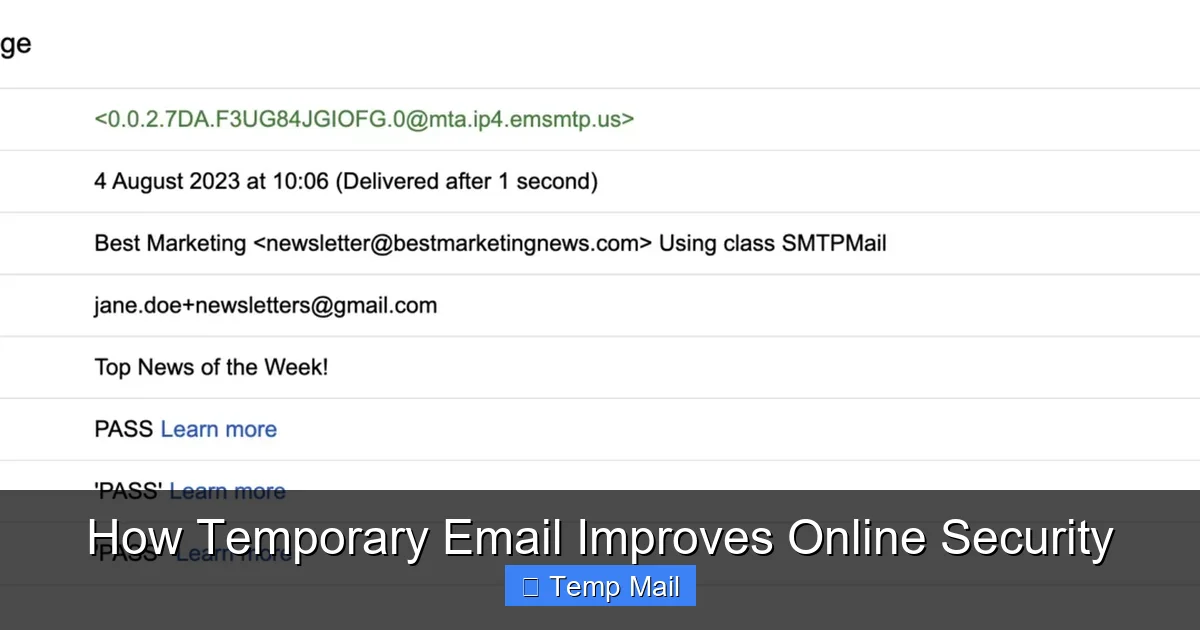
Email aliases (like Gmail’s “plus addressing” – [email protected]) and sub-addresses are still tied to your primary, permanent email account. All mail filters into your main inbox. A true temporary email is a completely separate, isolated inbox that is not connected to your identity and expires. It offers greater compartmentalization and privacy.
Should I use a temporary email for social media?
Generally, no. Social media accounts are a core part of your long-term digital identity, used for recovery, communication, and often linked to other apps. You need reliable, permanent access to the email associated with these accounts. Use your primary, secure email for social media and similar essential services.
Leave a Reply