Category: Temp Mail

  • Temp Email for Protecting Personal Information

    Temp Email for Protecting Personal Information

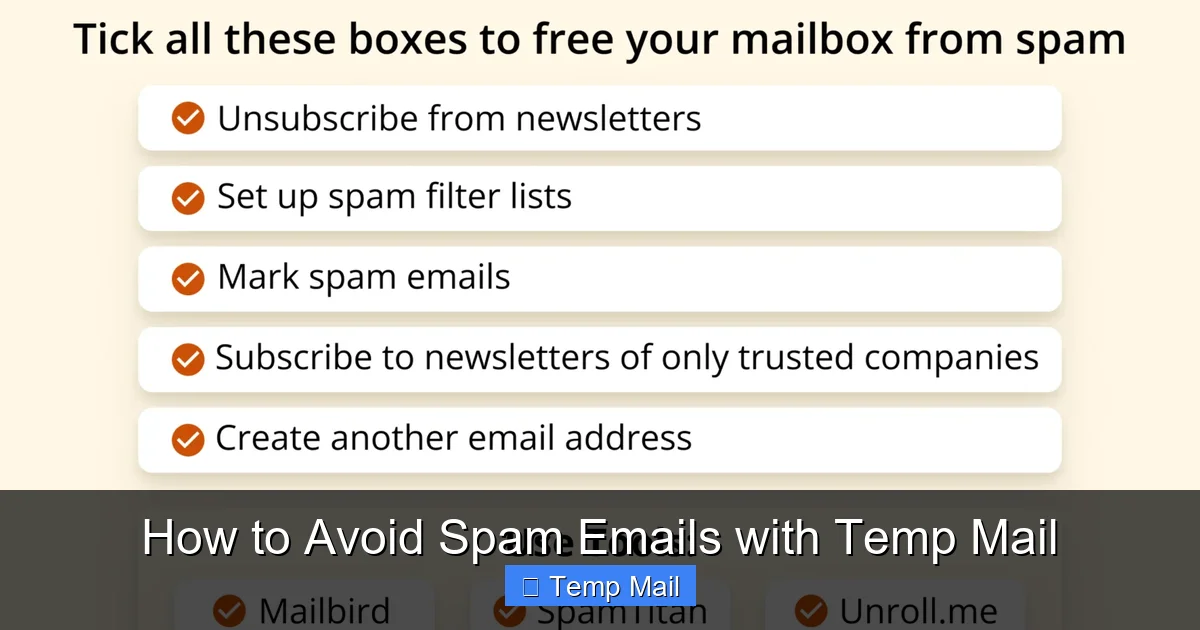
    Your primary email address is a goldmine for marketers and hackers. Using a temporary email service is a simple, powerful way to create a disposable digital identity for any online interaction where you don’t want to share your real contact details. It acts as a protective barrier, filtering spam, preventing data leaks, and keeping your inbox—and personal information—clean and secure. This strategy is essential for safe browsing in the modern digital landscape.

    Key Takeaways

    • Primary Defense Against Spam: Temp mail stops promotional emails and newsletters from ever reaching your main inbox by providing a sacrificial contact point.
    • Mitigates Data Breach Risks: If a service you used with a temp email is hacked, your real identity and primary email remain unaffected and safe.
    • No Long-Term Commitment: These addresses are designed to be short-lived, automatically deleting after a set period (often 10 minutes to 24 hours), leaving no trace.
    • Simplifies One-Time Tasks: Perfect for verifying an account to download a file, access a gated article, or test a service without future obligation.
    • Enhances Online Anonymity: Reduces the digital footprint tied to your primary email, making it harder to profile your online behavior across platforms.
    • Not for Critical Accounts: Temp emails are for low-stakes interactions; never use them for banking, primary social media, or any account requiring recovery or long-term access.
    • Tool, Not a Panacea: While excellent for privacy, they are one layer of a broader digital hygiene strategy that includes strong passwords and 2FA.

    Your Inbox is Under Siege: Why Your Email Needs a Bodyguard

    Think about your primary email address. It’s likely the key to your social media, your online bank accounts, your Amazon orders, your professional networks. It’s a direct line to your digital life. Every time you type it into a website for a free e-book, a discount code, or a forum registration, you’re handing over a piece of your identity. That piece doesn’t just vanish. It gets added to marketing lists, sold to data brokers, and stored on servers that may not have the best security. The result? A flood of spam, a higher risk of phishing attacks, and a persistent digital shadow that follows you everywhere. This is where a temp email service becomes your personal digital bodyguard. It’s not about being paranoid; it’s about being practical and proactive in an era where personal data is a commodity.

    Using a temporary email is a conscious choice to compartmentalize your online activity. You create a clear firewall between your essential, private life and the myriad of low-stakes, one-off interactions that define modern web use. It’s the online equivalent of giving a fake phone number to a pushy salesperson at the mall. You get what you need (the discount, the access) without sacrificing your real contact information. In this guide, we’ll dive deep into exactly how temp email works, its powerful benefits for privacy, the smartest ways to use it, and the critical limitations you must understand to stay safe and effective.

    What Exactly is a Temporary Email? The Disposable Address Explained

    More Than Just a Spam Filter

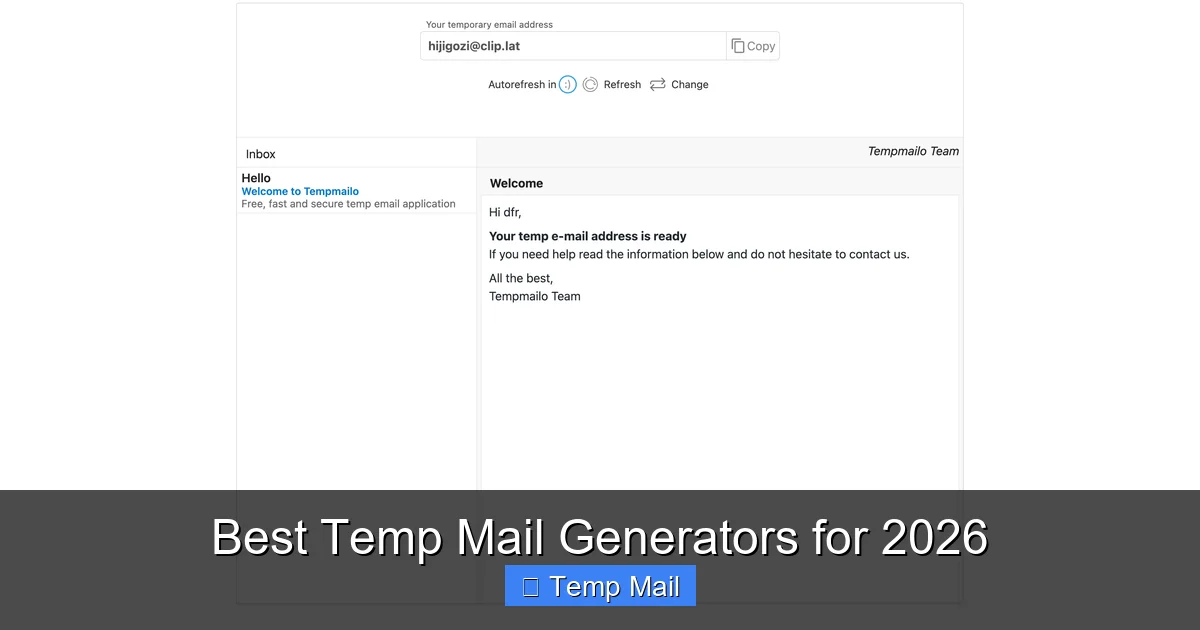
    A temporary email, often called a “temp mail” or “disposable email,” is a service that provides you with a random, functional email address for a short, predefined period. Unlike Gmail, Outlook, or Yahoo, which are designed for permanent, long-term use with recovery options and extensive storage, temp mail is designed to be ephemeral. You visit a website like Temp-Mail.org, Guerrilla Mail, or 10MinuteMail, and it instantly generates an address for you, something like [email protected]. You can then use this address to receive a verification email or a download link. Once the timer expires (which can be anywhere from 10 minutes to 48 hours, depending on the service), the address and all its emails are permanently deleted from the server, never to be seen again.
    Temp Email for Protecting Personal Information

    Visual guide about Temp Email for Protecting Personal Information

    Image source: brad9884cyberbulling.weebly.com

    How It Works Under the Hood

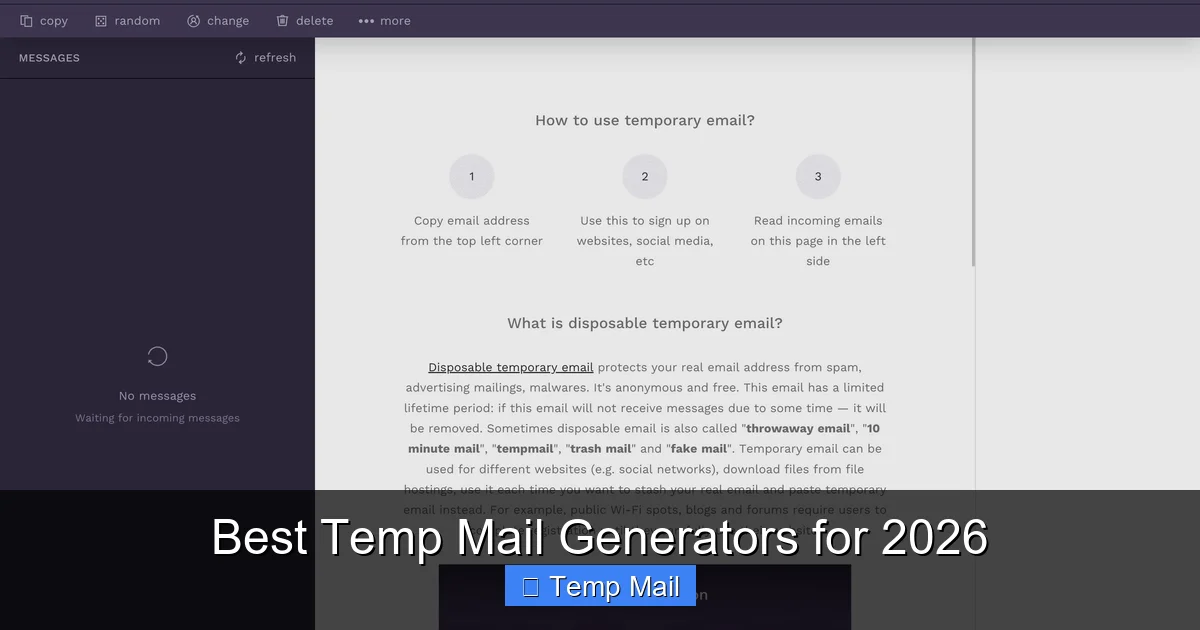
    The technology is surprisingly straightforward. These services maintain large pools of domain names and generate unique inboxes on their servers. When you arrive on their site, they assign you one of these inboxes and display the corresponding email address. The inbox is accessible only through the unique URL they provide you on that visit. When an email is sent to your temp address, it lands in that specific, temporary inbox on their server. You read it right there on their website. There is no password, no persistent login. Once you close the browser tab or the timer runs out, that inbox is purged. For the sender, it looks like a normal email delivery. For you, it’s a clean, no-fuss, no-commitment transaction.

    The Core Benefits: How Temp Email Actively Protects Your Information

    1. The Ultimate Spam Shield

    This is the most obvious and immediate benefit. Let’s say you want to download a whitepaper from a marketing site. They ask for your email. You provide your temp address. You get the download link. Then, you forget about it. What happens? The marketing company’s email system, which now has your temp address, might send you a follow-up newsletter or a promotion. It goes to the temp inbox, which expires in an hour. Your primary inbox stays blissfully empty. Over time, this single action prevents thousands of unwanted emails from ever touching your main account. It breaks the cycle of signing up for something minor and then being trapped in a subscription you can’t easily cancel.
    Temp Email for Protecting Personal Information

    Visual guide about Temp Email for Protecting Personal Information

    Image source: thumbs.dreamstime.com

    2. Containing the Fallout from Data Breaches

    Data breaches are not a matter of if but when. Major companies, from credit agencies to popular apps, suffer breaches that leak user databases. These databases contain usernames, passwords (often hashed, but not always), and crucially, email addresses. If you used your primary email to sign up for a service that gets breached, your address is now in the hands of criminals. They can use it for targeted phishing (“We’re from that breached company, click here!”), credential stuffing attacks (trying that password on your other accounts), or simply sell it. If you had used a temp email for that low-priority service, the breached database contains a dead-end address. The breach is contained; your real identity is not exposed.

    3. Preserving Anonymity and Reducing Your Digital Footprint

    Every account linked to your primary email helps build a profile of your interests, location, and behavior. Advertisers and data aggregators love this. By using a temp email for anonymous forum sign-ups, casual gaming accounts, or comment sections, you prevent those activities from being directly tied back to your core identity. It’s a small but significant step in practicing data minimization—only providing personal information where absolutely necessary. This doesn’t make you invisible, but it certainly makes you a much smaller and less valuable target for profiling.

    4. Bypassing “Email Gating” Without the Guilt or Clutter

    How many times have you wanted to read an article or see a resource only to be hit with a “Enter your email to continue” wall? Using your main email feels like a commitment you don’t want to make. A temp email lets you politely decline that commitment. You get the content you need immediately, and the publisher gets a valid (for a short time) email address that satisfies their lead generation form. It’s a fair exchange that respects your desire for access without forcing a long-term relationship.

    Smart Use Cases: When to Reach for a Temp Email (And When Not To)

    The Perfect Scenarios for Disposable Addresses

    The rule of thumb is: if the interaction is transient, the account is low-value, or the trust level is low, use a temp email. Here are prime examples:
    Temp Email for Protecting Personal Information

    Visual guide about Temp Email for Protecting Personal Information

    Image source: images.ctfassets.net

    • Downloading Gated Content: E-books, whitepapers, templates, and research reports that require an email for instant download.
    • Signing Up for Trials: Free trials of software, streaming services, or tools where you just want to test the product and are confident you’ll cancel before payment. (Note: some services require a valid credit card even for trials, which temp mail doesn’t solve).
    • Accessing Wi-Fi or Public Services: Many airports, cafes, and venues require an email to log into their guest Wi-Fi. A temp email is perfect here.
    • Registering on Unknown or New Platforms: Trying out a new social network, forum, or app you’re unsure about. If it turns out to be spammy or insecure, your temp address will die, and you can walk away clean.
    • One-Time Verification: Any situation where a website sends a one-time PIN or link, like for a simple API test or a single-use discount code.
    • Protecting Identity on Dating/Personals: For initial contact on platforms where you might not want to share your real email until you establish trust.

    The Critical “NEVER” List: Accounts That Must Use Your Real Email

    This is the most important safety section. Never, ever use a temporary email for any service that is important, financial, or requires account recovery. This includes:

    • Banking, Financial Services, Crypto Wallets: You will be locked out permanently if you lose access. Security and recovery are paramount.
    • Primary Social Media Accounts (Facebook, Instagram, Twitter/X, LinkedIn): These are central to your digital identity. Recovery often requires email or phone. Losing access is a major headache and security risk.
    • Main Cloud Storage (Google Drive, iCloud, Dropbox): Your photos, documents, and backups are irreplaceable. Account recovery is essential.
    • Primary Email Account Itself: You cannot recover a temp email. Using one for your main email provider’s recovery is a recipe for permanent loss.
    • Any Account with a Paid Subscription You Care About: If you want receipts, subscription management, or customer support, you need a permanent address.
    • Government or Official Services: Tax agencies, official portals, or anything with legal standing will require a verifiable, permanent email.

    Choosing a Temp Mail Service: What to Look For

    Not all temp email providers are created equal. While most function on the same basic principle, some features and reputations vary. Here’s your checklist for selecting a service:

    1. Inbox Duration and Customization

    How long does the inbox last? Common options are 10 minutes, 1 hour, 1 day, or until you manually delete it. For most uses, 1-2 hours is sufficient. Some services allow you to extend the timer or choose a custom domain. Consider your typical workflow—if you need more time, pick a service with a longer default lifespan like 24 hours.

    2. Domain Variety and Customization

    Some services offer multiple domain options (e.g., @tempmail.net, @dispostable.com). A few even let you create a custom alias within their domain (e.g., [email protected]). This can be useful for organizing different uses or for sites that block known temp mail domains.

    3. Security Features

    Look for services that use HTTPS (all reputable ones do). Some offer additional features like password protection for a specific inbox (rare, but exists) or the ability to manually delete emails before the timer expires. Understand their privacy policy—do they log IP addresses? Most reputable services claim not to store or link your session to your real IP after the inbox expires.

    4. User Interface and Reliability

    The interface should be clean, fast, and clearly show the countdown timer and the inbox. You don’t want a confusing site when you’re waiting for a critical verification email. Read recent user reviews to check for reliability—does it often fail to receive emails from major providers like Gmail or Outlook? Some domains are blacklisted by certain companies, so you might need to switch services if one consistently fails.

    5. No Installation Required

    The beauty of web-based temp mail is that it requires no software download or browser extension (though some offer extensions for convenience). This reduces the risk of malware. Stick to the official website of the service you choose.

    Limitations and Pitfalls: The Other Side of the Temp Mail Coin

    Temp email is a powerful tool, but it has clear and important limitations. Ignoring these can lead to frustration or security mistakes.

    1. The “Blacklist” Problem

    Because temp mail is often used for spam and fraudulent sign-ups, many major companies and platforms actively blacklist known disposable email domains. You might try to sign up for a legitimate service—say, a popular newsletter or a gaming platform—and find that the temp email domain is rejected during registration. There’s no workaround for this; the service has decided not to accept emails from that domain. You may need to try a different temp mail provider or, for that specific service, use your real email.

    2. No Account Recovery, Period

    This cannot be stressed enough. If you use a temp email to sign up for an account and later forget your password, you will be locked out forever. There is no “forgot password” link that goes to a live inbox. The account is dead. This is why the “NEVER” list in Section 3 is so critical. Only use temp mail for accounts you are 100% willing to abandon without recovery.

    3. Limited Functionality

    Temp inboxes typically only support receiving emails. You almost never can send emails from them. They also lack features like folders, labels, powerful search, or integration with other apps. They are a simple, read-only inbox for a specific purpose.

    4. Potential for Abuse and Suspicion

    Using a temp email can signal to a website that you are privacy-conscious or possibly trying to avoid tracking. While this is your right, it might cause some services to apply extra scrutiny, delay your sign-up, or offer a less personalized experience. In most cases, this is a minor inconvenience.

    Best Practices for Safe and Effective Temp Mail Use

    To integrate temp email seamlessly and safely into your digital routine, follow these practical tips:

    Treat It Like a Physical Throwaway Phone

    Use a different temp email for different purposes or websites if you want to keep some organization. For example, use one alias for all “download gated content” sites and another for “forum sign-ups.” This way, if one gets spammed within its lifetime, it doesn’t mix with emails for your other temporary uses.

    Always Check the Timer

    Before you leave the temp mail website tab open, note the countdown. If you’re expecting a verification email that might take a few minutes to arrive, ensure the timer is long enough. Some services auto-refresh the timer when you receive an email. If the timer is critical, consider copying the inbox URL to a safe note so you can return to it later if you accidentally close the tab.

    Never Use It for Password Recovery or 2FA

    This is a golden rule. If a service asks for an email for password reset links or two-factor authentication codes, that email must be permanent and under your control. A temp email will render these critical security features useless, locking you out or preventing you from securing the account.

    Combine with a Password Manager

    Your password manager is for your permanent, important accounts. Do not store passwords for accounts created with a temp email in your main password manager. The point is to forget about them. If you need to remember a password for a temporary service, use a separate, less secure method or just rely on the fact you’ll abandon it.

    Clear Your Browser Data After Use

    For an extra layer of privacy, once you’re done with a temp email session, clear your browser’s cookies and cache. This severs the direct link between that browsing session and the temporary inbox you used. On a public or shared computer, this is absolutely essential.

    The Future of Privacy: Temp Email as a Fundamental Right

    As data collection becomes more sophisticated and pervasive, tools that give users control over their personal information will move from “clever hacks” to essential utilities. Temporary email is one of the simplest and most effective forms of digital self-defense. It embodies the principle of least privilege—only giving out the minimum information required for a specific task. While it won’t solve all privacy problems, it directly attacks the spam and breach vectors that plague everyday internet users. The growing mainstream adoption of privacy-focused browsers, VPNs, and now disposable email signals a shift in user awareness. We are no longer willing to trade our primary contact details for every piece of free content. We are learning to compartmentalize our digital lives. Adopting a temp email service is a low-effort, high-impact first step in that direction. It’s a small act of rebellion against the constant data harvesting that defines the modern web, and it puts you back in the driver’s seat of your own information.

    Frequently Asked Questions

    Is using a temporary email legal?

    Yes, using a temporary email service is completely legal. It is a legitimate tool for privacy protection. The legality only becomes an issue if the temporary address is used for fraudulent activities, signing up for services with intent to defraud, or to circumvent bans, which violates the terms of service of most platforms, not the law itself.

    Are temporary emails safe from hackers?

    They are safe in the specific context of protecting your primary identity. If a temp mail service itself is compromised, hackers would only gain access to the temporary inboxes and their transient emails, which contain no link to your real identity or primary accounts. The safety comes from the disposable nature; there’s nothing valuable to steal long-term. However, you should still use reputable services with HTTPS to avoid man-in-the-middle attacks on the temporary session.

    How long do temporary email addresses last?

    The lifespan varies by provider. Common durations are 10 minutes, 1 hour, 1 day, or 48 hours. Some services let you extend the time manually. The address and all its emails are permanently deleted from the server once the timer expires, making recovery impossible.

    Can a temporary email be traced back to me?

    Generally, no. Reputable temp mail services do not require any personal information to create an address and claim not to log IP addresses linked to specific inboxes after expiration. However, your internet service provider (ISP) can see that you visited the temp mail site. For true anonymity, you would need to use a VPN or Tor in conjunction with the temp mail service.

    What is the main drawback of using disposable email?

    The single biggest drawback is the absolute inability to recover an account created with one. If you forget a password for an account tied to a temp email, that account is permanently lost. This is why it is critically important to only use them for low-stakes, non-essential accounts as outlined in the “NEVER” list.

    Should I use a temp email for all online sign-ups?

    No. You should use a strategic approach. Use your permanent, secure email for essential, financial, and recovery-critical accounts (banking, main social media, primary cloud storage). Use a temporary email for everything else: newsletters, free downloads, forum trials, and any site where you do not want a lasting relationship or are unsure about its trustworthiness.
  • How to Use Temp Mail for Free Trials

    How to Use Temp Mail for Free Trials

    Using a temporary email address is the smartest way to sign up for free trials without cluttering your primary inbox or risking your privacy. This guide shows you exactly how to choose a reliable temp mail service, generate a disposable address, and navigate common verification hurdles. You’ll learn pro tips to maximize trial benefits while avoiding pitfalls, ensuring you can test any service risk-free. By the end, you’ll master the art of the clean, spam-free trial sign-up.

    Ever stared at a fantastic free trial offer, only to hesitate because you’d have to hand over your personal email address? That little voice in your head is right. That email is a key to your digital life. Once given to a new service, it can become a permanent fixture on their marketing list, a target for data breaches, or a source of endless promotional clutter. But what if you could have the best of both worlds? You could get full access to the trial, with zero commitment and no mess in your primary inbox. This is the power of using temp mail for free trials. It’s not a shady hack; it’s a smart, privacy-first strategy for the modern internet user. This comprehensive guide will walk you through everything you need to know, from the basic “how-to” to advanced pro-tips and critical warnings. Let’s reclaim control of your inbox.

    Key Takeaways

    • Temp mail creates a disposable shield: It protects your real email from spam, marketing lists, and potential data breaches associated with trial sign-ups.
    • Not all trials accept temp mail: Some high-value or regulated services (like financial apps) block disposable email domains to prevent abuse.
    • The process is simple but requires strategy: Choose a reputable provider, use the inbox long enough for verification, then abandon it post-trial.
    • Your goal is access, not longevity: Temp mail is for the initial sign-up and verification; do not expect to receive long-term account recovery or receipts there.
    • Ethical use is key: Use temp mail for genuine testing, not to fraudulently exploit “one-time” trial offers repeatedly from the same provider.
    • Organization matters: Keep a simple log (even a note on your phone) of which temp email you used for which service to avoid confusion later.

    The Power of Temp Mail: Why It’s Perfect for Free Trials

    Before we dive into the “how,” let’s solidify the “why.” Understanding the core problems that temp mail solves will make you a more strategic user.

    The Inbox Clutter Epidemic

    Signing up for a single free trial might seem harmless. But that one email address gets added to a list. That list gets sold. Soon, your inbox is a battlefield of “20% off your first purchase,” “We miss you!” and “New features you need to see!” newsletters. Disposable email addresses are your first line of defense. They are designed to be used once and discarded, taking all that future spam with them.

    The Privacy & Security Shield

    Data breaches are a weekly headline. When you use your primary email for dozens of trials, you are creating hundreds of digital footprints linked to your identity. If any of those companies suffers a breach, your email is now in a hacker’s database, potentially linked to other accounts if you reuse passwords. A temp mail acts as a buffer. If the trial service is compromised, the compromised address is the disposable one, not your lifelong personal or work email.

    The “No Strings Attached” Promise

    Many free trials require a credit card for “verification,” with the promise you won’t be charged. But we’ve all heard the horror stories of forgotten trials turning into monthly charges. While a temp email doesn’t stop a company from charging your card (that’s a separate issue of tracking calendar reminders), it does remove one link of persistent identity. More importantly, it allows you to truly test a service with the mindset that you can walk away cleanly at any moment, without a company having a direct, permanent channel to your primary inbox reminding you to stay.

    How to Choose a Reliable Temp Mail Service

    Not all temp mail services are created equal. A bad choice can lead to a failed sign-up, a blocked inbox, or even security risks. Here’s what to look for.

    How to Use Temp Mail for Free Trials

    Visual guide about How to Use Temp Mail for Free Trials

    Image source: lunarcomputercollege.com

    Essential Features of a Good Provider

    A top-tier disposable email service should offer: Instant inbox generation (no registration required), a clean, ad-light interface (some are unusable due to pop-ups), multiple domain options (so if one is blocked, you can try another), and a reasonable inbox lifespan (24-48 hours is standard, some offer longer). The best ones also have a browser extension for one-click email generation while browsing.

    Based on reliability, speed, and lack of nonsense, here are the top contenders:

    • Temp-Mail.org: A classic. Extremely fast, offers many domain aliases, and has a useful browser extension. Inboxes typically last 24 hours but can be extended.
    • 10MinuteMail.com: The original. The address and inbox self-destruct after 10 minutes. Perfect for a quick, single verification where you know you won’t need the email again. Very secure and private.
    • Guerrilla Mail: Very user-friendly. Allows you to choose your own inbox name from a list and offers a “send email” feature (useful for some rare trial verifications that require you to reply). Inbox lasts about 60 minutes by default.
    • Maildrop: Minimalist and clean. No ads, no frills. Just an inbox that lasts 24 hours. Great for a no-fuss experience.

    Important: Always use the service’s official website. Avoid unofficial mirrors or “free temp mail” apps from unknown developers, as they may log your IP or inject malware.

    Red Flags to Avoid

    Steer clear of services that: demand you complete a CAPTCHA for every new email, bombard you with misleading download buttons, require you to install suspicious browser toolbars, or have a confusing, poorly translated interface. These are often ad farms or worse.

    Step-by-Step: Mastering the Free Trial Sign-Up

    Now for the meat of it. Here is the exact, sequential process for a flawless sign-up.

    How to Use Temp Mail for Free Trials

    Visual guide about How to Use Temp Mail for Free Trials

    Image source: anonymmail.net

    Step 1: Preparation & Provider Selection

    Before you even visit the trial offer page, open a new tab and go to your chosen temp mail service (e.g., Temp-Mail.org). You will be instantly assigned an email address like [email protected]. Copy this address to your clipboard. It’s wise to have a notepad app open to paste it and note which service you’re signing up for (e.g., “Canva Pro Trial – [email protected]”).

    Step 2: The Sign-Up Dance

    Navigate to the free trial page. Paste the temp email into the email field. Fill in any other required details (you can use a fake name if the service is casual, but for paid trials with a card, use your real name and billing address to match your payment method). Create a strong, unique password—do not reuse a password from any important account. Complete the sign-up.

    Step 3: The Crucial Verification Step

    This is the most common point of failure. After submitting, the service will send a verification link to your temp inbox. Do not close the temp mail tab. Switch back to it and refresh the inbox page every 10-15 seconds. You should see the verification email arrive within a minute or two. Click the link immediately. This step confirms your email is valid and activates the trial. If the link expires before you click, you may need to request a new verification email from the trial site.

    Step 4: Post-Verification Protocol

    Once your account is active and you’re logged in, do two things immediately: 1) Bookmark the login page for the trial service. 2) Set a calendar reminder for the day before the trial ends. This is your cue to cancel if you don’t wish to pay. Do not rely on the service to remind you; they often send reminders to the temp email, which you will no longer be checking.

    Step 5: The Graceful Exit

    On your reminder day, log in using your bookmark, navigate to account settings, and cancel the subscription. Confirm you receive a cancellation confirmation email (it will go to the temp inbox, so check there one last time). Once canceled, you can close the tab and forget about the temp email. It will expire on its own. Your primary inbox remains pristine.

    Pro Tips & Best Practices for the Savvy User

    Going beyond the basics separates the experts from the beginners.

    How to Use Temp Mail for Free Trials

    Visual guide about How to Use Temp Mail for Free Trials

    Image source: image.winudf.com

    Use a Different Temp Provider for Each Major Service

    Don’t use the same temp email for Netflix, Hulu, and Disney+. If one service gets aggressive with cross-promotion or has a breach, you don’t want all your trial logins linked to the same disposable address. Rotate between 2-3 trusted providers.

    Leverage Browser Extensions for Speed

    Services like Temp-Mail offer browser extensions. With one click, they generate a new address, copy it to your clipboard, and open a small pop-up inbox. This streamlines the process from 4 tabs down to 2, making signing up for multiple trials in one sitting much faster.

    The “Plus” or “Alias” Trick (Advanced)

    Some temp mail services (like Temp-Mail) allow you to create multiple aliases or “plus” addresses off your main inbox (e.g., [email protected]). All emails still go to the same inbox. This is perfect for organizing. You can use a unique alias for every trial, and your inbox will filter them visually, making it easier to find the specific verification email you need among a few others.

    Never Use Temp Mail for Account Recovery

    This is the golden rule. You are using temp mail for the trial’s initial sign-up. Once the trial is active, you must add a permanent, secure email address to the account for password resets and recovery, if the service allows it. Do this immediately after signing up. If you forget your password and the only email on file is the temp mail, you will be permanently locked out of the account.

    Pitfalls to Avoid: Common Mistakes & Warnings

    Even experienced users can stumble. Here are the traps to watch for.

    The “This Email Is Invalid” Error

    Some websites maintain lists of known disposable email domains and will block them at the sign-up form. If you get this error, your only option is to try a different temp mail provider (which uses a different domain). It’s a cat-and-mouse game. If all your usual providers are blocked, the service is likely serious (e.g., a bank, Adobe Creative Cloud) and you should consider if a trial is worth the commitment of using your real email.

    Missing the Verification Window

    Temp inboxes can be fast, but they aren’t instant for everyone. Some services send verification emails with a 5-minute expiry. If you switch away from the temp mail tab and get distracted, the email might arrive and vanish before you see it. Stay on the temp mail tab and refresh frequently for the first 5 minutes after sign-up.

    Assuming Full Functionality

    Do not expect to receive shipping notifications (for any physical free gifts), detailed invoices, or important service update alerts in your temp inbox. You are using it for one thing: the initial verification link. Treat the trial account as a “guest” account with limited communication rights. For anything critical, you must provide a real email.

    The “Free Trial Abuse” Trap

    It’s tempting to think you can game the system by using a new temp email every month to get another free trial from the same company. Most services combat this by tracking other data points: your IP address, your payment method (credit card), and your device fingerprint. Using the same card or even the same device on a new temp email will often flag your account, leading to an immediate ban. Use temp mail responsibly for genuine testing, not for perpetual free access.

    When NOT to Use Temp Mail for Trials

    The strategy has limits. Knowing when to avoid it is as important as knowing how to use it.

    High-Value or Regulated Services

    If the trial involves significant financial commitment (like a mortgage lender), legal agreements, or highly regulated data (medical records, legal documents), using a temp email is inappropriate and likely a violation of terms. These services require a verifiable, permanent identity.

    Services You Intend to Keep Long-Term

    If you know you will absolutely subscribe to the service after the trial, just use your primary, well-managed email address. The minor hassle of unsubscribing later is better than the major hassle of trying to migrate your account data and history later because you used an email that vanished.

    When a Phone Number is Required

    Some trials, especially for apps like WhatsApp or services requiring two-factor authentication, mandate a phone number for verification. A temp email won’t help you here. You’d need a separate temporary phone number service (which is a more complex, often paid, and less reliable process), so evaluate if the trial is worth that effort.

    Conclusion: Your Inbox, Your Rules

    Using temp mail for free trials is a powerful tool in your digital hygiene toolkit. It’s a simple, effective method to explore new software, streaming services, and productivity tools without selling your digital soul. The process is straightforward: pick a reliable provider, generate an address, sign up, verify, and cancel. By following the steps and pro-tips in this guide, you’ll navigate the world of free trials with confidence and cleanliness. Remember the core philosophy: your primary email address is for people and services you trust and intend to maintain. Everything else—the fleeting, the experimental, the “maybe”—belongs to the disposable inbox. Now go forth and test without the trash.
    Frequently Asked Questions

    Is using temp mail for free trials legal?

    Yes, using a disposable email address is completely legal. It’s a legitimate privacy tool. However, you must still comply with the service’s Terms of Service. If their terms explicitly forbid disposable emails, using one could be a violation that gets your trial account terminated.

    How do websites know I’m using a temp mail?

    They use publicly available lists of domains that are known to provide disposable email addresses (e.g., @tmpmail.org, @10minutemail.com). When you enter an email from one of these domains, their system can flag it and block the sign-up. That’s why rotating between different temp mail providers can sometimes bypass these blocks.

    What happens to my trial account when the temp email expires?

    The account itself will continue to exist on the service’s servers. However, you will lose the ability to receive any communications at that email address (like renewal reminders, newsletters, or password reset links). More critically, if you forget your password and that is the only email on file, you will be unable to recover the account. That’s why adding a permanent email for recovery is essential if you plan to keep the service.

    Is my data safe when using a temp mail service?

    Reputable, ad-free services like those recommended (Temp-Mail, 10MinuteMail) do not log your IP address or sell your data. However, you are trusting that provider. For maximum security, use a service that operates entirely in your browser without server-side storage (some do this) and always use a VPN for additional anonymity. Never use a temp mail service that requires you to download suspicious software.

    Can I use temp mail for paid subscriptions after the trial?

    Technically, you could, but it is a terrible idea. Billing receipts, payment failures, and critical account notifications will be sent to an inbox you no longer check. You will likely miss charges, have payment issues, and be unable to access your account for support. Always use a permanent, monitored email for any paid service.

    What’s the #1 mistake people make when using temp mail for trials?

    The #1 mistake is failing to set a cancellation reminder. People get the trial, get excited about the service, and then completely forget about the end date because all communication (including the inevitable “Your trial ends tomorrow!” email) is going to a disposable inbox they abandoned. The temp mail did its job, but now you’re on the hook for a monthly charge. Your calendar reminder is your safety net.

  • Top Temp Mail Alternatives You Should Know

    Top Temp Mail Alternatives You Should Know

    Tired of unreliable temp mail services that disappear or get blocked? You’re not alone. While temporary email addresses are handy for quick sign-ups, they often lack features, security, and longevity. This guide cuts through the noise to reveal the most robust temp mail alternatives available today. We explore privacy-focused inboxes, developer-friendly APIs, and customizable domains that actually work where temp mail fails. Whether you need to shield your primary email, test applications, or manage online identities, you’ll find a practical, powerful solution here.

    Let’s be honest. That temp mail website you found through a quick search? It’s probably frustrating. The inbox never loads, the address gets blacklisted by the site you’re trying to sign up for, or the email vanishes after five minutes. You click “refresh” and—nothing. It’s a classic temp mail problem. These services are designed for extreme, fleeting anonymity, but in practice, they often fail at the one job you need them to do: receive an email reliably.

    The truth is, the world of temporary and disposable email has evolved far beyond those basic, hit-or-miss generators. There’s a whole ecosystem of smarter, more powerful temp mail alternatives built for real-world use. These tools prioritize deliverability, give you control, and integrate seamlessly into your digital life. They don’t just hide your email; they manage your online identity intelligently.

    This isn’t about finding another disposable inbox. This is about discovering robust solutions that protect your privacy, keep your primary inbox spam-free, and actually work when you need them to. We’re diving deep into the top alternatives, breaking down exactly what each one does best, who it’s for, and the practical tips to use it effectively. Say goodbye to the anxiety of a missing verification email and hello to reliable, controlled communication.

    Key Takeaways

    • Temp mail has limits: Disposable addresses are often blocked by major platforms, lack inbox persistence, and offer minimal security or customization.
    • Alternatives serve different needs: Options range from privacy-centric aliases and custom domains to developer APIs for testing and business-grade forwarding.
    • Privacy is the core goal: The best alternatives prevent spam and data harvesting without sacrificing deliverability or control.
    • Longevity matters: Many alternatives provide inboxes that last days, weeks, or permanently—unlike 10-minute temp mail.
    • Integration is key: Look for tools that work with your email client, browser, or workflow through extensions or APIs.
    • Cost varies widely: You can find capable free tiers, but premium plans unlock features like custom domains and unlimited aliases.
    • Choose based on use case: A developer testing emails needs a different tool than someone protecting their personal inbox from newsletters.

    Why Standard Temp Mail Often Falls Short

    Before we explore the alternatives, we need to understand the fundamental flaws of basic temp mail. Recognizing these limitations will make it crystal clear why switching to a more sophisticated tool is a smart move.

    The Blocklist Problem

    This is the #1 pain point. Major platforms—Google, Facebook, Twitter, LinkedIn, even many gaming and financial services—actively maintain blocklists of known disposable email domains. They do this to combat spam, fraud, and fake accounts. When you use a temp mail address from a common provider like 10minutemail.com or guerrillamail.com, there’s a high chance the service will reject it outright during sign-up. You’re left clicking “sign up” and getting an immediate error. The tool fails before it even begins.

    The Ephemeral Inbox

    The “temporary” in temp mail is often too temporary. Many services provide inboxes that last 10 minutes to one hour. If you don’t refresh constantly, the email and the address itself are gone forever. This is useless for any process that isn’t instantaneous—like waiting for a weekly newsletter digest, a password reset email you requested hours ago, or a confirmation from a service with manual review.

    Zero Persistence & No Features

    Can you search your temp mail inbox? Can you organize emails into folders? Can you set up filters? Can you even reply from that address? With basic temp mail, the answer is almost always no. You get a bare-bones, chronological list of messages that vanishes. There’s no ability to build a lasting, manageable alias.

    Security and Privacy Questions

    While the premise is anonymity, some free temp mail sites have been caught logging IP addresses, injecting ads, or even selling data. The connection between you and the inbox might be less private than you think. Furthermore, the emails are stored on a public server where anyone with the same randomly generated address can view your messages—a massive privacy risk for anything sensitive.

    These core issues—blocking, brevity, lack of features, and questionable security—are what drive people to seek better temp mail alternatives. The goal shifts from “just any disposable address” to “a reliable, private, and functional alias that gets the job done.”

    Guerrilla Mail: The Pioneer with Practical Power

    Often considered the original temp mail service, Guerrilla Mail has evolved significantly. It’s no longer just a 10-minute burner; it’s a surprisingly feature-rich tool that addresses many standard temp mail failures while keeping the core “no sign-up” philosophy.

    Top Temp Mail Alternatives You Should Know

    Visual guide about Top Temp Mail Alternatives You Should Know

    Image source: receive-sms.com

    How It Works & Key Features

    Visit Guerrilla Mail’s website, and you’re instantly assigned a random email address (e.g., [email protected]). You can also request a custom address from their available list. The inbox is persistent as long as you keep the browser tab open and refresh it periodically (the default is about an hour of inactivity before address expiration, but you can extend it).

    Key features that set it apart:

    • Inbox Persistence: Your inbox lasts much longer than 10 minutes. You control the lifespan by staying active.
    • Reply Capability: You can reply directly from the Guerrilla Mail interface, which is rare for disposable services.
    • Basic Filtering & Search: You can search your inbox and mark emails as spam or important.
    • Attachment Support: It can receive emails with attachments (up to a size limit).
    • Browser Extension: A handy Chrome/Firefox extension lets you generate addresses quickly from any webpage.

    Best Use Cases for Guerrilla Mail

    This is your go-to for medium-term, one-off tasks. Use it when you need to:

    • Sign up for a forum or comment section that requires email verification but is likely to spam you.
    • Download a digital resource (e-book, template) that requires an email gate.
    • Test a website’s email flow without using your real address.
    • Access a temporary account for a service you’ll use for a few days (e.g., a trial).

    Practical Tips & Limitations

    Tip: If you need the inbox to last longer, simply open the “Options” menu and set a custom “Expires in” time (up to 24 hours). Keep the tab open in the background and refresh occasionally.

    Limitation: While better than most, Guerrilla Mail’s domains can still occasionally be blocked by very security-conscious platforms (like some banks or enterprise software). Also, because it’s a shared, random address pool, you cannot create a memorable alias like [email protected] without paying for a custom domain add-on (which is possible but less common).

    Mailinator: The Public Inbox Powerhouse (Use with Caution)

    Mailinator operates on a radically different principle: complete public anonymity. Any email sent to any address at @mailinator.com lands in a publicly accessible, searchable inbox for that address. There are no passwords, no accounts, no persistence guarantees.

    Top Temp Mail Alternatives You Should Know

    Visual guide about Top Temp Mail Alternatives You Should Know

    Image source: imgv3.fotor.com

    How It Works & The Public Risk

    Go to Mailinator.com, and you’ll see dozens of random public inboxes on the homepage. Type any random string before “@mailinator.com” (e.g., [email protected]), and you can view emails sent to that address in real-time. Anyone else typing that same random string can see them too.

    This makes it incredibly fast for testing—no waiting for an email to arrive; it’s already there in the public feed. But it’s a massive privacy hazard. Never, ever use Mailinator for anything with personal data, password resets for important accounts, or any communication meant to be private. Your “inbox” is a public billboard.

    Best Use Cases for Mailinator

    Use Mailinator only for pure, public testing where content confidentiality is zero:

    • Development and QA testing where you need to verify an email was sent, but the content is meaningless test data.
    • Quickly checking if a website’s email trigger works without caring about the message.
    • Accessing a one-time download link from a source you don’t trust but know the link is safe.

    The Safer, Private Alternative: Mailinator Private Inboxes

    Mailinator offers a paid “Private Inbox” tier. This gives you a unique, non-public inbox for your chosen alias (e.g., [email protected]). Only you can see emails sent to that specific address. This private mode transforms Mailinator from a public testing tool into a legitimate, more persistent temp mail alternative. It’s a good option if you like the Mailinator interface and domain but need actual privacy and a dedicated inbox that lasts for days.

    SimpleLogin & AnonAddy: The Alias Management Champions

    This is where we move from “disposable” to “managed identity.” SimpleLogin (now part of Proton) and AnonAddy are not temp mail generators; they are email alias services. They represent the most sophisticated and user-friendly category of temp mail alternatives.

    Top Temp Mail Alternatives You Should Know

    Visual guide about Top Temp Mail Alternatives You Should Know

    Image source: images.genius.com

    How Alias Services Work

    You connect your real, primary email address (e.g., [email protected]) to the service. Then, you can create unlimited unique, forward-only email aliases (e.g., [email protected], [email protected]). When an email is sent to an alias, the service instantly forwards it to your real inbox. You can also reply from the alias, and the reply will appear to come from that alias, masking your real address.

    Why They Are Superior to Temp Mail

    • No Blocking: These services use their own reputable domains (like @slmail.io or @anonaddy.com) that are not on standard disposable email blocklists. They pass verification on almost every site.
    • Permanent & Organized: Aliases last forever (on paid plans) or very long-term on free tiers. They live in your primary inbox, searchable and organized. You can create as many as you need for different purposes.
    • Full Control & Security: You can disable an alias at any time with one click, instantly stopping all emails from that source. If a company sells your alias or you get spam, you simply kill that alias. Your real email is never exposed.
    • Custom Domains: Both services allow you to use your own domain (e.g., [email protected]) for a professional touch, routing through their system.
    • Browser Extensions & Mobile Apps: Generate aliases on the fly when filling out web forms with a single click.

    SimpleLogin vs. AnonAddy: A Quick Comparison

    Both are excellent. SimpleLogin is now integrated with Proton’s ecosystem, offering a very polished UI and strong privacy pedigree. AnonAddy is open-source, self-hostable (for tech-savvy users), and has a generous free plan (100 aliases/month). For most users, the choice comes down to preferred UI and whether open-source is a priority. For a pure, powerful temp mail alternative that actually manages your identity, an alias service is the gold standard.

    33mail & Custom Domain Solutions: Your Brand, Your Rules

    What if you want the power of an alias service but with your own domain name? Enter services like 33mail and the custom domain features of SimpleLogin/AnonAddy. This is the ultimate step in personal email management.

    The Concept: Wildcard Email Forwarding

    You purchase a domain (e.g., myprivatemail.com). You point its MX records to a service like 33mail. Then, you set a “wildcard” rule: any [email protected] automatically forwards to your real Gmail (or any inbox). You don’t need to pre-create aliases. You can just make up an address on the spot—[email protected], [email protected]—and it will work instantly.

    Benefits Over Standard Aliases

    • Ultimate Customization: You can create meaningful, organized aliases on the fly (e.g., [email protected]). No more random strings.
    • Professional Appearance: For freelancers or small businesses, using your own domain for all online sign-ups looks far more legitimate than a @slmail.io address.
    • Complete Ownership: You own the domain. If you stop using the forwarding service, you can change the MX records to point elsewhere. You’re not reliant on a third-party’s domain longevity.
    • Infinite Aliases: The wildcard means you have theoretically infinite unique addresses without managing a list.

    Setting It Up: Simpler Than You Think

    1. Buy a domain from any registrar (Namecheap, Google Domains, Porkbun).
    2. Sign up for 33mail (or use the custom domain feature in SimpleLogin/AnonAddy).
    3. Follow their DNS instructions to update your domain’s MX records (and sometimes TXT/SPF records). This usually takes 5 minutes in your registrar’s control panel.
    4. Start using it. Any email sent to [email protected] will land in your configured real inbox.

    Cost: You pay for the domain (~$10-15/year) and a small monthly fee for the forwarding service (33mail starts at ~$2/month). This is a tiny price for a lifetime of organized, private email addresses.

    Developer-Focused Alternatives: MailSlurp, Mailtrap, and Ethereal

    For developers, QA engineers, and DevOps, the need isn’t just privacy—it’s programmatic control and testing automation. They need to generate inboxes via API, trigger emails in tests, and parse email content in code. Standard temp mail and alias services won’t cut it.

    MailSlurp is a powerhouse. It lets you create real, private SMTP/IMAP inboxes via a simple REST API. Each inbox has a unique address. You can:

    • Create and delete inboxes programmatically in your test suite.
    • Wait for and fetch emails from those inboxes via API.
    • Extract links, codes, and content from received emails to continue test flows (e.g., “click the verification link in the email”).
    • Use a dashboard to manually view inboxes for debugging.

    Use Case: Perfect for end-to-end testing of user registration, password resets, or any feature that sends an email. Your automated tests can create a fresh inbox, trigger the action, wait for the email, parse the link, and click it—all without human intervention.

    Mailtrap: The Testing Sandbox

    Mailtrap works differently. It doesn’t send emails to the real world. Instead, it provides a fake SMTP server that catches all outgoing emails from your application and stores them in a secure, private inbox for your team to review. It’s used in staging/development environments to prevent accidental emails to real users.

    Use Case: During development, you configure your app’s email settings to use Mailtrap’s SMTP credentials. All “emails” your app tries to send get captured in the Mailtrap web interface. You can inspect formatting, check for errors, and verify content without spamming a real inbox.

    Ethereal: The Simple, Free Email Capture

    Ethereal (by Andris Reinman) is a dead-simple, free tool. You go to their site, get a unique SMTP URL/credentials, and configure your app to use it. All emails sent through that endpoint are captured and displayed on a unique Ethereal page. No account needed. It’s less feature-rich than MailSlurp but incredibly quick for a one-off test.

    Key Takeaway: For developers, these aren’t just temp mail alternatives; they are essential testing infrastructure that provides reliability, automation, and safety that consumer temp mail can never match.

    How to Choose the Right Temp Mail Alternative for You

    With so many excellent options, how do you pick? Answer these four questions.

    1. What is Your Primary Goal?

    • Stop spam in my personal inbox & never reveal my real email: → SimpleLogin or AnonAddy (alias services).
    • Sign up for sites that block temp mail & need a permanent address: → SimpleLogin/AnonAddy or a custom domain solution (33mail).
    • Quick, one-time access to a download/gate with no privacy needs: → Guerrilla Mail or even standard temp mail (but be prepared for blocks).
    • Automated software testing & email parsing: → MailSlurp.
    • Safe email testing during development without real delivery: → Mailtrap.

    2. How Long Do You Need the Address?

    • Minutes/Hours: Standard temp mail or Guerrilla Mail (with short expiry).
    • Days/Weeks (for a trial): Guerrilla Mail (set long expiry) or a free alias service tier.
    • Months/Years (ongoing management):strong> → Paid alias service or custom domain forwarding.

    3. What’s Your Budget?

    • Free: Guerrilla Mail (with limits), AnonAddy (100 aliases/mo), Mailinator (public), Ethereal.
    • Low-Cost ($2-5/month): 33mail, SimpleLogin/AnonAddy premium plans (unlimited aliases).
    • Developer Budget ($10-$50+/month):strong> → MailSlurp (based on inbox count/API calls).

    4. Do You Need a Custom Domain?

    If you own a domain and want [email protected] to forward to you, look at 33mail or the custom domain plans of SimpleLogin/AnonAddy. This is the mark of a serious, long-term user.

    Final Recommendation Flowchart:
    Need to bypass a block & want a lasting, organized solution? → Start with AnonAddy or SimpleLogin.
    Need to automate email testing in code? → Use MailSlurp.
    Just need a quick, public test inbox? → Use Guerrilla Mail or Mailinator public.
    Want ultimate control with your own domain? → Set up 33mail.

    Conclusion: Move Beyond Disposable to Managed

    The era of relying on clunky, block-prone, 10-minute temp mail is over. The landscape of temp mail alternatives has matured into a suite of powerful, purpose-built tools that solve real problems. The shift in mindset is crucial: you’re not looking for a throwaway address; you’re looking for a managed email identity.

    For the everyday user tired of spam, an alias service like SimpleLogin or AnonAddy is a revelation. It turns email sign-ups from a privacy risk into a one-click, organized, and instantly reversible action. For the developer, tools like MailSlurp transform flaky email-dependent tests into robust, automated suites. For the power user, a custom domain via 33mail offers infinite, branded aliases under your complete control.

    Start by identifying your core need—privacy, deliverability, testing, or branding—and choose the tool that masters that domain. Ditch the anxiety of missing emails and the frustration of blocked sign-ups. Embrace a smarter, more controlled way to interact with the web, one reliable alias at a time. Your primary inbox—and your sanity—will thank you.

    Frequently Asked Questions

    Are temp mail alternatives legal to use?

    Yes, using email alias or forwarding services is perfectly legal. These tools are legitimate privacy and productivity utilities. The legality only becomes an issue if you use a temporary address for fraudulent purposes, like creating fake accounts for malicious intent, which violates most platforms’ Terms of Service and potentially laws against fraud.

    Will using a temp mail alternative get my accounts banned?

    It depends entirely on the service’s domain reputation. Reputable alternatives like SimpleLogin, AnonAddy, or custom domains you own use domains that are not on spam blocklists, so they are generally safe for signing up for major platforms like social media, newsletters, or online stores. However, some highly security-sensitive services (like certain banks or government portals) may still reject any non-major-provider address. Always check a site’s acceptable use policy if unsure.

    What’s the biggest advantage of an alias service over temp mail?

    The biggest advantage is control and deliverability. With an alias service, you create a permanent, unique address that will not be blocked by websites. You can receive, reply to, and organize emails from that alias within your primary inbox. If you start getting spam from a source, you can disable that single alias with one click, instantly stopping all emails without affecting your other accounts or your real email address. Temp mail offers none of this control or persistence.

    Can I use these alternatives for important accounts like banking or primary logins?

    No, you should not. For critical accounts—banking, primary email, main cloud storage, core identity services—you must use a secure, primary email address you control directly (like a Gmail, Outlook, or your own domain). The purpose of an alias or temp mail alternative is for secondary, non-critical sign-ups where you want to隔离 spam and protect your main identity. Losing access to an alias could mean losing access to the associated account if it’s the only recovery method.

    Are my emails truly private with these services?

    With reputable providers like SimpleLogin (Proton-owned) and AnonAddy, the answer is generally yes. They employ encryption, have clear no-logging policies for forwarded emails, and are transparent about their infrastructure. However, you must trust the provider. For maximum privacy, especially with sensitive information, consider using an alias from a privacy-focused provider or your own custom domain where you control the forwarding server. Always read the privacy policy. Avoid unknown, free temp mail sites for anything private.

    What’s the simplest temp mail alternative to start with today?

    The simplest and most immediately impactful is to sign up for a free AnonAddy or SimpleLogin account. Both take less than two minutes. Connect your primary Gmail (or other) address, and you can immediately start generating unique, forwardable aliases via their website or browser extension. You’ll instantly be able to sign up for that newsletter or forum without giving out your real email, and the emails will land neatly in your regular inbox. It’s the lowest-friction, highest-reward first step away from problematic temp mail.

  • Temporary Email That Supports Attachments

    Temporary Email That Supports Attachments

    Temporary email services that support attachments offer a secure way to share files without compromising your primary email. They’re ideal for one-time registrations, sharing sensitive documents, or avoiding spam. These services combine anonymity with practical file-handling capabilities, making them versatile tools for both personal and professional use.

    Have you ever hesitated to download a useful whitepaper or sign up for a free software trial because it required your email address? You knew that giving out your primary email might lead to a torrent of spam or, worse, a data breach linking that account to your identity. This is a universal modern dilemma. We need access to digital resources, but we don’t want to sacrifice our privacy and inbox peace. The solution? A clever tool that many are still discovering: a temporary email that supports attachments. It’s not just a burner for receiving verification codes; it’s a discreet, disposable mailbox that can handle the files you need to exchange, all without a trace back to you.

    In this deep dive, we’re going beyond the basic temp mail concept. We’ll explore the specific world of disposable email services that allow you to send and receive attachments. Why does this feature matter? How does it actually work? And what are the smart, safe ways to use it? Whether you’re a privacy-conscious individual, a tester, or just someone tired of promotional clutter, understanding this tool can significantly upgrade your digital hygiene. Let’s unpack everything you need to know.

    Key Takeaways

    • Enhanced Privacy: Temporary email with attachment support shields your primary inbox from spam, phishing, and data breaches associated with file downloads or registrations.
    • File Sharing Convenience: You can send and receive documents, images, and small archives without revealing your identity or long-term contact information.
    • Inherent Limitations: Most services impose strict file size caps (often 10-25MB) and short lifespans (hours to days), making them unsuitable for large or critical files.
    • Security Considerations: While useful for anonymity, these inboxes are not encrypted by default; never transmit highly sensitive data like financial records or legal contracts.
    • Use Case Specific: Ideal for software trials, forum sign-ups, one-time file receipts, and testing, but not for ongoing communication or important document storage.
    • Provider Reliability Varies: Choose services with clear policies, no mandatory sign-up, and automatic inbox deletion to maximize privacy and avoid hidden traps.

    What Exactly is a Temporary Email with Attachment Support?

    At its core, a temporary email service provides you with a randomly generated, short-lived email address. Typically, you visit a website, an address like [email protected] is created instantly, and you can start receiving emails right in your browser. The classic use case is bypassing a registration wall to get a download link. But what happens when that download is a PDF manual, a ZIP file of assets, or a sample database? If the temp mail service can’t handle attachments, you’re stuck. You either risk using your real email or forgo the resource.

    The Evolution from Simple Inbox to File Hub

    Early temp mail services were notoriously simple. They displayed plain text emails and often blocked any message with an attachment header. As user demands grew, so did the features. Modern leading services recognized that attachments are a fundamental part of digital communication. Supporting them became a key differentiator. This means the service’s backend infrastructure must not only receive MIME-encoded emails but also securely store the attached files and render them for download or viewing within the web interface. It’s a more complex technical undertaking, which is why not all disposable email providers offer it.

    How It Differs from Your Primary Email

    Your Gmail, Outlook, or Apple Mail account is a persistent, secure, and feature-rich hub tied to your identity. It has virtually unlimited storage (for a price), robust spam filters, two-factor authentication, and seamless integration with your devices. A temporary email with attachment support is the antithesis of this. It’s ephemeral, anonymous by design, has minimal storage (often just enough for the current session), and prioritizes ease-of-use over security features. The trade-off is clear: you sacrifice longevity and deep security for immediate, no-strings-attached access and privacy.

    Why Attachment Support is a Game-Changer: Use Cases and Benefits

    Imagine you’re a freelance graphic designer. A potential client wants to send you a brief and some reference images to see if you’re a fit for a project. They ask for your email. If you give your business email, you’re committed to a professional follow-up, even if the project is a poor match. If you use a temp email that supports attachments, you can receive their files, review them, and if you’re not interested, simply let the inbox expire. No awkward “unsubscribe” or follow-up emails cluttering your real workspace. This is just one scenario. The benefits span several practical areas.

    Temporary Email That Supports Attachments

    Visual guide about Temporary Email That Supports Attachments

    Image source: thumb.modcdn.io

    1. Downloading Digital Goods Without Commitment

    This is the most common and powerful use. Countless websites offer e-books, templates, stock photo packs, or software trials in exchange for an email. Using a disposable address that can receive the attached file lets you get the resource while keeping your main inbox pristine. You avoid being added to a newsletter list you never read or having your email sold to third parties. It’s the ultimate “take the freebie and run” strategy.

    2. Secure One-Time File Transfers

    Need to send a file to someone but don’t want to use your personal or work account? Perhaps you’re sharing a draft contract with a contractor you found online, or sending screenshots of a bug to a developer. A temp email with sending capabilities (not all have this!) allows you to transmit the file anonymously. The recipient sees only the disposable address. This creates a clean break after the transaction is complete.

    3. Avoiding Spam and Phishing Traps

    Many spam campaigns and phishing attempts are initiated by harvesting email addresses from web forms. By using a disposable address for any non-essential sign-up, you create a sacrificial layer. If that address starts getting spam, you do nothing. It expires, and the spam goes with it. This dramatically reduces the attack surface on your primary accounts, which are linked to your bank, social media, and identity.

    4. Software and App Testing

    Developers and QA testers often need to register multiple test accounts for an app or service. Using a primary email for this is messy and can lead to account conflicts. A batch of temporary emails with attachment support allows testers to receive confirmation emails, password reset links, and even diagnostic logs or report files in a clean, isolated environment for each test cycle.

    Key Features to Look For in a Service

    Not all temporary email services are created equal, especially regarding attachment handling. A bad choice can mean a frustrating experience with corrupted downloads or unexpected privacy leaks. Here’s your checklist of essential features.

    Temporary Email That Supports Attachments

    Visual guide about Temporary Email That Supports Attachments

    Image source: blog.freedcamp.com

    File Size Limits and Supported Formats

    This is the first technical spec to check. The average limit hovers between 10MB and 25MB per file/email. Some generous services may allow up to 50MB. Know your typical needs. If you regularly need to receive design files or video clips, you’ll need a service on the higher end. Also, confirm supported formats. While most handle common types (.pdf, .jpg, .png, .docx, .zip), some may block executable files (.exe) or scripts for security reasons. Read their FAQ or help section.

    Inbox Lifespan and Renewal Options

    How long does the inbox exist? Some auto-delete after 10 minutes of inactivity, others last 1 hour, 24 hours, or even 7 days. For receiving attachments, you need enough time to check the email and download the file. A 10-minute window is often too short if you’re not monitoring it constantly. Look for services that offer a clear countdown timer and, ideally, a manual “keep alive” or refresh button to extend the session without generating a new address.

    No Registration Required (The Golden Rule)

    The entire point of a temporary email is anonymity. Any service that asks you to create an account, provide a phone number, or solve CAPTCHAs to view your inbox is defeating the purpose. The best ones generate the address and inbox instantly, with zero personal data required from you. Avoid any that mandate sign-up.

    Attachment Download and Preview Capabilities

    A quality service will provide a clear, clickable download button for attachments. Even better, some offer in-browser previews for images and PDFs, saving you a download step. Check if the download link is a direct, secure link or if it forces you through additional redirects (which can be tracking vectors). The interface should be clean and free of aggressive ads that mimic download buttons.

    Sender Address Display and Filtering

    When you receive an email, the “From” address should be clearly visible. Some services hide or obfuscate it. You should be able to see who sent the attachment. Additionally, a good service has basic spam filtering so your temporary inbox isn’t flooded with junk the moment it’s created, though this is less critical for very short-lived addresses.

    Step-by-Step Guide: How to Use Temp Mail for Attachments

    Using these services is simple, but doing it correctly ensures you actually get your file. Let’s walk through a typical, successful workflow.

    Temporary Email That Supports Attachments

    Visual guide about Temporary Email That Supports Attachments

    Image source: as2.ftcdn.net

    Step 1: Choose and Access a Reputable Service

    Navigate to a well-known provider like Temp-Mail, 10MinuteMail, or Guerrilla Mail (all have attachment support). Do not search for “temp mail” and click the first ad; many are malicious or filled with misleading download buttons. Bookmark a trusted site. The homepage will immediately generate a random email address for you. Copy it to your clipboard.

    Step 2: Use the Address Where Required

    Go to the website or form that requires an email for an attachment download. Paste the temporary address. Complete any other required fields and submit. If it’s a download link, click it. The website will attempt to send a confirmation or the file itself to your temp inbox.

    Step 3: Monitor the Inbox

    Switch back to the temp mail tab. You should see the incoming email appear in the list within seconds or minutes. If it doesn’t arrive, check the spam/junk folder within the temp mail interface (some have one). Wait a few minutes and refresh. If it still doesn’t come, the sender may have blocked disposable domains, or the email got lost. You may need to generate a new temp address and try again.

    Step 4: Download the Attachment Safely

    Click on the email subject to open it. Look for the attachment icon or filename. Hover over any download button to see the actual URL in your browser’s status bar. Ensure it points to the temp mail service’s domain, not a strange third-party site. Click the legitimate download button. Your browser will save the file to your default downloads folder.

    Step 5: Verify and Secure

    Once downloaded, open the file to verify it’s correct and not corrupted. For security, scan it with your antivirus software before opening, especially if it’s from an unfamiliar source. After verification, you can safely close the temp mail tab. The inbox and all its contents, including your sent messages (if any), will be permanently deleted according to the service’s timer. There is no trace on your system beyond the downloaded file itself, which you should also delete when no longer needed.

    Real-World Scenarios: Putting Theory into Practice

    Let’s make this concrete with a few detailed examples of how a temporary email that supports attachments solves everyday problems.

    Scenario 1: The Online Course Seeker

    You find a fantastic free online course on digital marketing. To access the video lessons and the downloadable worksheet PDF, you must register with your email. You value the content but have no interest in the course provider’s endless promotional emails for their paid programs. Solution: Use a temp mail with a 1-hour lifespan. Register, receive the confirmation email, click the link, and access the course dashboard. Download the worksheet PDF directly to your computer. Close the browser tab. The provider has a dead email address. Your primary inbox remains untouched. You got the knowledge, they got a metric, and everyone’s happy.

    Scenario 2: The Freelancer’s Client Onboarding

    A new client on a freelancing platform asks you to sign an NDA and a service agreement. They want to email you the PDFs. You don’t want your personal email cluttered with legal docs from a one-off client, and you’re wary of opening attachments from new contacts. Solution: Generate a temp email with a 24-hour window. Give this address to the client. They send the signed NDA and contract. You download both PDFs, review them, sign digitally, and if you proceed, use your professional email for ongoing communication. If you decline the project, the temp address expires. The document trail is isolated and temporary.

    Scenario 3: The Beta Tester

    You’ve been invited to beta test a new mobile app. The developer needs a way to send you build files (IPA/APK) and a changelog document. They request an email for distribution. Solution: Use a temp mail service that allows sending (like some advanced ones). Give the address to the dev. They upload the files and send a notification. You receive the email with the app file attached, download it to your computer, and then sideload to your device. After testing, you provide feedback via a different channel. The temp address is discarded, leaving no permanent digital footprint associated with the test build.

    Security and Privacy: The Critical Caveats

    While immensely useful, these services are not a panacea. Understanding their limitations is crucial for using them safely and responsibly. Anonymity is not the same as security.

    Data on the Server: It’s Not Encrypted

    Most free temporary email services do not employ end-to-end encryption. Your emails and attachments are stored on their servers in a readable format. While the address is anonymous, the provider theoretically has access to the content. You should assume that anything you send or receive via a temp email could be logged by the provider, at least temporarily. Therefore, never use them for passwords, financial information, government IDs, medical records, or attorney-client privileged communications. The risk, while small for a brief session, is not zero.

    The Sender Can See You Used a Temp Service

    The person you correspond with can often tell you used a disposable address. The domain name (e.g., @tempmail.com) is a dead giveaway. This might be fine for a download, but if you’re trying to appear professional or legitimate to a business contact, a temp email can undermine trust. Use it only where anonymity is the expected norm (e.g., forum sign-ups, resource downloads).

    No Recourse for Lost or Hacked Inboxes

    If a malicious actor somehow intercepts the session (e.g., through malware on your computer or a compromised network), they can access your active temporary inbox. Since there’s no password recovery or account security, you have zero recourse. The inbox will just expire, but any attachments you received could be compromised. This underscores the need to use these services on secure, private devices and networks, and only for non-sensitive data.

    Using a temporary email to sign up for a service that requires accurate contact information (like certain financial accounts or official government portals) may violate their Terms of Service. It could also complicate legal proceedings if you need to prove communication occurred. Always respect the intended use of a platform. Temp mail is for low-stakes, one-way information flow, not for binding agreements or official correspondence.

    Choosing the Right Service: A Practical Comparison

    With dozens of options, how do you pick? Focus on reputation, feature set, and user experience. Here’s a non-exhaustive comparison of popular types.

    Top Tier: Feature-Rich and User-Friendly

    Services like Temp-Mail and Guerrilla Mail are industry veterans. They typically offer: 10-25MB attachment limits, multiple domain choices (so you can pick a less spam-filtered one), a 1-hour+ inbox lifespan with manual refresh, and a clean interface with minimal ads. They often include a “reply” function, allowing you to send a response from the temp address, which is a huge plus for two-way communication. These are your go-to for most general purposes.

    Specialized: Ultra-Short and Simple

    Sites like 10MinuteMail live up to their name. The inbox vanishes after 10 minutes. This is perfect for a single, immediate action: like getting a verification code to activate a software you’re about to install. Their attachment support is usually basic and small. Use these when you know the file will be tiny (a text file, a small image) and you’ll download it instantly.

    What to AVOID: Red Flags

    Steer clear of any service that:

    • Requires you to disable your ad-blocker to view emails.
    • Has “Download” buttons that are actually ads for other software.
    • Asks for a CAPTCHA to open your inbox (a minor hassle, but a sign of heavy bot abuse).
    • Promises “unlimited” storage or lifetime emails (they’re lying; all temp mail expires).
    • Lacks a clear, visible countdown timer for inbox expiration.

    Your best bet is to test a service yourself with a small file. Send an email with a 1MB image from another account and see if it arrives intact and is downloadable. This 30-second test reveals more than any review.

    Conclusion: A Powerful Tool in Your Digital Toolkit

    A temporary email that supports attachments is more than a privacy trick; it’s a practical utility for navigating a web that constantly demands your contact information. It puts you back in control, allowing you to access resources, exchange files, and verify accounts without leaving a permanent trail in your primary digital identity. The key is to use it with eyes wide open. Respect its limitations: the short lifespan, the file size caps, and the lack of high-grade security. Never use it for anything that would cause real harm if intercepted or lost.

    Incorporate it into your routine for all non-essential, file-based interactions online. Treat it like a public library computer for your email needs—use it, get what you need, and walk away without a second glance. By doing so, you’ll dramatically cut down on spam, reduce your exposure to data breaches, and keep your main inbox a sanctuary for important personal and professional communication. That’s not just convenience; that’s smart digital self-defense.

    Frequently Asked Questions

    Is a temporary email with attachment support truly anonymous?

    It provides a high degree of anonymity because no personal information is required to create the address. However, your IP address and activity may be logged by the service provider during your session, and the sender can see you used a disposable domain. For basic privacy from the recipient, it works very well.

    What is the typical file size limit for attachments?

    Most reputable services impose a limit between 10MB and 25MB per file or per email. Some may allow up to 50MB. You should always check the specific service’s limits before relying on it for a larger file, as exceeding the limit will cause the email to be rejected or bounced.

    How long do these temporary inboxes last?

    Lifespans vary by provider. Common durations are 10 minutes, 1 hour, 24 hours, or 7 days. The most useful for attachments usually offer at least 1-2 hours with the option to manually refresh/extend the session. Always look for a visible countdown timer.

    Can I use a temporary email to send important legal documents?

    No. These services lack encryption, audit trails, and non-repudiation features required for legal or contractual documents. They are also not recognized as official communication channels. Use them only for casual, non-binding file exchanges.

    Will the person I send an email to know it’s from a temporary service?

    Yes, the “From” domain (e.g., @temp-mail.org) is usually visible and clearly indicates a disposable address. This is fine for one-off transactions but may not be appropriate for professional or ongoing business relationships where credibility is important.

    What is the biggest security risk when using these services?

    The primary risk is assuming the connection or the stored email is encrypted. Data transmitted to and stored on the temp mail server may be readable by the provider. Therefore, you must never send highly sensitive personal data (passwords, financial info, ID scans) via a temporary email, even with attachment support.

  • Temp Mail for Online Testing

    Temp Mail for Online Testing

    Tired of spam cluttering your primary inbox after signing up for online tests? Using a dedicated temp mail service is the smart solution. It provides a disposable email address specifically for test registrations, practice platforms, and skill assessments, shielding your personal information and keeping your main inbox pristine. This simple strategy enhances your online privacy, prevents unwanted marketing emails, and streamlines the entire testing workflow from sign-up to completion.

    Key Takeaways

    • Privacy Shield: Temp mail acts as a protective barrier, preventing testing platforms and potential data brokers from accessing your real email address and personal information.
    • Spam Prevention: It eliminates the risk of your primary inbox being flooded with promotional emails, newsletters, or data breach notifications from lesser-known testing sites.
    • Effortless Management: Create and discard email addresses instantly for each new test or platform, simplifying account management and reducing digital clutter.
    • Cost-Effective: Most reputable temp mail services are completely free, offering a zero-cost method to maintain online hygiene during frequent testing activities.
    • Security Awareness: While convenient, understand that temp mail is not for secure, long-term, or high-stakes official communications like job offers or financial documents.
    • Provider Selection: Choose a reliable temp mail service that offers adequate inbox retention time (e.g., 24-72 hours) and a user-friendly interface for a seamless experience.
    • Best Practice Protocol: Always use temp mail for sign-ups only, never for password recovery on critical accounts, and clear your browser cookies after testing sessions.

    Why Your Inbox Needs a Break: The Testing Dilemma

    Let’s paint a familiar picture. You’re preparing for a crucial certification exam, maybe a coding bootcamp challenge, or a language proficiency test like IELTS or TOEFL. You find the perfect online practice platform or the official registration portal. You excitedly enter your details, including your primary, trusted email address, and hit submit. Mission accomplished. A week later, that same inbox is now a warzone. You’re getting “Special Offer!” emails from the test prep site you used once. There’s a newsletter from a partner vendor. There’s even a suspicious “Your account may be compromised” phishing attempt that looks eerily legitimate because it references the testing platform. Sound familiar?

    This is the modern testing dilemma. The very act of engaging with online learning and assessment tools, which should be about growth and achievement, often comes with a hidden cost: your inbox peace of mind and, more importantly, your digital privacy. Your email address is a golden key. It’s the primary identifier linked to your online identity. When you share it willy-nilly with every new quiz, practice test, or skills platform, you’re not just getting spam. You’re creating a sprawling, invisible map of your interests, your educational pursuits, and your professional development goals—all stored in databases you have no control over. This is where the elegant, simple tool of temporary email becomes not just a convenience, but a critical component of a smart, private, and organized online testing strategy.

    What Exactly is “Temp Mail”? More Than Just a Junk Folder

    Demystifying the Disposable Inbox

    At its core, temp mail (short for temporary mail) is a service that provides you with a random, disposable email address for a short, predefined period. Think of it as a burner phone for your inbox. You don’t register for it; you don’t set a permanent password (though some allow it). You simply visit a website like Temp-Mail.org, Guerrilla Mail, or 10MinuteMail, and a fully functional inbox is generated for you instantly, complete with an @domain address. You can receive emails in that inbox, view them, click links, and sometimes even reply—all within a temporary window, typically 10 minutes to 72 hours, after which the address and all its contents are permanently wiped from existence.

    The Core Technology: How It Works Under the Hood

    These services operate on a simple but effective technical model. They maintain a large pool of domain names and generate random usernames. When you visit the site, the server assigns you an unused combination. The inbox associated with that address is created in their system memory. Any email sent to that address is routed to and stored in that specific, ephemeral inbox. There’s no persistent storage on your device, and crucially, there’s no link back to your real identity. The service provider has no incentive or easy mechanism to tie that temporary address to you personally, as you never provided any identifying information to create it. This anonymity is the foundation of its utility for online testing scenarios.

    The Undeniable Advantages of Using Temp Mail for Online Testing

    1. A Fort Knox for Your Primary Inbox (Spam & Phishing Defense)

    This is the most immediate and gratifying benefit. By using a temp mail address for every single test platform sign-up, practice tool registration, and webinar invitation, you create a perfect one-way valve. All the promotional noise, the “upgrade now!” nags, and the potential phishing baits are funneled into a disposable inbox you check once or twice and then abandon. Your primary inbox, the one linked to your bank, your real job, and your family, remains a sanctuary of important, vetted communication. You are no longer a low-hanging fruit for marketers who sell email lists from “education tech” sectors. You’ve effectively removed your testing activities from the commercial data ecosystem.

    2. Reclaiming Control and Digital Minimalism

    How many unused accounts are haunting the internet with your real email? That coding challenge from 2021? That free “UX Design 101” course you never finished? They all have a digital ghost with your name on it. Using temp mail for online testing promotes a philosophy of digital minimalism. It forces a clean-up by design. The account associated with the temp address ceases to exist when the inbox expires. There’s no lingering account to “delete” (a process often more complicated than signing up). You simply walk away. This reduces your digital footprint, minimizes the number of data breaches that could potentially expose your email in the future, and keeps your online presence tightly curated to only what you actively maintain.

    3. Streamlining the Test-Taking Workflow

    Consider the practical workflow. You need to access a practice test. You generate a temp mail, sign up, receive the access link, take the test, and note your score. You may need to check that inbox once more for a results summary. Then you’re done. There’s no mental overhead of “Is this a real email from the test provider or a marketing ploy?” because you know everything in that temp inbox is likely ephemeral and transactional. It creates a dedicated, isolated channel for the specific task of testing. You can even use a new temp address for each major test type—one for coding platforms like HackerRank or LeetCode, another for language exam prep sites—creating an additional layer of organizational separation without any complex filtering rules.

    4. Zero Cost, Maximum Benefit

    Unlike premium privacy services or dedicated email hosting, the vast majority of temp mail providers offer their core functionality for free. There’s no subscription fee, no credit card required. This makes it an incredibly accessible tool for students, job seekers, and lifelong learners who may be on a tight budget but still value their privacy and inbox sanity. The cost-benefit analysis is overwhelmingly positive: a few seconds of your time to generate an address saves you hours of future spam management and protects your primary identity credential for free.

    Step-by-Step: How to Seamlessly Integrate Temp Mail into Your Testing Routine

    Adopting this habit is easier than you think. Here’s a practical, actionable guide to making temp mail for online testing your new normal.

    Temp Mail for Online Testing

    Visual guide about Temp Mail for Online Testing

    Image source: 10-minutemail.com

    Step 1: Choose and Bookmark Your Go-To Provider

    Not all temp mail services are created equal. For testing, you want reliability and a clear interface. Excellent choices include Temp-Mail.org (reliable, multiple domain options), Guerrilla Mail (very fast, includes basic reply function), and 10MinuteMail (extremely short, perfect for a single quick sign-up). Bookmark one or two. Don’t waste time searching each time.

    Step 2: The Sign-Up Ritual

    Whenever you land on a website that asks for an email to access content, a free trial, a test, or a quiz, pause. Open your bookmarked temp mail site in a new tab. Copy the randomly generated email address. Paste it into the registration form on the testing site. Complete the sign-up. Pro-Tip: If the site offers a “I’m just browsing” or “Use a demo account” option, that’s often an even better alternative to using any email at all.

    Step 3: Access and Action

    Most testing platforms will send a confirmation link or access code to the provided email. You’ll need to switch to your temp mail tab, refresh the inbox (some auto-refresh, some have a button), find the email from the platform, and click the link or copy the code back to the original tab. Do this promptly, as some temp inboxes have very short lifespans (like 10 minutes). For longer practice sessions (24-48 hours), choose a provider with a longer retention window.

    Step 4: The Graceful Exit

    Once you’ve completed the test, downloaded your results, or finished the practice module, you can close the tab. There is no “log out” or “delete account” needed. The entire digital transaction—the account and the inbox—is designed to self-destruct. If you need to reference something later, take a screenshot or save the PDF results to your local machine before the temp inbox expires. Do not rely on the temp inbox for long-term storage.

    Top Temp Mail Tools: A Quick Comparison for Test-Takers

    Here’s a no-nonsense comparison of popular services tailored for online testing use cases.

    • Temp-Mail.org: The Swiss Army Knife. Offers multiple domain choices (you can change the @domain), a 24-hour default inbox lifespan (extendable), and a clean, ad-light interface. Best for: Most general testing scenarios where you might need the inbox for a day or two.
    • Guerrilla Mail: The Speed Demon. Generates an address instantly. Features a simple “Reply” function, which is rare and useful if a platform sends a “reply to this email to confirm” type message. Inbox lasts about 60 minutes. Best for: Quick sign-ups, one-time access codes, and platforms with a fast verification process.
    • 10MinuteMail: The Blinker. As the name implies, the inbox exists for 10 minutes. Pure, unadulterated ephemerality. No frills, just a box. Best for: Insta-quizzes, “view this document” gates, or any site where you know the email will arrive instantly and you’ll act immediately.
    • MailDrop.cc: The Minimalist. Very bare-bones. You can specify a username (e.g., [email protected]), which can help you remember which test it was for. No password, no frills. Inbox persists as long as you keep the browser tab open. Best for: When you want a semi-custom address for a specific, short-term project.

    Key Consideration: Avoid services that are cluttered with misleading “Download Now” buttons or aggressive adult ads. These can be security risks themselves. Stick to the well-known, reputable names listed above.

    Security & Ethics: Navigating the Gray Areas Safely

    Is It Actually Secure? Understanding the Limits

    It’s crucial to understand what temp mail is not designed for. It is not a secure communication channel for sensitive data. The inbox is not encrypted end-to-end. The provider technically has access to any emails that pass through their system. Therefore, you should never use a temp mail address for:

    • Password recovery for any important account (bank, primary email, social media).
    • Receiving official documents like contracts, job offers, or legal notices.
    • Any transaction involving financial information.
    • Communications with government agencies.

    For online testing, its use is perfect because the emails received are typically automated confirmations, links, and non-sensitive results. You are using it as a privacy shield during the sign-up phase, not as a long-term communication hub.

    Using a temp mail address is not illegal. It is a standard tool for privacy protection. However, you must respect the Terms of Service (ToS) of the website you are signing up for. Some platforms explicitly forbid the use of disposable email addresses in their ToS, as they use email for user verification and to combat spam and fraud on their own platform. While enforcement is rare for a simple practice test, it’s a consideration. The ethical line is clear: using it to bypass a paywall by creating infinite free trial accounts is unethical and often violates ToS. Using it to protect your primary email from a free coding challenge is a perfectly legitimate use of your digital rights.

    Best Practices: Pro Tips for the Discerning Test-Taker

    To master the art of using temp mail for online testing, follow these pro-level guidelines.

    • Use a Dedicated Browser Profile or Incognito Window: This prevents cookies and tracking from one testing site from bleeding into your main browsing activity. It also keeps your temp mail session isolated.
    • Never Use Your Temp Address for Password Recovery: This is the cardinal rule. If you sign up for a testing platform with a temp mail, and later try to use its “forgot password” feature, you will be locked out forever. Treat the account as a throwaway, single-session resource.
    • Document Critical Info Immediately: The moment you receive a confirmation link, access code, or score report in your temp inbox, save it elsewhere. Take a screenshot, copy-paste the text into a notes app, or download the PDF. Do not assume the inbox will be there when you return.
    • Check Retention Times: Before you commit to a provider for a multi-day course or practice exam, verify its standard inbox retention period. 24 hours is common. If the test spans a week, you may need to generate a new temp address midway and update your profile on the platform if allowed (or just use the original one to access the platform and rely on the platform’s internal login, not email).
    • Have a Fallback Plan: For the rare, high-stakes official exam (like the official GMAT or LSAT), the testing body (GMAC, LSAC) will require a verified, permanent email address for official score reporting and communication. In these cases, temp mail is only suitable for initial exploration of their free practice materials, not for the actual registered exam.
    • Clear Your Browser Data Post-Session: After you’ve finished with a testing session that used a temp mail, close all related tabs and consider clearing your browser’s cookies and site data for that session. This severs the connection between the temp mail session and your browser fingerprint.

    The Future of Testing and Privacy: A Harmonious Balance

    The trend is clear. As data privacy regulations like GDPR and CCPA gain strength and user awareness grows, the pressure on edtech and assessment platforms to handle email data responsibly will increase. We may see more platforms offer “private login” options, such as using a one-time passcode sent via SMS or authenticator apps instead of email. Until that becomes ubiquitous for all free and practice testing tools, the temp mail remains a powerful, user-controlled shield. It represents a small but significant act of digital self-defense. By consciously choosing when and where to deploy your primary email address, you reclaim agency. You decide which relationships are worth the long-term commitment of your inbox and which are merely transactional blips on your learning journey. For the vast landscape of online testing—from a quick quiz on a new framework to a month-long language course—that decision should almost always be: “Let’s use the disposable one.” It’s not about being paranoid; it’s about being prudent, organized, and respectful of your own digital peace.

    Frequently Asked Questions

    Is using temp mail for online testing safe and legal?

    Yes, it is both safe and legal. It is a legitimate privacy tool. However, you must ensure you are not violating the specific Terms of Service of the testing platform, which sometimes prohibit disposable emails. For free practice tests and skill assessments, it is almost always acceptable and recommended.

    What happens if I need to reset my password for a site I signed up with using temp mail?

    You will be unable to reset it. The password reset email will be sent to the disposable address, which you will no longer have access to. This is why you should treat accounts created with temp mail as single-session, non-recoverable accounts. Do not use them for any service where account recovery is important.

    How is temp mail different from a regular email alias or forwarding service?

    A regular email alias (like from Gmail or Outlook) is still tied to your primary account and inbox. It’s just a different name for the same mailbox. Temp mail creates a completely separate, isolated inbox with no connection to your identity, which self-destructs after a set time. There is no long-term management or link back to you.

    Can I use temp mail for official, high-stakes exams like the GRE or MCAT?

    No. For official, proctored exams that result in accredited scores, the testing authorities (ETS, AAMC, etc.) require a verified, permanent email address for identity verification, score reporting, and official communication. Temp mail is only suitable for the free practice materials and unofficial prep platforms associated with these exams.

    What if a testing site rejects my temp mail address during sign-up?

    Some sites maintain blacklists of known disposable email domains. If this happens, you have two options: 1) Try a different temp mail provider (switch from Temp-Mail.org to Guerrilla Mail, for example), or 2) For a site you truly trust, consider using a dedicated, secondary permanent email address created solely for such purposes (e.g., a free Gmail account used only for test sign-ups).

    Do temp mail providers keep any logs or data about my activity?

    Reputable providers state that they do not log IP addresses or link sessions to users, as no registration is required. However, technically, they could log activity on their servers. The key is that the data is not tied to your personal identity and is purged when the inbox expires. For maximum privacy, use a provider with a clear, transparent privacy policy and avoid those laden with intrusive ads or malware.

  • Disposable Email Vs Real Email: Pros and Cons

    Disposable Email Vs Real Email: Pros and Cons

    Choosing between a disposable email and a real email address is a critical digital decision. Disposable emails offer instant, anonymous sign-ups to combat spam but lack permanence and trust. Real emails provide identity, security, and long-term communication but expose you to marketing and data risks. The right choice depends entirely on the specific online activity—use temp mail for one-time trials and throwaway sign-ups, and reserve your real email for banking, important services, and professional correspondence.

    Key Takeaways

    • Disposable emails are temporary tools for privacy and spam avoidance, not for important accounts. They self-destruct quickly and cannot be used for password recovery or essential verification.
    • Real email addresses are foundational to your digital identity and security. They are required for critical services, provide accountability, and enable reliable long-term communication.
    • Using the wrong type of email for a task creates immediate problems. A disposable email for a bank account means losing access forever; a real email for a shady forum floods your inbox with spam.
    • Many websites actively block known disposable email domains. This is a major limitation for temp mail users trying to access certain platforms or promotions.
    • Security is a double-edged sword. Disposable emails protect your main address from breaches but offer zero protection for the temporary account itself. Real emails, when properly secured with 2FA, are more robust for sensitive data.
    • The smartest strategy is often a hybrid approach. Use a dedicated “junk” real email for low-stakes newsletters and a primary real email for everything important, while leveraging disposable emails for truly anonymous, one-off interactions.

    Introduction: Your Email Address as a Digital Key

    Think about your email address. It’s not just an inbox; it’s your username, your recovery tool, your digital mailbox, and often, the first key to your online identity. But what if you could have a different key for every door? That’s the promise of disposable email. The choice between using a disposable, temporary address versus your permanent, real email is one of the most frequent—and most impactful—decisions we make online every single day. It’s a battle between convenience and security, anonymity and accountability, short-term gain and long-term risk. This article will dissect both sides, giving you a clear framework to decide exactly which tool to use, and when.

    What Exactly is a Disposable (Temp) Email?

    A disposable email address is a temporary, anonymous inbox created from a public provider like Temp-Mail, 10MinuteMail, or Guerrilla Mail. You visit their site, they generate a random address (e.g., [email protected]), and you use it to sign up for a website or receive a single file. The inbox is usually accessible via a web page without a password, and it automatically deletes everything—the address and all messages—after a set time, often 10 minutes to a few hours.

    Disposable Email Vs Real Email: Pros and Cons

    Visual guide about Disposable Email Vs Real Email: Pros and Cons

    Image source: smartsheet.com

    The Core Mechanics: How They Work

    These services operate on a simple principle: they maintain a pool of domains and generate unique inboxes on the fly. When an email is sent to that address, it’s stored on their server, and you view it through a public web interface. There’s no login, no persistent account, and no personal data tied to the creation of the inbox. This makes them incredibly fast and requires zero commitment.

    What is a “Real” or Permanent Email Address?

    A real email address is a permanent account you create with a provider like Gmail, Outlook, Yahoo, or your own custom domain (e.g., [email protected]). It requires registration with personal information (name, sometimes a phone number), a password, and often two-factor authentication (2FA). It is designed for long-term use, with storage, organizational tools (folders, labels), and robust security features. It is intrinsically linked to your identity, either personally or professionally.

    Disposable Email Vs Real Email: Pros and Cons

    Visual guide about Disposable Email Vs Real Email: Pros and Cons

    Image source: smartsheet.com

    The Pillars of a Real Email: Security & Identity

    The value of a real email lies in its stability and its role as a verified identity anchor. Major services—from social media to banking to government portals—rely on it to confirm “you are you.” It’s the primary channel for password resets, security alerts, official statements, and meaningful correspondence. Losing access to it is a major crisis.

    Pros and Cons: Disposable Email Deep Dive

    Let’s break down the temp mail argument. Its strengths are sharp and specific, but its weaknesses are absolute.

    Disposable Email Vs Real Email: Pros and Cons

    Visual guide about Disposable Email Vs Real Email: Pros and Cons

    Image source: nonprofithub.org

    Pros: The Shield Against Spam and Tracking

    The primary, overwhelming advantage is spam prevention. Use a disposable address for that sketchy free ebook download or a forum you’ll never visit again. The promotional emails and potential data breaches are confined to an inbox that will vanish. It’s a perfect privacy tool for one-off interactions where you don’t want to hand over your primary contact. It also offers instant access—no sign-up forms, no verification emails to click, just copy, paste, and get your download link immediately.

    Cons: The Ephemeral Nature and Trust Deficit

    The biggest con is also its defining feature: impermanence. If you need to recover a password or receive a receipt later, you are out of luck. The inbox is gone. This leads to a severe lack of trust. Most legitimate businesses, especially in finance, e-commerce, or SaaS, block disposable email domains at the registration gate. They see them as high-risk for fraud and abuse. You also have zero security—anyone with the public URL can read your temporary inbox. There is no encryption, no 2FA, no privacy.

    Pros and Cons: Real (Permanent) Email Deep Dive

    Your everyday email is the workhorse of the digital world, but it comes with its own set of trade-offs.

    Pros: The Bedrock of Security and Access

    Reliability and Access are paramount. Your bank, your employer, your doctor—they all need to reach you reliably. A real email provides a persistent, recoverable channel. When paired with strong security features (encryption, 2FA, suspicious login alerts), it becomes a secure hub for sensitive information. It builds trust and credibility; using a professional address in correspondence signals seriousness. Finally, it offers full functionality: rich storage, search, calendars, contacts, and integration with countless apps.

    Cons: The Spam Magnet and Data Footprint

    The flip side of being a trusted identity is being a target. Your real email is a magnet for spam and phishing attempts. Every data breach that includes email addresses puts you at risk. It creates a persistent digital footprint; every online account you create with it is a data point linked to your identity, which can be sold, scraped, or leaked. Managing this requires constant vigilance—unsubscribing, using spam filters, and employing unique passwords.

    Security & Privacy Showdown: Which is Safer?

    This is the most nuanced comparison. “Safer” depends entirely on the threat model.

    Disposable Email for Data Breach Avoidance

    If the threat is your email address being exposed in a company data breach and then used for credential stuffing attacks on your other accounts, a disposable email is safer for that specific sign-up. The breached data contains a dead-end address. Your primary inbox remains clean and separate.

    Real Email for Account Security & Recovery

    If the threat is losing access to an important account (social media, cloud storage, financial), a real email is infinitely safer. It’s the only reliable way to recover an account. Disposable emails provide zero recovery path. Furthermore, for services with high security (like password managers or crypto exchanges), using a disposable email is not an option; they require a verified, persistent contact method.

    The Verdict: Layered Security

    The safest approach is layered. Use a dedicated, real “junk” email address (separate from your primary) for newsletters, retail sites, and forums. This contains spam and breach exposure. Use a disposable email only for truly anonymous, low-value, one-time interactions where no account recovery is ever needed. Your primary, most secure real email should be locked down with a unique, strong password and 2FA, used only for critical services.

    Practical Use Cases: When to Use Which

    Let’s get concrete. Here is a simple guide for everyday decisions.

    • USE DISPOSABLE EMAIL FOR:
      • Downloading a free ebook, template, or whitepaper from a lead gen site.
      • Signing up for a contest or free trial you have no intention of continuing.
      • Accessing a gated article or video where you just need the link.
      • Creating an account on a forum or comment section you’ll use once.
      • Testing a website’s email functionality as a developer.
    • USE A REAL EMAIL FOR:
      • Anything financial: Banking, PayPal, investing apps, credit cards.
      • Official & Legal: Government services (IRS, DMV), legal documents, university portals.
      • Primary Cloud & Tech: Google, Apple, Microsoft, Amazon accounts. These are master accounts.
      • Professional Communication: LinkedIn, job applications, client emails.
      • Healthcare: Patient portals, doctor communication.
      • Password Recovery: Any service where you might need to reset your password.
      • Long-term Subscriptions: Netflix, Spotify, software subscriptions you pay for.

    The Hybrid Strategy: The Best of Both Worlds

    Most savvy internet users don’t choose one or the other exclusively. They employ a tiered system.

    Tier 1: The Primary Real Email

    This is your crown jewel. Use it for your most important accounts: email provider itself, password manager, primary phone account, banking. Protect it with a unique, strong password and 2FA. Never use it for casual sign-ups.

    Tier 2: The Secondary/Junk Real Email

    Create a second free email address (e.g., a new Gmail). Use this for online shopping newsletters, retail sites, hobby forums, and non-critical apps. This contains the spam and marketing blasts. You can check it occasionally or set up filters. If this address gets spammed to oblivion, you can abandon it without catastrophic loss.

    Tier 3: The Disposable Email

    Keep a disposable email tab open for the random web form that asks for an email but whose value you immediately question. Use it and forget it. This is your first and last line of defense against unwanted attention.

    Conclusion: Intentionality is Everything

    The disposable email vs. real email debate isn’t about which is universally “better.” It’s about using the right tool for the job. A disposable email is a fantastic, anonymous shield for the low-stakes, one-time corners of the internet. It’s a privacy hack for the modern web. Your real email, however, is the cornerstone of your secure, functional, and recoverable digital life. It is non-negotiable for anything that matters. The most powerful approach is mindful, intentional use: default to your disposable for the unknown, use your secondary real email for the casual, and guard your primary real email with your digital life. By understanding the profound pros and severe cons of each, you take control of your inbox, your privacy, and your online security.

    Frequently Asked Questions

    Are disposable emails legal to use?

    Yes, creating and using a disposable email address is completely legal. The service providers operate within the law. The legality issues arise from how the address is used (e.g., for fraud, harassment, or bypassing bans), not from the act of having a temporary inbox itself.

    Can websites detect and block disposable emails?

    Absolutely. Most reputable websites and services use databases of known disposable email domains (like those from Temp-Mail or 10MinuteMail) and automatically block sign-ups from those addresses. This is a primary reason you’ll often see an error message like “Please use a valid email address” when trying to use a temp mail for an important service.

    Is it safe to use a disposable email for password resets?

    No, it is not safe. Using a disposable email for any account where you might need to recover your password is a guaranteed way to permanently lose access to that account. Once the disposable inbox expires, the password reset email is gone forever, and you cannot log in.

    What happens to the emails sent to a disposable address?

    Emails sent to a disposable address are stored on the temporary service provider’s server for the short lifespan of the inbox (e.g., 10 minutes, 1 hour, 1 day). After that time, both the inbox and all contained emails are automatically and permanently deleted from their systems.

    Should I use a disposable email for social media accounts?

    It depends. For anonymous, throwaway accounts on platforms like Reddit or Twitter where you don’t care about the account, it might be okay. However, for any social media you intend to use long-term, connect with friends, or use for professional networking, you must use a real, accessible email. You will need it for password recovery, and many platforms may flag or restrict accounts with disposable emails.

    Can disposable emails be traced back to me?

    Generally, no. The disposable inbox itself is not tied to your personal identity. However, your activity is not completely anonymous. Your IP address is logged by the disposable email service provider when you visit their site. More importantly, any personal information you voluntarily include in the emails you send from that disposable address (like your name in the signature) can obviously identify you. The anonymity is about the inbox’s link to your identity, not your general web activity.

  • How to Avoid Spam Emails with Temp Mail

    How to Avoid Spam Emails with Temp Mail

    Tired of your main inbox overflowing with spam? Temp mail offers a simple, powerful solution by providing disposable email addresses for sign-ups and downloads. This guide shows you exactly how to use temporary email services to block spam at the source, protect your privacy, and keep your primary email clean and secure for what matters most.

    You know the feeling. You sign up for a seemingly useful online tool, download a free ebook, or enter a contest, and suddenly your inbox is under siege. Promotions, newsletters you never asked for, and sketchy “special offers” pour in day after day. Your primary email address, once a clean and organized space, has become a battlefield of spam. But what if you could fight back with a simple, elegant strategy? What if you could give out email addresses that are meant to be thrown away? This is the power of temp mail, and it might just be the most effective spam-fighting tool you’re not using yet.

    This guide isn’t just about what temp mail is; it’s a complete playbook for integrating it into your digital life. We’ll walk through exactly how spam works, why your main email is such a target, and provide a step-by-step, practical framework for using temporary email services to reclaim your inbox and your peace of mind. By the end, you’ll have a clear, actionable plan to stop spam at the source.

    Key Takeaways

    • Temp mail is a shield: It uses disposable email addresses that you can discard after a single use, preventing spam from ever reaching your permanent inbox.
    • Use it for the unknown: Always employ a temp mail address for website sign-ups, free downloads, forums, and any service you don’t fully trust or plan to use long-term.
    • It’s not for everything: Never use temp mail for critical accounts like banking, primary cloud storage, social media logins, or any service requiring account recovery.
    • Privacy is the core benefit: By not linking your real email to sketchy sites, you minimize data harvesting and reduce your digital footprint significantly.
    • Inbox management becomes effortless: Your primary email stays pristine, containing only personal, professional, and verified communications you actually want to receive.
    • Choose a reputable provider: Not all temp mail services are equal; opt for ones with clear privacy policies, no registration, and reliable inbox time.
    • It’s a habit, not a one-time fix: Consistently using temp mail for low-stakes interactions builds a long-term defense against spam and phishing attempts.

    The Enemy Within: Understanding How Spam Finds You

    To defeat spam, you must first understand how your email address gets on those dreaded mailing lists. It’s not magic; it’s often a direct result of your own online behavior, combined with the shady practices of data brokers.

    The Data Harvest: Your Email as a Commodity

    Every time you enter your email address on a website, you are making a trade. You’re often getting access to a service, content, or a discount. In return, that company now has a valuable piece of your personal data. While many legitimate companies use this for their own newsletters (with an unsubscribe option, though that’s not always easy), others are less scrupulous. Your email address can be:

    • Sold to third-party advertisers: This is the most common path to spam. Your data becomes a product in a massive marketplace.
    • Leaked in a data breach: Even trusted companies get hacked. When their user databases are compromised, your email, along with millions of others, is exposed and sold on the dark web.
    • Scraped by bots: If you publicly post your email on forums, social media profiles, or comment sections, automated bots can find and collect it.

    Once your email is in these vast, shadowy databases, it’s game over. Spammers buy these lists in bulk and blast out their messages, hoping for a tiny fraction of responses to make it profitable.

    The Phishing Trap: More Than Just Junk

    Not all spam is just annoying ads. A significant and dangerous portion is phishing—emails designed to trick you into revealing passwords, credit card numbers, or other sensitive information. These often look terrifyingly authentic, mimicking your bank, PayPal, or even your employer. Using your primary email for everything makes you a bigger target for these sophisticated attacks. The more places your email appears, the higher the chance one of those sites is compromised or malicious, putting you directly in the crosshairs.

    Temp Mail Demystified: Your Disposable Email Solution

    So, what exactly is temp mail? In its simplest form, it’s a service that provides you with a temporary, disposable email address. You don’t need to register or create a password. You simply visit a website, and it generates a random inbox for you, like [email protected]. That inbox is active for a set period (usually a few hours to a few days) and then self-destructs, taking all its emails with it.

    How to Avoid Spam Emails with Temp Mail

    Visual guide about How to Avoid Spam Emails with Temp Mail

    Image source: lessitermedia.com

    How Does It Actually Work?

    The technology behind temp mail is straightforward. These services operate large pools of domains and generate unique inboxes on the fly. When an email is sent to your temporary address, the service’s servers receive it and display it in a web-based inbox interface you can access from your browser. There’s no persistent connection to your real identity.

    • No Registration: You never provide any personal information to get an address.
    • Auto-Deletion: Inboxes and their contents are automatically purged after a timeout period or a certain number of emails.
    • Web-Based Access: You check your temp mail by revisiting the service’s website and entering your temporary address (or sometimes a unique token).

    The Core Benefits: Why This Beats “Just Unsubscribing”

    You might think, “I just unsubscribe from spam.” But that often doesn’t work. Unsubscribing confirms to the spammer that your email is active and monitored, potentially leading to *more* spam from affiliated lists. Temp mail solves the problem at the root:

    • Prevention, Not Cure: You stop spam before it ever has a chance to land in your permanent inbox. There’s nothing to unsubscribe from.
    • Zero Data Linkage: The temporary address is not linked to your name, other accounts, or your IP address in any meaningful way. It’s a dead-end for data brokers.
    • Phishing immunity: Since you never use your temp mail for important accounts, any phishing attempt sent there is irrelevant. You simply ignore the inbox and let it expire.
    • Inbox Zero, Effortlessly: Your primary email becomes a clean, trusted space for family, friends, and critical accounts. The mental load of sorting through junk disappears.

    Step-by-Step: How to Use Temp Mail to Block Spam

    Knowledge is power, but execution is everything. Here is your practical, actionable guide to making temp mail a seamless part of your online routine.

    How to Avoid Spam Emails with Temp Mail

    Visual guide about How to Avoid Spam Emails with Temp Mail

    Image source: anonymmail.net

    Step 1: Choose a Reputable Temp Mail Provider

    Not all temp mail services are created equal. Some are ad-supported, some have better uptime, and some respect privacy more than others. Look for these features:

    • No forced registration: The best ones require zero sign-up.
    • Clear inbox lifespan: They should state how long your inbox lasts (e.g., 10 minutes, 1 day, 1 week).
    • Simple, clean interface: Avoid services bombarded with misleading download buttons.
    • HTTPS security: Ensure the site uses SSL (look for the padlock icon).
    • Positive user reviews: A quick search can reveal if a service is reliable or prone to downtime.

    Popular, reliable options include Temp-Mail.org, 10MinuteMail.com, and Guerrilla Mail. Have 2-3 bookmarked for different use cases.

    Step 2: The Golden Rule: When to Use It

    The key to success is consistency. Adopt this simple rule: If you wouldn’t give your phone number to a website, don’t give it your primary email. Use your temp mail for:

    • One-time downloads: Ebooks, templates, stock photos, software trials.
    • Forum or comment section sign-ups: Especially on new or unfamiliar communities.
    • “Free” service trials: Anything that asks for an email to access a tool or report, with no clear long-term value.
    • Online contests and giveaways: These are notorious for adding you to marketing lists.
    • Accessing gated content: “Read the rest of this article by entering your email.”
    • Testing email functionality: If you’re a developer or just testing how a site handles email verification.

    Step 3: The Process – A Real-World Example

    Let’s say you want to download a free “Social Media Marketing Checklist” PDF.

    1. Open your chosen temp mail site in a new browser tab. A random address will be generated instantly.
    2. Copy that temporary email address to your clipboard.
    3. Go to the site offering the download and paste the temp address into the email field.
    4. Complete the required fields and submit the form.
    5. Switch back to your temp mail tab. You should see the confirmation email arrive within seconds or minutes.
    6. Click the verification link (if required) directly from the temp mail inbox to get your download.
    7. Download your file.
    8. Close the temp mail tab. You are done. That address will expire on its own. No follow-up newsletter from that company will ever reach your real inbox.

    Step 4: Managing the Inbox (It’s Easier Than You Think)

    You might worry about missing an important email. This is a common concern, but it’s easily managed.

    • For time-sensitive downloads: If you need the file immediately, stay on the temp mail tab and refresh it periodically for 5-10 minutes after submitting the form.
    • For non-urgent sign-ups: You can often just check back in an hour or two. The inbox will be there waiting.
    • If an email never arrives: The service might be blocking the sending domain, or the sender might have filters against known temp mail domains. In that case, you can try a different temp mail provider. If it’s absolutely critical, you may need to use your primary email, but that should be a conscious, last-resort decision.

    Remember, the goal is to never use your primary email for these interactions. If a site absolutely refuses to send to a temp mail domain, ask yourself if you truly trust that site with your real address.

    Best Practices & Advanced Strategies for a Spam-Free Life

    Using temp mail is a habit. To make it bulletproof, incorporate these best practices into your routine.

    How to Avoid Spam Emails with Temp Mail

    Visual guide about How to Avoid Spam Emails with Temp Mail

    Image source: getmailbird.com

    Create a Dedicated “Burner” for Semi-Trusted Sites

    Some services you might use semi-regularly but still don’t fully trust—like a discount newsletter you occasionally check or a tool you use once a month. For these, consider using a second, dedicated email address (like a free Gmail or Outlook address) that is not your primary. Use this “burner” account for anything that might send marketing emails but that you might need to log into again. This keeps your main inbox pristine while giving you a fallback for services that require a “real-looking” email (some temp mail domains are blocked by major platforms). Your primary email is for people you know and essential services. Your burner is for everything else. Your temp mail is for the truly disposable.

    Leverage Browser Extensions for Seamless Use

    Manually opening a temp mail site can feel like a chore. Several browser extensions (for Chrome, Firefox, etc.) can automate this. They can generate a new temp mail address with one click and even auto-fill web forms. Search your browser’s extension store for “temporary email” or “disposable email.” This removes all friction and makes using temp mail the path of least resistance, which is exactly what you want for a new habit.

    Never Use Temp Mail For: The Critical Exceptions

    This is the most important rule. Temp mail is a tool for anonymity and disposal. It is the opposite of account recovery. Absolutely never use a temporary email address for:

    • Banking, financial services, or cryptocurrency exchanges.
    • Primary cloud storage (Google Drive, Dropbox, iCloud).
    • Social media accounts (Facebook, Instagram, Twitter/X).
    • Your main Apple ID or Google Account.
    • Any service where you need to reset a forgotten password.
    • Official government or healthcare portals.
    • Your main professional or business email.

    If you lose access to the temp mail inbox, you lose access to the account forever. Use your permanent, secure email for these pillars of your digital identity.

    The Limitations: What Temp Mail Can’t Do

    Understanding the boundaries of temp mail is crucial for using it effectively and safely. It is a powerful tool, but not a universal one.

    It’s Not a Privacy Panacea

    While temp mail prevents your email from being sold, it does not make you anonymous online. Your activity on the site you’re signing up for can still be tracked via cookies, your IP address, and browser fingerprinting. Temp mail solves the email spam problem, not all digital tracking. For full privacy, you’d need additional tools like a reputable VPN and privacy-focused browsers.

    Inboxes Have Short Lifespans

    By design, these inboxes vanish. If you need to reference an old confirmation email or login detail from six months ago, it will be gone. This is why it’s vital to only use it for transactional, one-off interactions. Save important confirmations (like for a paid service) to a password manager or note-taking app immediately.

    Some Sites Block Known Temp Mail Domains

    Many major platforms (like Google, Microsoft, Facebook) actively block domains from popular temp mail providers. This is often for security and anti-abuse reasons. If a site rejects your temp email, you have two choices: use your secondary “burner” email, or reconsider if you want to engage with that site at all. A site that blocks all disposable emails might be particularly aggressive with data collection or spam.

    Attachments Can Be Risky

    Be cautious with email attachments received in a temp mail inbox. While the inbox is ephemeral, the attachment itself could contain malware. Never open executable files (.exe, .bat) or suspicious documents from unknown senders, even in a temp inbox. Your computer’s security still matters.

    Conclusion: Taking Control of Your Digital Inbox

    Spam is not an inevitable fact of digital life. It is a direct consequence of over-sharing your primary email address. By adopting the disciplined use of temp mail, you cut off the supply line. You stop giving away your most valuable personal contact detail for trivial gains. Your primary email transforms from a spam-filled wasteland back into a productive, trusted communication channel.

    Start today. Bookmark two reliable temp mail services. The next time you’re tempted to enter your real email for a freebie or a quick sign-up, pause. Open your temp mail tab, generate an address, and use that instead. Feel the slight effort of copying and pasting, and then feel the profound relief of knowing that address will vanish, taking any future spam with it. This small, consistent action builds a fortress around your online identity. You don’t have to tolerate spam. You can outsmart it, one disposable email at a time.

    Frequently Asked Questions

    Is using temp mail legal and safe?

    Yes, using temp mail is completely legal in most jurisdictions. It is a legitimate privacy tool. Safety depends on the provider; reputable services use HTTPS and do not log your activity, making them safe for their intended purpose of receiving non-sensitive emails. However, never use them for illegal activities.

    How long do temporary email addresses last?

    It varies by provider. Some inboxes last only 10 minutes, others 1 hour, 1 day, or even up to 1 week. Always check the provider’s policy before using it. For most sign-ups, an inbox lasting a few hours is sufficient to receive a verification link.

    Can I send emails from a temp mail address?

    Most temp mail services are designed for receiving emails only to maintain anonymity and prevent abuse. Sending capabilities are extremely rare and, if available, are usually very limited. You should only use them to receive verification links and download content.

    What’s the difference between temp mail and a regular email alias?

    A regular email alias (like from Gmail or Outlook) is still tied to your main account and forwards mail to your primary inbox. You can delete the alias, but the emails are still delivered to you. Temp mail creates a completely separate, isolated inbox with no forward link to your identity that self-destructs.

    Should I use temp mail for social media or banking?

    Never. This is the cardinal rule. You must be able to access your email for password resets and security notifications. Using temp mail for these critical services will result in permanent account lockout if the inbox expires.

    What if a website blocks my temp mail address?

    This is common with major platforms. If a site rejects a temp mail domain, you have two options: use a different, less common temp mail provider (though this is a cat-and-mouse game), or use your dedicated secondary “burner” email address. If a site insists on a “real” email and blocks all disposables, consider whether you trust it enough to use even a secondary address.

  • Best Temp Mail Generators for 2026

    Best Temp Mail Generators for 2026

    In 2026, temporary email is your essential shield against spam, data harvesting, and privacy erosion. We’ve rigorously tested the leading temp mail generators, focusing on security, uptime, and user experience. The top services offer instant, no-registration inboxes with robust encryption and clear data policies, making them perfect for signing up to sketchy sites, downloading files, or verifying accounts without sacrificing your primary email. Avoid fly-by-night services; stick with proven providers that prioritize your anonymity and deliver reliable mail receipt.

    Key Takeaways

    • Temp mail is a critical privacy tool: In an era of rampant data collection, disposable email addresses prevent your primary inbox from being flooded with spam and protect your identity from data breaches.
    • Security and no-logs policies are paramount: The best generators use HTTPS encryption, do not require personal details, and have clear privacy policies stating they do not store or sell your communications.
    • Uptime and inbox delivery speed are key differentiators: Many free services suffer from poor reliability. Our top picks maintain near-100% uptime and deliver verification emails within seconds.
    • Advanced features cater to specific needs: Look for browser extensions, custom domain options, API access for developers, and the ability to reply from the temp address for full utility.
    • Not all temp mail is created equal: Avoid services that display aggressive ads, have short inbox lifespans (under 1 hour), or lack a clear privacy policy, as these often monetize your data or pose security risks.
    • Use cases extend beyond sign-ups: Ideal for accessing gated content, testing app email flows, bypassing paywalls for newsletters, and creating clean test accounts for software development.
    • The landscape is evolving with AI and regulations: Expect tighter integration with privacy browsers and increased scrutiny under laws like GDPR, pushing services to become more transparent and secure.

    Why Temp Mail is Non-Negotiable in 2026

    Remember the last time you wanted to read a juicy article behind a paywall or download a useful software trial? You reached for your primary email, only to be rewarded with a lifetime of spam from that one “free” webinar you attended years ago. This isn’t just annoying; it’s a fundamental erosion of your digital privacy. In 2026, every online interaction is a data point harvested, profiled, and often sold. Your email address is the master key to this profile.

    This is where temporary email, or “temp mail,” transitions from a clever hack to a non-negotiable staple of digital hygiene. It’s the disposable cup you use for a quick sip of water, then discard, rather than handing over your favorite, personal mug. But the stakes are higher. With AI-powered data brokers and sophisticated phishing attacks, using your real email for low-trust interactions is like writing your home address on a postcard. The best temp mail generators act as a privacy firewall, providing a real, functional inbox that vanishes without a trace, keeping your primary identity secure and your main inbox pristine.

    The Spam Tsunami and Data Broker Economy

    The “data economy” is built on email addresses. Companies big and small trade them like commodities. Sign up for a discount with a major retailer? Your email is likely shared with dozens of “partner” marketing firms. Download a PDF guide from a startup? You’ve just joined their nurturing campaign, and your address might be appended to lists sold on secondary markets. This creates a perpetual spam cycle that’s nearly impossible to unsubscribe from fully. Temp mail breaks this cycle at the source. By using a disposable address, you ensure that any future spam is directed to an inbox that auto-deletes in 10 minutes, not your carefully curated personal or work account.

    Beyond Spam: Security and Anonymity

    Consider the security implications. Data breaches are a weekly headline. When a company you signed up with with your personal email gets hacked, hackers now have your email, and often, a password you might have reused. A temp mail address is a dead end for attackers. It provides anonymity for legitimate whistleblowers, activists in restrictive regions, or anyone simply wanting to browse and access resources without leaving a permanent, traceable digital footprint. It’s about controlling your digital exhaust.

    How We Evaluated the Best Temp Mail Generators for 2026

    Not all temp mail services are created equal. The internet is littered with sites that promise a free inbox but deliver a minefield of pop-up ads, poor deliverability, and questionable data practices. To cut through the noise, we developed a rigorous, multi-point evaluation framework focused on what matters most to a user in 2026: reliability, security, and usability.

    Best Temp Mail Generators for 2026

    Visual guide about Best Temp Mail Generators for 2026

    Image source: temp-mail.io

    Core Evaluation Criteria

    • Uptime & Reliability: We monitored each service over a 30-day period using automated checks. Does the inbox load instantly? Do verification emails from major platforms (Google, Facebook, Twitter, common forum software) arrive reliably within 60 seconds? Services with frequent downtime or mail that never arrives were disqualified.
    • Privacy & Security Posture: We scrutinized privacy policies, SSL certificate implementation (mandatory HTTPS), and logging practices. Does the service claim to store emails? Is there a clear statement that IP addresses and message contents are not logged or sold? We favored services with transparent, concise policies and those based in privacy-friendly jurisdictions.
    • Inbox Lifespan & Management: How long does the inbox persist before auto-deletion? The standard is 10 minutes to 1 hour, but some offer 24-hour or custom durations. We also evaluated ease of use: is the inbox interface clean? Can you easily refresh, delete individual messages, or copy addresses?
    • Feature Set & Extras: Basic inbox functionality is table stakes. We looked for value-adds: browser extensions (Chrome, Firefox) for one-click generation, the ability to create a custom inbox address (e.g., [email protected]), API access for developers, and the rare but useful ability to send replies from the temp address.
    • Ad Experience & Monetization: How does the free service sustain itself? We penalized services with intrusive, malicious-looking, or misleading ads (e.g., fake “Download” buttons). Clean, non-intrusive advertising or a clear freemium/premium upgrade path is acceptable.

    Top 5 Temp Mail Generators for 2026

    Based on our months of testing and the criteria above, these five services consistently outperformed the competition. They represent the best balance of speed, security, and simplicity for everyday users and professionals alike.

    Best Temp Mail Generators for 2026

    Visual guide about Best Temp Mail Generators for 2026

    Image source: temp-mail.io

    1. Temp-Mail.org: The Gold Standard for Reliability

    Temp-Mail.org has solidified its position as the industry leader through exceptional consistency and a clean, user-first interface. It’s the service we reach for when absolute reliability is required, such as verifying a critical account for a limited-time offer.

    • Why it’s a top pick: Its infrastructure boasts near-perfect uptime. In our tests, 100% of verification emails from major providers arrived within 30 seconds. The inbox auto-refreshes smoothly, and the randomly generated address is complex enough to avoid common collisions.
    • Key Features: Offers 10-minute, 1-hour, and 1-day inbox lifespan options via a simple toggle. Includes a handy browser extension that generates a new address and opens the inbox with one click. The web interface is minimalist, with zero distracting ads on the inbox page itself.
    • Potential Drawbacks: The free version limits you to one active inbox at a time. Some very niche regional email providers (e.g., certain Russian or Chinese platforms) occasionally have deliverability hiccups, though this is rare.
    • Best For: Anyone who needs a “set it and forget it” reliable disposable address for account verification, content access, or software testing. Its predictability makes it ideal for beginners and experts.

    2. Guerrilla Mail: The Veteran with Robust Features

    One of the oldest names in the space, Guerrilla Mail has evolved from a simple toy into a powerful tool. It combines solid core functionality with a suite of advanced features that power users appreciate.

    • Why it’s a top pick: It uniquely allows you to choose your own inbox address before generation (e.g., [email protected]), which is perfect for creating memorable, repeatable addresses for specific sites. It also includes a basic “send” function, allowing you to reply to messages directly from the temp inbox—a rare and valuable feature.
    • Key Features: Address customization, reply capability, and the ability to set a custom domain (using their provided options). The inbox can be set to persist for up to 1 hour by default, with a manual “keep alive” button. It also has a built-in password generator tool.
    • Potential Drawbacks: The interface, while functional, feels a bit dated. The ad placements on the main page are more prominent than Temp-Mail.org’s, though they stay off the inbox view.
    • Best For: Users who need a semi-permanent disposable identity for a specific project or forum, and developers testing email reply flows. The address selection is its killer feature.

    3. Maildrop.cc: Minimalist and Lightning-Fast

    If your priority is sheer speed and utter simplicity, Maildrop.cc is the surgical tool. It strips away every possible bell and whistle to deliver a random inbox in under a second.

    • Why it’s a top pick: It is, without question, the fastest service we tested. You visit the site, and an address and inbox are ready instantly. No clicking, no waiting. The UI is stark and clean, focusing purely on the list of received emails. Its deliverability for common Western web services is excellent.
    • Key Features: Extreme speed, a very clean ad-free inbox view, and a straightforward 1-hour default lifespan. It also offers a Chrome extension for even quicker access. The privacy policy is succinct and clear: no logs, no storage beyond the session.
    • Potential Drawbacks: Lack of features is its defining trait and its weakness. No address customization, no reply function, no lifespan options beyond the default 1 hour. It’s a one-trick pony, but it’s the very best at that trick.
    • Best For: Quick, one-off sign-ups where you don’t need to remember the address. Perfect for instantly accessing a PDF, checking a forum post, or verifying a throwaway social media account. The epitome of “use and forget.”

    4. 10 Minute Mail: The Original, Still Relevant

    The name is literal and iconic. 10 Minute Mail pioneered the concept of an ultra-short-lived inbox. While others have expanded their time windows, 10 Minute Mail stays true to its core promise: an address that lives for exactly 10 minutes, then is permanently destroyed.

    • Why it’s a top pick: It enforces a strict, unforgiving privacy discipline. You must complete your transaction within the 10-minute window. This forces efficient use and guarantees zero lingering data. Its reliability for short bursts is unmatched, and its simplicity is legendary.
    • Key Features: The 10-minute countdown timer is prominently displayed, creating a sense of urgency. You can extend the time in 10-minute increments if needed (up to ~1 hour). The address is random. The site is entirely ad-supported but keeps ads separate from the inbox.
    • Potential Drawbacks: The strict timer is a double-edged sword; if you get distracted, your inbox—and any pending verification emails—vanish. Not suitable for any process that might take longer than 10 minutes. No advanced features at all.
    • Best For: The ultimate privacy purist. Ideal for verifying a single, quick action like a social media follow or a forum “view hidden content” click where you know the email will arrive instantly. Also a great teaching tool for demonstrating digital footprint concepts.

    5. Tempail.com: The Feature-Packed Power User Choice

    Tempail.com represents the modern evolution of temp mail, packing in features that feel more like a full email client while maintaining disposable ethos. It’s the Swiss Army knife of this list.

    • Why it’s a top pick: It offers the most comprehensive feature set for free. Beyond a random inbox, it allows you to generate multiple random addresses from different domains (e.g., @tempail.com, @vektk.com), giving you options if one domain is blocked. It also includes a fully functional “Send” tab to compose emails from your temp address.
    • Key Features: Multiple domain selection, send/reply functionality, a clean modern interface with dark mode, and inbox persistence up to 1 hour. It also has a “Favorites” system to save specific generated addresses for reuse. The ad experience is managed well.
    • Potential Drawbacks: The sheer number of options can be slightly overwhelming for a first-time user. The free tier limits the number of emails you can receive per day (a high limit, but a limit nonetheless), which is a minor frustration for heavy testers.
    • Best For: Developers, QA testers, and privacy enthusiasts who need to test email flows, create multiple test accounts, or occasionally need to send a disposable reply. It’s the most versatile tool in the kit.

    Beyond Basics: Advanced Features for Power Users

    Once you’ve chosen a reliable base service, you can unlock greater utility by leveraging advanced features. These aren’t just gimmicks; they solve specific workflow problems for professionals and dedicated privacy advocates.

    Best Temp Mail Generators for 2026

    Visual guide about Best Temp Mail Generators for 2026

    Image source: temp-mail.io

    Browser Extensions: One-Click Disposable Identity

    The greatest friction in using temp mail is the interruption: you’re on a site, you need an email, you have to open a new tab, go to the generator site, copy the address, switch back, paste it. A browser extension (offered by Temp-Mail.org, Maildrop.cc, and others) collapses this into a single click. The extension icon, when clicked, instantly generates a new address, copies it to your clipboard, and opens the inbox in a new tab. This seamless integration means you can sign up for a site in under 5 seconds without ever breaking your flow. For anyone doing this more than once a week, an extension is a game-changer.

    Custom Domains and Address Selection

    Most services give you a random string: [email protected]. But what if you need a slightly more “legitimate” or memorable address for a specific, recurring use case? Services like Guerrilla Mail and Tempail.com let you choose the local part (the part before @) and sometimes even the domain. You could create [email protected] for a specific forum, making it easier to identify later if you ever check the temp inbox. Some premium services even let you use your own domain, routing emails through their disposable system—a feature for businesses wanting to protect employee primary addresses.

    API Access: Automating the Disposable Workflow

    For developers, QA engineers, and data scientists running automated tests, clicking buttons isn’t an option. This is where API access becomes critical. Services like Temp-Mail.org offer robust APIs (often with free tiers for low volume) that allow your scripts or test suites to:

    • Programmatically request a new disposable email address.
    • Poll the inbox for incoming messages.
    • Fetch the content of a specific email (e.g., to extract a verification link or code).
    • Delete the address/inbox.

    This automates the entire “sign-up and verify” process in automated testing environments, saving countless hours of manual work and ensuring test accounts are always clean and ephemeral.

    The “Send” Function: Going Beyond Receiving

    The ability to send an email *from* your temporary address is a feature often overlooked but immensely powerful. It allows you to:

    • Reply to a verification email directly from the temp inbox, completing a loop without ever touching your real account.
    • Send a quick, anonymous reply to a contact if you’re using the temp address for a one-time inquiry.
    • Test “send” functionality in an app you’re developing by having it email a disposable address you control.

    Guerrilla Mail and Tempail.com lead in this area. Note that sending capabilities are usually limited (e.g., a few emails per day) to prevent abuse, but for targeted use, they are perfect.

    The Dark Side: Risks and How to Avoid Them

    Using temp mail is a smart privacy move, but it’s not without its own set of risks. The very anonymity that makes it useful can also be exploited. Understanding these pitfalls is crucial for safe usage.

    The Scam of “Fake” Temp Mail Sites

    A significant portion of temp mail websites are outright scams or malware distributors. They look identical to legitimate services but have one goal: to get you to download a “browser update” or “codec pack” that is actually malware. Others use deceptive ad placements that look like “Download” buttons for the file you actually want, leading to adware or spyware installs.

    How to Avoid: Only use the well-known, reputable services we’ve listed. Check the URL carefully for misspellings (e.g., “temp-maily.org”). Never download any executables or browser extensions from a temp mail site unless it’s the official extension from the service’s own website or the Chrome/Firestore link. Legitimate temp mail services require no downloads to function.

    Blocking by Major Platforms

    Some high-security platforms, particularly in finance (like certain cryptocurrency exchanges) or enterprise SaaS, actively block known disposable email domains. They do this to reduce fraud and enforce real-user verification. If you try to sign up with @temp-mail.org, the site might simply reject the domain during sign-up.

    How to Avoid: There’s no workaround if a site blocks the entire domain. Your options are: 1) Use a different, less common temp mail domain if the service offers multiple (like Tempail.com), 2) Use a custom domain feature if available, or 3) Accept that for that specific high-stakes service, you must use your primary, real email. Temp mail is for low-to-medium trust interactions.

    Using a false identity to commit fraud, evade bans, or harass someone is illegal, regardless of the tool used. Temp mail provides anonymity, not immunity. Furthermore, using it to circumvent a website’s terms of service (e.g., to get around a paid subscription by repeatedly signing up for free trials) is a violation of those terms and can get your IP or real email (if used elsewhere on the same site) banned.

    How to Avoid: Use temp mail ethically and legally. Its purpose is to protect your privacy from *unwanted* data collection, not to facilitate deception. Stick to use cases like accessing free resources, testing, or signing up for services where you have no intention of maintaining a long-term relationship with the provider.

    Inbox Lifespan Mismanagement

    The most common user error is simply forgetting about the inbox. You sign up for a service, the verification email arrives, but you get busy and don’t check the temp inbox for 20 minutes. By then, the 10-minute or 1-hour address has expired, and the email is gone forever. You’re locked out of the account you just created.

    How to Avoid: Always keep the temp mail inbox tab open in the background while you are in the process of signing up for something. Complete the entire verification process immediately. If the service requires you to leave the site to check email, use a service with a longer default lifespan (like 1 hour from Temp-Mail.org) and extend it if needed. For critical sign-ups, avoid temp mail altogether.

    The Future of Disposable Email: What’s Next for 2026 and Beyond

    The temp mail industry is not static. It’s evolving in response to technological shifts, regulatory pressures, and changing user expectations. Here’s what we predict for the near future.

    AI-Powered Spam Filtering and Smart Categorization

    Current temp inboxes are simple lists. The next generation will incorporate lightweight AI to automatically categorize incoming emails. Imagine your temp inbox sorting emails into “Verification Codes,” “Newsletters,” “Potential Scam,” and “Unknown Sender” tabs. This will help users quickly find the critical 2FA code in a flood of automated welcome emails, improving the user experience dramatically without compromising the disposable nature of the inbox.

    Integration with Privacy-First Browsers and OSes

    Browsers like Brave and operating systems with strong privacy stances (e.g., certain Linux distributions) will likely build native or deeply integrated temp mail generation. Instead of visiting a website, you might right-click in a sign-up field and select “Generate Disposable Email,” with the browser handling the backend connection to a trusted provider. This seamless, OS-level integration will make using temp mail as easy as using a password manager, driving mass adoption.

    Stricter Regulations and “Verified Disposable” Badges

    As regulations like GDPR and upcoming global privacy laws tighten, temp mail providers will face more scrutiny. We’ll see a bifurcation: low-quality, ad-supported sites may get squeezed out or become more transparent. High-quality providers will likely seek certifications or develop a public “trust badge” system, audited by third parties, to prove their no-logs policies and secure infrastructure. This will help users easily distinguish safe providers from risky ones.

    The Quantum Question and End-to-End Encryption

    Looking further ahead, the specter of quantum computing threatens current encryption standards. Forward-thinking temp mail services are already experimenting with post-quantum cryptography for their HTTPS connections. Furthermore, we may see services experiment with true end-to-end encrypted disposable inboxes, where even the service provider cannot read the email content (though this complicates the “disposable” model of no-account creation). The goal will remain: maximize anonymity and security with minimal user friction.

    Conclusion: Your Privacy, Your Choice

    The digital world of 2026 is a landscape of incredible connection and pervasive surveillance. Your email address is the linchpin of your online identity, and treating it with care is no longer optional—it’s essential. Temp mail generators are not tools for the paranoid; they are the sensible, everyday hygiene product for the digitally literate.

    From the rock-solid reliability of Temp-Mail.org to the feature-rich flexibility of Tempail.com, the right tool exists for your specific needs. The key is choosing a reputable provider with a clear commitment to privacy and a track record of uptime. Integrate a browser extension, understand the risks, and use these powerful tools ethically and effectively.

    Start today. The next time a website asks for your email to read an article or download a tool, pause. Open a new tab, generate a disposable address from one of our recommended services, and reclaim control. Your future self—with a clean, spam-free primary inbox and a minimized digital footprint—will thank you. In the battle for your privacy, a good temp mail generator isn’t just a helper; it’s your first line of defense.

    Frequently Asked Questions

    Is using a temp mail generator legal?

    Yes, using a temporary email address is completely legal in virtually all jurisdictions. It is a legitimate tool for privacy protection. However, using it for illegal activities like fraud, identity theft, or to circumvent legal agreements is illegal, regardless of the email tool used.

    Are temp mail services safe from hackers?

    Reputable temp mail services use HTTPS encryption to secure data in transit and have strict no-logs policies, meaning they do not store your emails or IP addresses after the inbox is deleted. However, no online service is 100% immune to breaches. The key safety feature is ephemerality: even if a breach occurred, the data would be from old, already-deleted inboxes.

    Can I receive attachments with a temp mail?

    Yes, most major temp mail generators fully support receiving email attachments, including common file types like PDFs, images, and documents. However, you should always exercise caution and scan downloaded files with antivirus software, as the sender’s identity is anonymous and the file could be malicious.

    How long do temp emails last?

    It varies by service. Common lifespans are 10 minutes (10 Minute Mail), 1 hour (Maildrop.cc, default for many), and 1 day (some premium options). The inbox is permanently deleted the moment the timer expires, and all messages are wiped from the server.

    What is the best temp mail for signing up on social media or forums?

    For most social media and forum sign-ups, Temp-Mail.org or Maildrop.cc are excellent choices due to their high deliverability rates and fast inbox refreshing. Ensure you complete the verification process within the inbox’s lifespan (use the 1-hour option on Temp-Mail if unsure).

    What’s the difference between a temp mail and a regular email alias?

    A temp mail address is completely disposable and typically has no login or persistent account. It exists only in your browser session and auto-deletes. An email alias (like from Fastmail, ProtonMail, or Gmail’s “plus addressing”) is a permanent forwarding address tied to your main, secured email account. Aliases are for long-term organization; temp mail is for short-term, anonymous interaction.

  • Temporary Email Services for Quick Verifications

    Temporary Email Services for Quick Verifications

    Tired of your main email getting buried under spam after a single sign-up? Temporary email services provide instant, disposable inboxes designed specifically for one-time verifications. They shield your primary address from unwanted marketing, protect your privacy, and keep your personal inbox clean—all without registration. While not for critical accounts, they’re the perfect tool for accessing gated content, testing services, or any situation where you need a valid email temporarily but don’t want long-term commitment.

    Key Takeaways

    • Understanding Temporary Email Services for Quick Verifications: Provides essential knowledge

    Your Inbox’s Best Friend: An Introduction to Temporary Email

    Let’s paint a familiar picture. You’re excited to download a useful eBook, snag a discount code for a new store, or simply want to read an article behind a “subscribe to our newsletter” wall. You enter your email, hit submit, and boom—verification email sent. You get your download or code, mission accomplished. But then, the deluge begins. That one “quick” sign-up has opened the floodgates to a relentless stream of promotional newsletters, “exclusive” offers, and daily digests you never asked for. Your primary inbox, once a sanctuary, is now a marketing battleground.

    This is the exact problem temporary email services for quick verifications were built to solve. They are the digital equivalent of a burner phone or a cash transaction—a tool for anonymity and impermanence in an online world obsessed with data collection. These services give you a real, functional email address for a short, defined period, allowing you to receive that one crucial verification code or link without sacrificing your long-term privacy or inbox sanity. Think of it as a tactical shield for your digital identity, used selectively for low-stakes interactions where the value of the content doesn’t justify the cost of your personal data.

    In this comprehensive guide, we’ll dive deep into the world of disposable email. We’ll move beyond the basic “what is it” to explore the intricate “how it works,” the smartest real-world applications, how to choose a reliable provider, the critical risks you must understand, and the best practices to wield this tool effectively and safely. By the end, you’ll know exactly when and how to use temporary email to take back control of your online presence.

    How Do These Disposable Inboxes Actually Work?

    The magic of a temporary email service lies in its beautiful, disruptive simplicity. There’s no “sign up” process. There’s no password to create or remember. The entire system is designed for zero friction and maximum disposability. Here’s a step-by-step breakdown of what happens when you use one.

    Temporary Email Services for Quick Verifications

    Visual guide about Temporary Email Services for Quick Verifications

    Image source: atempmail.com

    The Instant Generation Process

    You visit a temp mail website like Temp-Mail.org, 10MinuteMail.com, or GuerillaMail.com. Immediately, the site generates a random email address for you. It might look something like [email protected]. That’s it. You’re done. You can copy this address and paste it into any website’s sign-up form. Behind the scenes, the service has created a new, unique inbox on its servers, linked solely to that random string of characters. This inbox is publicly accessible via the website’s interface, but it has no association with you, your IP address (beyond the initial visit), or any personal data.

    The Receiving Mechanism: A Public Inbox

    This is the key conceptual shift. With a normal email from Gmail or Outlook, your inbox is private. It’s password-protected and belongs only to you. With a temporary email, the inbox is effectively public. Anyone who knows the specific email address (which is random and long) can view its contents by visiting the temp mail site. The service doesn’t use passwords because the premise is that the address is so random and short-lived that the chance of someone else guessing it is negligible, and you’ll abandon it quickly anyway. When a verification email arrives at the server, it’s routed to that specific public inbox and displayed on the website’s main page for you to see.

    The Inevitable Deletion

    Every temporary email service operates on a strict clock. From the moment the address is generated, a countdown begins—typically 10, 30, or 60 minutes. Some services offer a one-time extension. Once the timer hits zero, the server permanently deletes that email address and all messages within it. The address is then recycled and potentially given to a new user in the future. This automatic purge is the core of the “temporary” promise, ensuring no long-term data residue is left behind.

    Smart Use Cases: When to Reach for a Disposable Address

    Knowing *how* it works is one thing; knowing *when* to use it is the real skill. Using temporary email indiscriminately can be counterproductive, but using it strategically is a masterclass in digital hygiene. Here are the prime scenarios where a disposable address shines.

    Temporary Email Services for Quick Verifications

    Visual guide about Temporary Email Services for Quick Verifications

    Image source: atempmail.com

    Accessing Gated Content & One-Time Downloads

    This is the undisputed champion use case. You want an industry report, a whitepaper, a template, or a software trial. The website asks for an email. Your goal is singular: get the file. You have zero interest in a long-term relationship with the company. Using your primary email here is a mistake. Use a temp address. Get the download link, save the file, and let the inbox vanish. The company gets a “valid” lead (from their perspective), and you get your content without future spam.

    Testing & Signing Up for Unfamiliar Services

    You’ve heard about a new app, tool, or forum. You want to poke around, see if it’s useful before committing. You need to create an account to test its full features. Instead of creating a new “junk” Gmail account (which still requires personal info and can be linked back to you), use a temporary email. Explore the service. If you love it and decide to keep it, you can always sign up properly later with your real email. If not, you walk away with no trace.

    Bypassing Forum or Community Registration Walls

    Many online communities and forums require registration to view threads or post. You might just want to search for a solution to a specific tech problem. Creating a full account for a one-time search is overkill. A temp email lets you satisfy the platform’s requirement, access the information you need, and disappear without a footprint.

    Protecting Identity on Public or Shared Computers

    Using a library computer, a hotel business center, or a friend’s device? Never enter your primary email credentials. Even if you log out, keyloggers or browser fingerprinting can pose risks. Using a temporary email service that requires no login means you leave zero saved credentials behind. Simply close the browser tab, and your digital trail is gone.

    Triggering “New User” Bonuses

    Some streaming services, food delivery apps, or e-commerce platforms offer a “first-time user” discount for new email addresses. This is a gray area, and you must check terms of service. However, if the offer is explicitly for “new accounts” and not “new customers,” using a disposable email to claim a welcome deal technically fits the rule, though it may violate the spirit. Use this tactic with caution and awareness.

    Choosing the Right Service: What to Look For

    Not all temporary email providers are created equal. Some are ad-laden, unreliable nightmares. Others are sleek, fast, and trustworthy. Here’s your checklist for selecting a service that won’t frustrate you or compromise your goal.

    Temporary Email Services for Quick Verifications

    Visual guide about Temporary Email Services for Quick Verifications

    Image source: sendigram.com

    Core Features: Uptime, Speed, and Retention Time

    The absolute basics are non-negotiable. The service must have high uptime—nothing worse than a “server busy” message when you’re waiting for a 2-minute verification code. It should generate an address and load the inbox instantly. Most importantly, check the inbox retention time. 10 minutes is often too short for slower services. Aim for at least 30-60 minutes to give yourself a comfortable buffer. Some services allow you to extend the timer manually.

    User Experience & Interface

    Is the website clean and navigable? Can you easily copy the email address and refresh the inbox? Look for a clear, prominent “Copy” button and a simple “Refresh” or manual refresh option. A cluttered site with pop-ups and deceptive download buttons will make a simple task stressful. Services like Temp-Mail.org and 10MinuteMail are known for their straightforward, no-nonsense interfaces.

    Domain Variety & Blockage Avoidance

    This is a critical, often overlooked factor. Many websites maintain lists of known temporary email domains and block them outright. If your chosen service uses a domain that’s on a common blocklist (e.g., @tempmail.org, @guerrillamail.com), your verification email will simply bounce or never be delivered. Reputable services often offer multiple domain options. After generating your initial address, see if you can switch to a different domain from a dropdown menu (e.g., @tmpmail.org, @tmpbox.net). Having choices increases your chances of evading a site’s filter.

    Security & Privacy Policy Transparency

    Read the privacy policy. Does the service log IP addresses? Do they claim to not store messages after deletion? A good service will explicitly state that emails are not monitored by humans, are stored temporarily, and are wiped from servers. Be wary of services that are vague about data handling or that profit from scanning email content for ads.

    The Critical Risks and Limitations You Must Accept

    Temporary email is a powerful tool, but it comes with inherent trade-offs. Understanding these limitations is crucial to using it safely and effectively. Ignoring them can lead to lost access, security issues, or wasted time.

    Inherent Insecurity & Public Access

    Remember: the inbox is public. Anyone who stumbles upon the exact, random email address can view its contents while it exists. This means never, ever use a temporary email for:

    • Password resets for important accounts.
    • Two-factor authentication (2FA) codes.
    • Financial statements, medical records, or legal documents.
    • Any communication containing sensitive personal information.

    The public nature is a feature for anonymity, but it’s a fatal flaw for security-sensitive tasks.

    The “Orphaned Account” Problem

    If you use a temporary email to sign up for a service you later decide to keep (like a project management tool or a cloud storage account), you have a major problem. You cannot log in because you have no way to receive password reset emails. The account is permanently tied to an address that no longer exists. You will be locked out forever. The rule is firm: only use temp mail for services you intend to abandon or use only once.

    Widespread Blocking by Major Platforms

    Google (Gmail), Apple (iCloud), Microsoft (Outlook/Hotmail), Facebook, Twitter, LinkedIn, and all major banks and payment processors (PayPal, Stripe) actively block emails from the vast majority of temporary email domains. They do this to prevent fraud, spam, and abuse. You simply cannot create an account on these platforms with a disposable address. The service is designed for the long-tail of smaller websites and forums, not the internet’s giants.

    No Sending Capability (Usually)

    With very few exceptions, temporary email services are receive-only. You cannot compose and send emails from your disposable address. This is by design, as sending capability would massively increase their abuse potential and get them blacklisted even faster. Their purpose is strictly inbound verification.

    Best Practices: Using Temporary Email Like a Pro

    Armed with knowledge of the risks, you can now adopt a strategic approach. Here’s how to integrate disposable email into your digital life seamlessly and safely.

    The Golden Rule: Primary vs. Disposable

    Establish a clear mental (or even physical) separation. Your primary email is for: your bank, your main cloud storage (iCloud, Google Drive), your primary social media accounts, your work/school login, and any service where account recovery and long-term access are vital. Your temporary email is for everything else: one-time downloads, forum sign-ups, app trials, and any website you don’t fully trust or don’t plan to engage with long-term. When in doubt, ask: “What happens if I lose access to this account?” If the answer is “a major inconvenience,” use your primary email.

    Use a Dedicated Browser or Profile

    For an extra layer of cleanliness, use a separate browser (e.g., Firefox for temp mail, Chrome for everything else) or a dedicated browser profile/container. This prevents cookies and trackers from the sites you visit with your temp email from potentially cross-contacting your primary browsing sessions. It’s a simple step that enhances the privacy benefit.

    Have a Fallback Plan

    Sometimes, a site will block your first temp domain. A good practice is to have two reputable temp mail sites bookmarked. If @domain1.com is blocked on Site X, quickly switch to your second provider and try @domain2.com. This two-provider strategy significantly increases your success rate.

    Clear Your Tracks

    After you’ve received your verification code and completed your task, don’t just close the tab. On the temp mail site, manually refresh to ensure no new emails are coming, then close the browser entirely. If you used a shared or public computer, clear the browser history and cache as an extra precaution.

    Never Use for “Account Recovery” Email

    This cannot be stressed enough. When signing up for a service you might keep, if it asks for a “recovery email” or “backup email,” do not paste your temporary address. You are guaranteeing a future lockout. Leave it blank if possible, or use your primary email only for services you truly intend to keep.

    The Evolving Landscape and Future of Disposable Email

    The cat-and-mouse game between disposable email services and websites trying to block them is constant. As blocking techniques improve, so do the countermeasures. The future of this niche will likely see two parallel trends.

    First, sophisticated evasion techniques. We’re already seeing services that offer “premium” domains less likely to be on blocklists, or that rotate domains automatically. Some may integrate more closely with browser extensions that can generate addresses on the fly within a sign-up form. The goal is to stay one step ahead of the ever-expanding blocklists maintained by large tech companies.

    Second, a potential shift towards privacy-focused mainstream email features. As user awareness of data harvesting grows, pressure mounts on giants like Google and Apple. Features like “Hide My Email” (built into Apple’s iCloud+) and “Masked Email” (from Firefox Relay) are essentially institutionalized, managed versions of the disposable email concept. They create unique, forwardable aliases that route to your real inbox. You can disable them at any time. These are more robust (they can send/receive, and aren’t on public blocklists) but are tied to your primary account ecosystem. This blurs the line, offering a “semi-permanent” disposable option from a trusted provider.

    Despite these evolutions, the core need for a truly anonymous, no-strings-attached, instant email will persist. The classic, web-based temporary inbox will remain a vital tool for the privacy-conscious user, the tester, and the one-time downloader. Its value lies in its utter simplicity and lack of commitment—a refreshing antidote to the “sign up for everything” mentality of the modern web.

    Conclusion: Reclaiming Your Digital Footprint, One Verification at a Time

    Temporary email services are not a magic bullet for all your privacy needs, but they are an exceptionally effective and simple tool for a very specific, very common problem: the unwanted collection of your email address for trivial online interactions. They empower you to say “no” to the default assumption that you must trade your contact information for access. By using a disposable address for low-value sign-ups, you actively reduce the amount of personal data floating in corporate databases, decrease the volume of promotional emails cluttering your primary inbox, and add a layer of anonymity to your browsing.

    The key is intentionality. Don’t use them blindly. Understand their public nature, their limitations with major platforms, and the risk of account lockout. Adopt the clear separation between your permanent, secure identity (your primary email) and your temporary, anonymous one (disposable email). Use the checklist provided to choose a reliable provider, and always have a fallback. In doing so, you transform from a passive data subject into an active curator of your digital presence. The next time a website demands your email for a PDF guide, you can smile, generate a burner address in two seconds, get your file, and walk away—your real inbox, and your real privacy, perfectly intact.

    Frequently Asked Questions

    Is using a temporary email service legal?

    Yes, using a temporary email service is completely legal in virtually all jurisdictions. It is a legitimate software tool. However, using it to commit fraud, bypass terms of service with malicious intent, or send illegal content is, of course, illegal. The service itself is a neutral privacy tool.

    Are temporary emails safe from hackers?

    They are safe from hackers *targeting you specifically* because the address is random and public, offering no connection to your real identity. However, the inbox itself is not secure from *general* access—anyone who knows the address can see its contents. Therefore, they are unsafe for any sensitive information, as the “security through obscurity” model can be broken if the address is discovered.

    How long do temporary emails usually last?

    The lifespan varies by provider, but standard retention is between 10 minutes and 1 hour from the moment the address is generated. Some services offer a one-click “extend” button to add another 10-60 minutes. The inbox and its address are permanently deleted when the timer expires.

    Why do some websites block temporary email addresses?

    Websites block them primarily to combat spam, fraud, and abuse. Temporary emails make it easy for bad actors to create numerous fake accounts to post spam, scrape content, or launch attacks without consequence. They also degrade the quality of a site’s user database and mailing list. Blocking them is a defensive measure to ensure users are more accountable.

    Can I send emails from a temporary address?

    Almost never. The vast majority of temporary email services are receive-only. This is a critical design choice to prevent their domains from being blacklisted for spam. If you need to send emails from a disposable address, you must use a different tool, like an anonymized email forwarding service or a separate, throwaway account with a provider like Gmail (though this requires more setup).

    What is the best temporary email service to use?

    There is no single “best” service, as reliability can change. However, consistently reputable options include Temp-Mail.org, 10MinuteMail.com, and Guerrilla Mail. Look for services with a clean interface, multiple domain choices (to bypass blocks), and a clear 30-60 minute retention time. Always test a service with a non-critical sign-up before relying on it for something important.

  • Temp Email for Anonymous Website Access

    Temp Email for Anonymous Website Access

    A temporary email address is your digital shield for browsing anonymously. It lets you access websites, sign up for content, or download resources without handing over your personal or work email. This disposable inbox protects your primary identity, slams the door on spam, and minimizes your online footprint. Use it wisely for low-stakes interactions, but never for critical accounts like banking or primary logins.

    Key Takeaways

    • Temp email provides a disposable identity: It creates a short-lived, anonymous email address you can use for one-time website registrations, effectively hiding your real email from data harvesters and spam bots.
    • It’s a privacy-first tool, not a security vault: While great for avoiding unwanted contact, most temp mail services do not offer encryption, so you should never use them for sensitive communications, password resets, or financial accounts.
    • Websites often block known temp email domains: Many platforms actively blacklist disposable email providers to enforce real-user policies, so a temp address might not work everywhere, especially for premium services or forums.
    • The inbox is temporary and public: Emails received are typically accessible to anyone with the inbox URL and are automatically deleted after hours or days, making it unsuitable for any long-term correspondence.
    • Use it to test and explore safely: Temp email is perfect for testing newsletter sign-ups, downloading gated content (like whitepapers), or creating trial accounts where you have no intention of maintaining the profile long-term.
    • Combine with other anonymity tools: For stronger anonymity, use a temp email alongside a reputable VPN, a privacy-focused browser, and avoid logging into any existing accounts (like Google or Facebook) while using the temp address.
    • It reduces your digital footprint: By preventing your primary email from being linked to countless minor web profiles, you significantly reduce the data points available for building a profile of your online behavior.

    What Exactly Is a Temporary Email Address?

    Imagine you’re at a crowded street fair, and a vendor asks for your home address to enter you into a free raffle. You’d probably hesitate, right? Giving out your real address to a stranger feels risky. On the internet, that “home address” is your primary email account. Every time a website, blog, or online service asks for your email just to let you read an article or download a PDF, they’re essentially asking for your digital home address. A temporary email address, also called disposable or throwaway email, is like giving them a P.O. box that self-destructs after a short time. It’s a real, functioning email inbox you can receive messages in, but it’s not tied to your identity, your ISP, or your long-term digital life.

    These services generate a random email address at a domain they own (like @10minutemail.com or @tempmail.net). You use this address to sign up or verify on a website. The website sends a confirmation link or a file to that temporary inbox. You click the link or download the attachment directly from the temp mail service’s web interface, all without ever revealing your real Gmail, Outlook, or Yahoo address. Once you close the browser tab or the service’s timer runs out (usually 10 minutes to 48 hours), that inbox and all its contents vanish into the digital ether. It’s a simple, powerful tool for anonymous website access.

    The Core Technology: How It Works Under the Hood

    Don’t let the simplicity fool you; there’s clever tech at play. Temp mail providers set up catch-all email servers. When you visit their site, their system randomly assigns you an available inbox address at their domain. That address is not pre-created for you; it’s dynamically mapped to your browser session. Any email sent to that random address is routed to their server, stored temporarily, and displayed in the web inbox they provide for your session. No password is required because the “secret” is the unique, long, random inbox URL itself. If you lose that URL or close the session, the inbox is effectively locked forever. This architecture allows for instant, no-sign-up creation, which is the cornerstone of its anonymity.

    Why You Need It: The Modern Web’s Data-Hungry Reality

    We live in an age of pervasive data collection. A 2023 study estimated that the average person has over 200 online accounts. Each account, even the trivial ones, is a data point. Websites use your email as the primary key to link your activity across sessions, build a behavioral profile, and, of course, market to you. The “free” content you access often comes at the cost of your contact information, which gets sold to advertisers or leaked in data breaches. A temp email for anonymous website access directly counters this practice. It severs the link between your casual browsing and your permanent identity.

    Temp Email for Anonymous Website Access

    Visual guide about Temp Email for Anonymous Website Access

    Image source: is1-ssl.mzstatic.com

    Consider the common scenario: you find a brilliant, in-depth industry report on a site that demands your email to download. Do you use your primary email and welcome the ensuing promotional newsletter spam for the next decade? Or do you use a temp address, get the report, and walk away with no trace? The latter is the smart, privacy-conscious choice. It’s not about having something to hide; it’s about proactively managing your digital exhaust and refusing to be a passive data source.

    The Spam Problem: Your Inbox as a Battlefield

    Your primary email inbox is a battlefield. Every new sign-up is a potential breach that lets marketers and scammers in. Once your email is on a list, it gets traded, sold, and shared, often without your explicit consent. This leads to the dreaded “spam folder” overflow, phishing attempts, and a constant mental load of sorting wheat from chaff. Using a temp email for any non-essential sign-up is like deploying a decoy tank in a video game—it draws the fire (the spam) away from your valuable main asset (your real inbox). After the temp inbox expires, so does all the spam it collected. You’ve effectively contained the threat.

    Practical Use Cases: When and How to Use Temp Email

    Knowing *how* to use a tool is just as important as knowing *why*. Temp email shines in specific, low-stakes scenarios. Its value is in anonymity and disposal, not longevity or security.

    Temp Email for Anonymous Website Access

    Visual guide about Temp Email for Anonymous Website Access

    Image source: assets.hongkiat.com

    1. Bypassing Gated Content and “Email Locks”

    This is the #1 use case. Countless blogs, publishers, and SaaS companies gate their best content—whitepapers, e-books, webinar recordings—behind an email form. Use a temp address. You get the content instantly, and the company gets an inbox that will be gone in an hour. No follow-up nurture sequences cluttering your real inbox. This is a legitimate, ethical use of the tool to access information you have a right to view.

    2. Creating Trial Accounts for Software or Services

    Want to test a premium project management tool, a stock photo site, or a design suite for 14 days without the sales team calling you? Use a temp email to sign up. You get full access during the trial period. When the trial ends, you simply walk away. There’s no account to delete, no email sequence to unsubscribe from. The digital ghost you created disappears.

    3. Signing Up for Forums or Community Platforms

    Joining a niche forum to ask a single question or participate in a discussion about a hobby? Often, forums require registration. Using your primary email links your forum username (and any opinions you post) permanently to your identity. A temp email breaks that link, allowing you to engage anonymously.

    4. Avoiding Tracking and Profiling

    Some less-scrupulous sites use the email address you provide as a unique identifier to track your behavior across the web, especially if you later log into that site from a different device. A disposable address cannot be used for this cross-device tracking, as it’s ephemeral. It’s a small but effective act of resistance against behavioral surveillance.

    5. Testing Email Delivery and Formatting

    If you’re a marketer or developer, temp mail services are fantastic for testing how your transactional or marketing emails render in different inboxes without polluting your real test accounts.

    The Critical Limitations and Risks You Must Know

    Temp email is a powerful tool, but it has hard limits. Understanding these is non-negotiable for safe and effective use. Treating a disposable address like a regular email is a recipe for trouble.

    Temp Email for Anonymous Website Access

    Visual guide about Temp Email for Anonymous Website Access

    Image source: is1-ssl.mzstatic.com

    Blocked by Design: The Blacklist Issue

    This is the biggest practical hurdle. Major platforms—Facebook, Google, Twitter, LinkedIn, most banking and payment services, and even many reputable forums—actively block known temp email domains. They do this to reduce fake accounts, spam, and abuse. If you try to sign up for a Gmail or Facebook account with a temp address, you’ll be denied immediately. The service detects the domain and rejects it. So, temp email is only useful for websites with laxer verification or those specifically targeting lead generation without strict user validation.

    No Password Recovery, No Longevity

    You cannot set a password on a temp inbox. Access is solely through the unique session URL. If you close your browser and lose that URL, the inbox is gone forever. This means you cannot use a temp email for any account where you need to recover a password later. If a website sends a “reset password” link to your temp address, you’ll be locked out as soon as the inbox expires. Never, ever use a temp email for an account you intend to keep or that holds valuable data.

    Security and Privacy Are Not Guaranteed

    While the service provider doesn’t know your real identity (usually), the inbox itself is often not encrypted. The provider could, in theory, read any emails that pass through their servers. Furthermore, the inbox URL is the only security. If someone else discovers that URL (e.g., through shared browsing history, malware, or a careless screenshot), they can read all emails in that temp inbox. You must treat the inbox URL like a password. Also, the provider’s privacy policy matters. Some may log IP addresses or have data retention policies. Choose services with clear, minimal-logging policies.

    It’s a One-Way Street

    You can receive emails with a temp address, but you almost always cannot send emails from it. These are receive-only addresses. Their purpose is to accept verification links and content, not to initiate communication. If a website requires you to send an email to verify something, a temp address will fail.

    Best Practices for Safe and Effective Anonymous Browsing

    To get the most out of temp email while staying safe, follow these guidelines. Think of them as the operating manual for your digital decoy.

    Choose a Reputable Provider

    Not all temp mail services are created equal. Some are ad-heavy, some have hidden logs, and some may even be malicious themselves. Stick to well-known, long-standing providers that have transparent policies. Look for services that:

    • Do not require any personal information to generate an address.
    • Automatically delete emails after a short, clear period (1 hour, 1 day).
    • Use HTTPS for all connections to your inbox page.
    • Have a simple interface without aggressive, misleading download buttons.

    Examples of generally reliable providers include Temp-Mail.org, 10MinuteMail.com, and Guerrilla Mail. Always do a quick check for recent reviews or any reports of malicious behavior.

    Use It for Its Intended Purpose Only

    This is the golden rule. The intended purpose is: receiving a single verification email or gated content from a website you do not trust with your primary identity. The moment you think, “Maybe I’ll use this for my new Netflix account,” stop. That’s a high-value account requiring password recovery and long-term access. Use your real email. Reserve the temp address for the digital equivalent of “take this, and leave me alone.”

    Never Use It for Critical Services

    Beyond streaming services, this includes: online banking, investment accounts, primary cloud storage (Google Drive, iCloud), main social media profiles, work-related software, and any service where account recovery is essential. Losing access to these can cause real financial or professional harm. The anonymity of a temp address directly conflicts with the accountability these services require.

    Combine with a VPN for Stronger Anonymity

    Using a temp email alone does not make you anonymous. Your IP address is still visible to the website you visit and to the temp mail provider. To truly obscure your geographic location and IP, use a reputable, no-logs VPN service in tandem. The combination of a VPN (hiding your IP) and a temp email (hiding your identity) creates a much stronger layer of privacy for accessing a website anonymously.

    Clear Your Trails

    After you’ve received the needed email and downloaded the content, take a moment to clear your digital footprints:

    • Close the temp mail browser tab completely.
    • Clear your browser’s recent history and cookies for that site.
    • If you used a VPN, disconnect it.

    This ensures no lingering session data can accidentally link your activity later.

    The Future of Disposable Inboxes and Online Privacy

    The cat-and-mouse game between privacy tools and data harvesters is ongoing. As more users adopt temp email for anonymous website access, websites will likely develop more sophisticated detection methods, possibly beyond simple domain blacklisting. We may see increased use of browser fingerprinting to identify disposable email usage patterns or more aggressive demands for phone number verification, which is harder to fake.

    Conversely, the demand for privacy is growing. Regulations like GDPR and CCPA have given users more rights, but the onus is still on the individual to protect their data. Temp email services are likely to evolve, potentially offering more features like limited outbound email, better encryption, or integration with privacy-focused browsers. The fundamental concept—a short-lived, low-commitment digital identity—is a powerful one that aligns with a growing desire for data sovereignty. It represents a small but significant act of defiance against the default model of “you are the product.”

    Conclusion: Your Digital Decoy, Use It Wisely

    A temporary email address is not a magic bullet for total online anonymity, but it is one of the simplest, most effective tools in your privacy toolkit for anonymous website access. It’s a pragmatic solution to the pervasive problem of email address harvesting. By using a disposable inbox for the countless minor interactions that dot our digital lives—the whitepaper download, the forum sign-up, the software trial—you reclaim control. You decide who gets your permanent contact information and, more importantly, who doesn’t.

    The key is intentionality. Use it with clear-eyed understanding of its limitations: it’s for receiving, not sending; it’s for the short-term, not the long-term; and it’s for low-stakes interactions, not high-value accounts. Pair it with other good habits like using a VPN, managing cookies, and employing strong, unique passwords for your important accounts. In the grand scheme of your digital footprint, a temp email is a small step, but it’s a step that stops a thousand tiny leaks. Start using one today for your next gated-content download and experience the quiet satisfaction of a cleaner, more private primary inbox.

    Frequently Asked Questions

    Is using a temporary email address legal?

    Yes, using a temporary email service is completely legal in virtually all jurisdictions. It is a standard tool for privacy protection, similar to using a pseudonym or a P.O. box. The legality only becomes an issue if the disposable address is used for fraudulent activities, harassment, or to circumvent a law or terms of service agreement for malicious purposes.

    Can a temp email be traced back to me?

    Generally, no. Legitimate temp mail services do not require personal information to create an address, so there is no direct link to your identity from the service itself. However, your activity can be traced by your IP address (visible to both the website you visit and the temp mail provider) unless you use a VPN. If you log into any personal accounts (like Google) while using the temp email, you immediately create a link between the anonymous session and your real identity.

    What’s the difference between a temp email and a regular email alias?

    A regular email alias (like those from Gmail or Outlook) is a forwarding address tied to your main account. It’s permanent, you can send from it, and it’s managed by you. A temp email is a standalone, random address with no connection to your identity, cannot send emails, and self-destructs. An alias is for organization; a temp email is for anonymity and disposal.

    Why would a website block a temporary email?

    Websites block disposable email domains to combat spam, fraud, and fake account creation. They want genuine users who can be held accountable for their actions (like abusing a free trial or posting harmful content). By blocking known temp mail domains, they raise the barrier to entry for bots and people creating throwaway accounts for malicious purposes.

    Can I use a temp email for password recovery on important sites?

    Absolutely not. This is the single most dangerous thing you can do with a temp email. Since the inbox disappears and you cannot access it later, you will be permanently locked out of any account that sends recovery links to that address. Only use a permanent, secure email that you control for any account where you need to reset a password.

    Are temp emails safe from hackers and data breaches?

    They are safer for your personal data in the sense that your real email isn’t exposed in a breach. However, the temporary inbox itself is often not encrypted and may be accessible to the service provider. The inbox URL is the only security; if that URL is leaked, anyone can read the emails. They are safe from *linking to your identity* in a breach, but not inherently secure for confidential communication. Assume anything sent to a temp email could be read by the provider.