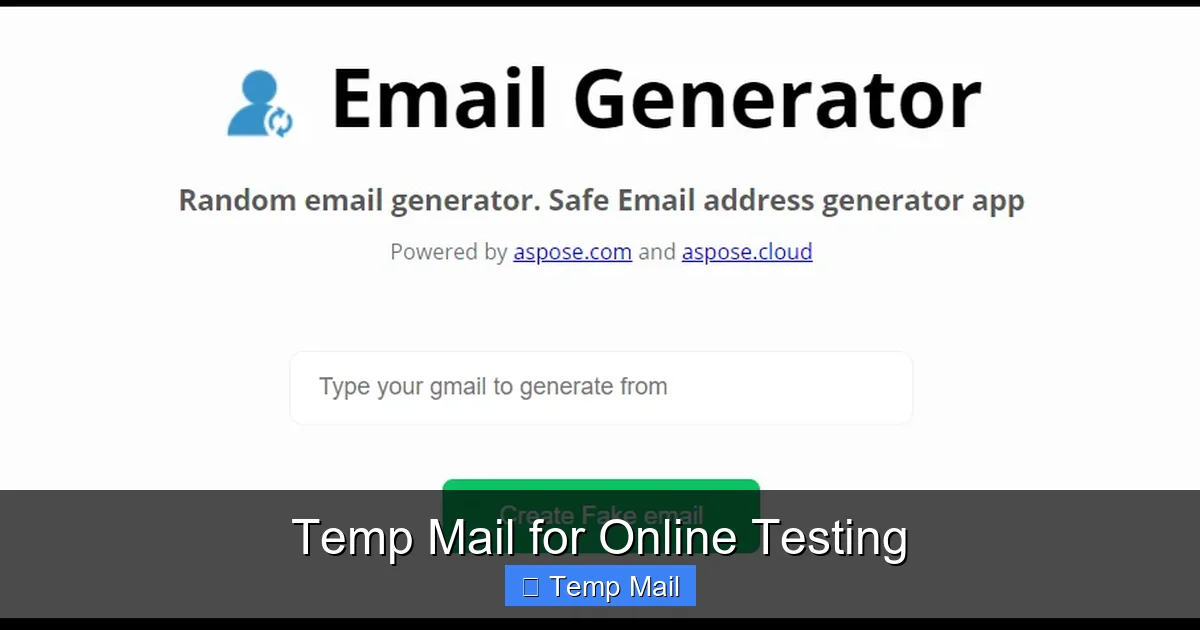
Tired of spam cluttering your primary inbox after signing up for online tests? Using a dedicated temp mail service is the smart solution. It provides a disposable email address specifically for test registrations, practice platforms, and skill assessments, shielding your personal information and keeping your main inbox pristine. This simple strategy enhances your online privacy, prevents unwanted marketing emails, and streamlines the entire testing workflow from sign-up to completion.
Key Takeaways
- Privacy Shield: Temp mail acts as a protective barrier, preventing testing platforms and potential data brokers from accessing your real email address and personal information.
- Spam Prevention: It eliminates the risk of your primary inbox being flooded with promotional emails, newsletters, or data breach notifications from lesser-known testing sites.
- Effortless Management: Create and discard email addresses instantly for each new test or platform, simplifying account management and reducing digital clutter.
- Cost-Effective: Most reputable temp mail services are completely free, offering a zero-cost method to maintain online hygiene during frequent testing activities.
- Security Awareness: While convenient, understand that temp mail is not for secure, long-term, or high-stakes official communications like job offers or financial documents.
- Provider Selection: Choose a reliable temp mail service that offers adequate inbox retention time (e.g., 24-72 hours) and a user-friendly interface for a seamless experience.
- Best Practice Protocol: Always use temp mail for sign-ups only, never for password recovery on critical accounts, and clear your browser cookies after testing sessions.
📑 Table of Contents
- Why Your Inbox Needs a Break: The Testing Dilemma
- What Exactly is “Temp Mail”? More Than Just a Junk Folder
- The Undeniable Advantages of Using Temp Mail for Online Testing
- Step-by-Step: How to Seamlessly Integrate Temp Mail into Your Testing Routine
- Top Temp Mail Tools: A Quick Comparison for Test-Takers
- Security & Ethics: Navigating the Gray Areas Safely
- Best Practices: Pro Tips for the Discerning Test-Taker
- The Future of Testing and Privacy: A Harmonious Balance
Why Your Inbox Needs a Break: The Testing Dilemma
Let’s paint a familiar picture. You’re preparing for a crucial certification exam, maybe a coding bootcamp challenge, or a language proficiency test like IELTS or TOEFL. You find the perfect online practice platform or the official registration portal. You excitedly enter your details, including your primary, trusted email address, and hit submit. Mission accomplished. A week later, that same inbox is now a warzone. You’re getting “Special Offer!” emails from the test prep site you used once. There’s a newsletter from a partner vendor. There’s even a suspicious “Your account may be compromised” phishing attempt that looks eerily legitimate because it references the testing platform. Sound familiar?
This is the modern testing dilemma. The very act of engaging with online learning and assessment tools, which should be about growth and achievement, often comes with a hidden cost: your inbox peace of mind and, more importantly, your digital privacy. Your email address is a golden key. It’s the primary identifier linked to your online identity. When you share it willy-nilly with every new quiz, practice test, or skills platform, you’re not just getting spam. You’re creating a sprawling, invisible map of your interests, your educational pursuits, and your professional development goals—all stored in databases you have no control over. This is where the elegant, simple tool of temporary email becomes not just a convenience, but a critical component of a smart, private, and organized online testing strategy.
What Exactly is “Temp Mail”? More Than Just a Junk Folder
Demystifying the Disposable Inbox
At its core, temp mail (short for temporary mail) is a service that provides you with a random, disposable email address for a short, predefined period. Think of it as a burner phone for your inbox. You don’t register for it; you don’t set a permanent password (though some allow it). You simply visit a website like Temp-Mail.org, Guerrilla Mail, or 10MinuteMail, and a fully functional inbox is generated for you instantly, complete with an @domain address. You can receive emails in that inbox, view them, click links, and sometimes even reply—all within a temporary window, typically 10 minutes to 72 hours, after which the address and all its contents are permanently wiped from existence.
The Core Technology: How It Works Under the Hood
These services operate on a simple but effective technical model. They maintain a large pool of domain names and generate random usernames. When you visit the site, the server assigns you an unused combination. The inbox associated with that address is created in their system memory. Any email sent to that address is routed to and stored in that specific, ephemeral inbox. There’s no persistent storage on your device, and crucially, there’s no link back to your real identity. The service provider has no incentive or easy mechanism to tie that temporary address to you personally, as you never provided any identifying information to create it. This anonymity is the foundation of its utility for online testing scenarios.
The Undeniable Advantages of Using Temp Mail for Online Testing
1. A Fort Knox for Your Primary Inbox (Spam & Phishing Defense)
This is the most immediate and gratifying benefit. By using a temp mail address for every single test platform sign-up, practice tool registration, and webinar invitation, you create a perfect one-way valve. All the promotional noise, the “upgrade now!” nags, and the potential phishing baits are funneled into a disposable inbox you check once or twice and then abandon. Your primary inbox, the one linked to your bank, your real job, and your family, remains a sanctuary of important, vetted communication. You are no longer a low-hanging fruit for marketers who sell email lists from “education tech” sectors. You’ve effectively removed your testing activities from the commercial data ecosystem.
2. Reclaiming Control and Digital Minimalism
How many unused accounts are haunting the internet with your real email? That coding challenge from 2021? That free “UX Design 101” course you never finished? They all have a digital ghost with your name on it. Using temp mail for online testing promotes a philosophy of digital minimalism. It forces a clean-up by design. The account associated with the temp address ceases to exist when the inbox expires. There’s no lingering account to “delete” (a process often more complicated than signing up). You simply walk away. This reduces your digital footprint, minimizes the number of data breaches that could potentially expose your email in the future, and keeps your online presence tightly curated to only what you actively maintain.
3. Streamlining the Test-Taking Workflow
Consider the practical workflow. You need to access a practice test. You generate a temp mail, sign up, receive the access link, take the test, and note your score. You may need to check that inbox once more for a results summary. Then you’re done. There’s no mental overhead of “Is this a real email from the test provider or a marketing ploy?” because you know everything in that temp inbox is likely ephemeral and transactional. It creates a dedicated, isolated channel for the specific task of testing. You can even use a new temp address for each major test type—one for coding platforms like HackerRank or LeetCode, another for language exam prep sites—creating an additional layer of organizational separation without any complex filtering rules.
4. Zero Cost, Maximum Benefit
Unlike premium privacy services or dedicated email hosting, the vast majority of temp mail providers offer their core functionality for free. There’s no subscription fee, no credit card required. This makes it an incredibly accessible tool for students, job seekers, and lifelong learners who may be on a tight budget but still value their privacy and inbox sanity. The cost-benefit analysis is overwhelmingly positive: a few seconds of your time to generate an address saves you hours of future spam management and protects your primary identity credential for free.
Step-by-Step: How to Seamlessly Integrate Temp Mail into Your Testing Routine
Adopting this habit is easier than you think. Here’s a practical, actionable guide to making temp mail for online testing your new normal.

Visual guide about Temp Mail for Online Testing
Image source: 10-minutemail.com
Step 1: Choose and Bookmark Your Go-To Provider
Not all temp mail services are created equal. For testing, you want reliability and a clear interface. Excellent choices include Temp-Mail.org (reliable, multiple domain options), Guerrilla Mail (very fast, includes basic reply function), and 10MinuteMail (extremely short, perfect for a single quick sign-up). Bookmark one or two. Don’t waste time searching each time.
Step 2: The Sign-Up Ritual
Whenever you land on a website that asks for an email to access content, a free trial, a test, or a quiz, pause. Open your bookmarked temp mail site in a new tab. Copy the randomly generated email address. Paste it into the registration form on the testing site. Complete the sign-up. Pro-Tip: If the site offers a “I’m just browsing” or “Use a demo account” option, that’s often an even better alternative to using any email at all.
Step 3: Access and Action
Most testing platforms will send a confirmation link or access code to the provided email. You’ll need to switch to your temp mail tab, refresh the inbox (some auto-refresh, some have a button), find the email from the platform, and click the link or copy the code back to the original tab. Do this promptly, as some temp inboxes have very short lifespans (like 10 minutes). For longer practice sessions (24-48 hours), choose a provider with a longer retention window.
Step 4: The Graceful Exit
Once you’ve completed the test, downloaded your results, or finished the practice module, you can close the tab. There is no “log out” or “delete account” needed. The entire digital transaction—the account and the inbox—is designed to self-destruct. If you need to reference something later, take a screenshot or save the PDF results to your local machine before the temp inbox expires. Do not rely on the temp inbox for long-term storage.
Top Temp Mail Tools: A Quick Comparison for Test-Takers
Here’s a no-nonsense comparison of popular services tailored for online testing use cases.
- Temp-Mail.org: The Swiss Army Knife. Offers multiple domain choices (you can change the @domain), a 24-hour default inbox lifespan (extendable), and a clean, ad-light interface. Best for: Most general testing scenarios where you might need the inbox for a day or two.
- Guerrilla Mail: The Speed Demon. Generates an address instantly. Features a simple “Reply” function, which is rare and useful if a platform sends a “reply to this email to confirm” type message. Inbox lasts about 60 minutes. Best for: Quick sign-ups, one-time access codes, and platforms with a fast verification process.
- 10MinuteMail: The Blinker. As the name implies, the inbox exists for 10 minutes. Pure, unadulterated ephemerality. No frills, just a box. Best for: Insta-quizzes, “view this document” gates, or any site where you know the email will arrive instantly and you’ll act immediately.
- MailDrop.cc: The Minimalist. Very bare-bones. You can specify a username (e.g., [email protected]), which can help you remember which test it was for. No password, no frills. Inbox persists as long as you keep the browser tab open. Best for: When you want a semi-custom address for a specific, short-term project.
Key Consideration: Avoid services that are cluttered with misleading “Download Now” buttons or aggressive adult ads. These can be security risks themselves. Stick to the well-known, reputable names listed above.
Security & Ethics: Navigating the Gray Areas Safely
Is It Actually Secure? Understanding the Limits
It’s crucial to understand what temp mail is not designed for. It is not a secure communication channel for sensitive data. The inbox is not encrypted end-to-end. The provider technically has access to any emails that pass through their system. Therefore, you should never use a temp mail address for:
- Password recovery for any important account (bank, primary email, social media).
- Receiving official documents like contracts, job offers, or legal notices.
- Any transaction involving financial information.
- Communications with government agencies.
For online testing, its use is perfect because the emails received are typically automated confirmations, links, and non-sensitive results. You are using it as a privacy shield during the sign-up phase, not as a long-term communication hub.
The Ethical and Legal Landscape
Using a temp mail address is not illegal. It is a standard tool for privacy protection. However, you must respect the Terms of Service (ToS) of the website you are signing up for. Some platforms explicitly forbid the use of disposable email addresses in their ToS, as they use email for user verification and to combat spam and fraud on their own platform. While enforcement is rare for a simple practice test, it’s a consideration. The ethical line is clear: using it to bypass a paywall by creating infinite free trial accounts is unethical and often violates ToS. Using it to protect your primary email from a free coding challenge is a perfectly legitimate use of your digital rights.
Best Practices: Pro Tips for the Discerning Test-Taker
To master the art of using temp mail for online testing, follow these pro-level guidelines.
- Use a Dedicated Browser Profile or Incognito Window: This prevents cookies and tracking from one testing site from bleeding into your main browsing activity. It also keeps your temp mail session isolated.
- Never Use Your Temp Address for Password Recovery: This is the cardinal rule. If you sign up for a testing platform with a temp mail, and later try to use its “forgot password” feature, you will be locked out forever. Treat the account as a throwaway, single-session resource.
- Document Critical Info Immediately: The moment you receive a confirmation link, access code, or score report in your temp inbox, save it elsewhere. Take a screenshot, copy-paste the text into a notes app, or download the PDF. Do not assume the inbox will be there when you return.
- Check Retention Times: Before you commit to a provider for a multi-day course or practice exam, verify its standard inbox retention period. 24 hours is common. If the test spans a week, you may need to generate a new temp address midway and update your profile on the platform if allowed (or just use the original one to access the platform and rely on the platform’s internal login, not email).
- Have a Fallback Plan: For the rare, high-stakes official exam (like the official GMAT or LSAT), the testing body (GMAC, LSAC) will require a verified, permanent email address for official score reporting and communication. In these cases, temp mail is only suitable for initial exploration of their free practice materials, not for the actual registered exam.
- Clear Your Browser Data Post-Session: After you’ve finished with a testing session that used a temp mail, close all related tabs and consider clearing your browser’s cookies and site data for that session. This severs the connection between the temp mail session and your browser fingerprint.
The Future of Testing and Privacy: A Harmonious Balance
The trend is clear. As data privacy regulations like GDPR and CCPA gain strength and user awareness grows, the pressure on edtech and assessment platforms to handle email data responsibly will increase. We may see more platforms offer “private login” options, such as using a one-time passcode sent via SMS or authenticator apps instead of email. Until that becomes ubiquitous for all free and practice testing tools, the temp mail remains a powerful, user-controlled shield. It represents a small but significant act of digital self-defense. By consciously choosing when and where to deploy your primary email address, you reclaim agency. You decide which relationships are worth the long-term commitment of your inbox and which are merely transactional blips on your learning journey. For the vast landscape of online testing—from a quick quiz on a new framework to a month-long language course—that decision should almost always be: “Let’s use the disposable one.” It’s not about being paranoid; it’s about being prudent, organized, and respectful of your own digital peace.
Frequently Asked Questions
Is using temp mail for online testing safe and legal?
Yes, it is both safe and legal. It is a legitimate privacy tool. However, you must ensure you are not violating the specific Terms of Service of the testing platform, which sometimes prohibit disposable emails. For free practice tests and skill assessments, it is almost always acceptable and recommended.
What happens if I need to reset my password for a site I signed up with using temp mail?
You will be unable to reset it. The password reset email will be sent to the disposable address, which you will no longer have access to. This is why you should treat accounts created with temp mail as single-session, non-recoverable accounts. Do not use them for any service where account recovery is important.
How is temp mail different from a regular email alias or forwarding service?
A regular email alias (like from Gmail or Outlook) is still tied to your primary account and inbox. It’s just a different name for the same mailbox. Temp mail creates a completely separate, isolated inbox with no connection to your identity, which self-destructs after a set time. There is no long-term management or link back to you.
Can I use temp mail for official, high-stakes exams like the GRE or MCAT?
No. For official, proctored exams that result in accredited scores, the testing authorities (ETS, AAMC, etc.) require a verified, permanent email address for identity verification, score reporting, and official communication. Temp mail is only suitable for the free practice materials and unofficial prep platforms associated with these exams.
What if a testing site rejects my temp mail address during sign-up?
Some sites maintain blacklists of known disposable email domains. If this happens, you have two options: 1) Try a different temp mail provider (switch from Temp-Mail.org to Guerrilla Mail, for example), or 2) For a site you truly trust, consider using a dedicated, secondary permanent email address created solely for such purposes (e.g., a free Gmail account used only for test sign-ups).
Do temp mail providers keep any logs or data about my activity?
Reputable providers state that they do not log IP addresses or link sessions to users, as no registration is required. However, technically, they could log activity on their servers. The key is that the data is not tied to your personal identity and is purged when the inbox expires. For maximum privacy, use a provider with a clear, transparent privacy policy and avoid those laden with intrusive ads or malware.
Leave a Reply