Tired of your main email getting bombarded with spam? Temp mail provides instant, disposable email addresses that shield your real inbox. Perfect for one-time sign-ups, downloads, or any situation where you need an email but don’t want to share your personal details. It’s fast, free, and requires zero setup—your ultimate tool for a cleaner, more private online experience.
Key Takeaways
- Anonymity First: Temp mail creates a completely anonymous, untraceable email address linked to your real identity.
- Zero Setup, Instant Access: No registration, no password, no personal info. The inbox is ready the moment the address is generated.
- Ephemeral by Design: These inboxes are temporary, typically lasting 10 minutes to a few hours, then self-destruct.
- Spam & Marketing Shield: Use it for websites you don’t fully trust to prevent promotional emails and data harvesting from reaching your primary inbox.
- Ideal for Specific Use Cases: Perfect for forum registrations, software trials, one-time discount codes, and accessing gated content.
- Security Awareness is Key: Never use temp mail for critical accounts (banking, main social media), password resets, or legal documents.
- Provider Variability: Features, lifespan, and domain availability differ between temp mail services; choose based on your specific need.
📑 Table of Contents
- What Exactly Is Temp Mail? The Digital Disposable Shield
- Why You’ll Love It: The Core Benefits of Going Temporary
- Perfect Times to Use a Disposable Email Address
- The Flip Side: Important Limitations & Security Considerations
- How to Choose the Right Temp Mail Service
- Best Practices: Using Temp Mail Like a Pro
- The Future of Ephemeral Communication
- Conclusion: Your Inbox, Your Rules
What Exactly Is Temp Mail? The Digital Disposable Shield
Imagine needing a key to open a single door, but you don’t want to give out the key to your entire house. That’s the core idea behind temporary email, or “temp mail.” It’s a service that generates a random, working email address and an associated inbox for a short, predefined period. Think of it as a digital burner phone or a throwaway coffee cup. You use it for a specific, often low-stakes, purpose and then discard it without a second thought.
The magic lies in its simplicity and immediacy. There’s no “Sign Up” button to click. You visit a temp mail website, and—boom—you’re presented with an address like [email protected]. That inbox is live and can receive emails right away. You copy that address, use it wherever you need, and check the same website for incoming messages. Once the timer runs out (often 10, 30, or 60 minutes), the address and all its contents vanish into the digital ether. No traces, no follow-up. It’s email designed for the modern web’s friction points.
How It Works Under the Hood: A Simple Flow
Behind the user-friendly interface is a straightforward technical process. When you load a temp mail site, its server automatically generates a unique string (the username) and pairs it with a domain the service controls (like @mailinator.com, @10minutemail.com, etc.). This creates a full, valid email address. The server simultaneously creates a database entry for this address, linked to a temporary session ID stored in your browser.
When an email is sent to that address, the temp mail service’s mail server receives it, stores it in the database linked to that session, and displays it in your browser window. Since there’s no password or login, anyone with the exact URL (which often contains the session ID) can view the inbox. This is why sharing your temp mail address is safe—the worst someone can do is see the emails *you* receive there, not access any other accounts.
Why You’ll Love It: The Core Benefits of Going Temporary
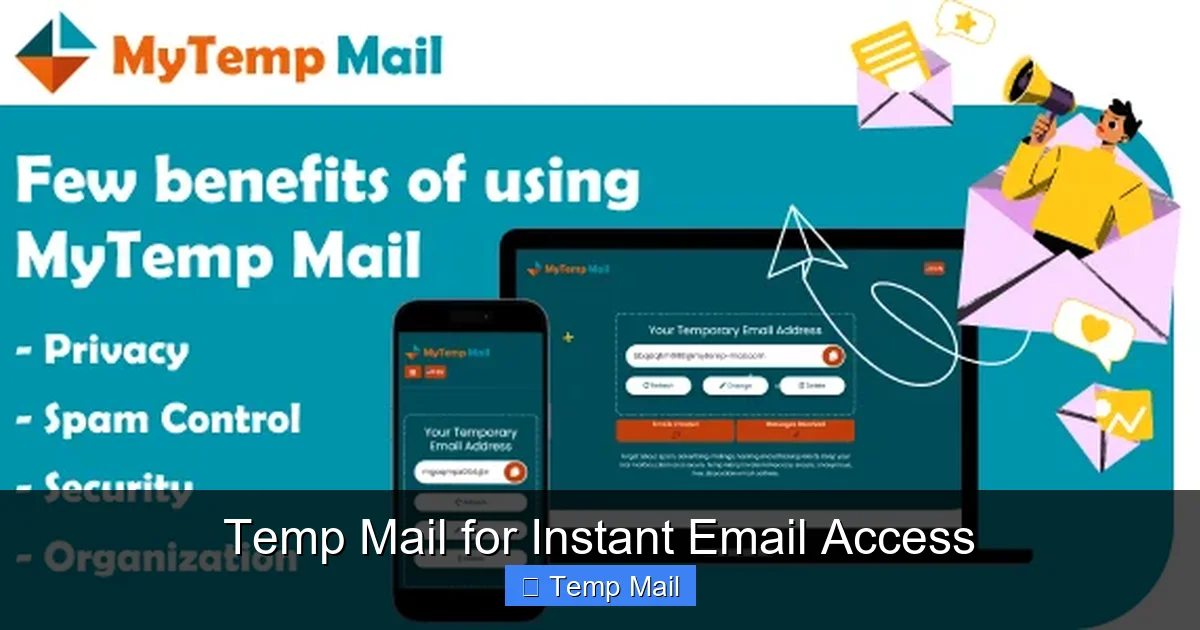
The appeal of temp mail isn’t just a cool trick; it’s a practical solution to several pervasive online annoyances. Let’s break down the tangible benefits that make it a must-have tool in your digital arsenal.
Visual guide about Temp Mail for Instant Email Access
Image source: miro.medium.com
Benefit 1: Reclaim Your Inbox from Spam
This is the number one reason people turn to temp mail. Every time you sign up for a new service, download a whitepaper, or enter an online contest, you’re often asked for an email. Companies use these for marketing. Even with the best intentions, your “primary” inbox can become a wasteland of promotional newsletters, “exclusive offers,” and notifications you never wanted. By using a disposable address for these one-off interactions, you create a hard firewall. The spam goes to the temp inbox, which deletes itself (and all its spam) automatically. Your personal or work email remains pristine, used only for people and services you genuinely trust.
Benefit 2: Bypass Registration Walls Instantly
How many times have you wanted to read an article, view a PDF, or access a tool, only to be stopped by a “Create an Account” gate? These mandatory registrations are frustrating and often just a way for the site to build an email list. Temp mail lets you instantly bypass these walls. Generate an address, paste it into the form, submit, and often the content unlocks immediately. You get what you wanted without committing to a long-term relationship with a site you might never visit again. It turns a tedious process into a 30-second action.
Benefit 3: Protect Your Privacy & Data
Every email address you give out is a data point. It can be used to build a profile of your interests, location (via IP logs), and online behavior. Data breaches are common, and your email is often the master key to other accounts (via “Forgot Password?” links). Using a temp address for non-essential sites minimizes your digital footprint. You’re not giving out your real name, your primary email, or any linked information. It’s a simple, effective step towards practicing minimal data sharing and enhancing your overall online privacy.
Benefit 4: No Strings, No Commitment
There’s no psychological barrier. Because the inbox is destined to die, you feel zero obligation to check it regularly or worry about missing an “important” email from a random forum. You use it, you get what you need (the verification code, the download link), and you move on. This lack of commitment is psychologically freeing and prevents inbox clutter from becoming a source of stress.
Perfect Times to Use a Disposable Email Address
Knowing *when* to use temp mail is as important as knowing *how*. It’s a tool for specific scenarios, not a universal replacement for your primary email. Here are the prime use cases where it shines.
Visual guide about Temp Mail for Instant Email Access
Image source: mytemp-mail.com
Use Case 1: One-Time Sign-Ups & Downloads
This is the bread and butter. You want a free ebook, a software trial, a discount code, or to comment on a news article. The site demands an email. Use temp mail. You’ll receive the download link or code in the temporary inbox within minutes. Once you have it, you’re done. No follow-up spam in your main inbox.
Use Case 2: Forum & Community Registrations
Joining a niche forum to ask a single question or participate in a discussion? Use a temp address. Forums are notorious for sending digest emails, promotional content, and having weak security. Keeping that activity separate from your identity is smart.
Use Case 3: Testing Website & App Flows
Are you a developer, QA tester, or just a curious user? Temp mail is invaluable for testing email verification steps, password reset flows, or notification systems without polluting your real inbox or creating dozens of fake permanent accounts. You can generate a fresh address for each test case.
Use Case 4: Avoiding Price Discrimination & Tracking
Some travel and e-commerce sites are suspected of tracking email addresses to show higher prices to repeat visitors. Using a new temp address for each search can sometimes help you see lower, “new customer” prices. It also breaks the direct link between your browsing behavior and your identity for that session.
Use Case 5: Accessing Geo-Restricted or Gated Content
Some websites block content behind an email gate, especially in regions with strict internet policies. A temp mail service with a different domain (e.g., a US-based domain if you’re elsewhere) can sometimes help you access information that’s otherwise gated by a simple email capture.
The Flip Side: Important Limitations & Security Considerations
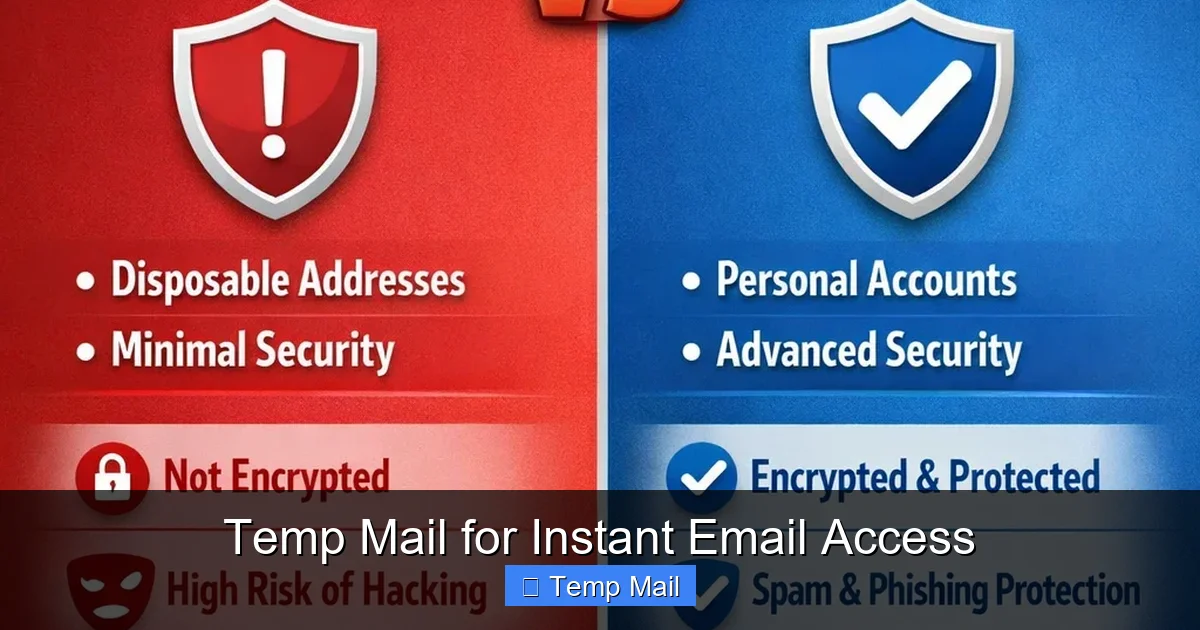
Temp mail is powerful, but it’s not a magic bullet. Understanding its limitations is crucial for using it safely and effectively. Using it incorrectly can lead to real problems.
Visual guide about Temp Mail for Instant Email Access
Image source: mytemp-mail.com
Limitation 1: No Account Recovery, Ever
This is the most critical rule. Because the inbox is temporary and anonymous, you cannot recover a password for an account registered with a temp email. If you sign up for a social media, banking, or even a gaming account with a temp address and later forget your password, you are permanently locked out. There is no “reset password” email that will reach you. Only use temp mail for accounts where losing access is a minor inconvenience, not a catastrophe.
Limitation 2: Lack of Long-Term Storage & Search
The inbox is a fleeting window. Emails are typically deleted after the session ends. You cannot archive, label, or search through old messages. If you need to reference a confirmation code or document later, you must save it externally before the inbox expires. It’s a read-once, delete-forever system.
Limitation 3: Some Services Actively Block Them
Many major platforms (Google, Facebook, Microsoft, major banks, many SaaS companies) maintain lists of known disposable email domains and will outright block registration attempts using them. They see it as a high spam/abuse risk. If you try to sign up for Gmail with a temp mail, it will be rejected. You must know which sites allow it and which don’t.
Security Consideration: The Public Inbox Reality
Remember, the inbox is accessible via a unique URL. While random, if that URL is shared or logged, someone else could see the emails you receive. Do not use temp mail for sensitive personal information, private documents, or anything you wouldn’t want a stranger to potentially see. It’s for low-risk, non-sensitive communication only.
How to Choose the Right Temp Mail Service
Not all temp mail providers are created equal. While the core function is similar, features vary. Here’s what to look for when selecting one.
Key Feature 1: Inbox Lifespan
How long does the inbox stay active? Common options are 10 minutes, 30 minutes, 1 hour, or 24 hours. For most sign-ups, 10-30 minutes is sufficient to receive a verification email. If you need a bit more flexibility, a 1-hour or 24-hour service is better. Choose based on your typical need. Shorter times are more private.
Key Feature 2: Domain Variety & Customization
Some services offer only one domain (e.g., everything ends in @10minutemail.com). Others offer a choice of several domains. This can be useful if a particular domain is blocked by a site you’re trying to register on. A few advanced services even let you choose a custom username before generating the full address.
Key Feature 3: No-Captcha & Ease of Use
The best services require no CAPTCHA puzzles to generate an address. It should be a single-click or single-page-load operation. If a service makes you solve puzzles, it’s often slower and more frustrating than the problem it’s solving.
Key Feature 4: Email Reply Capability
Most temp mail services are receive-only. You can get emails, but you cannot send them. A rare few allow you to reply from the temporary address. This is useful if you need to respond to a confirmation request directly from the temp inbox. Check if this is a feature you need.
Popular Service Examples (For Illustration)
10MinuteMail: The classic. Simple, fast, 10-minute lifespan. Very straightforward.
Temp-Mail.org: Offers a longer default lifespan (up to 1 hour or more), multiple domain choices, and sometimes a “keep alive” button to extend the session.
Guerrilla Mail: Known for its slightly longer retention (up to 1 hour) and ability to choose a custom username from a list.
Mailinator (Public Inboxes): A different model. Any address @mailinator.com is public. Anyone can check it. Use only for utterly non-private public verifications (like a demo account shared with a team). Never for anything personal.
Best Practices: Using Temp Mail Like a Pro
To get the most out of temp mail without hitting pitfalls, follow these simple guidelines.
- Always Have Your Primary Ready: Keep your main email tab open. Use the temp address only for the initial gate. Once you get the verification code or download link in the temp inbox, immediately switch to your primary email to complete any important account setup if needed.
- Save Critical Info Immediately: The moment you see the email with your download link, license key, or coupon code, copy and paste it into a text file or notes app. Do not rely on the temp inbox to stay open.
- Use Different Addresses for Different Sites: Don’t reuse the same temp address across multiple unrelated sites. While they all delete, using a fresh address each time further segments your activity and makes cross-site tracking harder.
- Check the Inbox Promptly: Some sites send verification emails that expire in 15-30 minutes. Don’t generate a temp address and then walk away. Check it within a few minutes to catch the email before it times out.
- Know When to Stop: If a site seems particularly sketchy, even for a temp email, trust your gut. It might be trying to phish you or distribute malware. A legitimate company won’t force you to use a temp mail to access basic information.
- Clear Your Browser Data: For maximum privacy, after you’re done with a temp mail session, close the browser tab and consider clearing your session cookies. This ensures the unique URL is gone from your history.
The Future of Ephemeral Communication
The concept of temporary, anonymous communication is evolving. We see it in apps like Signal (with disappearing messages), in anonymous feedback tools, and in privacy-focused browsers. Temp mail is the pioneer of this “ephemeral identity” trend for the open web. As data privacy regulations tighten and user awareness grows, the demand for tools that let us interact online without long-term commitment will only increase. Temp mail isn’t going away; it’s becoming a standard part of a mature digital citizen’s toolkit for managing their online presence with intention and control.
Conclusion: Your Inbox, Your Rules
Temp mail for instant email access is more than a convenience—it’s a declaration of autonomy in the digital age. It hands you the power to say “no” to unwanted data collection, to bypass tedious gates, and to protect the precious inbox you use for real life. By understanding its purpose, respecting its limitations, and applying it strategically to the right situations, you transform a chaotic, spam-filled web into a more navigable, private space. Use it wisely, keep your primary email sacred, and enjoy the clean, clutter-free digital life you deserve. It starts with a single, temporary click.
Frequently Asked Questions
Is using temp mail legal?
Yes, using disposable email services is completely legal in most jurisdictions. It’s a tool for privacy, similar to using a VPN or private browsing mode. The legality only becomes an issue if the service is used for fraudulent activities, which is illegal regardless of the email type used.
Is temp mail safe from hackers?
Temp mail is safe for its intended purpose: receiving non-sensitive, low-risk emails. The main security risk is that the inbox is public via its unique URL. Never use it for password resets, financial transactions, or sending private data. For its use case (sign-up confirmations), it is generally secure.
How long do temp mail addresses last?
It varies by provider. Common lifespans are 10 minutes, 30 minutes, 1 hour, or 24 hours. Some services offer a “keep alive” button to extend the session. Always check the countdown timer on the provider’s site to know when your inbox will expire.
Can I reuse the same temp mail address?
No. Once the session expires and the inbox is deleted, that specific email address is gone forever. The next time you visit the service, you will get a completely new, random address. You cannot recreate or recover the old one.
What’s the difference between temp mail and a regular email?
The core differences are anonymity, permanence, and purpose. Regular email (Gmail, Outlook) requires personal info, is permanent, and is designed for long-term communication and account recovery. Temp mail requires no info, is temporary, and is designed for single-use, low-stakes interactions with no recovery options.
What if a website blocks my temp mail address?
Many major sites block known temp mail domains. If this happens, you have two options: 1) Use a different temp mail service that offers a different, unblocked domain, or 2) Use your primary email address for that specific site, accepting that you may receive some marketing from them. There is no way to bypass a block with the same service.
Leave a Reply