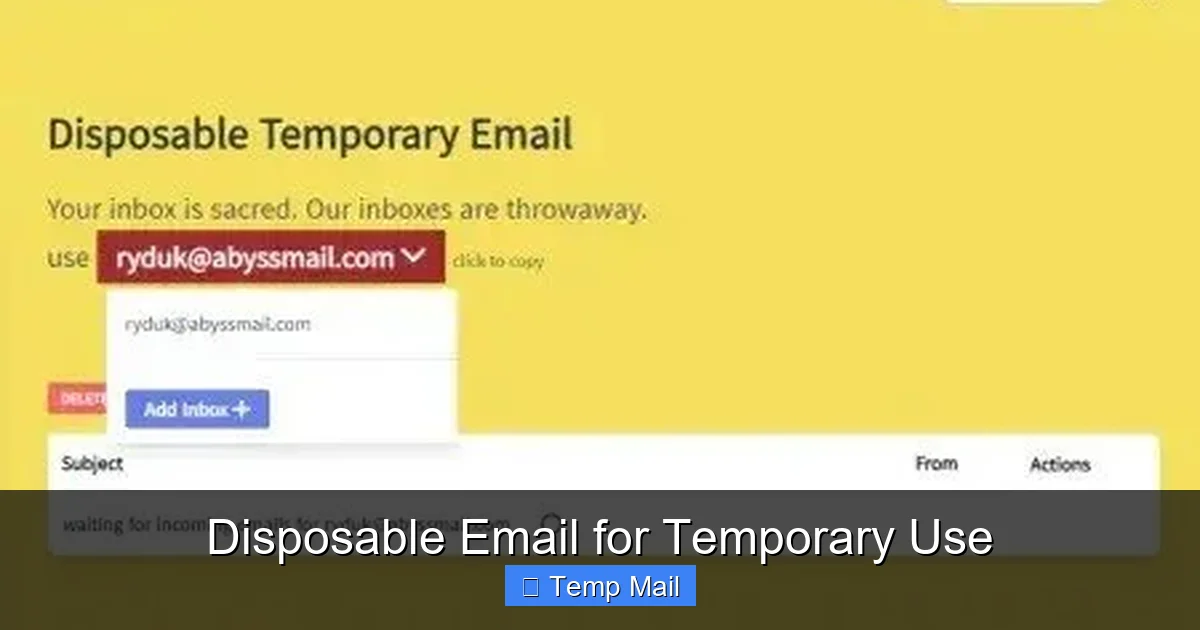
A disposable email is a free, temporary inbox that auto-deletes after a short time. It’s your secret weapon against spam, data harvesting, and unwanted marketing when signing up for untrusted websites or one-time downloads. By using a throwaway address, you keep your primary email secure and your main inbox clean, all without any long-term commitment.
Key Takeaways
- Privacy Shield: Disposable emails act as a protective barrier, preventing companies from linking your real identity and primary email to low-trust services or potential data breaches.
- Spam Prevention: They eliminate spam at the source. Since the address expires, any promotional emails sent to it vanish, never cluttering your permanent inbox.
- No Registration Required: Most services generate a temporary inbox instantly, with no personal details, passwords, or account creation needed.
- Inherent Limitations: They are not for important accounts (banking, social media), password resets for critical services, or any long-term communication due to their temporary nature.
- Security Trade-off: While great for privacy, the inbox is public; anyone with the address can view emails. Never use them for sensitive information like passwords or financial details.
- Site Compatibility Varies: Some websites actively block known disposable email domains to prevent abuse, so they won’t always work for sign-up forms.
📑 Table of Contents
- What Exactly Is a Disposable Email?
- The Powerful Benefits: Why You Should Use Temporary Email
- The Risks and Limitations: What Disposable Email Can’t Do
- Common and Smart Use Cases for Disposable Email
- Best Practices: How to Use Disposable Email Safely and Effectively
- The Future and Alternatives: Beyond Basic Temp Mail
- Conclusion: A Tool for the Responsible Digital Citizen
What Exactly Is a Disposable Email?
Imagine you need to download a free ebook or sign up for a one-time discount at a new online store. You’re asked for your email address. You know that handing over your primary Gmail or Outlook address might lead to a torrent of promotional newsletters, targeted ads, and, worst of all, your email ending up on a sold list. This is where a disposable email, also called temp mail or throwaway email, becomes your digital bodyguard.
At its core, a disposable email is a temporary, anonymous email address provided by a free online service. It’s designed for a single, short-lived purpose. You visit a website like Temp-Mail or 10MinuteMail, and it instantly generates a random inbox for you—complete with an address you can copy and use. You don’t set a password. You don’t verify a phone number. The inbox exists on a public server, and all messages sent to that address are displayed on a simple web page. After a set period, which can range from 10 minutes to 24 hours, or once you close the browser tab, that address and all its contents are permanently erased from existence. It’s like renting a P.O. box for an hour, then burning the key.
The Core Mechanics: How a Throwaway Inbox Works
The process is beautifully simple, often taking less than 30 seconds:
- Generation: You navigate to a disposable email provider’s homepage. The site automatically creates a unique email address for you (e.g., [email protected]) and opens a corresponding inbox view.
- Usage: You copy that address and paste it into any website’s sign-up or download form. The website sends a verification email or download link to that disposable address.
- Retrieval: You switch back to the temp mail tab. The service polls for incoming mail, and within seconds, the email appears in your public inbox view. You click any links or copy codes directly from that page.
- Expiration: The service’s timer counts down. Once the time limit (clearly displayed on the site) is reached, the address is deactivated. All stored emails are deleted, and the address may be recycled for another user later.
There’s no “sending” functionality in most basic services. These are purely receive-only inboxes designed for you to get that one crucial link or code, not for you to engage in correspondence.
The Powerful Benefits: Why You Should Use Temporary Email
Using a disposable email isn’t about being shady; it’s about being smart and maintaining control over your digital footprint. The advantages are compelling for anyone who browses the modern web.
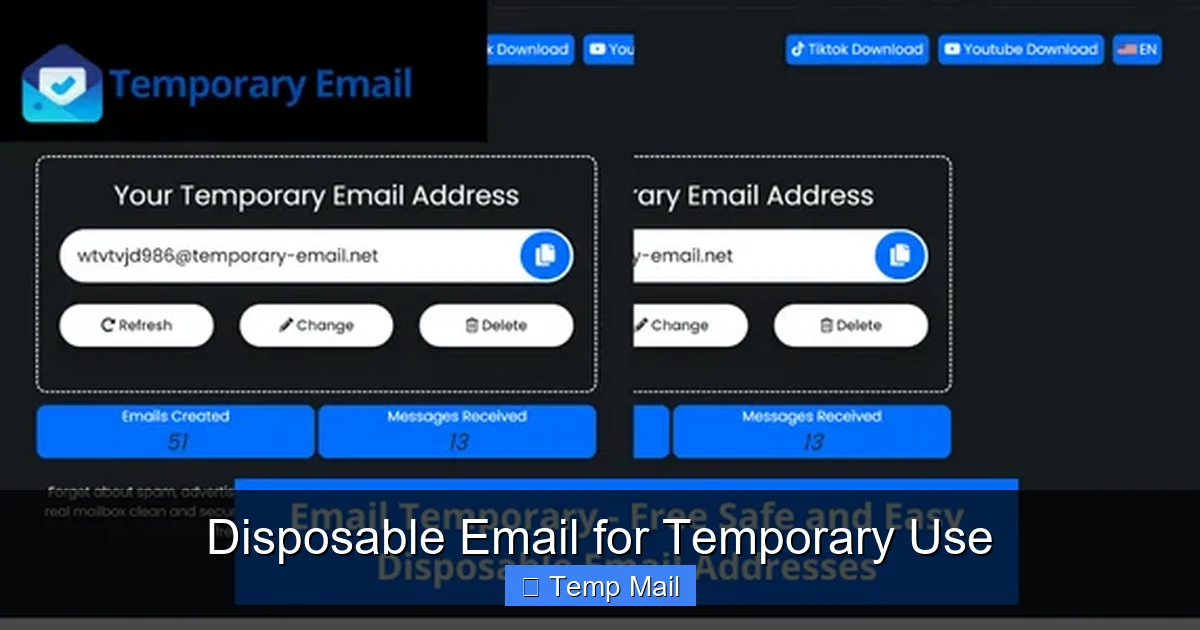
Visual guide about Disposable Email for Temporary Use
Image source: profitable-business.net
Benefit 1: Your Primary Email’s Ultimate Spam Filter
This is the most immediate and satisfying benefit. Every time you use your real email for a sketchy download site or a forum you’ll only visit once, you’re giving that entity permission to email you forever. Unsubscribing can be a labyrinth. With a disposable address, the spam has nowhere to land permanently. After the inbox expires, any future emails sent to that dead address bounce back to the sender, effectively cutting off the communication line at the source. Your primary inbox remains a sanctuary for emails from family, your boss, and services you genuinely trust.
Benefit 2: Enhanced Privacy and Anonymity
Data is the currency of the internet. Many “free” services harvest your email address as a unique identifier to build a profile of your interests and behaviors, which they then sell to advertisers or use for their own targeting. A disposable email severs that link. The website sees only the temp address, not you. It cannot cross-reference your activity with your real identity or your other online accounts. For those concerned about data privacy, this is a simple, effective step to limit personal data exposure.
Benefit 3: Bypassing Mandatory Sign-Ups for Content
How many times have you abandoned reading an article because it demanded you “subscribe with your email” to see the rest? Or wanted a whitepaper but didn’t want to join a company’s entire marketing ecosystem? A disposable email is the perfect key. You get immediate access to the content you want, without the long-term obligation of a newsletter subscription you’ll never read. It turns a paywall of personal data into a simple gate you can walk through anonymously.
Benefit 4: Testing and Development
For developers, QA testers, or anyone creating accounts in bulk for testing purposes, disposable emails are a lifesaver. Instead of creating hundreds of real Gmail accounts (which is against Google’s terms of service anyway), you can automate sign-up flows using temp mail APIs. It keeps testing clean and avoids polluting real user databases with test data.
The Risks and Limitations: What Disposable Email Can’t Do
While powerful, disposable email is not a magic shield for all online activities. Understanding its limitations is crucial for using it safely and effectively.
Visual guide about Disposable Email for Temporary Use
Image source: image.winudf.com
Limitation 1: Zero Security and Complete Publicity
This is the most critical warning. The inbox is not private. The URL or the address itself is often the only “key.” Anyone who has that link or knows the address can view the emails. There is no password protection by design. Therefore, you must never use a disposable email for:
- Any account involving financial information (banking, PayPal, stock trading).
- Password recovery for important accounts (your main email, social media).
- Receiving sensitive documents like medical records or legal contracts.
- Any communication where confidentiality is required.
Limitation 2: Not for Account Longevity
Disposable means disposable. You cannot log back in tomorrow. If you need to access a service weeks or months later—like a cloud storage account, a social media profile, or a subscription service—you must use your permanent, secure email. Forgetting your login details for an account tied to a temp mail means you’ve permanently lost access to that account and any data within it.
Limitation 3: Blocked by Many Major Platforms
To combat spam and abuse, popular platforms like Google (Gmail), Facebook, Twitter, LinkedIn, and most major SaaS providers (e.g., Slack, Notion) maintain lists of disposable email domains and actively block them during sign-up. You’ll often get an error message like “Please enter a valid email address.” This is a feature, not a bug, for these platforms, but it means you can’t use temp mail for the services where you might want it most.
Limitation 4: Lack of Advanced Features
Don’t expect labels, folders, powerful search, or integration with calendars and other tools. The interface is bare-bones: a list of received emails and a preview pane. Attachments are sometimes blocked or size-limited. It’s a utilitarian tool for a single task, not a replacement for a full-featured email client.
Common and Smart Use Cases for Disposable Email
Knowing *when* to use a disposable email is the key to reaping its benefits without falling prey to its risks. Here are the prime scenarios:
Visual guide about Disposable Email for Temporary Use
Image source: paced-email.imgix.net
Use Case 1: One-Time Downloads and Gated Content
This is the #1 perfect use. You want an e-book, a software trial, a research paper, or a discount code. The site asks for an email to send the download link. Use a temp address, get the link, download the file, and forget about it. The marketing emails that follow go to an address that will vanish in an hour.
Use Case 2: Signing Up for Untrusted or New Services
You’re trying a new app, a niche forum, a gaming site, or a service you’re not sure you’ll use again. Before you commit and give them your real contact info, use a disposable email for the initial sign-up and verification. If the service turns out to be spammy or you lose interest, you simply stop checking the expired inbox. No messy unsubscribe process needed.
Use Case 3>Forum Registrations and Commenting
Many online forums and news sites require an account to comment or participate. Often, you just want to make one comment or ask a single question. Creating a permanent account with your real email just for that is overkill and invites future spam from the forum itself or its partners. A temp mail lets you engage anonymously for that one interaction.
Use Case 4: Preventing Data Leakage from Minor Services
You’re signing up for a loyalty card at a local store, a free webinar from a company you’ve never heard of, or a survey for a small chance to win a gift card. These are classic data-harvesting opportunities. Using a disposable email ensures that if (or when) that small company’s email list is breached or sold, your primary email address and the associated identity remain safe and unaffected.
Best Practices: How to Use Disposable Email Safely and Effectively
To master the art of the throwaway inbox, follow these practical guidelines.
Step 1: Choose a Reputable Provider
Not all temp mail services are created equal. Look for providers that:
- Do not require registration: The whole point is anonymity.
- Offer a clear countdown timer: You need to know exactly when your inbox will die.
- Have a simple, ad-light interface: Some are cluttered with misleading download buttons. Stick to clean sites like Temp-Mail.org, 10MinuteMail.com, or MailDrop.cc.
- Allow domain selection (optional): Some let you choose from a few different domain names (e.g., @tmpmail.org, @guerrillamail.com), which can help if a site blocks one domain.
Step 2: The Golden Rule – Never Mix and Match
Establish a clear mental boundary. Your disposable email address is for receiving only, and only from sources you do not trust with your real identity. Do not use it to:
- Send emails to friends or colleagues.
- Sign up for your bank, Amazon, Netflix, or any service you value.
- Recover passwords for any important account.
- Provide it to your employer or school.
Think of it as a burner phone—useful for a specific, low-stakes task, then destroyed.
Step 3: Work Efficiently Within the Time Limit
The clock is ticking. As soon as you generate your temp address, have your target website’s sign-up page ready. Paste the address, submit the form, and immediately switch back to the temp mail tab. Refresh the inbox manually if the auto-refresh is slow. Copy the verification code or click the login link within the same browser session. Don’t close the tab until you’ve completed the task, as some services may invalidate the session.
Step 4: Know When to Abort Mission
If a website’s sign-up process is complex, requiring multiple email verifications over days or weeks, a disposable email is the wrong tool. The first verification email might work, but subsequent ones will bounce after your inbox expires, locking you out. For any service that promises ongoing value (a tool you’ll use daily, a community you’ll join), use your permanent email from the start.
The Future and Alternatives: Beyond Basic Temp Mail
The landscape of online privacy is always evolving. While basic web-based disposable email is here to stay, alternatives and enhancements are emerging.
Alias Services: The Sophisticated Middle Ground
Services like SimpleLogin (now part of Proton), AnonAddy, and Firefox’s Relay offer a more powerful concept: email aliasing. Instead of a public, shared inbox, these services create a unique, forwardable alias address (e.g., [email protected]) that delivers to your real inbox. You can disable the alias at any time with a click, and the sender never sees your primary address. This provides the spam-blocking power of a disposable email but with the reliability and privacy of your own inbox. It’s a premium solution for those who want to manage many “disposable” identities from one place.
Browser Extensions and Built-in Features
Some browsers and password managers are integrating privacy features. Firefox Relay offers a built-in option for Firefox users. Apple’s “Hide My Email” (part of iCloud+) generates random email addresses that forward to your real Apple ID email. These integrated solutions are becoming more mainstream, making temporary email management seamless within your existing ecosystem.
The Persistent Challenge: The “Email as Identity” Problem
Ultimately, the need for disposable email highlights a fundamental flaw in our digital identity system: the over-reliance on the email address as a universal username and login. Until more widespread adoption of standards like WebAuthn (passwordless login) or decentralized identity, the disposable email will remain a vital, if imperfect, tool for the privacy-conscious user. It’s a band-aid on a larger wound, but a very useful band-aid nonetheless.
Conclusion: A Tool for the Responsible Digital Citizen
A disposable email for temporary use is not a tool for deception; it is a tool for deliberate choice. It gives you the power to decide what deserves a direct line to your primary digital self and what is merely a transient interaction. By using a throwaway address for the myriad of low-stakes, high-spam-potential sign-ups that define modern web browsing, you actively defend your inbox, your privacy, and your peace of mind.
The key is intentionality. Use it wisely for its intended purpose: as a short-term shield against data collection and spam. Never rely on it for anything important, secure, or long-lasting. When used with this understanding, a disposable email becomes a simple, free, and incredibly effective part of your personal cybersecurity and data hygiene toolkit. In an online world that constantly asks for your contact details, the ability to say “here’s a temporary address” is a quiet act of reclaiming control.
Frequently Asked Questions
Are disposable emails legal to use?
Yes, using a disposable email is completely legal. The service itself operates within the law. However, using a temp mail address to commit fraud, evade bans, or engage in illegal activities is, of course, illegal. The tool is neutral; its legality depends on your intent and actions.
Are disposable email services safe from hackers?
They are generally safe for their intended low-risk purpose, but they are not secure by design. The inboxes are public to anyone with the URL/address. The provider themselves could potentially log activity. Therefore, they are safe for receiving a newsletter link, but unsafe for any sensitive information. Never use them for passwords, financial data, or private communications.
How long does a disposable email last?
It varies by provider. Common time limits are 10 minutes, 1 hour, 1 day, or until you close the browser tab. Some services like 10MinuteMail are explicitly timed, while others like MailDrop may keep an address active as long as you keep visiting it within a certain period (e.g., 24 hours of inactivity). Always check the countdown timer on your chosen service.
Can a disposable email be traced back to me?
Generally, no. Since you don’t provide any personal information to generate the address, there is no direct link back to your real identity from the email address itself. However, your internet activity is always traceable to your IP address by your ISP. If you use a disposable email while engaging in illegal activity, law enforcement could potentially obtain logs from the temp mail provider (if they keep them) and your ISP to trace the activity.
Can I use a disposable email for two-factor authentication (2FA)?
Strongly not recommended. Two-factor authentication codes are critical for account security. If you use a disposable email for 2FA and the inbox expires before you can enter the code, you’ll be locked out of your account. More importantly, if someone else accesses the public temp inbox, they could gain the second factor and compromise your account. Always use a permanent, secure email for 2FA on important accounts.
What are the best disposable email services?
The “best” depends on your need for simplicity vs. features. For pure, anonymous, no-frills receiving: Temp-Mail.org and 10MinuteMail.com are top choices. For a slightly more feature-rich experience with multiple domain options, Guerrilla Mail is popular. For a more robust, forwardable alias system (which is a step up from basic temp mail), consider SimpleLogin or Firefox Relay. Always use a provider you trust and that has a clear, transparent interface.
Leave a Reply