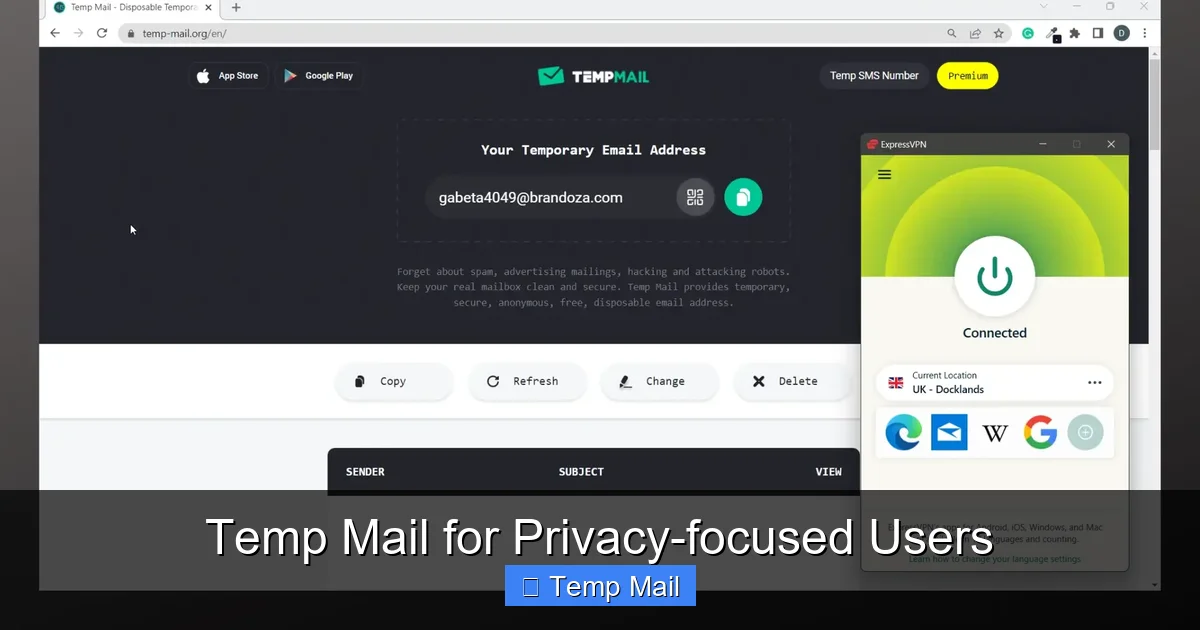
Temp mail services provide disposable, anonymous email addresses that self-destruct, creating a vital barrier between your real identity and the digital world. For privacy-focused users, it’s the first line of defense against spam, data harvesting, and unwanted tracking. By using a temporary inbox for sign-ups, downloads, or any non-critical interaction, you prevent your primary email—and the vast personal data linked to it—from being sold, leaked, or exploited. It’s a simple, powerful tool for reclaiming control over your digital footprint.
Imagine your primary email address as the master key to your digital life. It’s the username for your bank, the recovery email for your social media, the contact for your family, and the login for your cloud storage. Now, imagine handing a copy of that master key to every random website, blog, forum, and online store you casually browse. That’s exactly what happens every time you use your real email to sign up for a free ebook, a discount coupon, or a one-time forum access. Data brokers and spammers feast on this practice, building exhaustive profiles about your habits, interests, and online movements. For the privacy-focused user, this is unacceptable. The solution? A tactical retreat from using your real identity. Enter the world of temporary email, or “temp mail”—your strategic, disposable shield in the battle for digital privacy.
Temp mail isn’t about hiding nefarious activities; it’s about practicing fundamental digital hygiene. It’s the conscious act of compartmentalizing your online presence, ensuring that a leak, a spam campaign, or a data sale in one corner of the internet doesn’t contaminate your entire digital identity. This guide will walk you through everything a privacy-conscious user needs to know: from the core mechanics and undeniable benefits to the careful considerations and best practices that make temp mail a powerful ally, not a liability.
Key Takeaways
- Anonymity First: Temp mail requires no personal information to create an address, severing the direct link between an online activity and your true identity.
- Spam & Phishing Defense: By funneling potential junk and malicious emails into a disposable inbox, you keep your main email clean and drastically reduce phishing attack surfaces.
- Data Broker Barrier: It prevents your primary email from being added to marketing lists and data broker profiles that are built from website sign-ups and freebie offers.
- Breach Containment: If a site using your temp mail suffers a data breach, only that disposable address is compromised, not your lifelong personal or work email.
- No Long-Term Commitment: Addresses expire after a set time or a number of uses, ensuring your digital traces are temporary and automatically erased, aligning with data minimization principles.
- Bypass Censorship & Surveillance: In restrictive regions, temp mail can help access information or register for services without using a monitored, state-linked personal email.
- Tool, Not a Panacea: It’s crucial for low-stakes interactions but is not a replacement for secure, encrypted email for sensitive or long-term communications.
📑 Table of Contents
- What Exactly is Temp Mail? Beyond the “Disposable” Label
- The Privacy User’s Arsenal: Core Benefits Unpacked
- Practical Applications: When and How to Use Temp Mail
- Choosing a Provider: The Privacy-Focused User’s Checklist
- The Limitations and Critical Caveats: What Temp Mail CAN’T Do
- The Future of Ephemeral Communication: Trends and Alternatives
- Conclusion: Embracing Strategic Impermanence
What Exactly is Temp Mail? Beyond the “Disposable” Label
At its core, a temp mail service provides a functional email address that is designed to be used briefly and then discarded. Unlike your Gmail, Outlook, or ProtonMail account, which you maintain for years, a temporary inbox is created on demand, often without requiring a password, phone number, or any personally identifiable information (PII). You visit the temp mail website, it instantly generates a random address (e.g., [email protected]), and you use that address to receive a single verification email or download link. The inbox is accessible via a public link or a simple session-based system. After a predetermined period—usually 10 minutes to 48 hours—or after a certain number of emails have been received, the address and all its contents are permanently deleted from the server. There is no recovery, no archive, and no link back to you.
The Architecture of Anonymity: How It Works
The privacy power of temp mail stems from its deliberate lack of user accounts. Reputable services do not ask you to register. They do not store IP logs tied to specific inboxes for any meaningful duration. The address generation is entirely random. When an email is sent to that random address, the service simply places it in a corresponding, ephemeral database bucket. You access that bucket via a unique, session-specific URL or a short-lived password. From a technical and data perspective, there is no “you” associated with the inbox. The service provider itself cannot retroactively say who was viewing the emails for [email protected] at 2:14 PM on a Tuesday because they don’t collect that linkage. This is the foundational privacy guarantee.
Not All Temp Mail is Created Equal: Service Types
It’s critical to understand the landscape. Services fall into a few categories:
- Public Inbox Boards: The most basic type. Anyone can visit the site and see a list of active, public inboxes. You pick one and check it. These are highly insecure for any semi-sensitive use, as anyone else can view the same inbox.
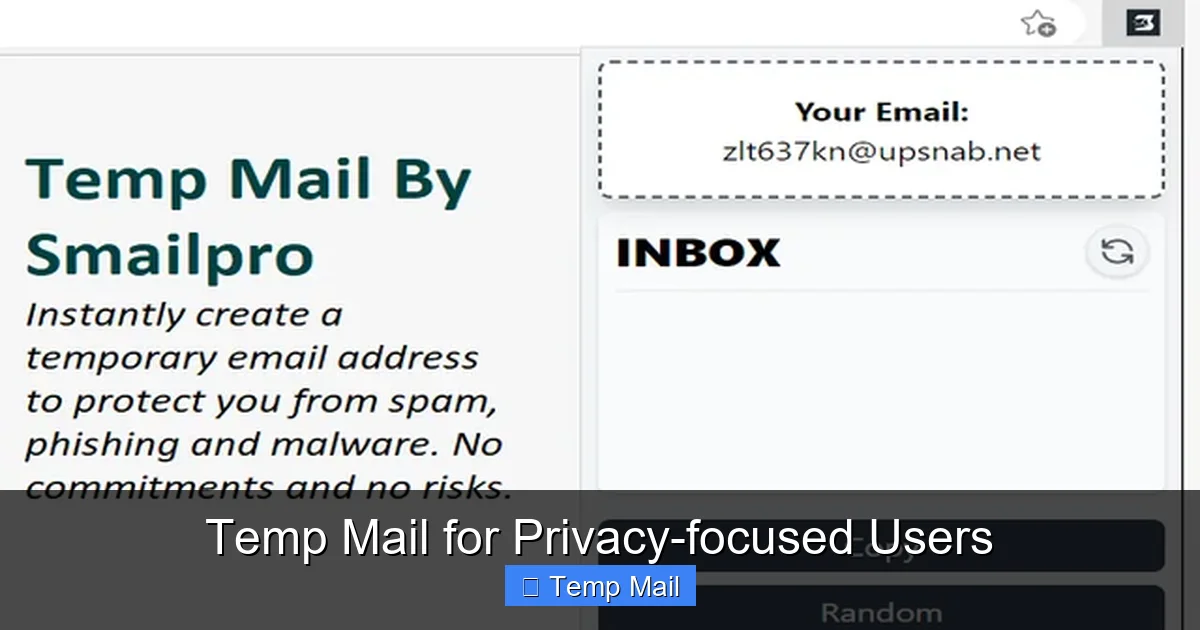
- Session-Based Generators: The most common and recommended for privacy. You visit, get a unique address and a private, unguessable URL to access *only your* inbox. The address is not publicly listed. This is the standard model from providers like Temp-Mail.org, 10MinuteMail, and Guerrilla Mail.
- API-Based Services: These are designed for developers to integrate disposable email functionality into their own applications or testing suites. They offer more control but require technical knowledge.
For the individual privacy user, the session-based generator is the gold standard. It balances convenience with a strong separation between your session and others’.
The Privacy User’s Arsenal: Core Benefits Unpacked
Why go through the extra step of using a temp address? The benefits are a direct countermeasure to the pervasive data collection economy.
Visual guide about Temp Mail for Privacy-focused Users
Image source: addons.mozilla.org
1. The Ultimate Spam and Phishing Firewall
Every time you use your primary email on a website with weak security or shady data-sharing practices, you risk that address being sold on the “data bazaar.” These lists fuel the endless tide of promotional spam and, more dangerously, targeted phishing attacks. A phishing email that lands in your main inbox, masquerading as your bank or Amazon, has a higher chance of tricking you because you expect legitimate emails there. A temp inbox acts as a canary in the coal mine. If you start getting spam or phishing attempts to your temp address, you know exactly which site leaked or sold it. You simply delete the temp address and the problem vanishes with it, leaving your real inbox pristine and your guard high only where it matters.
2. Severing the Data Brokerage Chain
The modern internet runs on profiling. Companies like Acxiom, Experian, and countless others compile dossiers on individuals by aggregating data from countless sources—including every website where you’ve ever entered an email address. By consistently using a temp mail for non-essential sign-ups (newsletters you might read once, free webinar registrations, contest entries), you prevent your primary email from becoming a key identifier in these massive, unregulated databases. You are not “opting out” of the data economy entirely, but you are undergoing a form of data minimization, drastically reducing the fuel for the profiling engine.
3. Containing the Fallout from Data Breaches
Data breaches are not a matter of if but when. In 2023 alone, billions of records were exposed. If you used your personal email on a forum that gets hacked, that email/password combo (often reused) is now in the hands of cybercriminals. With a temp mail, the breached credential is useless for accessing your real accounts. The breach is contained to a disposable channel. You simply abandon the temp address. This practice, known as “email aliasing” (though temp mail is a more extreme, non-persistent form), is a cornerstone of breach mitigation strategy.
4. Preserving Anonymity for Sensitive Research or Whistleblowing
Journalists, activists, researchers, and everyday citizens investigating sensitive topics—from corporate malfeasance to political corruption—need to operate in the shadows online. Using a personal email to download a leaked document, register on a forum discussing protected activities, or contact a source is a massive operational security (opsec) flaw. A temp mail provides a layer of anonymity that, while not foolproof against a dedicated state actor, is sufficient to prevent casual correlation and protect against low-to-mid-level threats of identification and retaliation.
Practical Applications: When and How to Use Temp Mail
Knowing the theory is one thing; integrating it into daily digital life is another. Here’s a practical playbook for the privacy-conscious user.
Visual guide about Temp Mail for Privacy-focused Users
Image source: imag.malavida.com
The Golden Rule: The “Disposable Email” Mental Model
Adopt this simple heuristic: “If the service or interaction is not critical to my long-term identity, finances, or relationships, use temp mail.” This instantly categorizes most online activities.
Use Case 1: The One-Time Download & Content Gate
How many times have you wanted a free PDF guide, a stock photo, or a software trial, only to be forced to enter an email? This is a classic lead generation tactic. The company wants your email to add to their marketing list. Action: Use your temp mail. Download the file. If you ever want to hear from them again (unlikely), you can’t, because the address is gone. This is a pure win.
Use Case 2: Forum and Comment Section Registration
Many forums and news sites require registration to comment or view threads. This is often to combat spam, but it also builds their user database. Action: Temp mail. You get your viewpoint out or access the discussion without creating a persistent, linkable account under your real email. For truly anonymous forum participation, combine this with a VPN and a pseudonymous username.
Use Case 3: App and Service Trials (The “Freemium” Trap)
Signing up for a 14-day trial of a SaaS tool? They’ll send upgrade nudges, “usage reports,” and promotional offers to your inbox forever unless you unsubscribe—a process often designed to be cumbersome. Action: Use temp mail. Get your trial access. Let the trial expire. The marketing emails go to a void. No unsubscribing needed.
Use Case 4: Bypassing Regional Restrictions and Censorship
In countries with heavy internet censorship, certain tools, news sites, or communication platforms may be blocked. Sometimes, accessing a mirror site or a circumvention tool requires an email for a download link. Using a national ISP-provided email for this could flag your activity. Action: Use a reputable international temp mail service (accessible via Tor or a VPN) to obtain the necessary software or link, adding a layer of separation between your circumvention activity and your official digital identity.
Use Case 5: Protecting Your Identity in “Sketchy” Environments
This includes online marketplaces (for non-physical goods), cryptocurrency-related forums and airdrops, gaming servers with questionable moderation, or any site where you feel a “digital twitch” of unease. Action: Default to temp mail. Your gut feeling about a site’s trustworthiness is often correct. Honor it with a disposable address.
Choosing a Provider: The Privacy-Focused User’s Checklist
Not all temp mail services respect privacy. Some are laden with ads, log IPs, or have short, insecure lifespans. Here’s what to look for.
Critical Criteria: What Makes a Service “Privacy-Friendly”?
- No Registration Required: This is non-negotiable. If it asks for a phone number, a password, or any login, it’s not truly temporary or anonymous.
- Clear Data Retention Policy: The service should explicitly state that emails and inboxes are deleted after a short, fixed period (e.g., 24 hours, 7 days) or after a set number of messages. Avoid services with vague “we may retain data” language.
- HTTPS Everywhere: The entire site, including your inbox view, must use SSL/TLS encryption to prevent network eavesdropping on the content of your temporary emails.
- Minimal or No Ads: While free services need revenue, be wary of sites bombarded with aggressive, malicious-looking ads or pop-ups. These can be vectors for malware and often indicate a lower-quality operation. Some reputable services offer a modest, non-intrusive ad experience or a low-cost premium ad-free tier.
- Domain Reputation: Some temp mail domains are blacklisted by major providers (Gmail, Outlook) because they are abused for spam. A good service will use domains that are not universally blocked, ensuring your verification emails actually get delivered. If your temp mail never receives the email you’re expecting, the domain might be blacklisted.
- Open Source or Auditable (Bonus): A few services open-source their code or have undergone independent security audits. This provides the highest level of trust, as the community can verify there are no hidden backdoors or logging mechanisms.
Recommended Features for Power Users
Look for services that offer:
- Multiple Domain Options: The ability to choose from several @domain options. If one domain gets blacklisted, you can switch.
- API Access: If you’re tech-savvy, an API allows you to automate temp mail creation for testing or specific workflows.
- Customizable Expiry: Some let you set the inbox lifetime (e.g., 1 hour, 1 day) for different use cases.
- Reply Functionality: While rare and often risky (as it can break anonymity), some allow replying from the temp address. Use this feature with extreme caution and only if you understand the metadata implications.
The Limitations and Critical Caveats: What Temp Mail CAN’T Do
Relying on temp mail as a silver bullet for all privacy issues is a dangerous mistake. Understanding its boundaries is as important as using it correctly.
It is NOT for Important, Long-Term, or Legal Communications
Never use temp mail for:
- Banking, financial services, or government correspondence (taxes, legal notices).
- Account recovery for any service you care about. If you forget your password, you’re locked out forever.
- Professional or academic communications where proof of identity or record-keeping is required.
- Anything where you might need to reference the communication months or years later. The inbox is a memory hole.
The Rule: If the email is a key that unlocks something valuable or enduring in your life, do not use a temp mail. Use a secure, persistent email with strong 2FA.
The Sender’s Perspective: Why Some Sites Block Temp Mail Domains
Many websites and services actively check incoming email domains against known lists of disposable email providers and block them. This is because:
- They want a real, marketable email address.
- They are trying to prevent fraud and abuse (e.g., creating infinite free trial accounts).
- They need a reliable way to contact you about critical service issues.
Implication for You: You may encounter a sign-up form that rejects your chosen temp mail domain. This is not a bug; it’s a feature for them. You must then decide: is this service important enough to warrant using your real email, or should you abandon the sign-up? For a privacy user, the answer is usually the latter. This blocking is also why you should have 2-3 different temp mail services bookmarked; if one domain is blocked, try another.
Security Risks of the Service Itself
You are trusting the temp mail provider with the content of emails sent to that address. While they shouldn’t log your session, a malicious or compromised provider could:
- Log and sell the content of emails (though this is less common than email harvesting from sign-up forms).
- Inject malicious code into the pages you view (via ads or otherwise).
- Intercept emails meant for you if they use weak internal security.
Mitigation: Use well-known, established services with a reputation to protect. Avoid obscure, ad-heavy sites. Never use temp mail for receiving sensitive information like password reset links for important accounts, private documents, or confidential data. Assume the inbox is public.
The Future of Ephemeral Communication: Trends and Alternatives
The temp mail landscape is evolving, as are the broader strategies for email privacy.
From Temp Mail to “Alias” Services: The Middle Ground
Services like SimpleLogin, AnonAddy, and Firefox Relay represent a more sophisticated approach. They create unique, forwardable email aliases (e.g., [email protected]) that deliver to your real inbox. You can disable an alias at any time, instantly stopping all mail from that sender. The key difference: aliases are persistent until you kill them; temp mail is automatically transient. Aliases are perfect for newsletters, online shopping, and services you might want to keep long-term but with easy revocation. Temp mail is for the truly “hit-and-run” interactions. A sophisticated privacy user will use both: temp mail for the unknown and alias services for the semi-trusted but revocable.
Integration with Privacy Browsers and VPNs
The future is layered defense. Imagine a workflow: you open a privacy-focused browser (like Tor or a hardened Firefox profile) connected to a trustworthy VPN. You navigate to a site, and your browser’s built-in password manager suggests a temp mail address from a linked service (some password managers are exploring this). The entire session is isolated, anonymous, and leaves minimal trace. This integrated, automated approach is where the practice is heading, making privacy the default, not the conscious effort.
The Regulatory Question: Will Temp Mail Be Outlawed?
There is ongoing pressure from some regulatory and business sectors to ban or severely restrict disposable email services, citing fraud prevention. While understandable, a blanket ban would disproportionately harm whistleblowers, journalists, and ordinary citizens in oppressive regimes who rely on this tool for basic safety and access to information. The debate will center on balancing anti-fraud needs with the fundamental privacy rights of individuals to communicate anonymously online—a right enshrined in many international human rights frameworks.
Conclusion: Embracing Strategic Impermanence
For the privacy-focused user, the goal is not to disappear from the internet—an impossible task—but to control your digital shadow. Temp mail is a profoundly effective tool for practicing strategic impermanence. It allows you to engage with the digital world’s vast resources—its free content, its trials, its communities—without leaving a permanent, monetizable, and exploitable trail behind. It is the digital equivalent of using a prepaid, no-ID phone card for a single call and then discarding it. The power lies in the act of disposal, in the conscious choice to let a piece of your digital interaction die a scheduled death.
Incorporating temp mail into your routine is a low-effort, high-impact habit. It requires no technical expertise, costs nothing, and immediately reduces your attack surface. Start today. Bookmark one or two reputable session-based providers. The next time a website asks for your email in exchange for a PDF, pause. Open a new tab, generate a temp address, and use it. Experience the quiet satisfaction of knowing that email address will vanish in 24 hours, taking its potential for spam, profiling, and breach with it. That is the essence of digital self-defense: not building higher walls, but learning to walk through doors that lock permanently behind you.
Frequently Asked Questions
Is using temp mail legal?
Yes, using temporary email services is completely legal in most countries. It is a tool for privacy, not inherently for illegal activity. However, using it to commit fraud, evade legal summons, or engage in harassment is, of course, illegal. The tool itself is neutral.
Can temp mail be traced back to me?
With a reputable, no-registration service, tracing the *inbox activity* back to your real identity is extremely difficult as they do not create that link. However, your internet activity is never fully anonymous. Your ISP or a state-level adversary with deep packet inspection could see you visiting the temp mail site. For high threat models, always use temp mail over Tor or a trusted VPN.
What happens if I need to recover an account I signed up with a temp mail?
You cannot. By design, the inbox and its contents are permanently deleted. This is why the golden rule exists: never use temp mail for any account whose loss would cause you significant trouble, such as primary social media, banking, or essential cloud storage.
Are temp mail services secure? Can hackers read my emails?
Security varies. Reputable services use HTTPS to protect emails in transit between you and their server. However, you must assume the service provider could read the emails while they are stored on their server, as they hold the decryption keys. Therefore, never send sensitive personal data, passwords, or confidential documents to a temp mail address. Its purpose is anonymity from the *sender and data brokers*, not military-grade secrecy.
Why do some websites block temp mail addresses from signing up?
Sites block them to enforce their Terms of Service, prevent abuse (like creating unlimited free trials), and ensure they can contact you about important account matters. They want a stable, reachable email address. If a site blocks temp mail, it’s a signal: they are serious about user accountability, or they have had problems with abuse. Respect their policy and decide if the service is worth using your real email for.
Should I use temp mail on my phone or only on a computer?
You can use it on any device with a web browser. However, for maximum privacy separation, consider using it only on a device or browser profile dedicated to private, non-personal activities. This prevents cookie and tracking data from your temp mail sessions from mixing with your main browsing sessions on the same device. Using it in a private/incognito browser window is a good minimum practice.
Leave a Reply